Create HyperTrain Job
You can create a HyperTrain job based on the currently activated Alaya Lab.
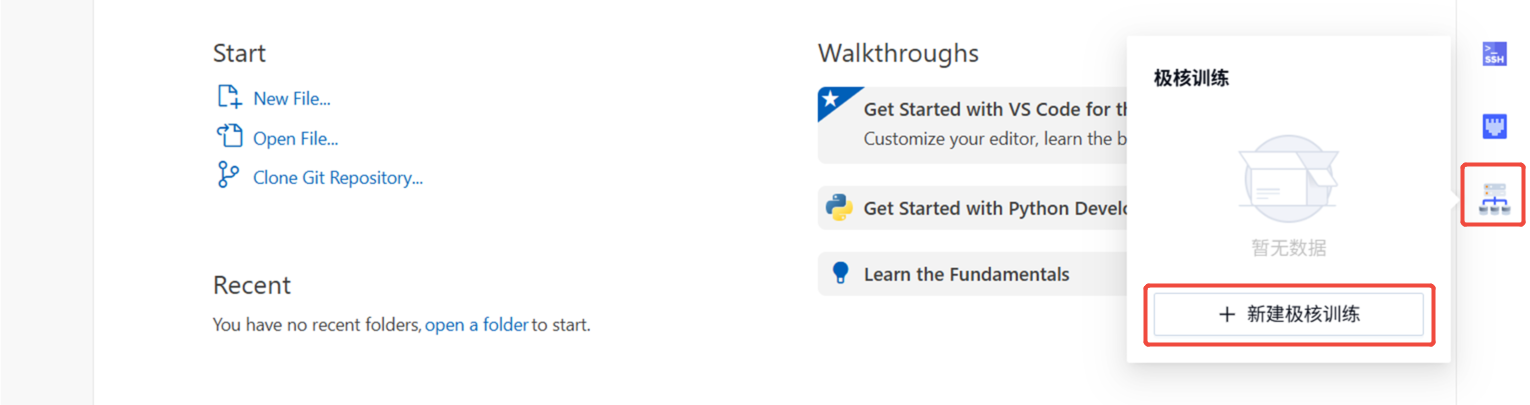
Create a Job
Go to Product Center -> Alaya Lab -> Right Menu and click New HyperTrain Job.
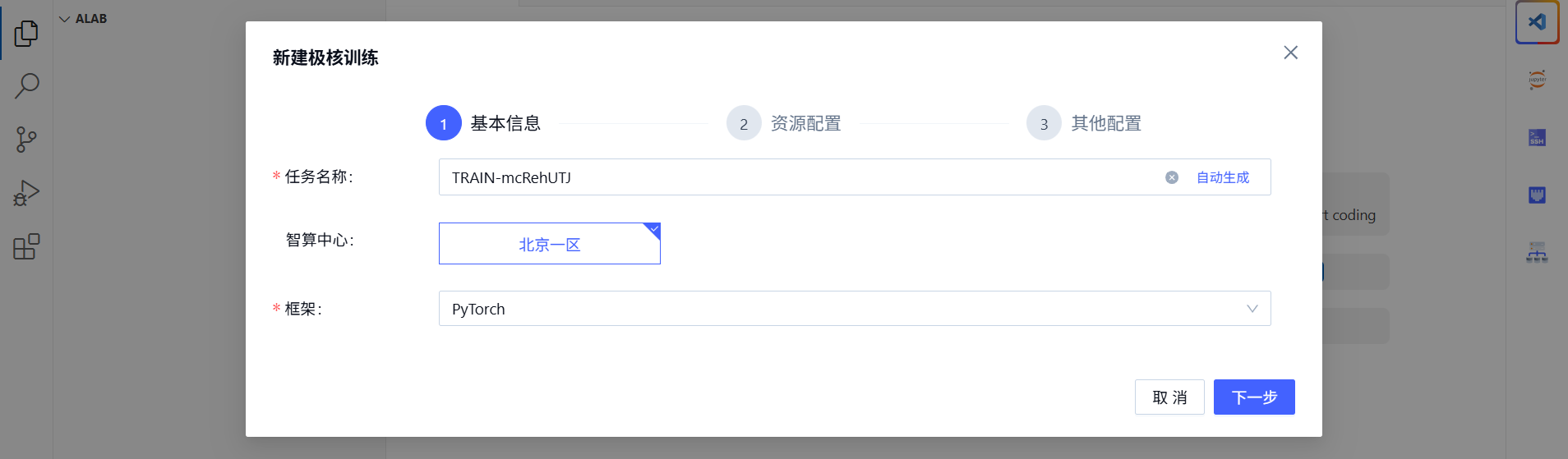
Fill in the basic information and select computing resources.
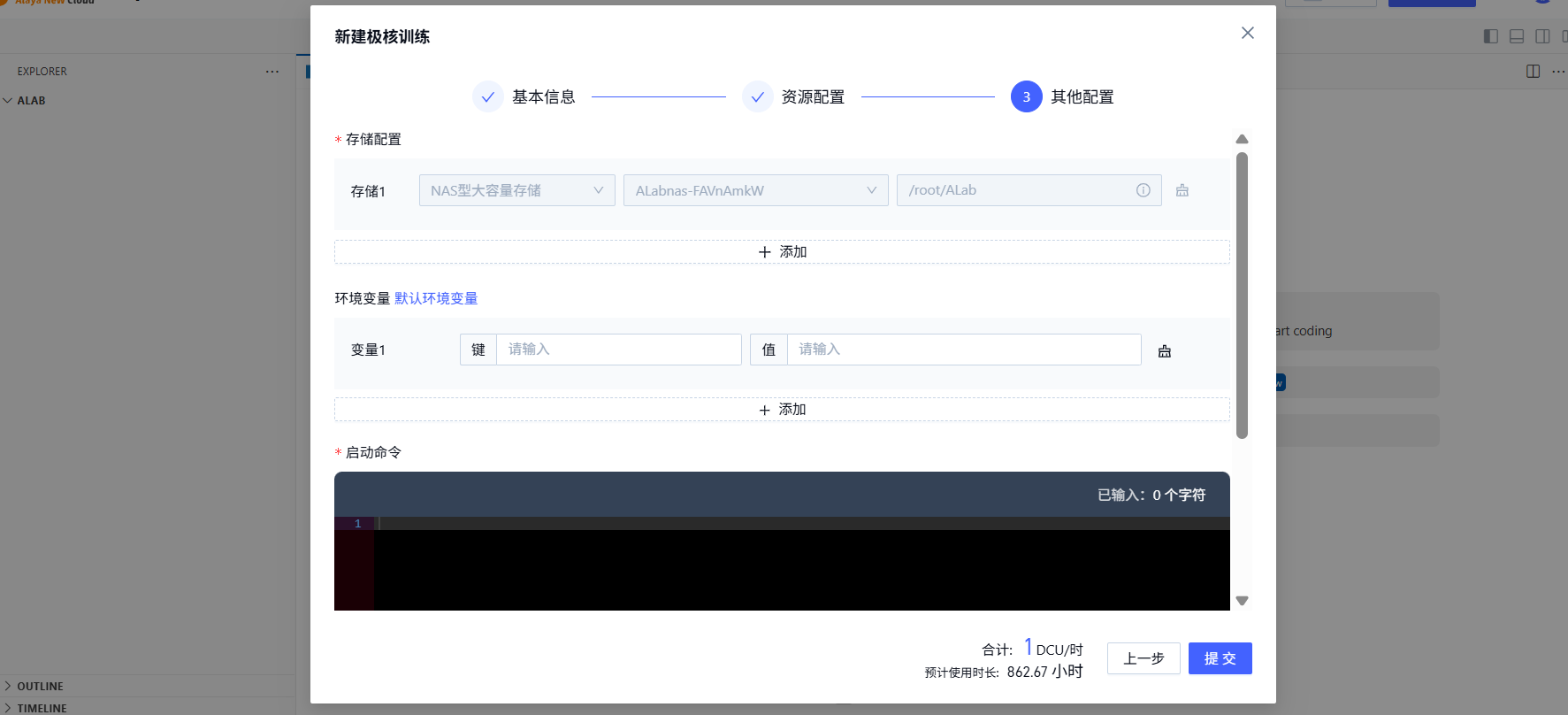
Configure storage, environment variables, and startup command.
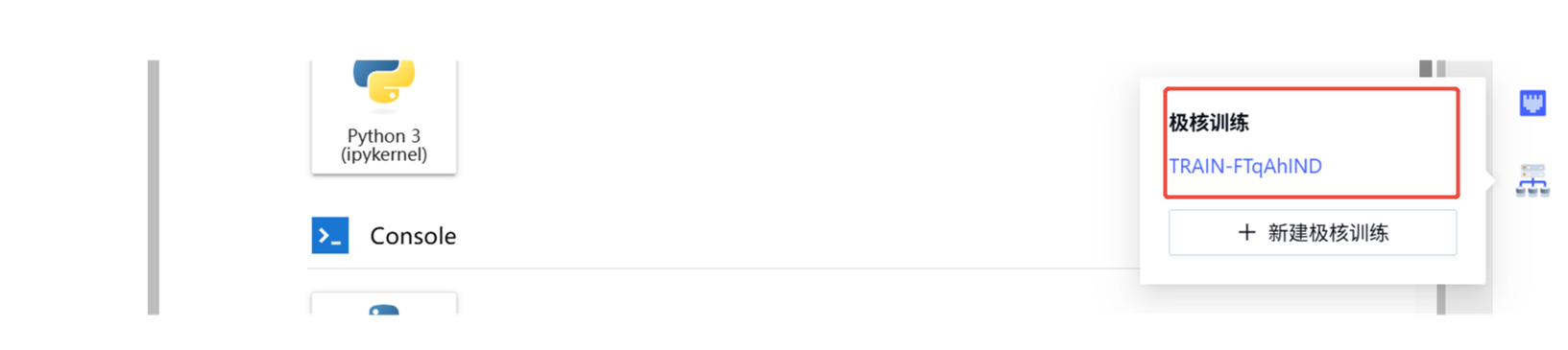
View Jobs
View HyperTrain jobs created from the current environment under Product Center -> Alaya Lab -> Right Menu -> HyperTrain List.
You can also view the training job under Product Center -> Computing -> HyperTrain.