
One-click purchase of OpenClaw Lite Edition — register, pay, launch OpenClaw Chat, and grab the access credentials
Meet OpenClaw: your always-on, all-purpose AI butler
Before getting into the tool itself, let's clear up one common point of confusion: what is it actually called? OpenClaw has been renamed three times:
- Original name: it was first called ClawdBot, but the name was too close to the well-known AI "Claude" and prompted an infringement notice.
- First rename: the team renamed it to MoltBot. During the rename, both the domain and social-media accounts were maliciously squatted, and a same-named cryptocurrency "rug-pull" appeared, badly disrupting the new name's adoption.
- Final name: to settle the issue, the project was finally named OpenClaw, which it continues to use today.
Whether you see ClawdBot, MoltBot, or OpenClaw, they all refer to the same project.
What is OpenClaw?
OpenClaw is an open-source personal AI assistant that took off rapidly in 2026, with over 100,000 GitHub stars. It is not a simple chatbot — its key innovation is making the leap from "conversation" to "execution".
How it differs fundamentally from traditional AI chatbots:
- 🛠️ Real execution capability: it does not just answer questions — once authorized, it actually operates on your machine, organizing files, sending email, processing data, and so on.
- 🌙 24/7 standby: as a continuously running agent, it can complete tasks per your instructions even while you rest.
- 🔓 Fully open source and free: the code is fully public; all data and privacy stay in your hands.
- 📱 Cross-platform IM access: take commands and interact through the major IM tools, in China and abroad — drastically lowering the barrier to use.
What can OpenClaw do?
In short, it is a "digital employee" that understands natural language and can operate a computer. Issue an instruction in plain language and it turns the idea into action.
- Office automation: organize last month's email, summarize weekly report data, book your meeting itinerary.
- Smart assistant: while you sleep, unsubscribe from junk ads, monitor system logs, even hunt for bugs in your code.
- Cross-platform control: command it through the chat tools you already use (Feishu, DingTalk, WhatsApp, Telegram, etc.) — from managing desktop files to controlling smart-home devices, it handles them in the background.
OpenClaw finally gives users the chance to own a movie-style super-intelligent and loyal AI assistant, turning natural-language instructions into concrete productivity.
One-click activation and binding
1️⃣ One-click purchase of OpenClaw Lite Edition
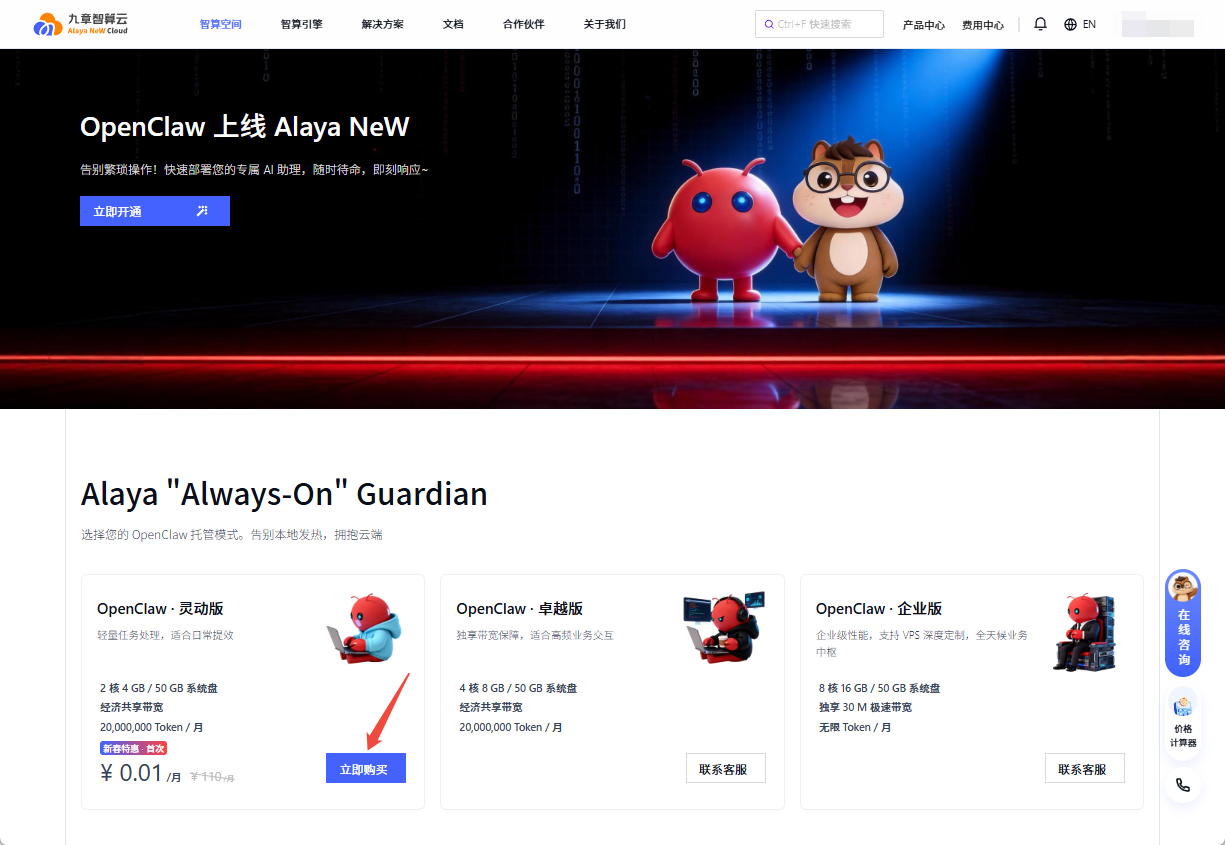
Open the Alaya NeW OpenClaw product page, pick OpenClaw Lite Edition, and click Buy Now.
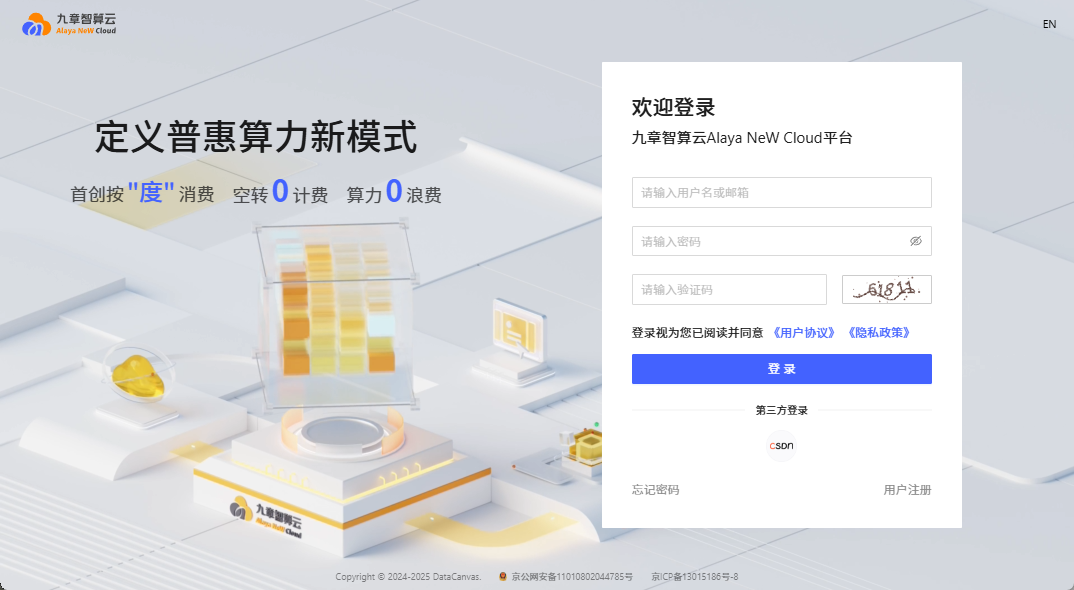
You'll be redirected to the platform sign-up / sign-in page; after signing in, click Buy Now again.
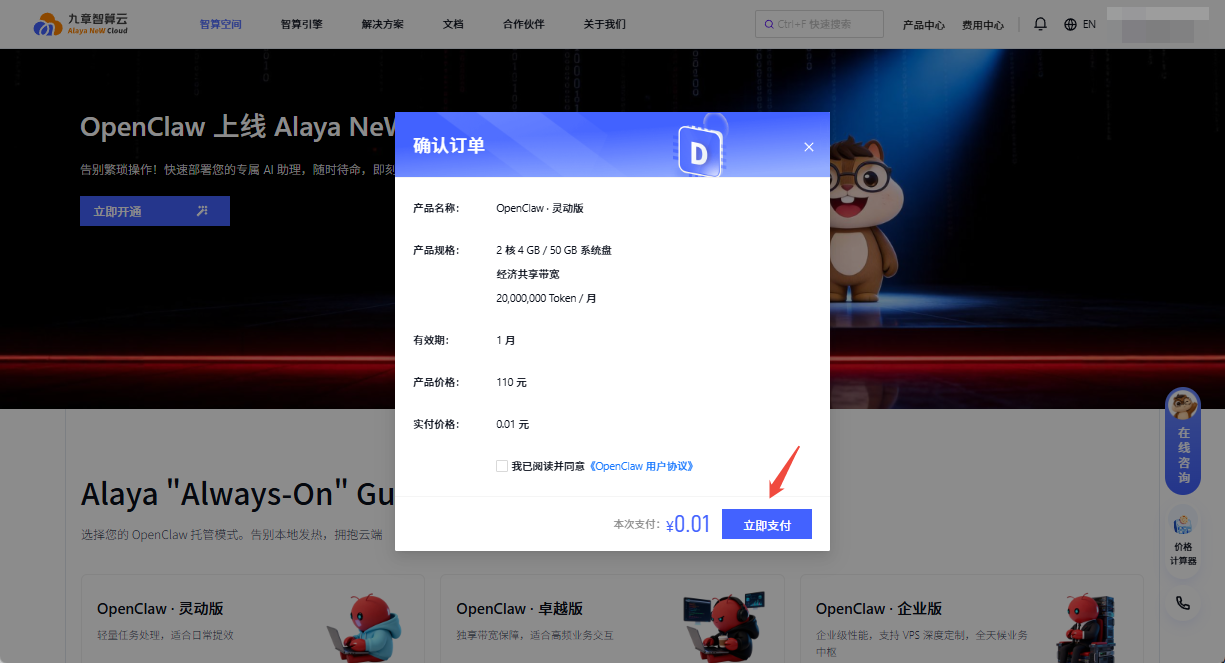
You'll then be redirected to the payment page; click Pay Now and pick a payment method to complete the purchase.
Once payment succeeds, the platform auto-provisions the service and redirects you to the OpenClaw application.
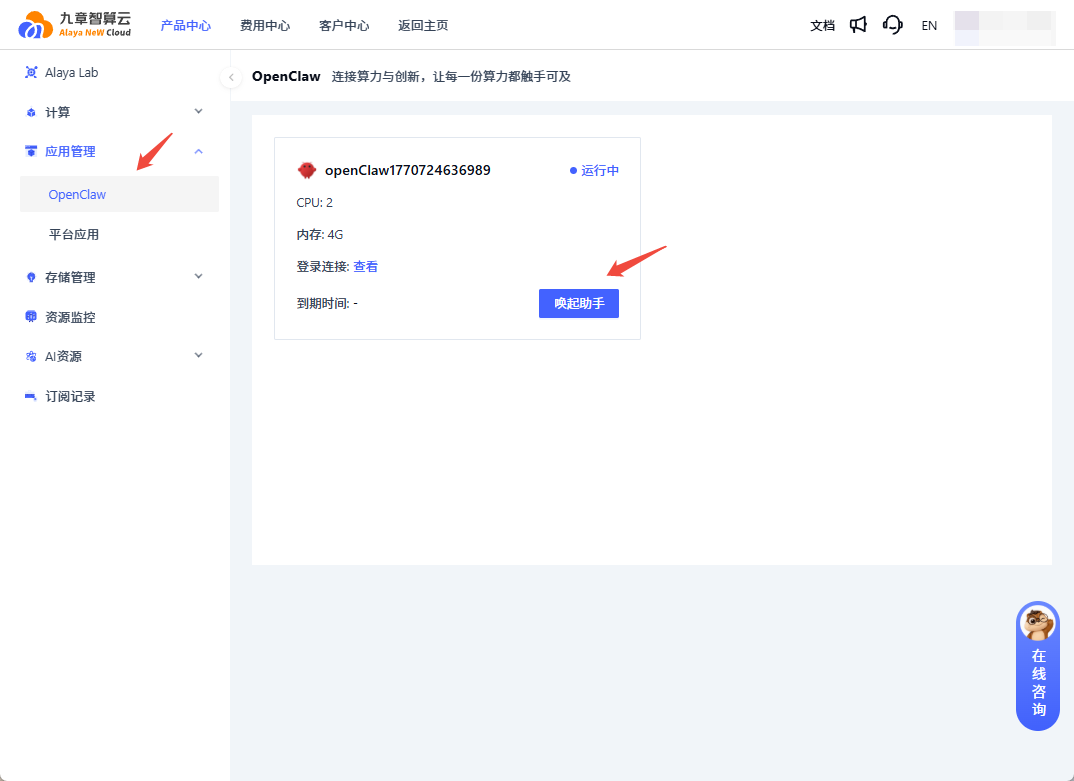
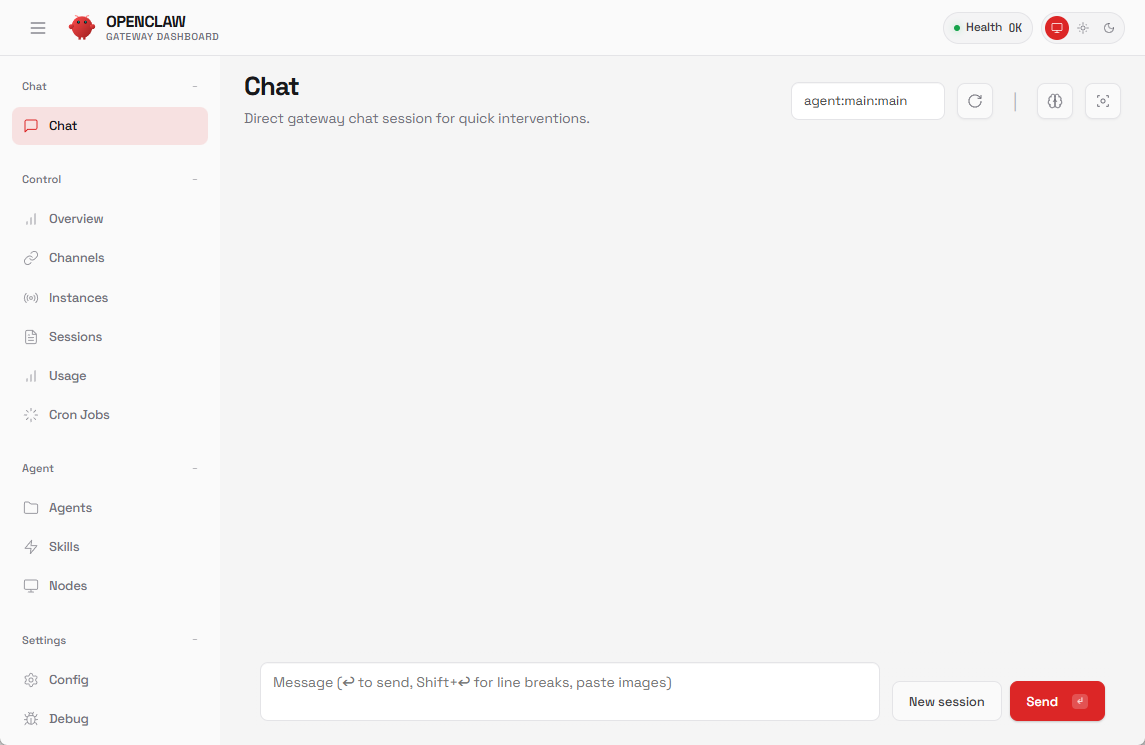
Click Launch Assistant to enter OpenClaw Chat in one click.
2️⃣ One-click access credentials
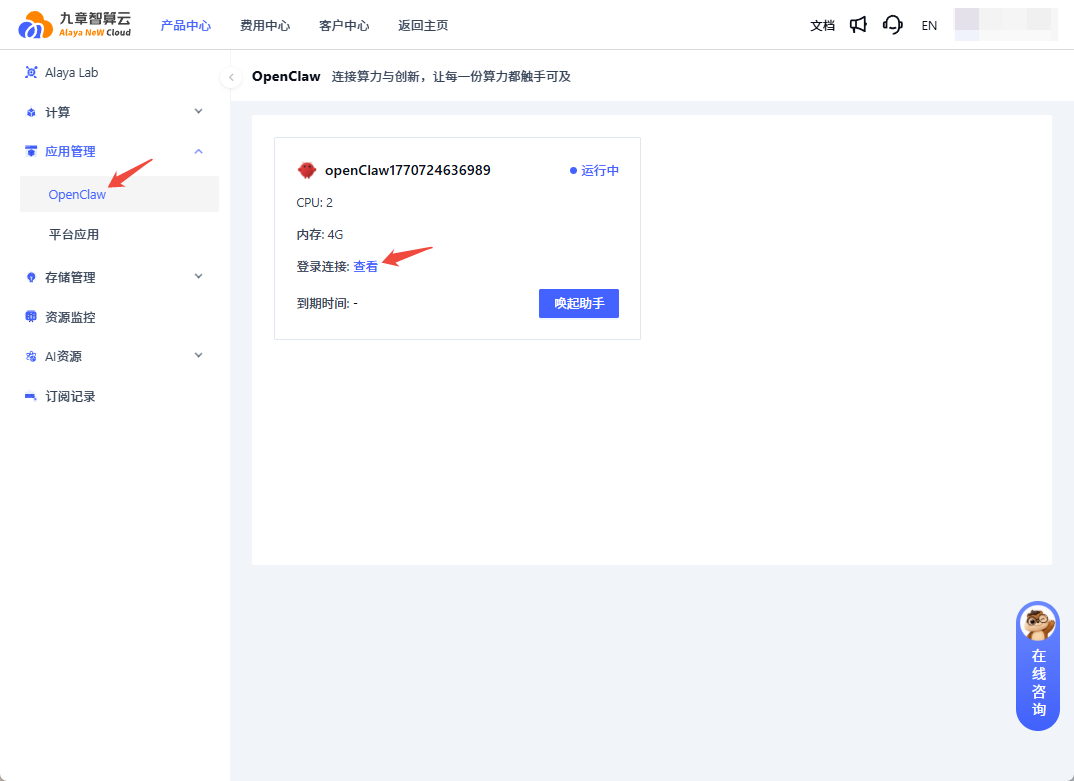
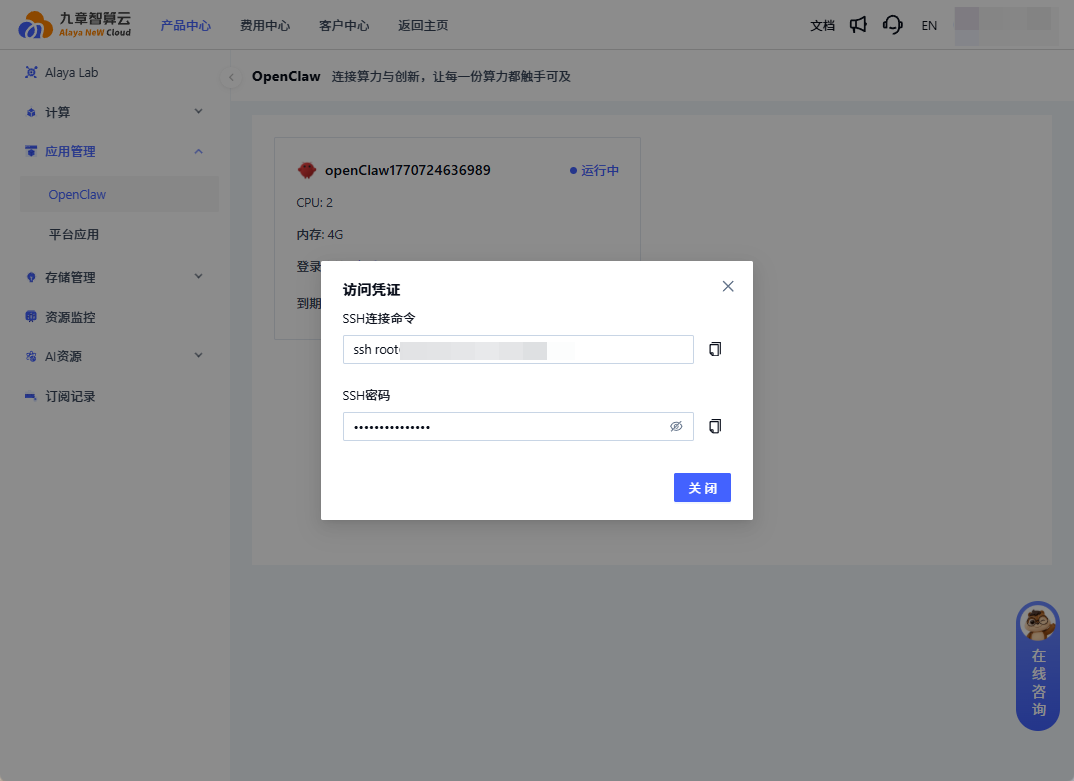
Remote-access the OpenClaw application, open the Login Connection panel, then copy the SSH command and SSH password and store them for later use.
Next steps
Last updated on