Get OpenAPI Key
Users can register on the official website and sign in to the Alaya NeW Cloud platform. After setting the initial password, users can go to the Access Management page to generate a personal access token for Serverless API calls.
-
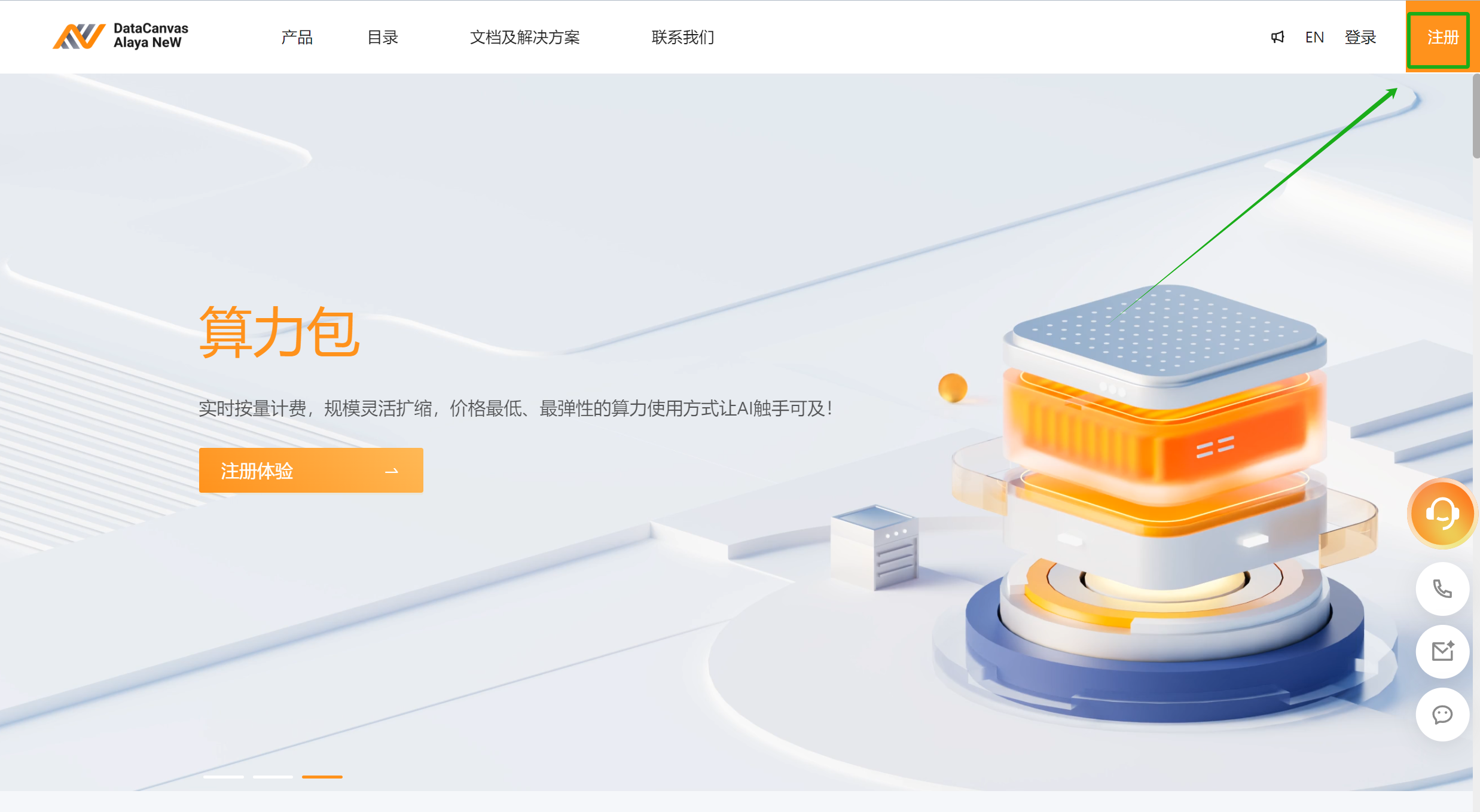
Users visit the Alaya NeW Cloud official website and find the Sign up button in the upper-right corner, as shown below.
-
Click the Sign up button to go to the [User Registration] page. Fill in the registration information in the blank fields, including username, email address, mobile phone number, SMS verification code, and select the checkbox “I have read and agree to the User Agreement and Privacy Policy”. After filling in all the registration information, click Register.
-
Sign in to the email address that is entered during registration and click the Click the link to set your initial password link to set the login password for the user.
- The link for setting the initial password is valid for 60 minutes, so users must complete the configuration within the time limit. If the link expires, users can click Forgot Password icon on the login page and the system will resend the password setup email.
- If the user has already registered an company account, he/she can sign in directly without registering again.
-
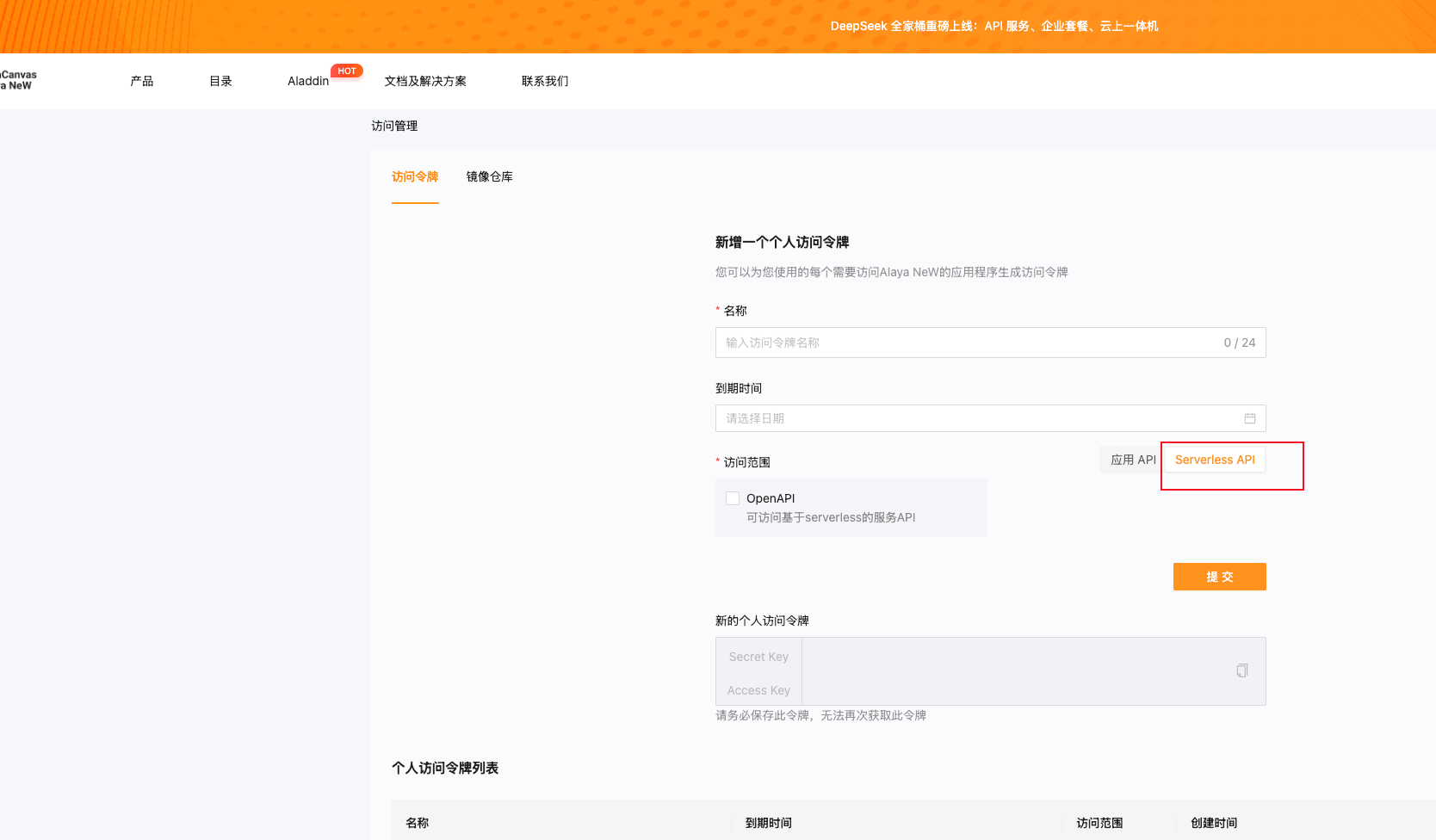
After signing in to the Alaya NeW Cloud platform with the username and password, hover over the user avatar in the upper-right corner and select the Access Management tab in the pop-up window to open the access token configuration page, as shown below.
-
Enter the configuration parameters as prompted on the page, such as the access token name and expiration time. Then select the Serverless APl tab and check OpenAPI.
-
After the parameters are configured, click Submit to generate a new personal access token, as shown in the example page below.
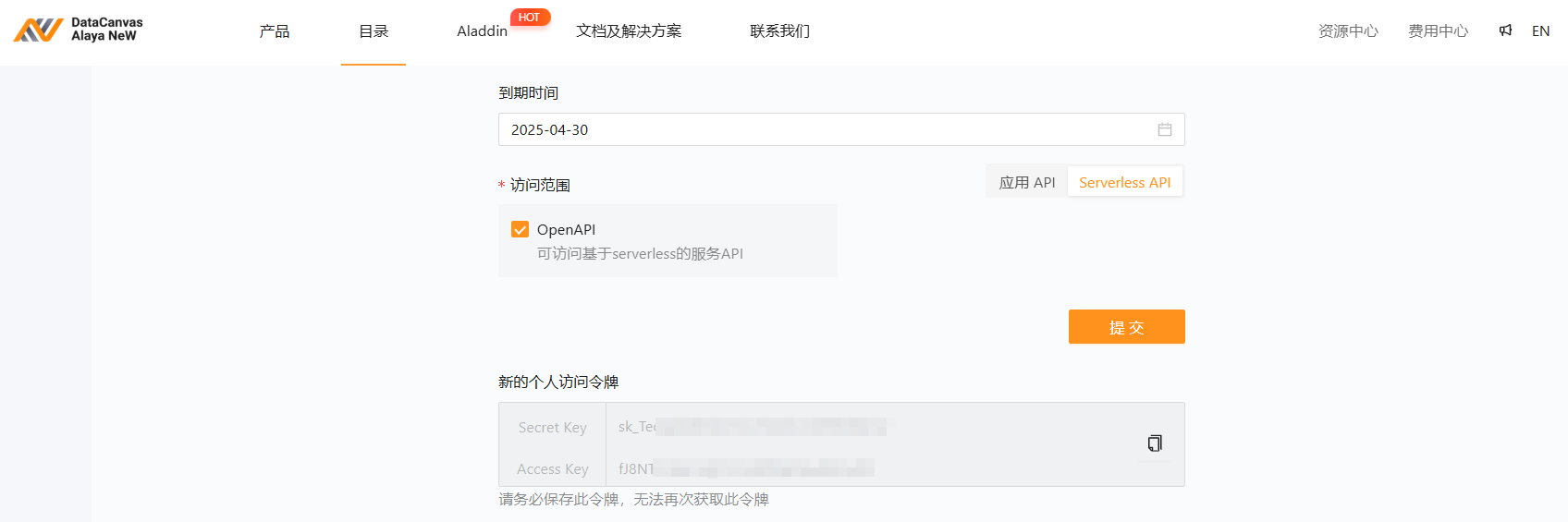
A personal access token cannot be regenerated. Users must keep the Secret Key and Access Key secure in a secure location.