Private Deployment of the Full DeepSeek 3.2 Model
DeepSeek-V3.2-Exp is an enhanced version of V3.1-Terminus, built on the DeepSeek Sparse Attention architecture. This architecture dynamically allocates computing resources to reduce redundant operations, lower memory usage and compute cost, and improve long-context processing efficiency — all while maintaining model accuracy.
This guide describes how to deploy DeepSeek-V3.2-Exp using Cloud Container Instances and provides best practices for private deployment. The solution is designed to deliver flexible, scalable, and high-performance model serving. It enhances inference efficiency and ensures stability and security in a private environment.
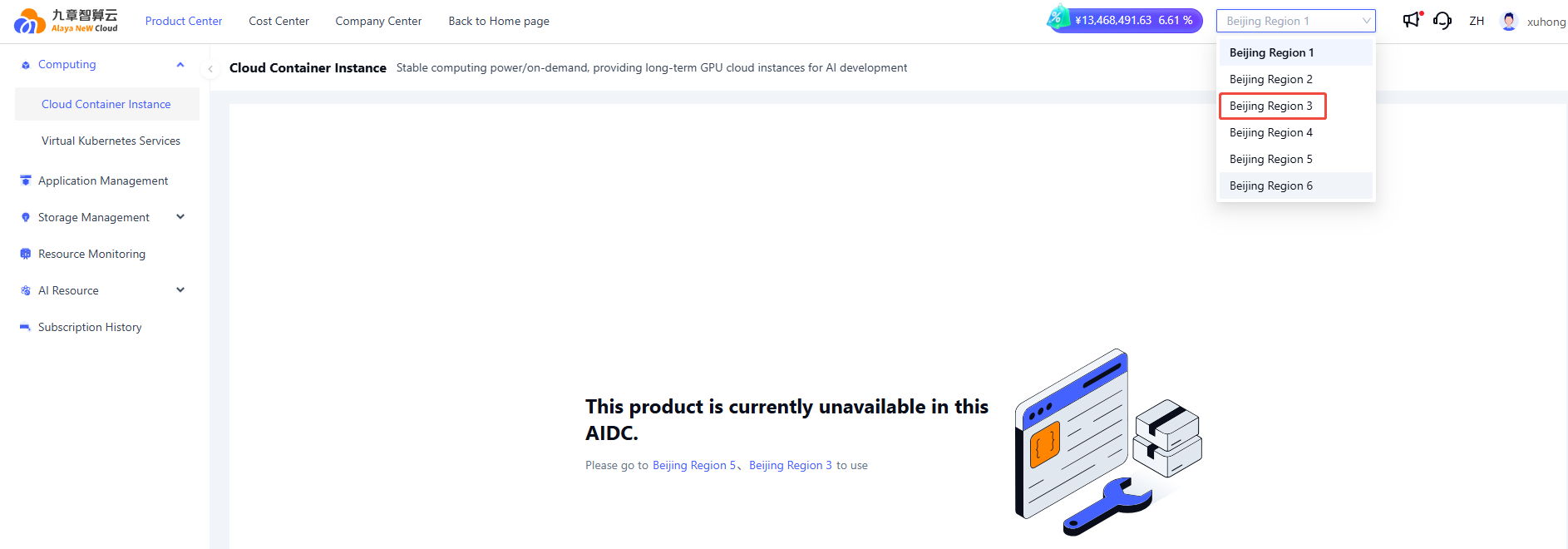
The Cloud Container Instance (CCI) currently supports private deployment of DeepSeek-V3.2-Exp only in Beijing Region 3.
Prerequisites
- You must have an Alaya NeW company account. If you need assistance or have not yet registered, see User Registration.
- Ensure that your company account has sufficient balance to use the Cloud Container Instance service. For additional assistance, Contact Us.
Deploy the Model
-
Sign in to the Console. Choose "Product" > "Computing" > "Cloud Container Instance" to open the Cloud Container Instance page.
-
Click "Cloud Container Management" to open the CCI list. In the upper-right corner, select the AI Data Center (Beijing Region 3) to create the instance.
-
Click "+New Cloud Container Instance" to create a instance. Configure the required instance parameters. For details, see Configuration Parameters. Select the resource configuration, choose the Application Image (see ① in the Figure below), and then click "Activate now" to create the container.

-
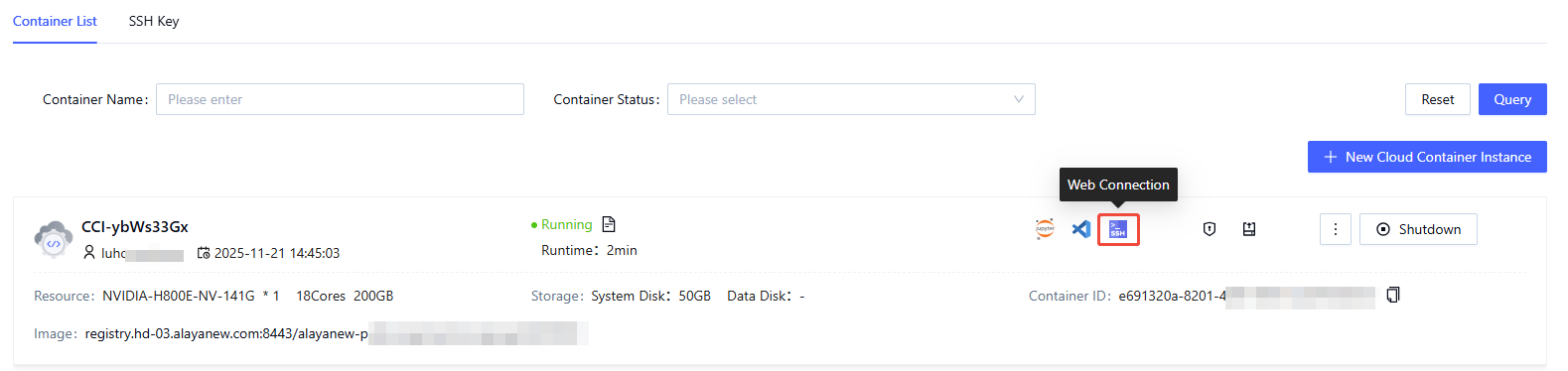
After the instance is activated, open the Cloud Container Instance page. On the Container List page, click the Web Connection icon on the right.
-
After entering the Web Connection interface, execute the following commands:
  ##Start the model service
  cd /
  export SGLANG_SERVER_HOST=0.0.0.0
  export SGLANG_SERVER_PORT=9001
  export SGLANG_MODEL_PATH=/root/public/DeepSeek-V3___2-Exp
  export SGLANG_MODEL_NAME=deepseek-v32-exp
  export SGLANG_TENSOR_PARALLEL_SIZE=8
  export SGLANG_API_KEY=sk-12345
  chmod +x /start-llm-inference.sh
  sh -c /start-llm-inference.sh ##It is recommended to run this step in the background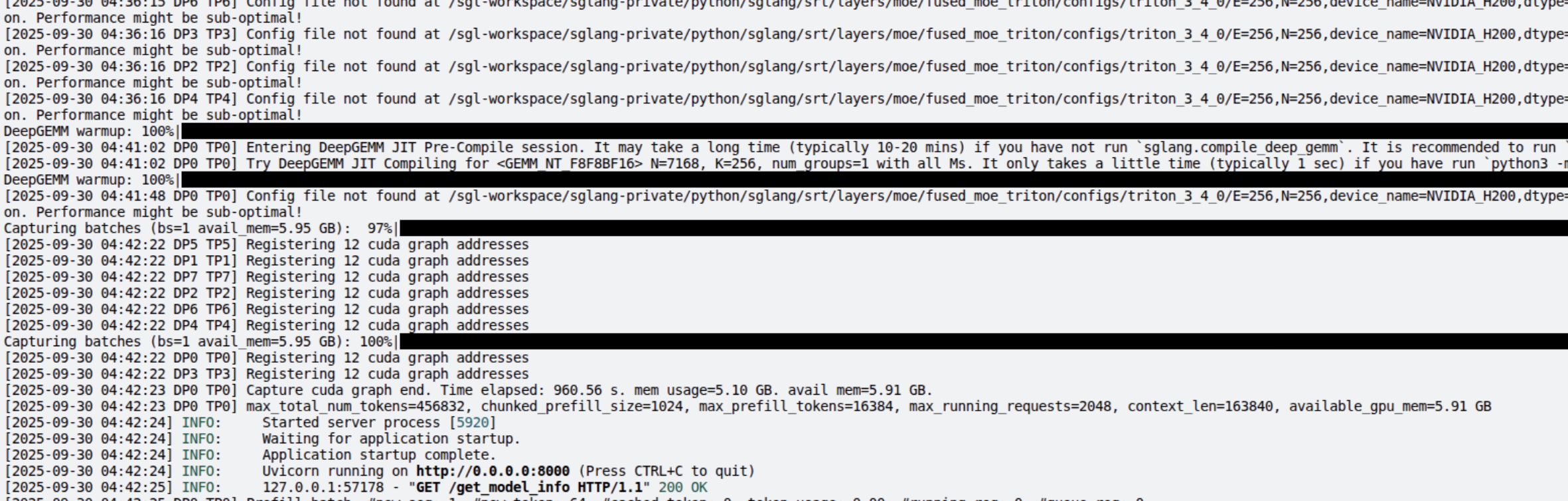
Model Usage
Option 1: Access Through Browser
-
Open the Web SSH console of your nstance and run the following commands to start webUI application for chatting.
  ##Start the WebUI application
  export OPENAI_BASE_URL=${OPENAI_BASE_URL:-http://183.166.183.174:9001/v1} ###the model port inside the container
  export OPENAI_API_KEY=${OPENAI_API_KEY:-sk-12345}
  export OPENAI_MODEL=${OPENAI_MODEL:-deepseek-v32-exp}
  export WEBUI_SERVER_HOST="0.0.0.0"
  export WEBUI_SERVER_PORT=9002
  chmod +x /start-chat-webui.sh
sh -c /start-chat-webui.sh -
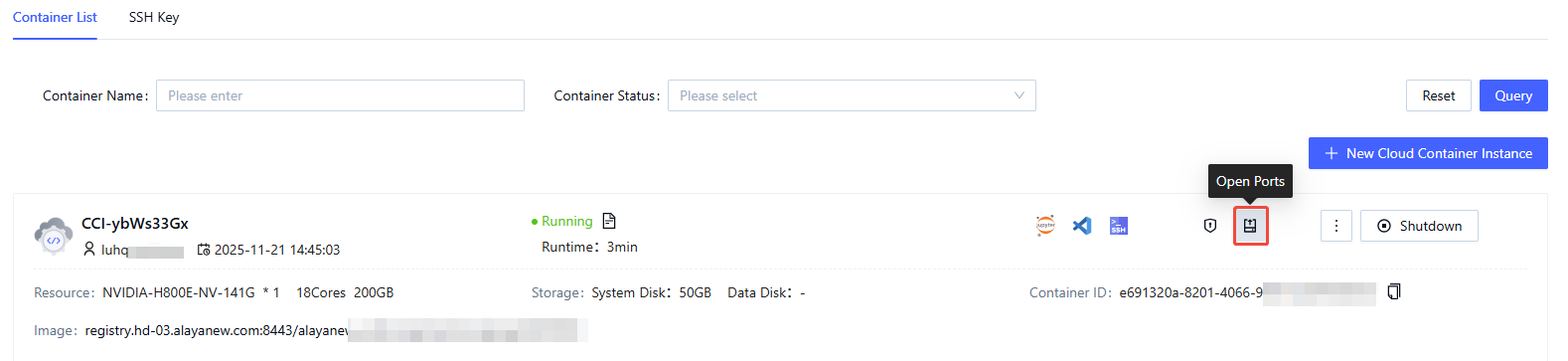
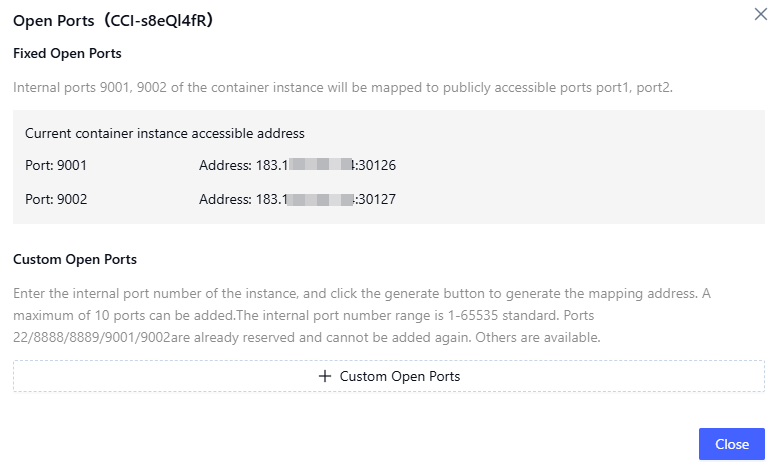
Return to the Container List page and click the "Open Ports" icon.
-
Copy the address associated with port 9002.
-
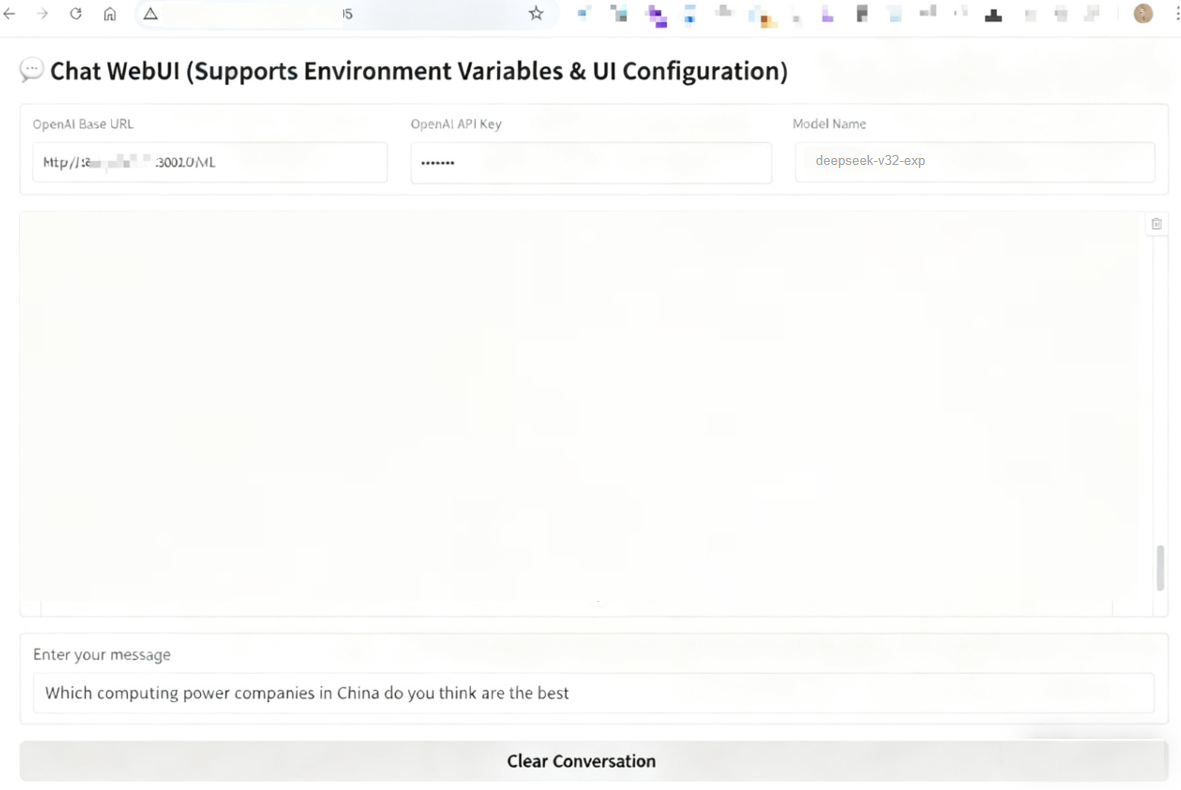
Visit the address in your browser to access the interface and interact with the DeepSeek-V3.2 model.
Option 2: Access Through API
-
Return to the Container List page, click the "Open Ports" icon, and copy the address for port 9001. You can send HTTP requests to the deployed service using the
curlcommand to interact with the DeepSeek-V3.2 model.curl --location --request POST 'http://183.166.183.17*:30010/v1/chat/completions' \
--header 'Authorization: Bearer sk-12345' \
--header 'Content-Type: application/json' \
--header 'Accept: */*' \
--header 'Host: 183.166.183.174:30010' \
--header 'Connection: keep-alive' \
--data-raw '{
"model": "deepseek-v32-exp",
"messages": [
{"role": "system", "content": "You are a helpful assistant."},
{"role": "user", "content": "Write a poem about a lake. "}
]
}'Service response example:
{
    "id": "3b8a3c290282499f8f076219c4b277ec",
    "object": "chat.completion",
    "created": 1759250598,
    "model": "deepseek-v32-exp",
    "choices": [
        {
            "index": 0,
            "message": {
                "role": "assistant",
                "content": "Lake Water\n\nSilk satin rumpled by the wind\nis the dressing table where daylight has shattered.\nWillow branches are angling for cloud-shadows;\neach ring of years\npushes open a waiting.\n\nThe stillness torn by a wild duck’s wake\nreturns when the reeds bend down.\nSlanting golden threads of sunset\nmend the stars\nand the dialogue of waves and spray.\n\nRouge dripping from the evening glow\nmakes the whole lake drunk with its lingering color.\nWho, there on the shore, stoops to pick up\na single moon\nand tuck it into the moss’s embrace.",
                "reasoning_content": null,
                "tool_calls": null
            },
            "logprobs": null,
            "finish_reason": "stop",
            "matched_stop": 1
        }
    ],
    "usage": {
        "prompt_tokens": 17,
        "total_tokens": 114,
        "completion_tokens": 97,
        "prompt_tokens_details": null,
        "reasoning_tokens": 0
    },
    "metadata": {
        "weight_version": "default"
    }
} -
You can also interact with the deployed service using Python:
import http.client
import json

conn = http.client.HTTPSConnection("183.166.183.17*", 30010)
payload = json.dumps({
  "model": "deepseek-v32-exp",
  "messages": [
      {
        "role": "system",
        "content": "You are a helpful assistant."
      },
      {
        "role": "user",
        "content": "Write a poem about a lake"
      }
  ]
})
headers = {
  'Authorization': 'Bearer sk-12345',
  'Content-Type': 'application/json',
  'Accept': '*/*',
  'Host': '183.166.183.174:30010',
  'Connection': 'keep-alive'
}
conn.request("POST", "/v1/chat/completions", payload, headers)
res = conn.getresponse()
data = res.read()
print(data.decode("utf-8"))
You can also use cross-platform AI clients—such as AnythingLLM, Chatbox AI, or Cherry Studio—to access the deployed service.