
Activate an ALab instance from the platform's recommended baseline — prerequisites, steps, exception handling
Alaya Lab (ALab) fuses the lightweight, interactive feel of Cloud Container Instance (CCI) with the heavy compute of HyperTrain — one environment that takes you from code editing and debugging straight through to large-scale model training, with no tool-switching in between.
The platform supports one-click activation from a recommended baseline.
Prerequisites
- Compute account DCU balance > 0
- Cash account balance > 10
- The current account and its enterprise have not hit their ALab quota (3 per account / 20 per enterprise).
- The enterprise has not hit its NAS storage quota (30).
Steps
Sign in and go to Product Center → Alaya Lab. Click One-click activate to enter the workbench.
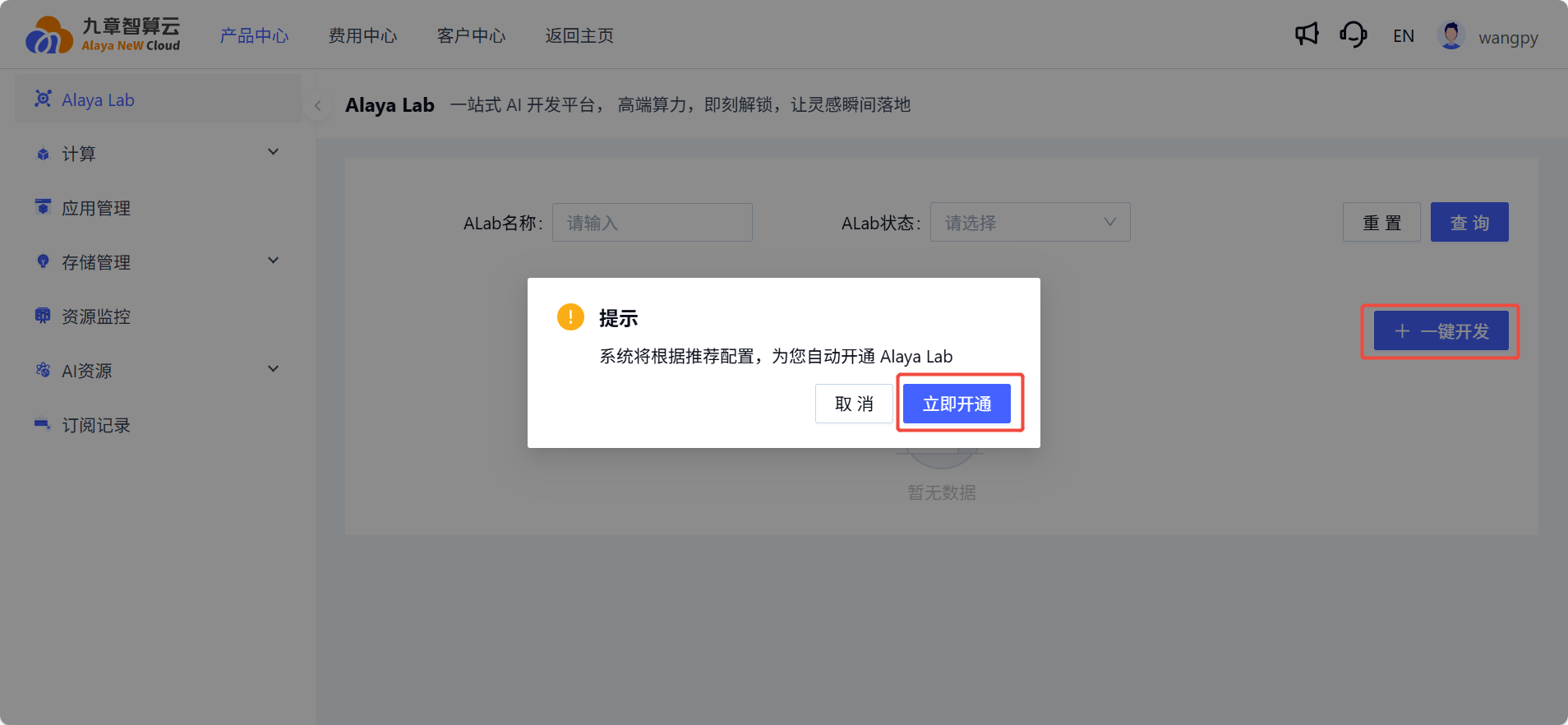
Wait for activation to finish — the platform submits the request, pulls the image, and prepares the dev environment.

Once active, the top menu and right-hand menu of the workbench become available.
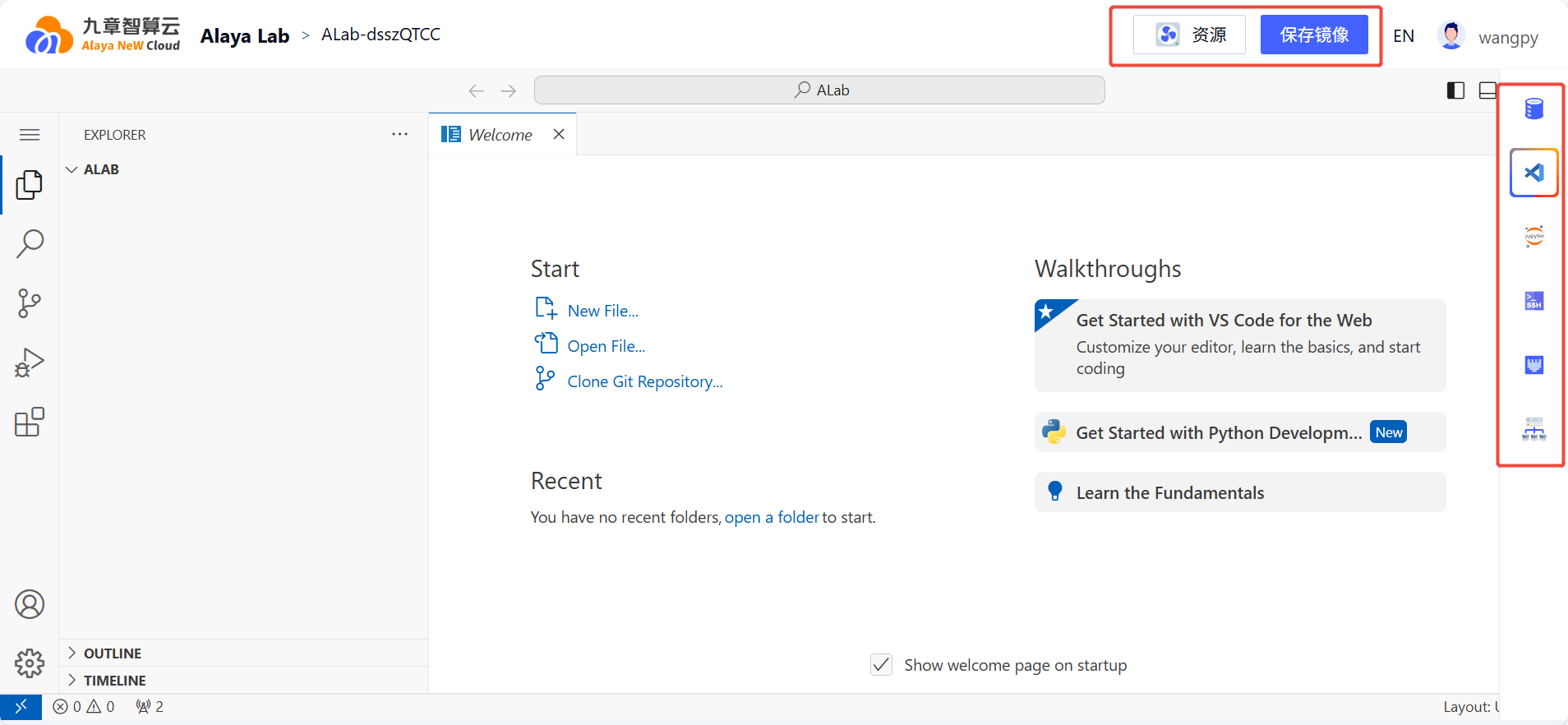
Use the Elastic config panel to power on/off, switch compute, change the image, edit env vars, or adjust storage (see Modify configuration).
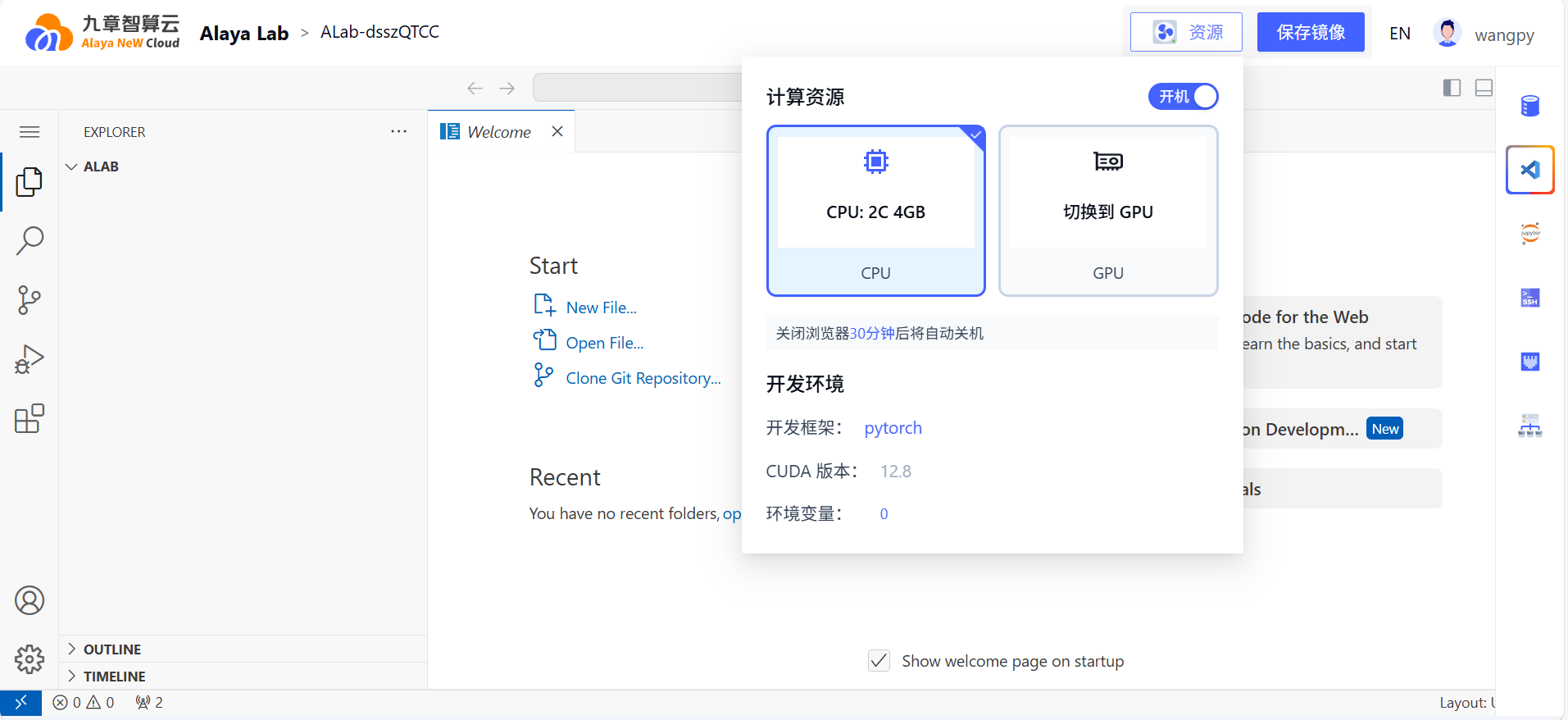
Saving a config triggers an automatic restart.

Exception handling
When the compute account DCU balance falls below 0, running ALabs are automatically transitioned to Sleeping. Power them back on manually once the balance recovers.
ALabs are also auto-transitioned to Sleeping when: the browser tab is closed for 30+ minutes, the laptop is locked / asleep / hibernating for 30+ minutes.
Last updated on