
Open the workbench
Switch between VSCode and Jupyter, copy SSH credentials, expose custom ports
- Sub-accounts can only access ALabs they created themselves.
- Master accounts can access every ALab in the enterprise.
In the Alaya Lab list page, click an instance name to open the workbench. The workbench defaults to the VSCode development environment.
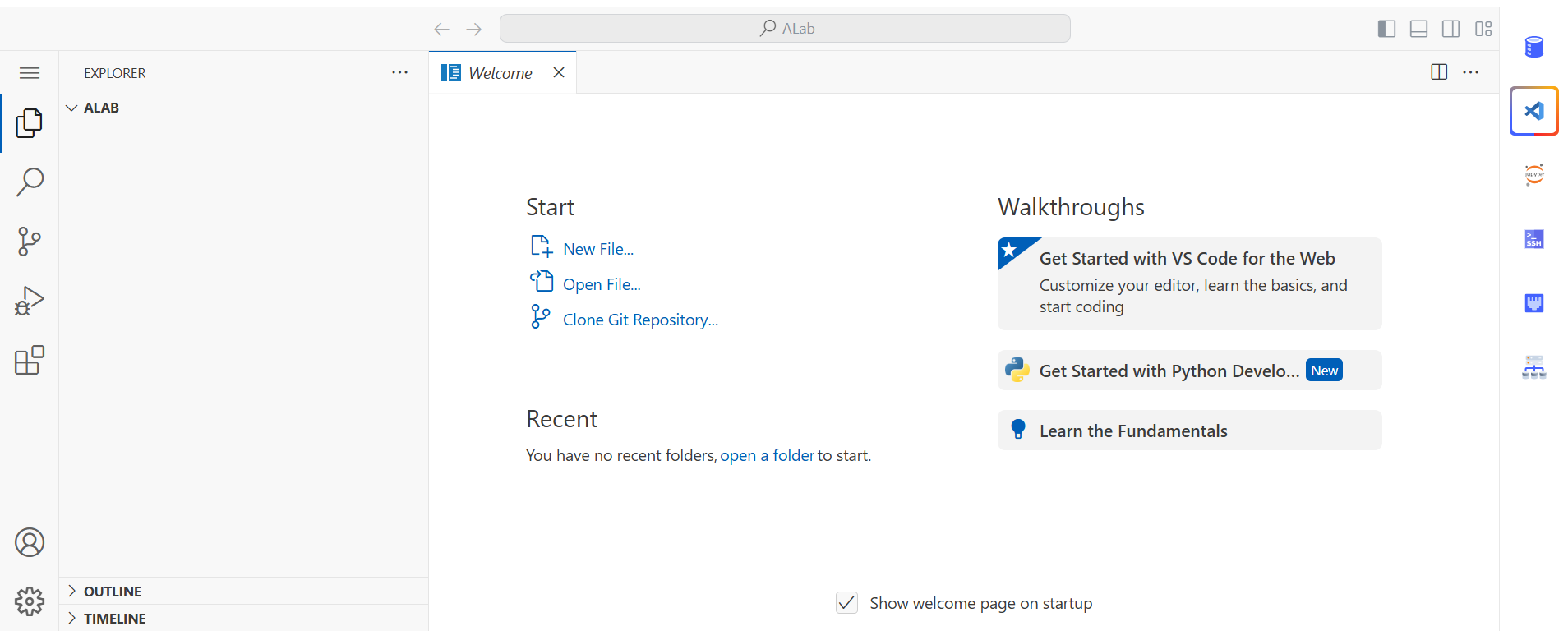
Switch dev environments
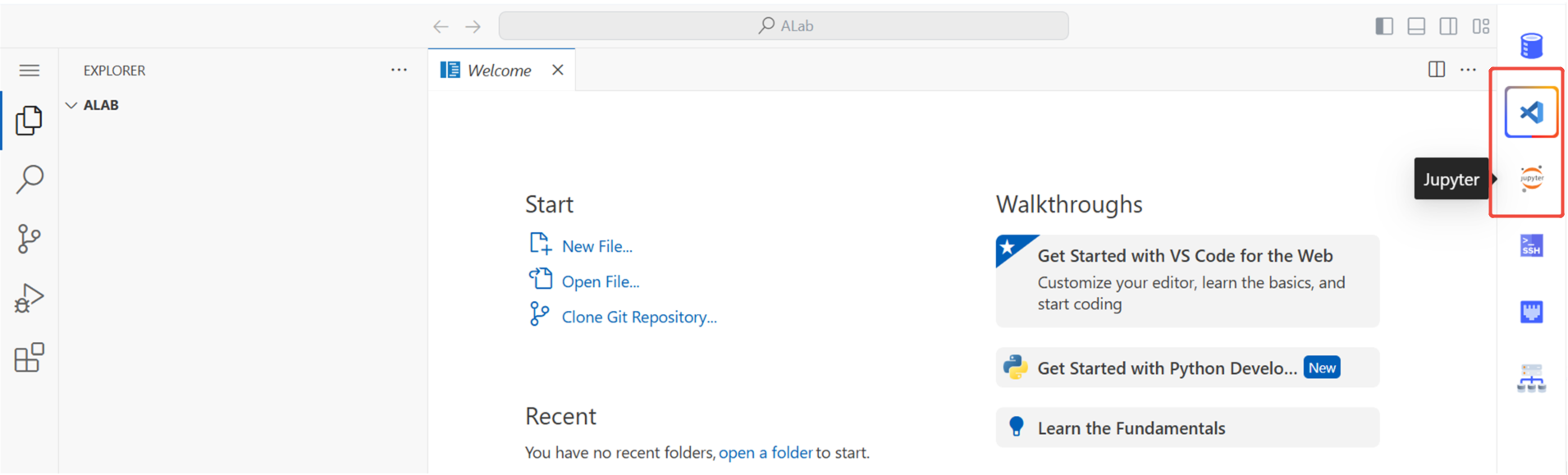
Click VSCode or Jupyter in the right-hand menu to switch.
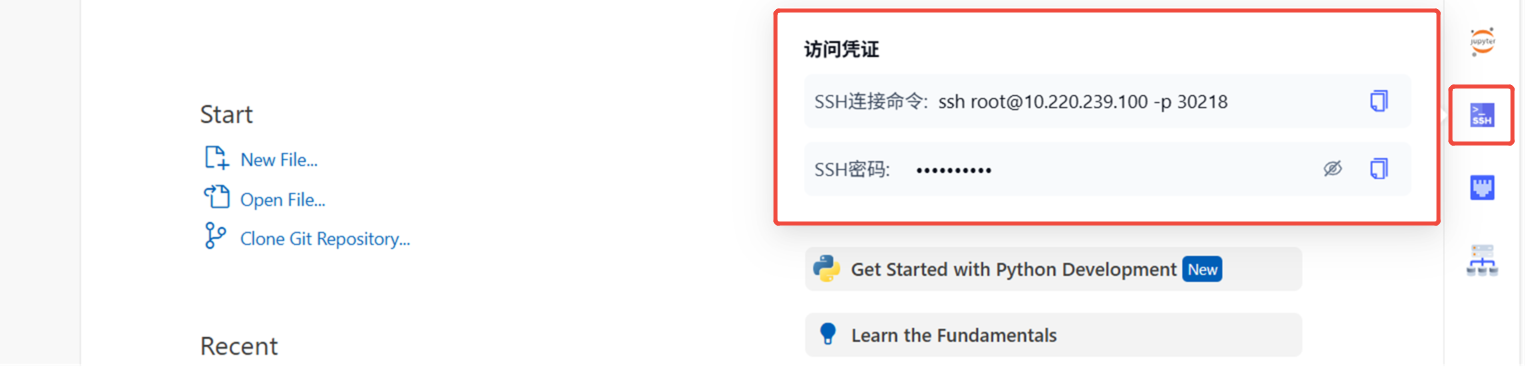
Access credentials
Click Access credentials in the right-hand menu. You can copy the SSH connect command and SSH password, and use them in your local terminal or VSCode Remote SSH.
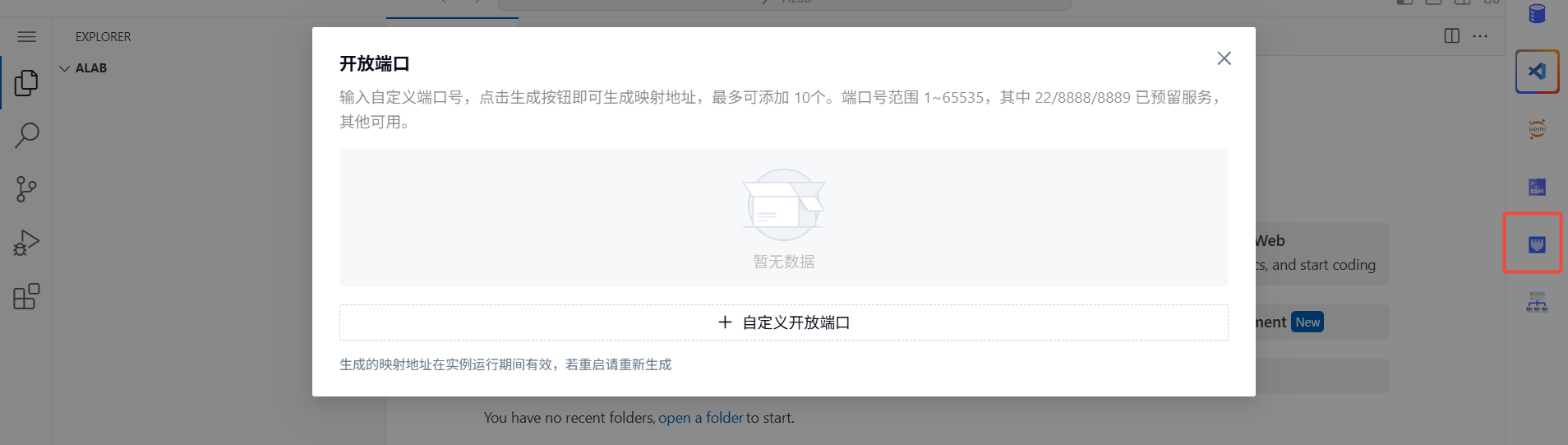
Open ports
Click Open ports in the right-hand menu to configure custom ports.
Ports 22 / 8888 / 8889 are reserved for system services and cannot be reused. Any other port is fine.
Last updated on
Was this page helpful?