
Adjust ALab compute, dev environment, environment variables, and storage
You can modify configuration and restart whenever the ALab is in Running, Sleeping, or Failed state.
Compute
Go to Product Center → Alaya Lab → (top menu) Elastic config.
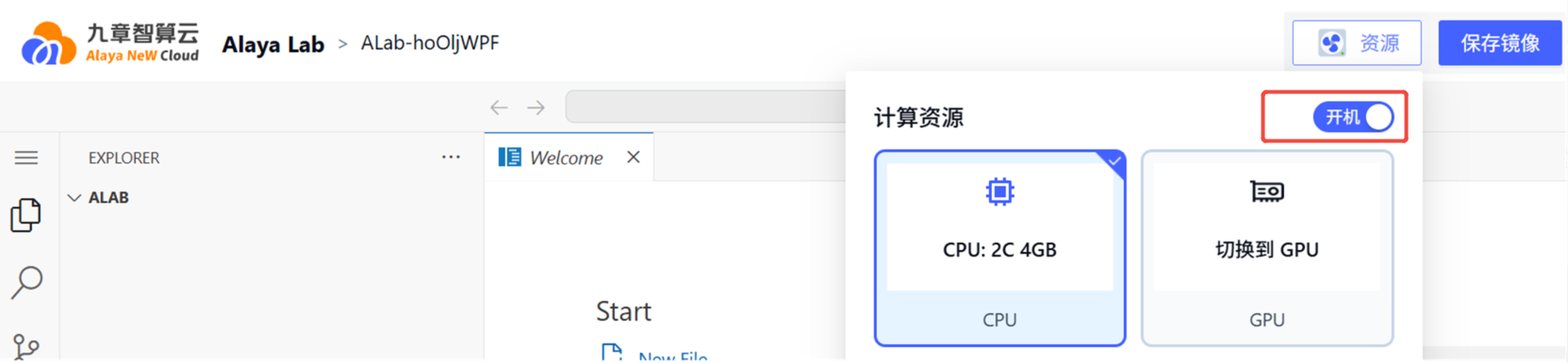
The default baseline is CPU: 2C 4GB.
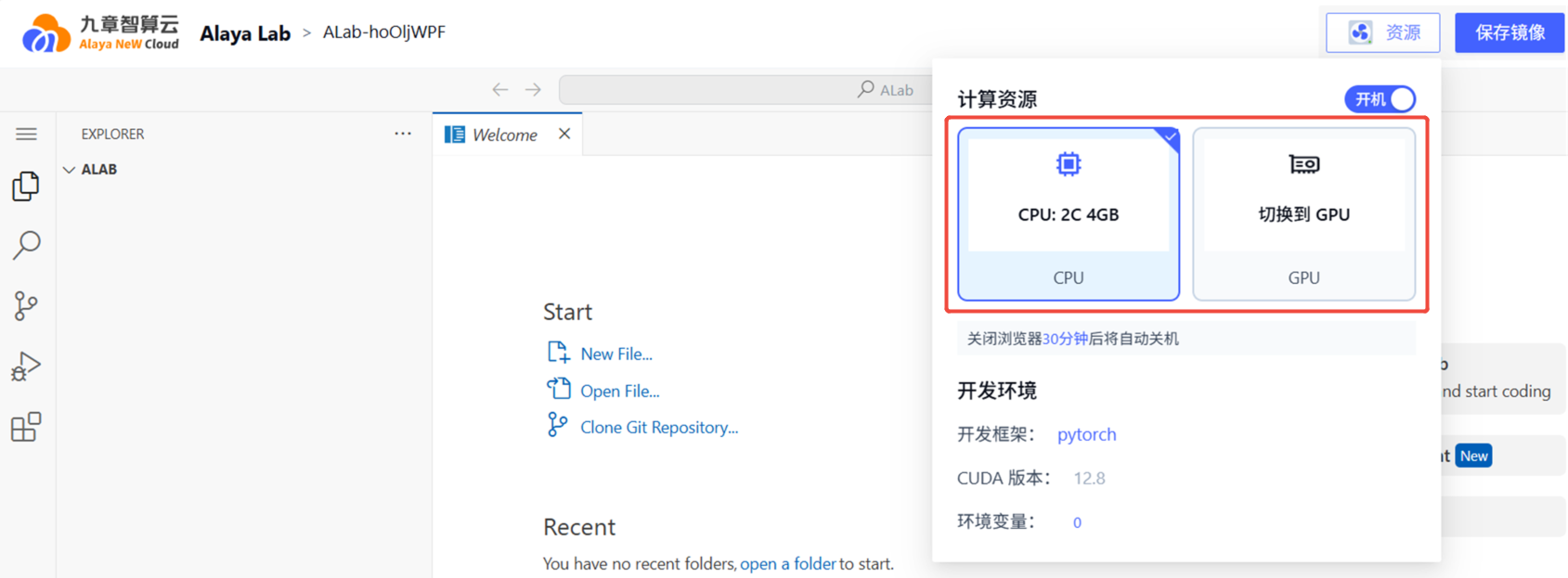
Click the GPU tab to see the available GPU resources, then restart as prompted after saving.
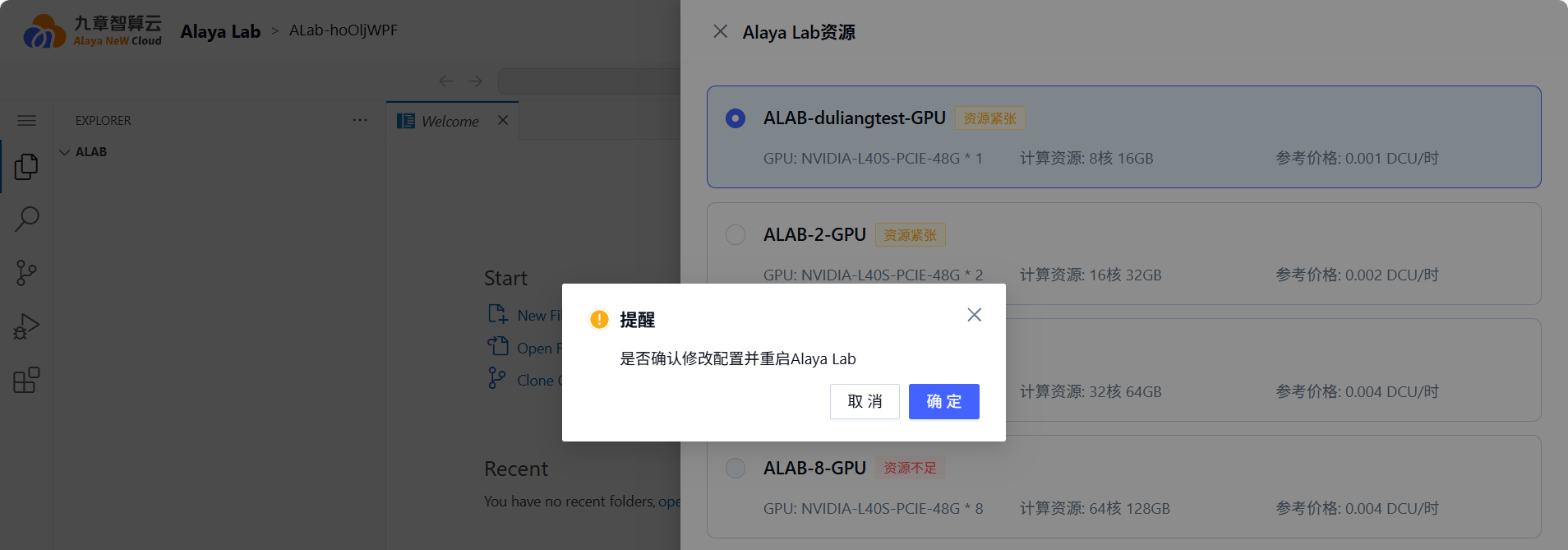
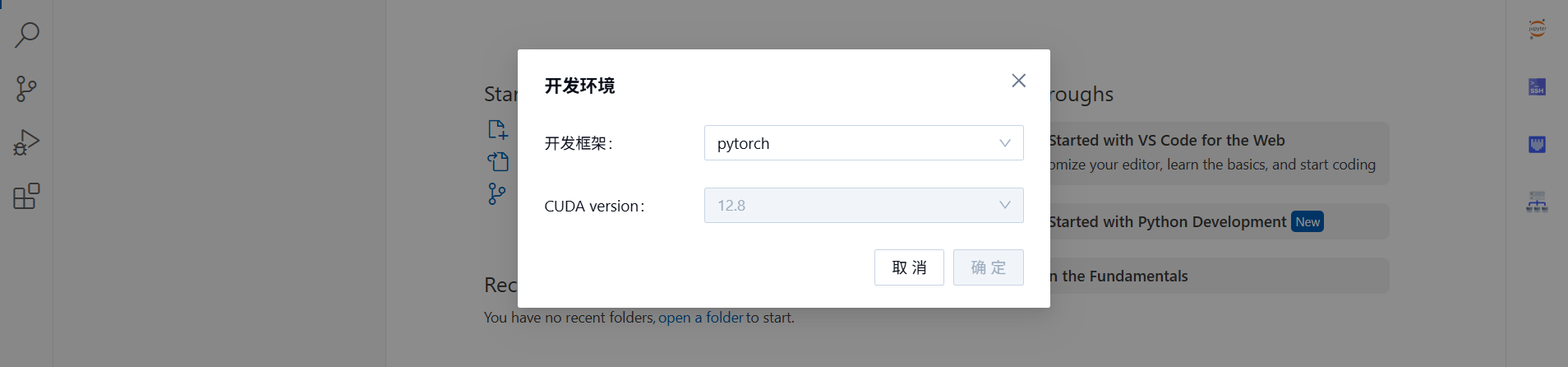
Dev environment
Go to Product Center → Alaya Lab → (top menu) Elastic config.
Defaults:
- Framework: PyTorch
- CUDA: 12.8
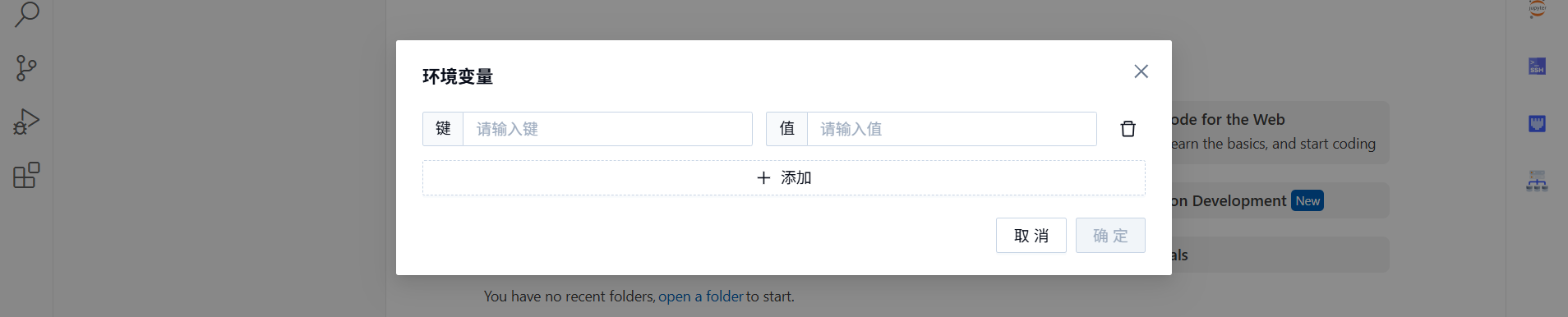
Environment variables
Go to Product Center → Alaya Lab → (top menu) Elastic config and click Add to set env vars.
Storage
Go to Product Center → Alaya Lab → (right menu) Storage and click the storage icon.

Configure storage in the drawer.
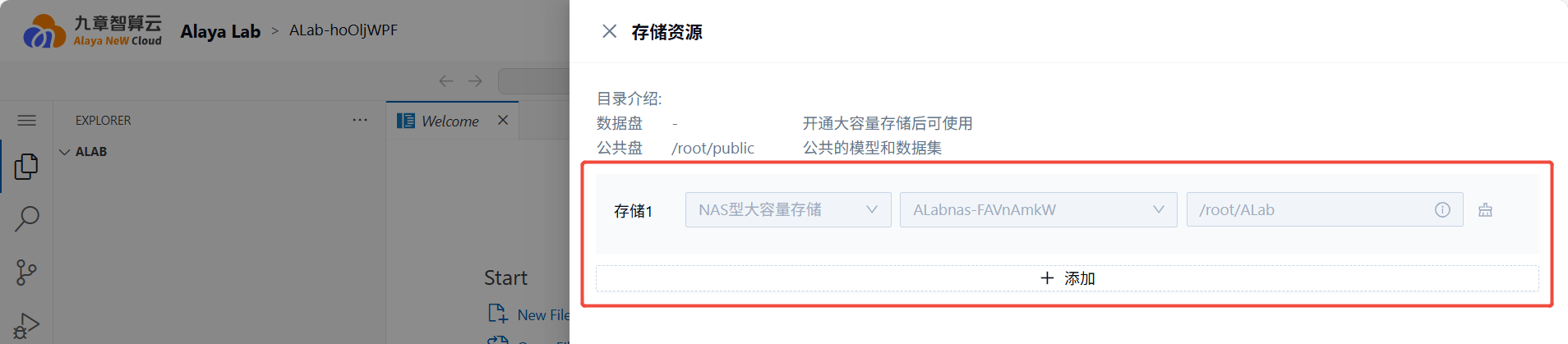
NAS storage provisioned alongside ALab is mounted automatically — no manual step needed.
Other
Power on / sleep
Go to Product Center → Alaya Lab → (top menu) Elastic config and toggle the switch.
Save image
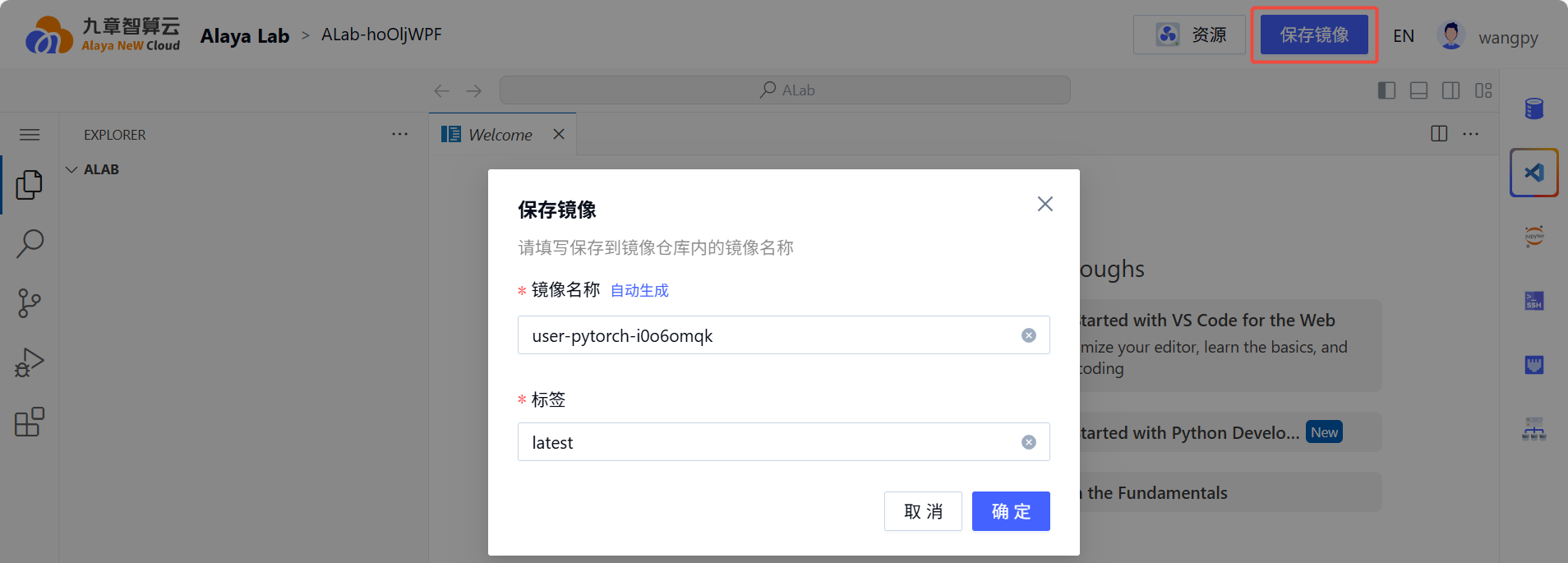
When the ALab is Running, you can save its current state as an image.
Go to Product Center → Alaya Lab → (top menu) Save image.
Last updated on