
Bulk / performance / AI-accelerated file storage — provision, resize, release, file management
File storage is offered in three flavors: Bulk, Performance, and AI-accelerated. Use it to store and manage app / VKS data and user-uploaded data, accessible from your apps or from VKS (Virtual Kubernetes Service).
Prerequisites
- Alaya NeW enterprise account; if not registered, see account registration.
- Sufficient balance; see the billing reference; for more details, contact us.
Provision
The platform offers two entry points:
- Entry A: Product → Storage, click the storage product in the overview, then
Activate now. - Entry B: Product Center → Storage Management, click
Activate new storage.
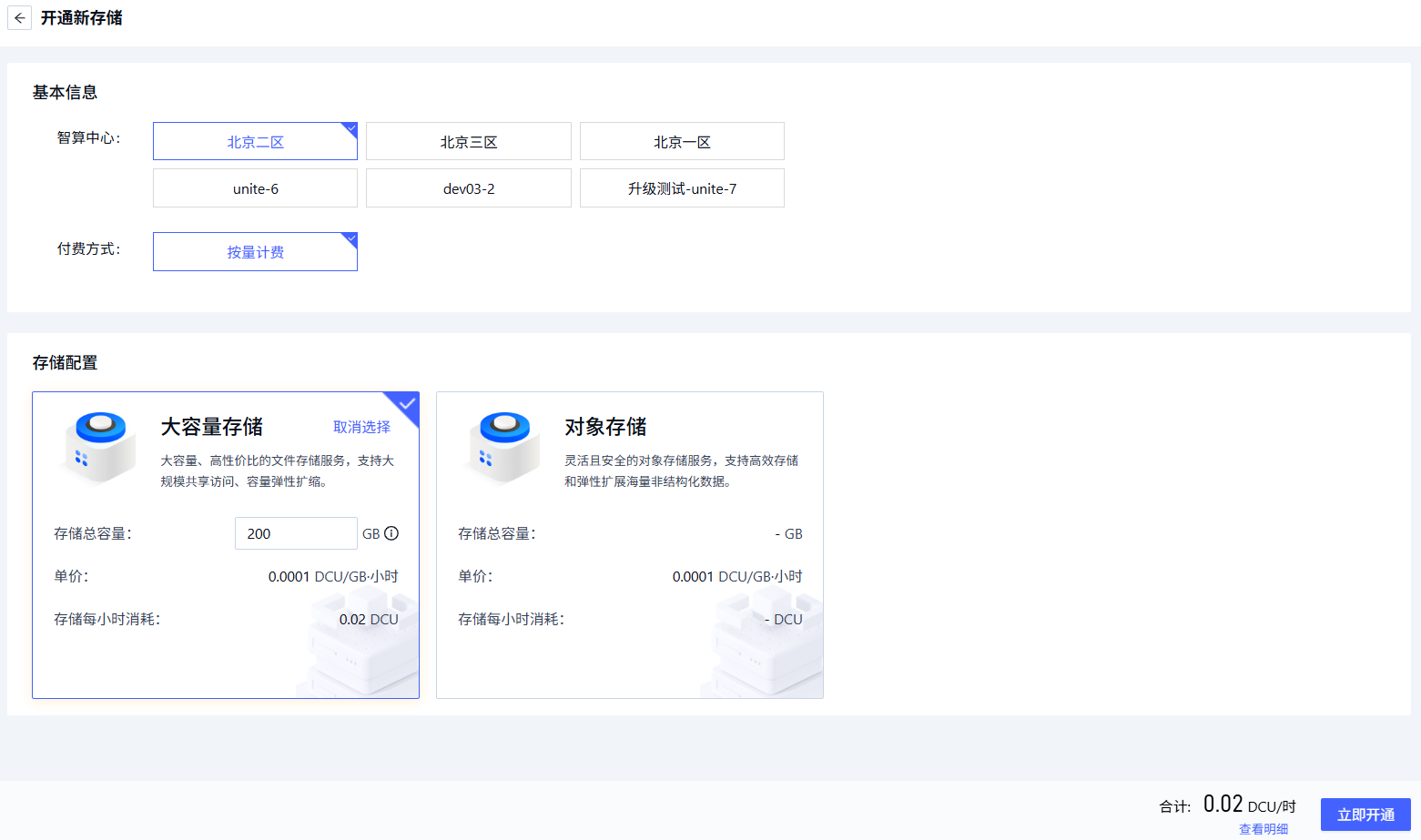
Configure:
| Field | Description | Requirement | Required |
|---|---|---|---|
| Region | Data center | Beijing-1 to Beijing-5 | Yes |
| Billing | Pay-as-you-go | — | Yes |
| Storage config | Storage product and total capacity | 200GB — 20000GB | Yes |
Click Activate now.
Manage
Open Product Center → Storage Management:
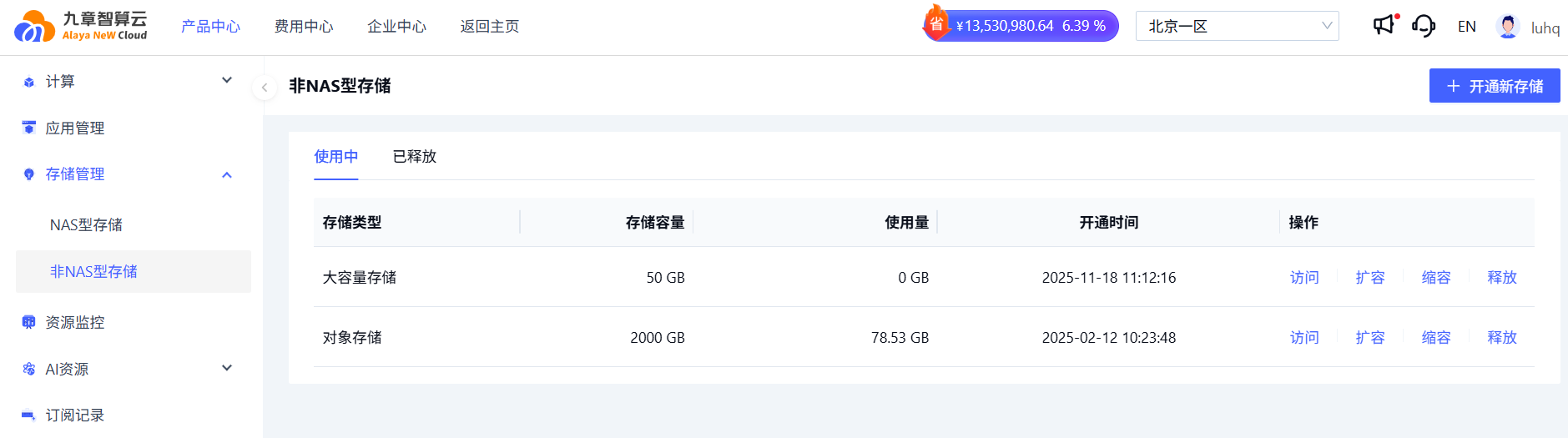
Only "Bulk Storage" has a storage management UI (visual file manager). Other types support resize and release only.
Access
Find the bulk volume, click Open to enter the file manager.
| # | Section | Description |
|---|---|---|
| ① | Overview | Usage, quota, UserData mount path, creation time |
| ② | Directory | Two top-level dirs: System and Userdata |
| ③ | Directory ops | Create folders, upload files / folders, view upload tasks |
| ④ | File listing | Files under the selected directory |
| ⑤ | File ops | Copy path, rename, download, delete |
Directory note:
- System — application data; auto-managed, not customizable.
- Userdata — user data; freely organize.
Transfer manager: pause / delete transfer tasks via the icons.
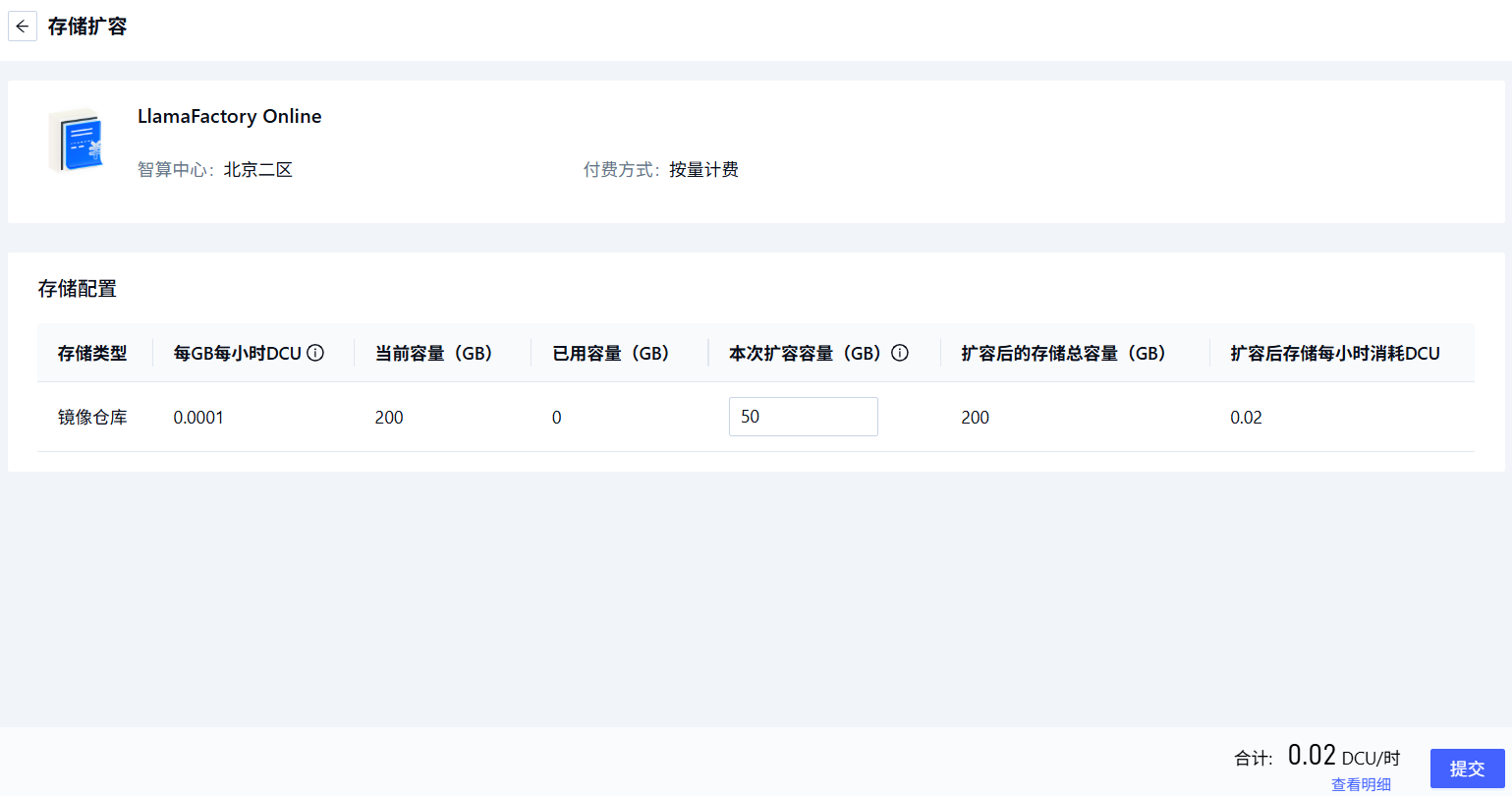
Expand
Click Expand, configure Expansion size, click Submit.
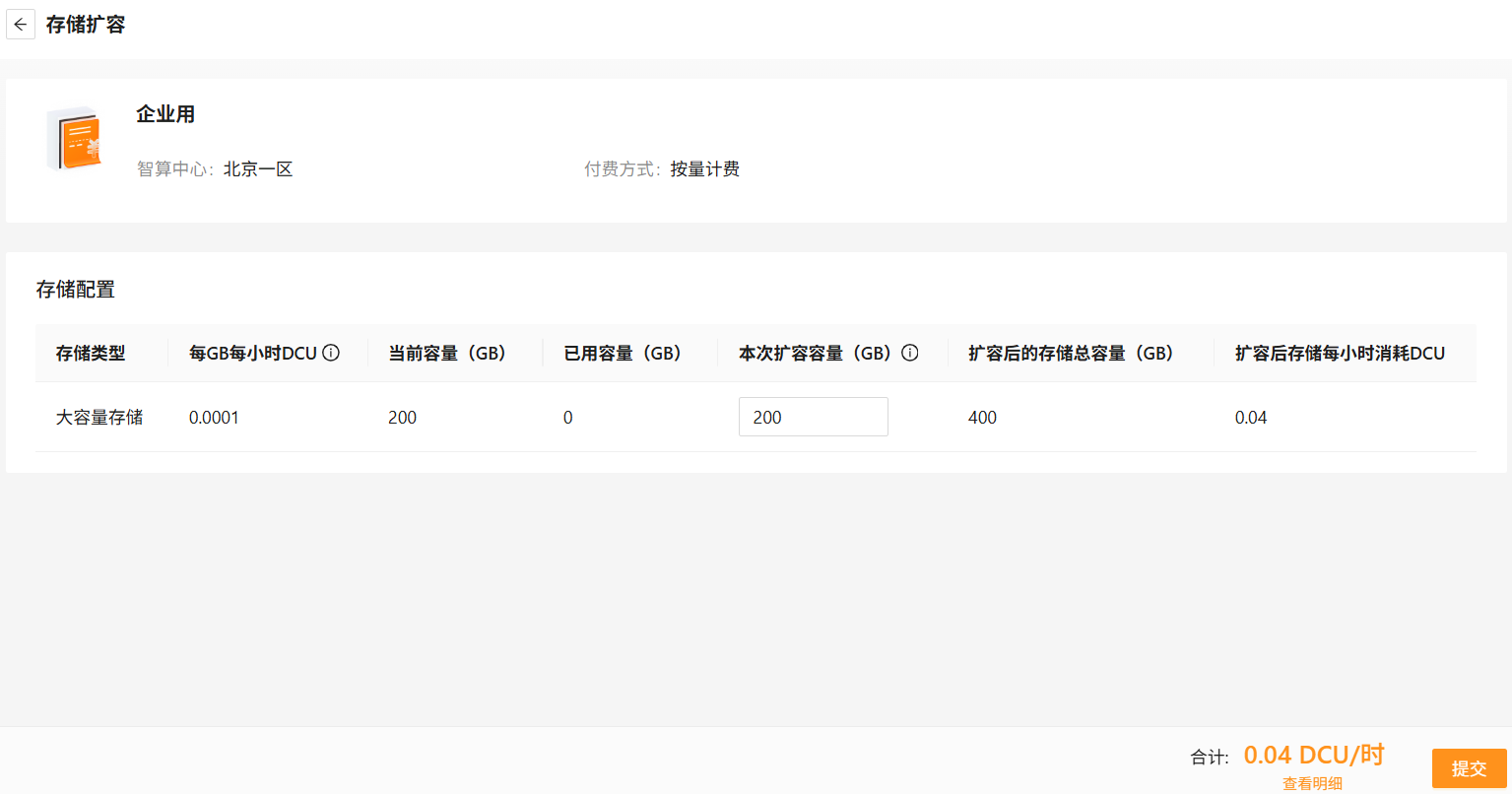
Maximum total capacity after expansion is 20000GB.
Shrink
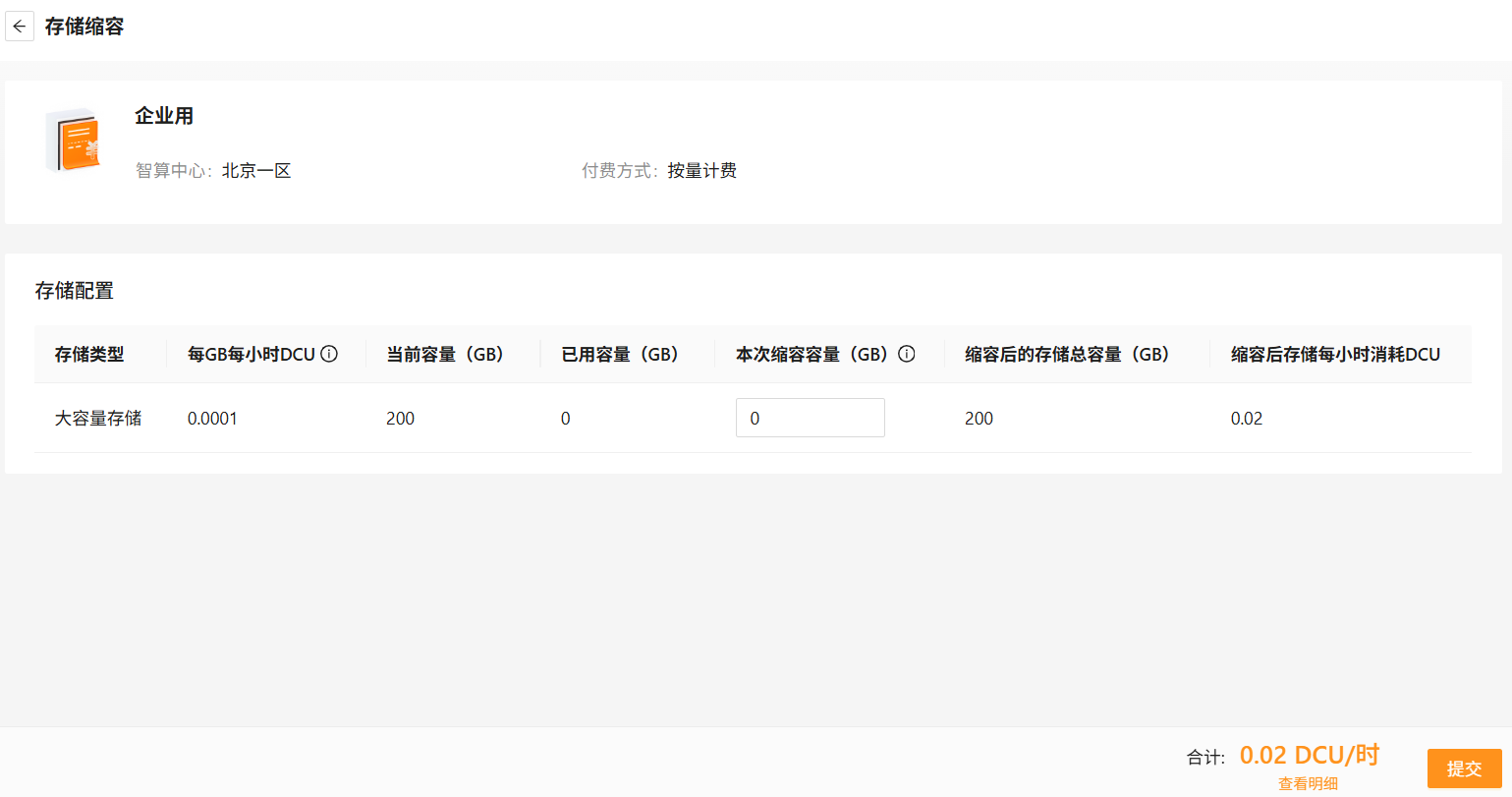
Click Shrink, configure Shrink size, click Submit.
Release
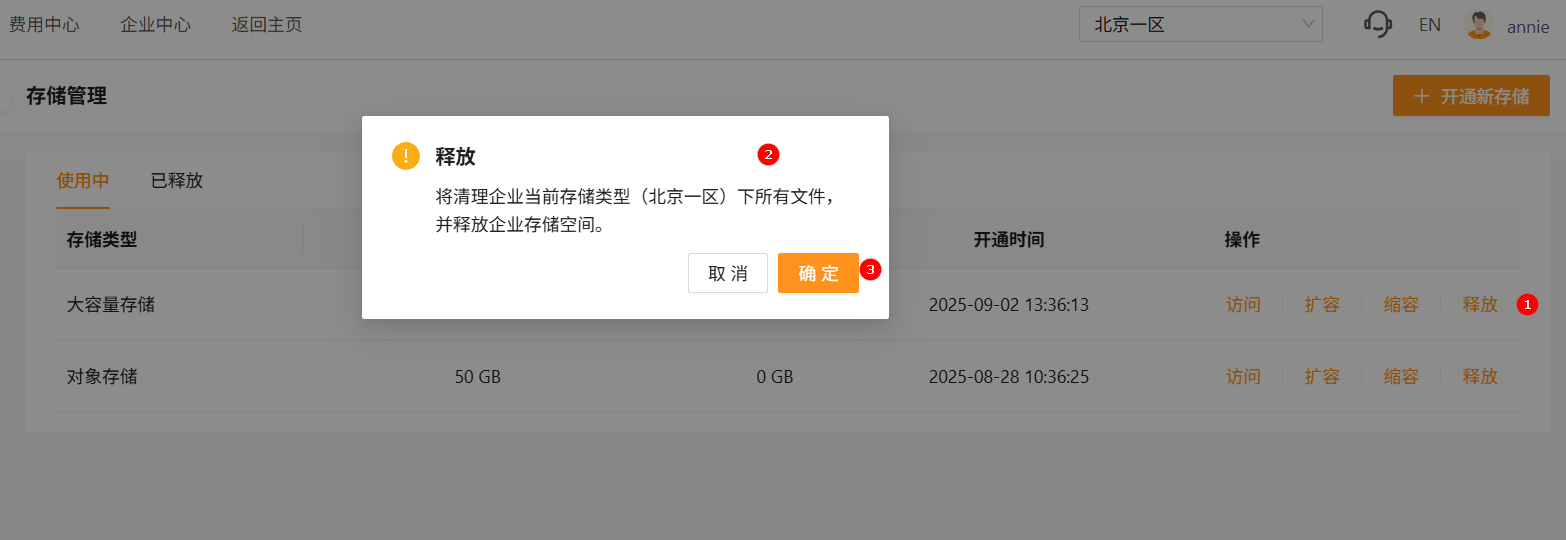
Click Release, confirm in the dialog.
Next steps
Last updated on