
NAS storage
On-demand, easy-to-mount, cost-effective file storage with persistence and elastic scalability
NAS Storage is on-demand, easy-to-mount, cost-effective file storage that supports persistence and elastic scalability. Use it for CCI data, distributed training data, and user-uploaded data — accessible from your applications or CCIs.
Prerequisites
- Alaya NeW enterprise account; if not registered, see account registration.
- Sufficient balance; see the billing reference. For more details, contact us.
Provision a NAS volume
The platform offers two entry points:
- Entry A: Product → Storage, click "NAS Storage" to open the overview, then
New NAS volume. - Entry B: Product Center → Storage Management → NAS Storage, click
Activate now.
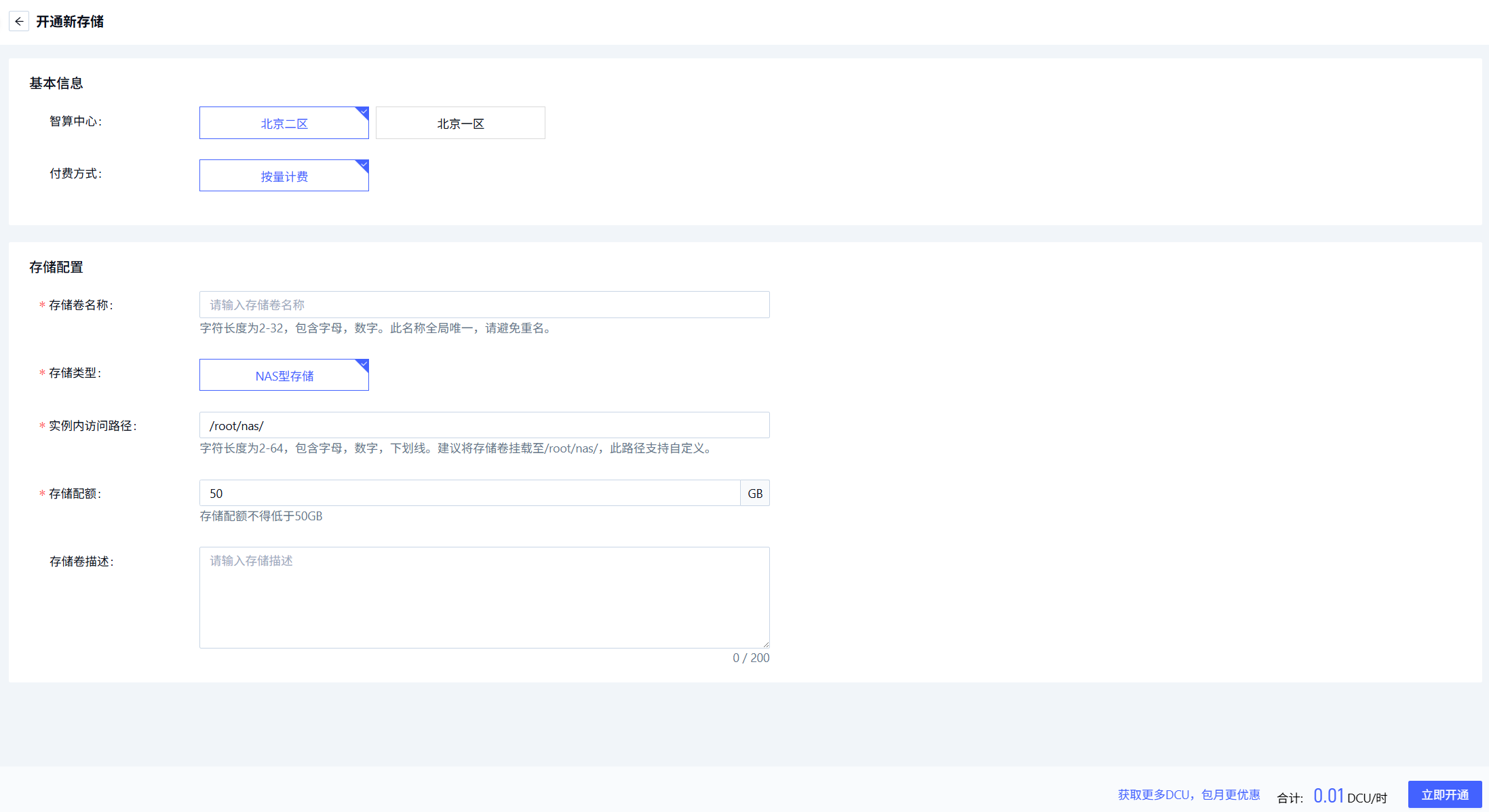
Configure the volume:
| Field | Description | Requirement | Required |
|---|---|---|---|
| Region | Data center | e.g. Beijing-3, Beijing-5 | Yes |
| Billing | Pay-as-you-go | — | Yes |
| Volume name | Unique identifier | Letter + digits, 2–32 chars, globally unique, immutable | Yes |
| Storage type | NAS | — | Yes |
| Mount path | In-instance mount point | Letters / digits / underscore, 2–64 chars; recommended /root/nas/ | Yes |
| Quota | Volume capacity | 50GB — 15360GB | Yes |
| Description | Free-form notes | ≤ 200 chars | No |
Click Activate now. After provisioning, find it under Storage Management → NAS Storage; the Active status means it's usable.
Next steps
Last updated on
Was this page helpful?