
Install Helm — Kubernetes' package manager — and a quick reference of the commands you'll actually use
Helm is the package manager for Kubernetes — analogous to apt / yum / Homebrew on Linux. It defines, installs, and upgrades Kubernetes applications via Charts.
Core concepts
- Chart — Helm's packaging format. Bundles all the K8s resource definitions for an app (Deployment, Service, ConfigMap, …). Like a
.deb/.rpm. - Repository — a Chart store, public or private.
- Release — a Chart instance running in your cluster. Each
helm installcreates a new Release. - Values — Chart configuration provided via
values.yamlor CLI flags.
What it does
- Application deployment — one-shot install / uninstall of complex apps.
- Versioning — version control with rollback.
- Dependencies — Charts can depend on Charts.
- Configuration — dynamic via
values.yaml. - Templating — Go templates render K8s manifests.
Install helm-cli
-
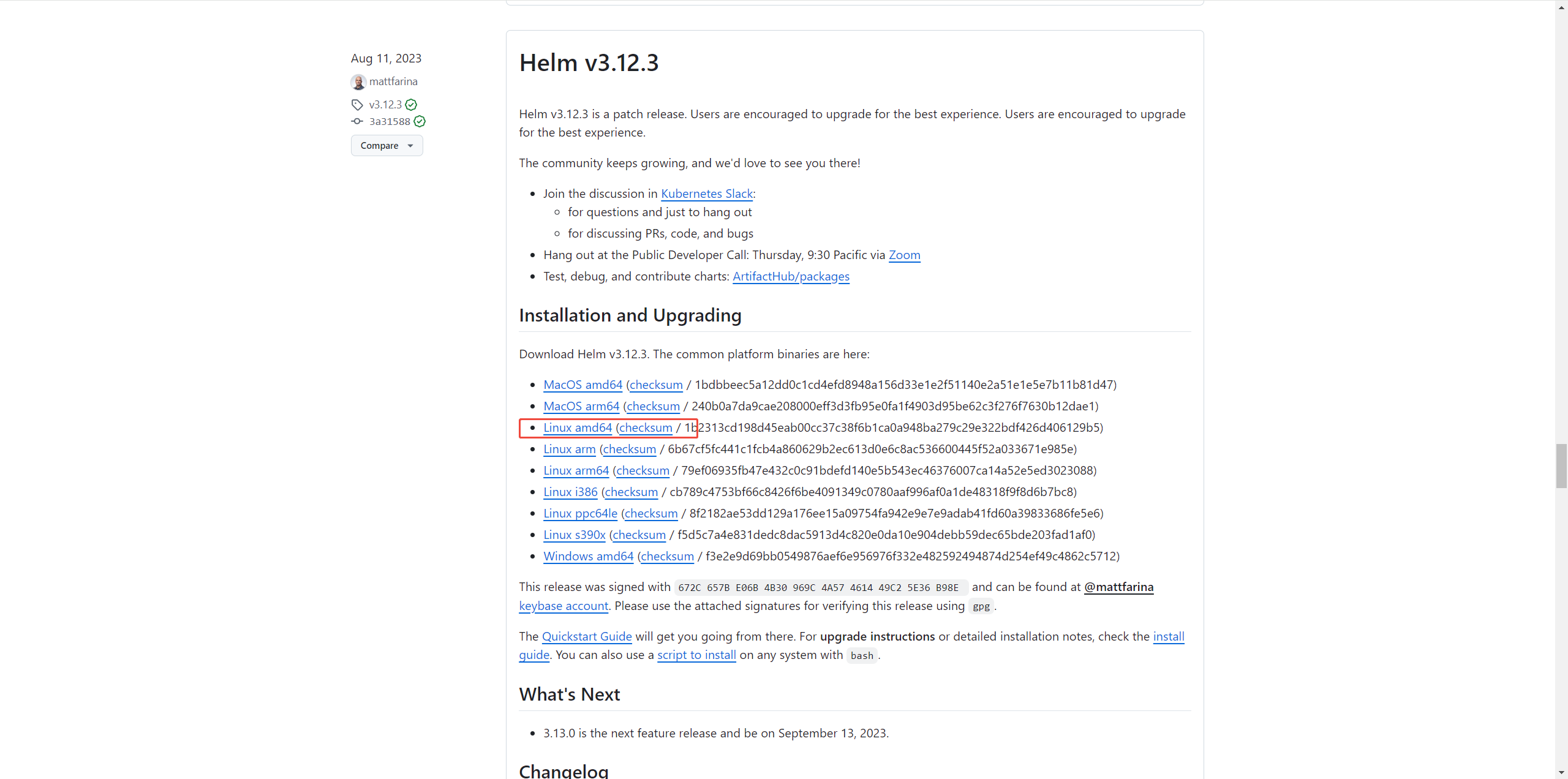
Visit Helm Releases. If GitHub is blocked, use the mirror. Pick the right OS build, download or copy the link:
-
Download via
curl(or click the link in a browser):Linux / macOS:
curl -LO <link>Windows CMD / PowerShell:
curl.exe -LO <link> -
Unpack:
tar -xf <archive> -
Put
helmon PATH:Linux / macOS:
chmod +x helm mv helm /usr/local/binWindows:
setx PATH "%PATH%;D:\helm"Replace
D:\helmwith the actual directory ofhelm.exe. Open a new terminal so PATH refreshes. -
Verify:
helm version
Common commands
Basics
helm version          # version
helm env              # environment info
helm help             # help
Chart management
# Search
helm search hub  <keyword>           # Artifact Hub
helm search repo <keyword>           # local repos

# Repos
helm repo add    <repo-name> <repo-url>
helm repo update
helm repo list
helm repo remove <repo-name>

# Inspect / pull a Chart
helm show chart  <chart-name>
helm pull        <chart-name>
Example: add the Bitnami repo:
helm repo add bitnami https://charts.bitnami.com/bitnamiInstall / upgrade
# Install (optional namespace + custom values)
helm install <release-name> <chart-name>
helm install <release-name> <chart-name> -n <namespace>
helm install <release-name> <chart-name> -n <namespace> -f values.yaml

# Upgrade / rollback
helm upgrade  <release-name> <chart-name>
helm rollback <release-name> <revision>
View / delete
helm list                     # all releases
helm list -n <namespace>      # by namespace

helm status   <release-name>
helm history  <release-name>
helm uninstall <release-name>
Chart authoring
helm create  <chart-name>
helm package <chart-directory>
helm lint    <chart-directory>
helm push    <chart-package> <repo-name>
Misc
# Render templates without applying
helm template <release-name> <chart-name>

# Inspect a Release
helm get values   <release-name>
helm get manifest <release-name>
Wrap-up
Helm dramatically simplifies K8s app deployment and lifecycle management. Templating + version control gives you flexible, reusable solutions for any team size.
More: Helm docs, Kubernetes docs.
Last updated on