
After provisioning a VKS cluster, the primary account grants access so members can use it
Once a VKS cluster is provisioned, only authorized users can access it. Add your authorized users promptly so the cluster is usable.
Prerequisites
The user has provisioned a VKS cluster and the cluster is in a usable state. If not yet provisioned, follow the cluster provisioning guide first.
Important: The primary account can view all clusters in the company and can grant access to other members regardless of who created the cluster.
Overview
The authorize-namespace page looks like this:
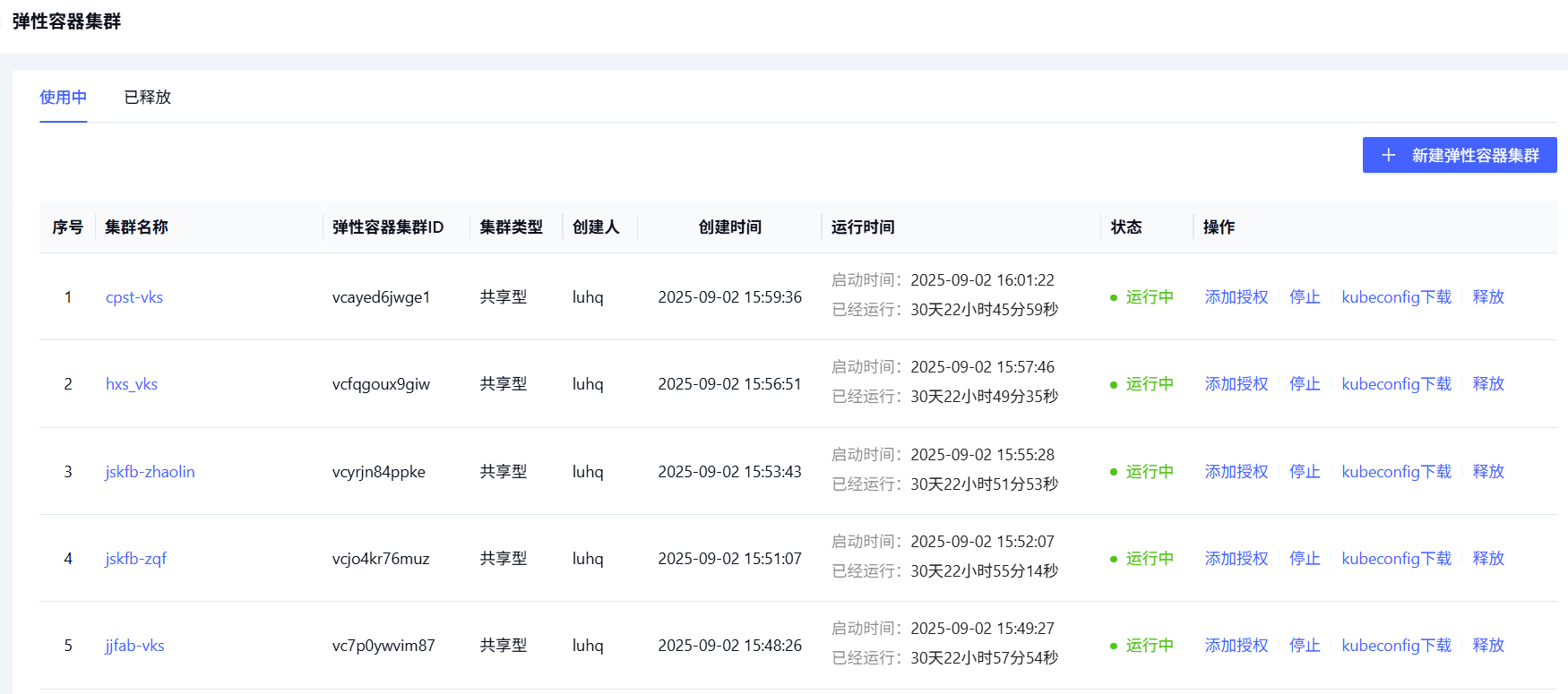
Steps
To authorize a VKS cluster:
-
Sign in to the Alaya NeW platform with your registered company account, then go to Products / Virtual Kubernetes Service to open the VKS overview page.
-
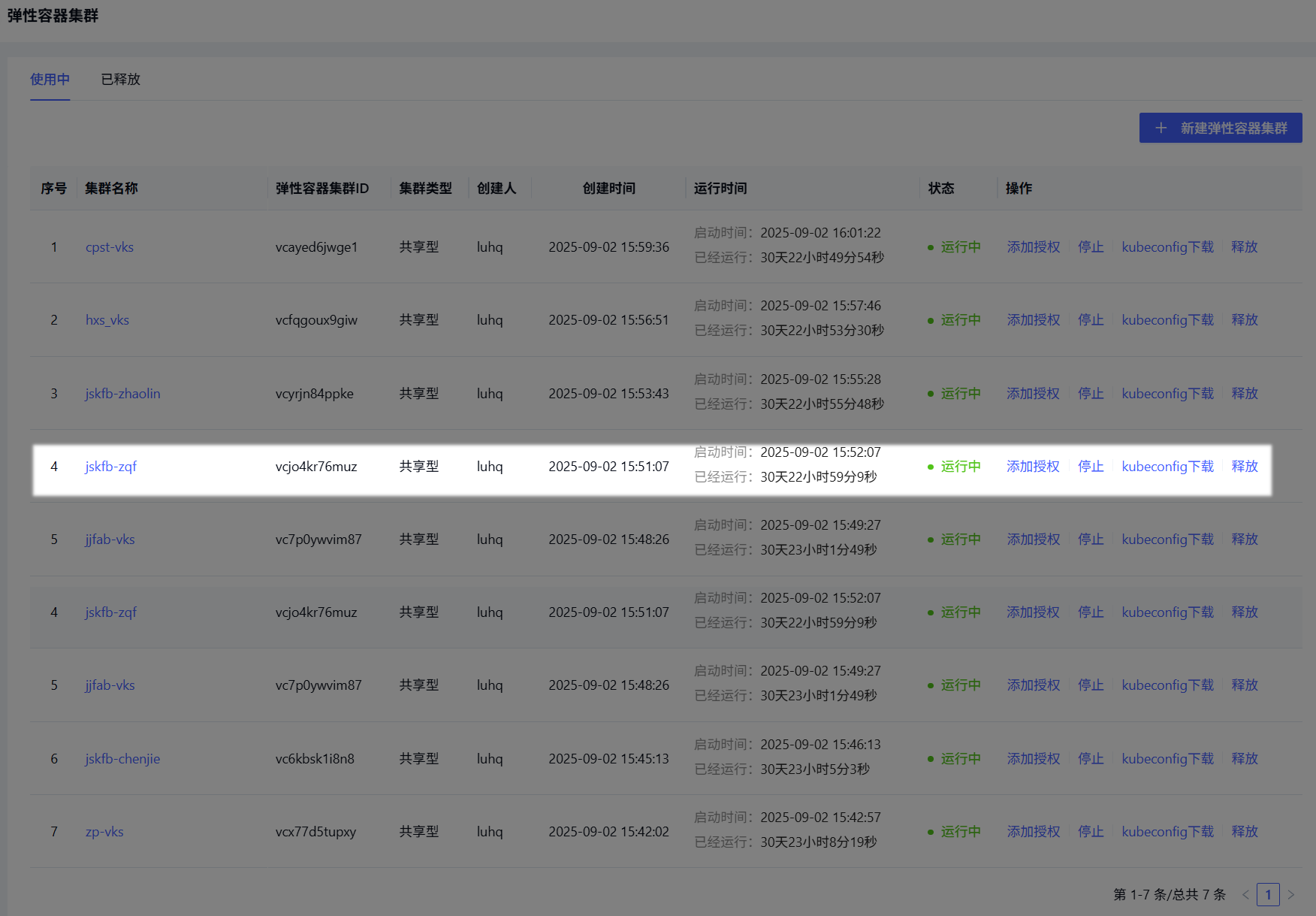
On the overview page, click Cluster Management to open the cluster list, and find the cluster to authorize (highlighted in the screenshot below).
-
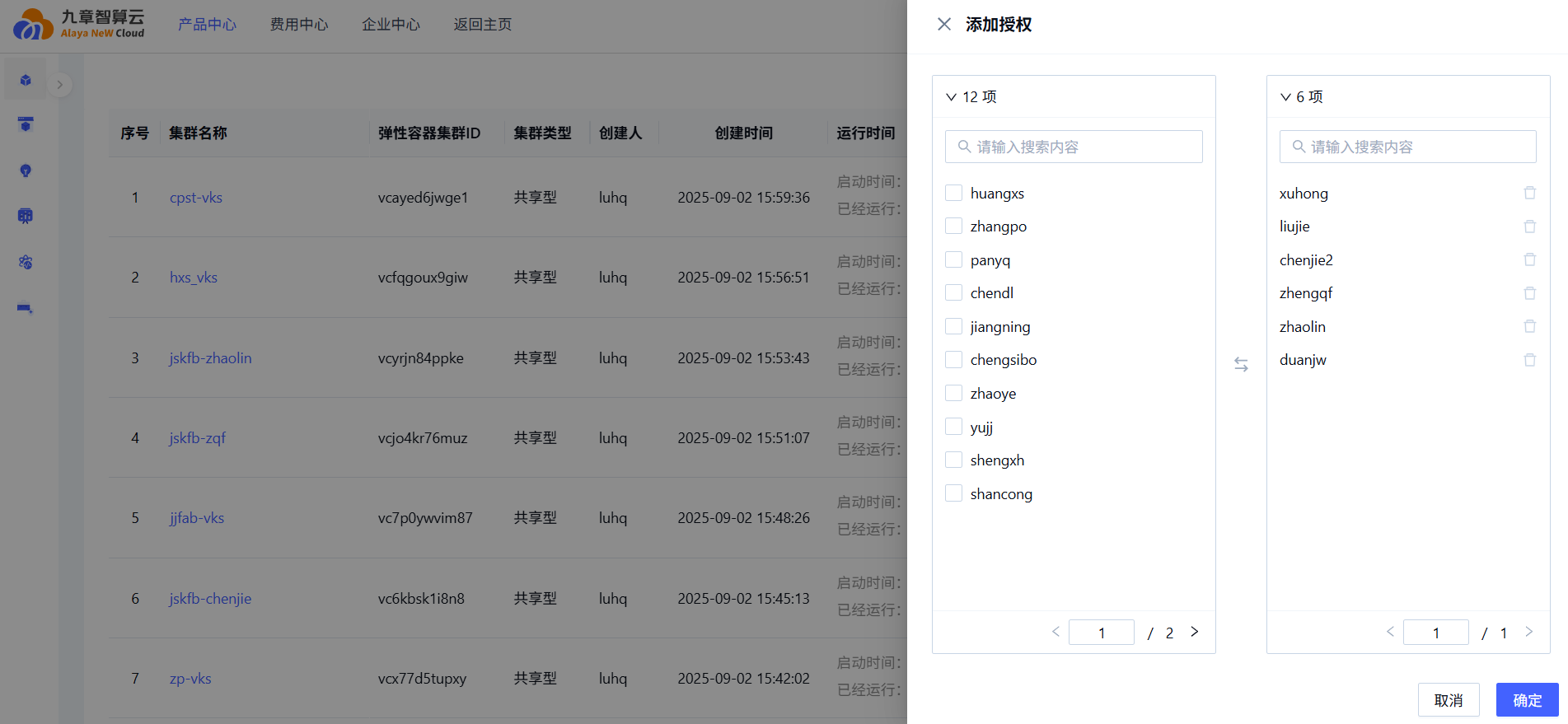
Click Add Authorization in the actions column to open the authorization configuration page, and select the user(s) to grant access to.
-
Click Confirm to complete authorization.
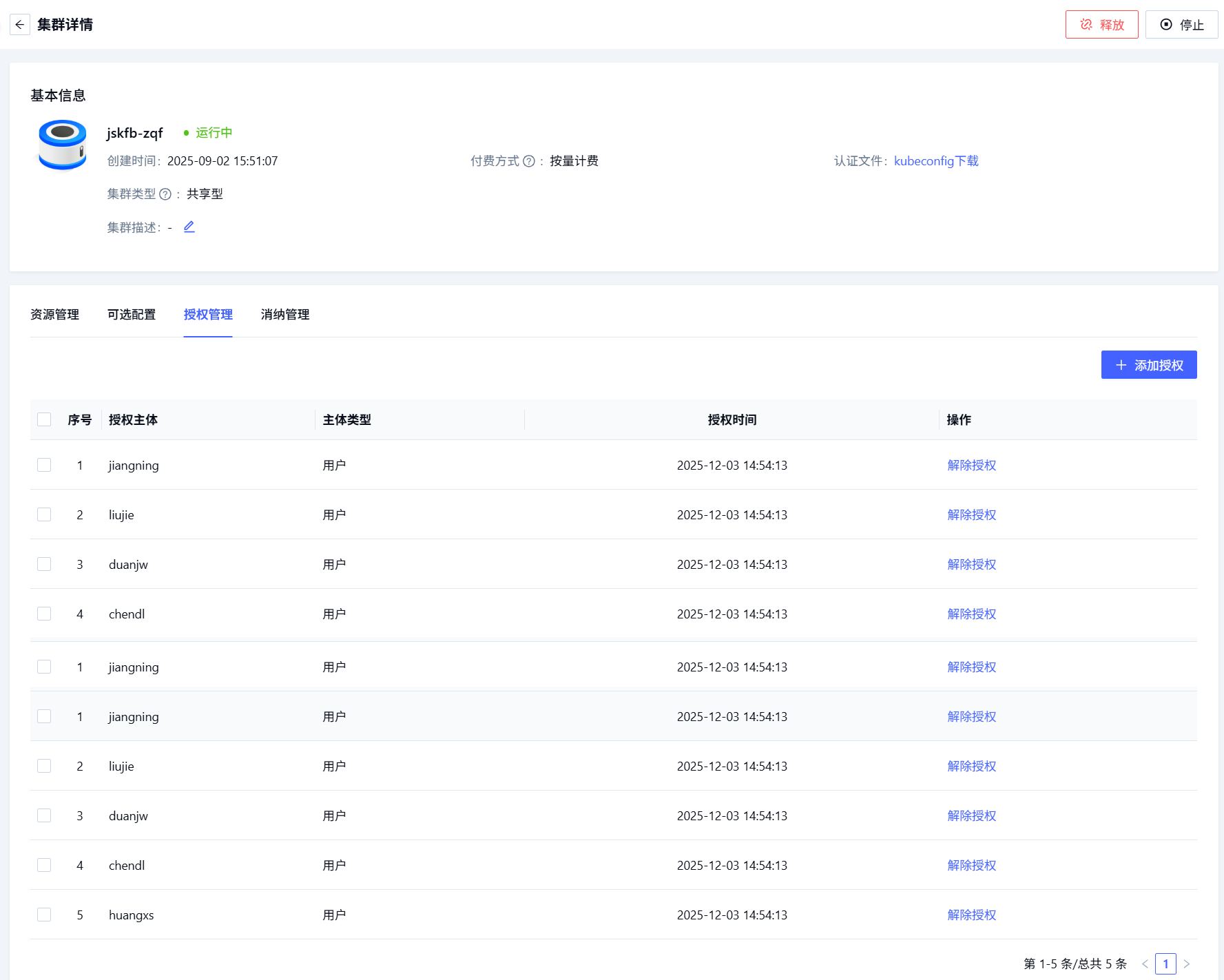
After authorization, click the cluster name to open its detail page, switch to the Authorization Management tab to review the authorization details:
Last updated on