
Connect to and use a provisioned and authorized VKS cluster by configuring your kubeconfig environment variable
Once you have a VKS cluster provisioned and authorized, you can connect to it by configuring an environment variable. The full procedure follows.
Prerequisites
- The cluster has been provisioned and is in a usable state. If not, follow the cluster provisioning guide first.
- You have been granted access to this VKS. Primary or cluster-creator accounts can authorize you via Authorize VKS.
- You have installed the
kubectlcommand-line tool. If not, follow the official kubectl installation guide.
Tip: For the cluster to keep working as expected, do not delete any of the resources visible to you the first time you connect with
Kubeconfig.
Steps
To use the cluster via an environment variable:
-
Sign in to the Alaya NeW platform with your registered company account and go to Products / Virtual Kubernetes Service.
-
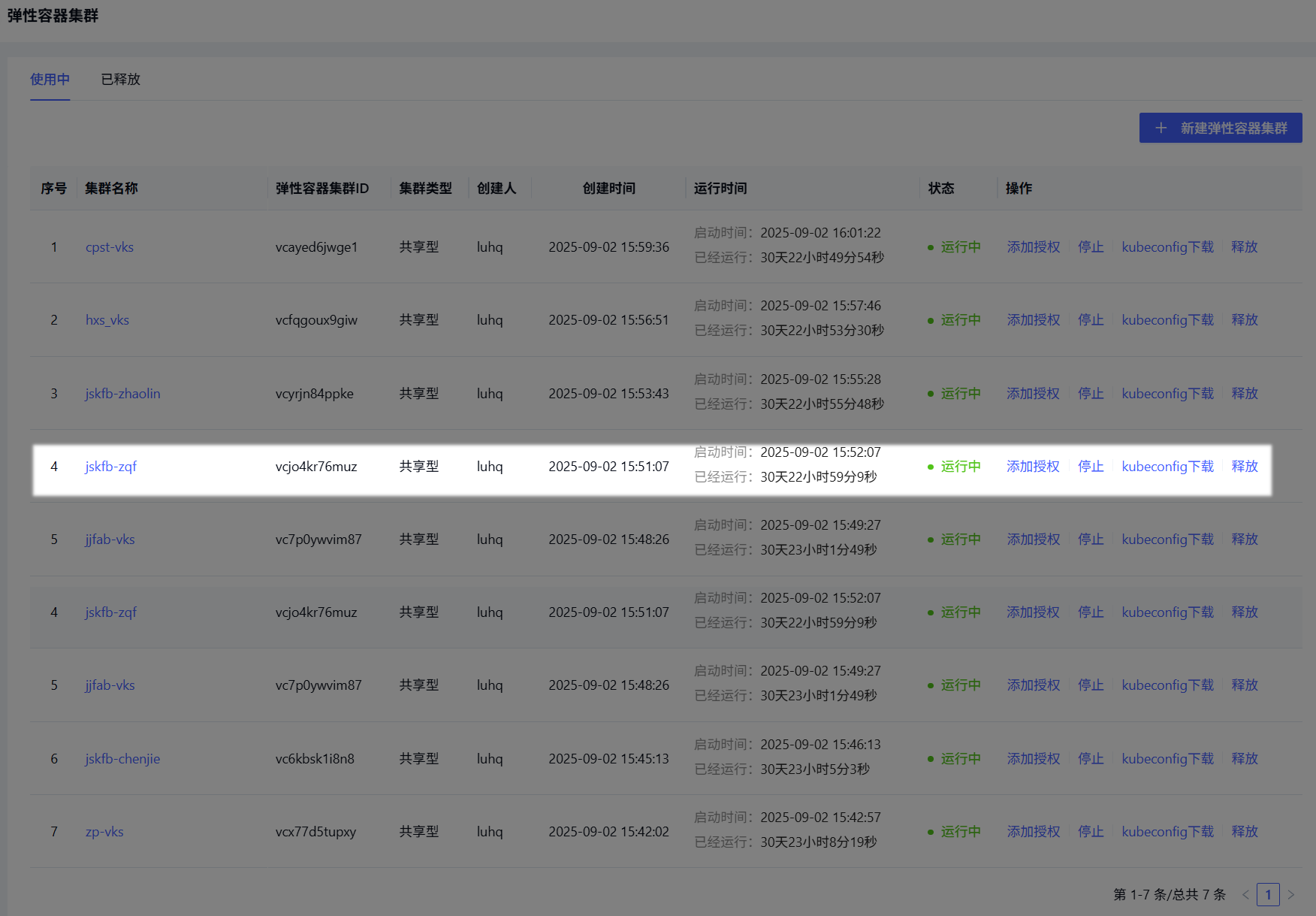
Click Cluster Management to open the list, and find your provisioned cluster (highlighted below).
-
Click the kubeconfig download link to download the kubeconfig file to your machine.
-
Open a terminal and locate the downloaded file. The next steps differ by OS.
Windows PowerShell
-
In the terminal, run the command below to set the environment variable:
$env:KUBECONFIG="yourpath"Tip: Replace
yourpathwith the actual path to your kubeconfig file.
-
Verify the connection:
kubectl cluster-infoIf the output looks like the highlighted area, the cluster is connected.
macOS
-
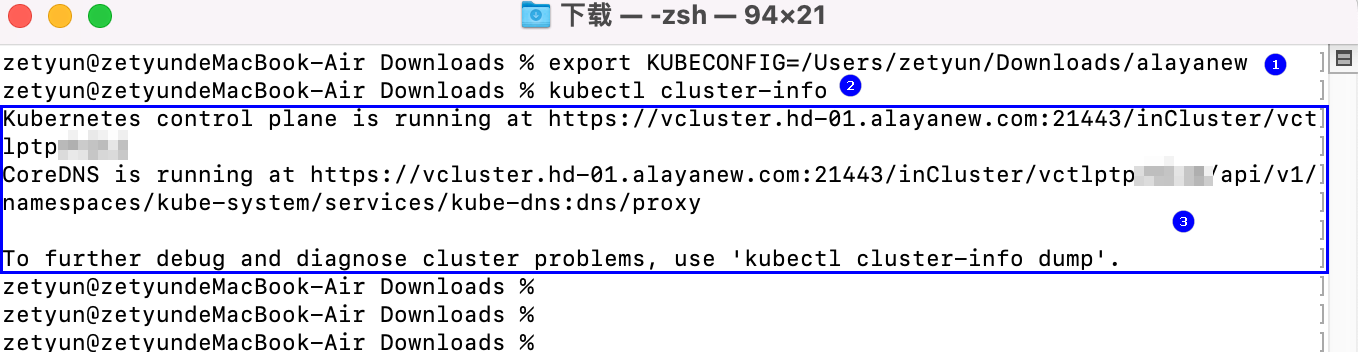
In the terminal, run the command below to set the environment variable (highlighted ① below):
export KUBECONFIG=[yourpath]Tip: Replace
yourpathwith the actual path to your kubeconfig file. -
Verify the connection (highlighted ③ below):
kubectl cluster-info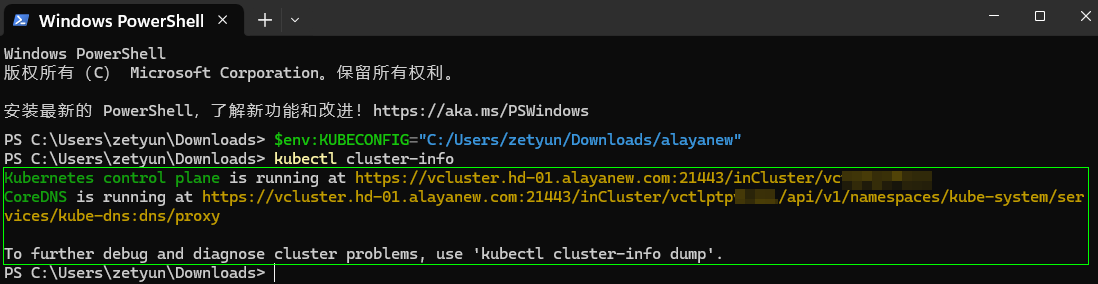
Important: Environment-variable settings only apply in the current terminal window. Closing the window discards them.
Example after the env var is configured successfully:
Last updated on