
Drill into invoices by product, user, compute/storage detail, and token detail
Invoice detail breaks down a billing period across four cuts — product, user, compute/storage, and token — with charts and itemized rows. Export to CSV/Excel.
Prerequisites
- An Alaya NeW enterprise account.
- At least one billable usage record. For pricing details, contact us.
Overview
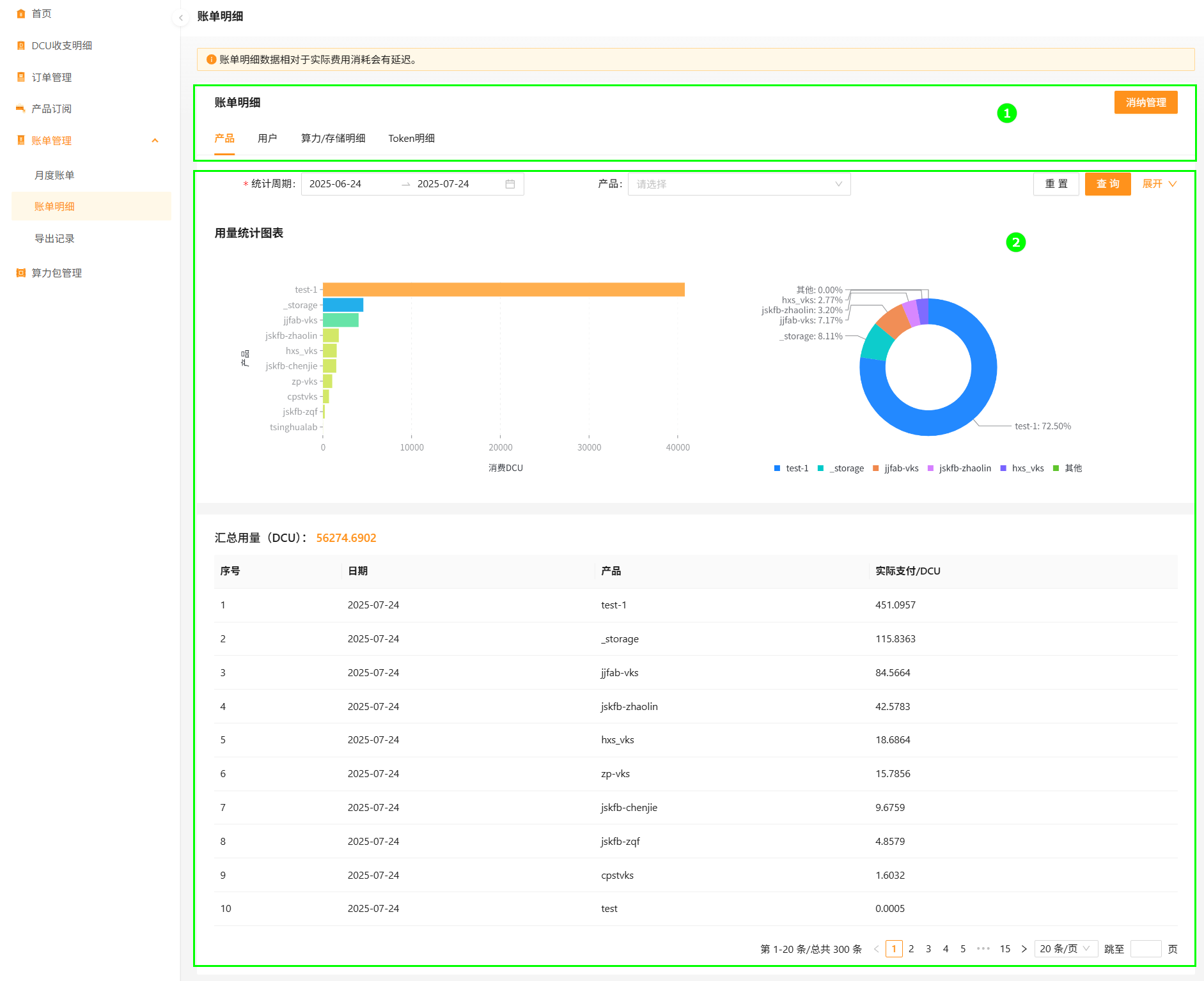
The four cuts:
- Product — DCU consumption per VKS cluster, with a bar chart, donut chart, and itemized list.
- User — DCU consumption per user.
- Compute / storage detail — itemized rows priced in DCU (degrees).
- Token detail — itemized rows priced in mDCU (millidegrees).
Pack-mode invoices are generated at 01:00 on the 2nd of the following month.
Query product invoice
- Sign in to Alaya NeW. Open Billing Center → Invoices → Detail (defaults to the Product tab).
- Optionally configure period, product, and granularity (day or hour).
- Click Search.
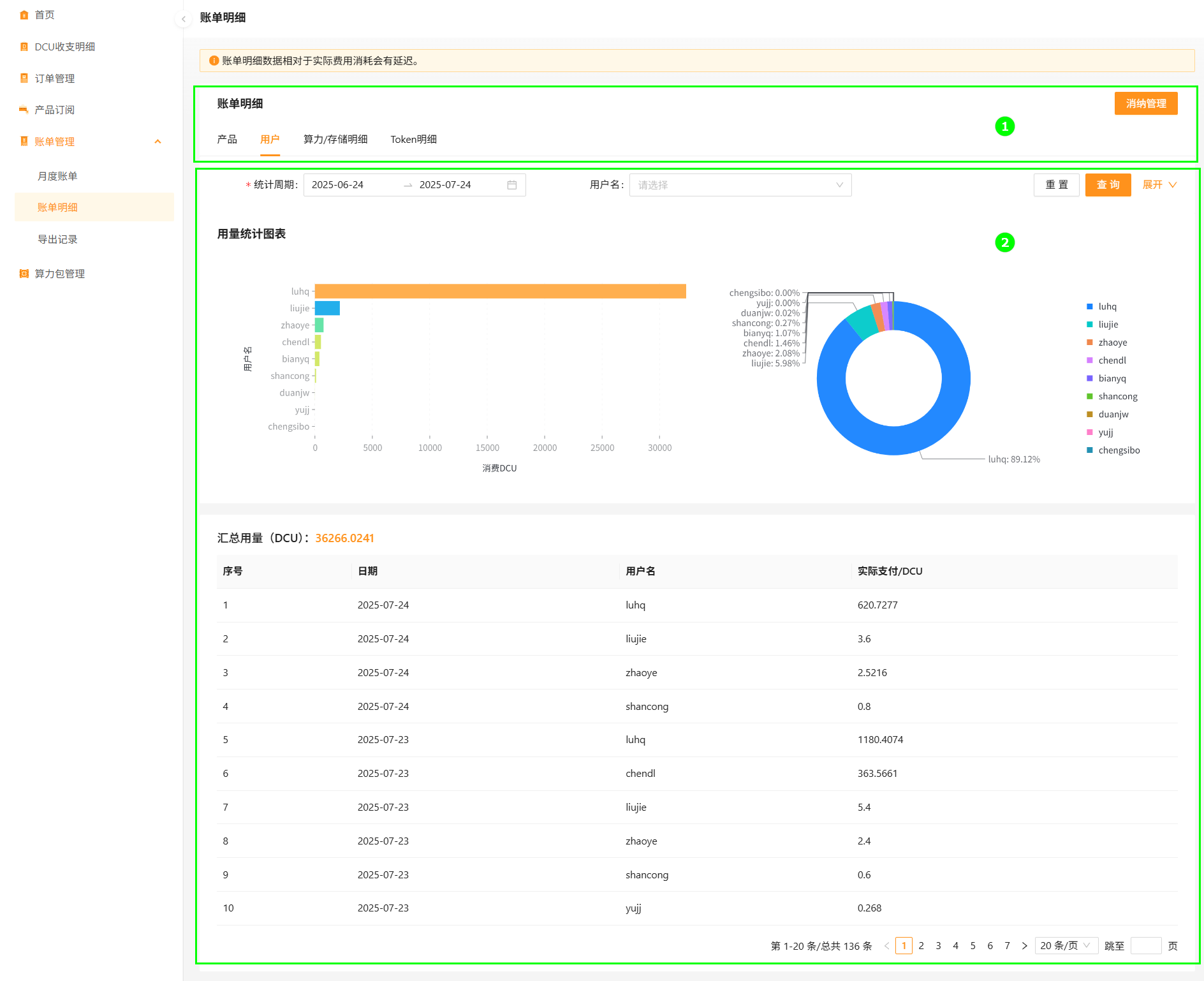
Query user invoice
Switch to the User tab. Filter by period, username, and granularity, then Search.
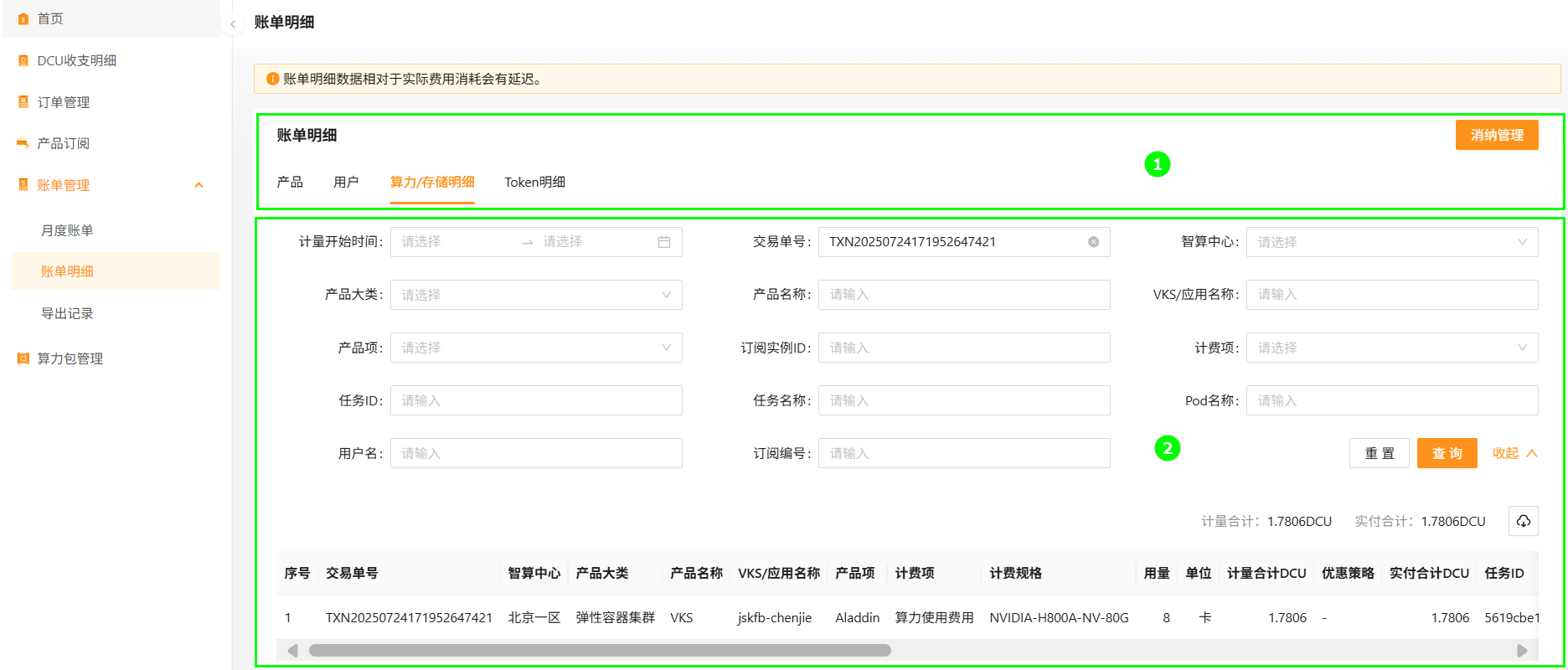
Query compute / storage invoice
Switch to the Compute / storage detail tab. Available filters: meter start time, transaction ID, data center, product family, product, VKS / app name, product item, subscription instance ID, billing item, task ID, task name, pod name, username, subscription ID.
Export compute / storage invoice
From the same tab, configure filters and click the export button. Files appear under Export records.
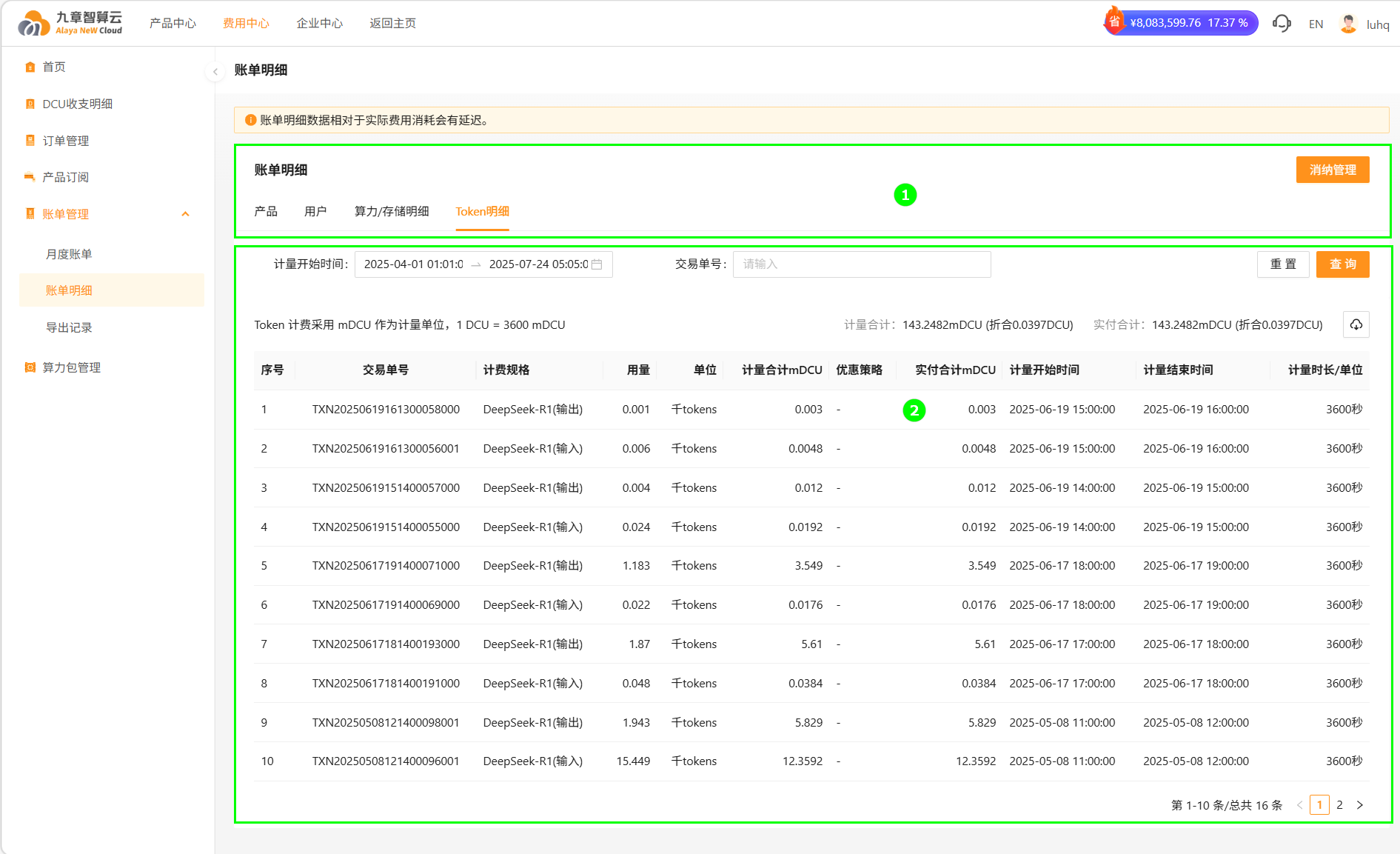
Query token invoice
Switch to the Token detail tab. Filter by meter start time, transaction ID, etc. Click Search.
Export token invoice
From the same tab, configure filters and click the export button. Files appear under Export records.
Last updated on