
Cash account, compute account, and entry points for compute subscriptions and packs
The Billing Center home is the entry point for top-ups and subscription management. It surfaces your cash balance, compute account balance, active "Choose-as-you-go" subscriptions, available "Use-as-you-go" packs, and storage subscriptions.
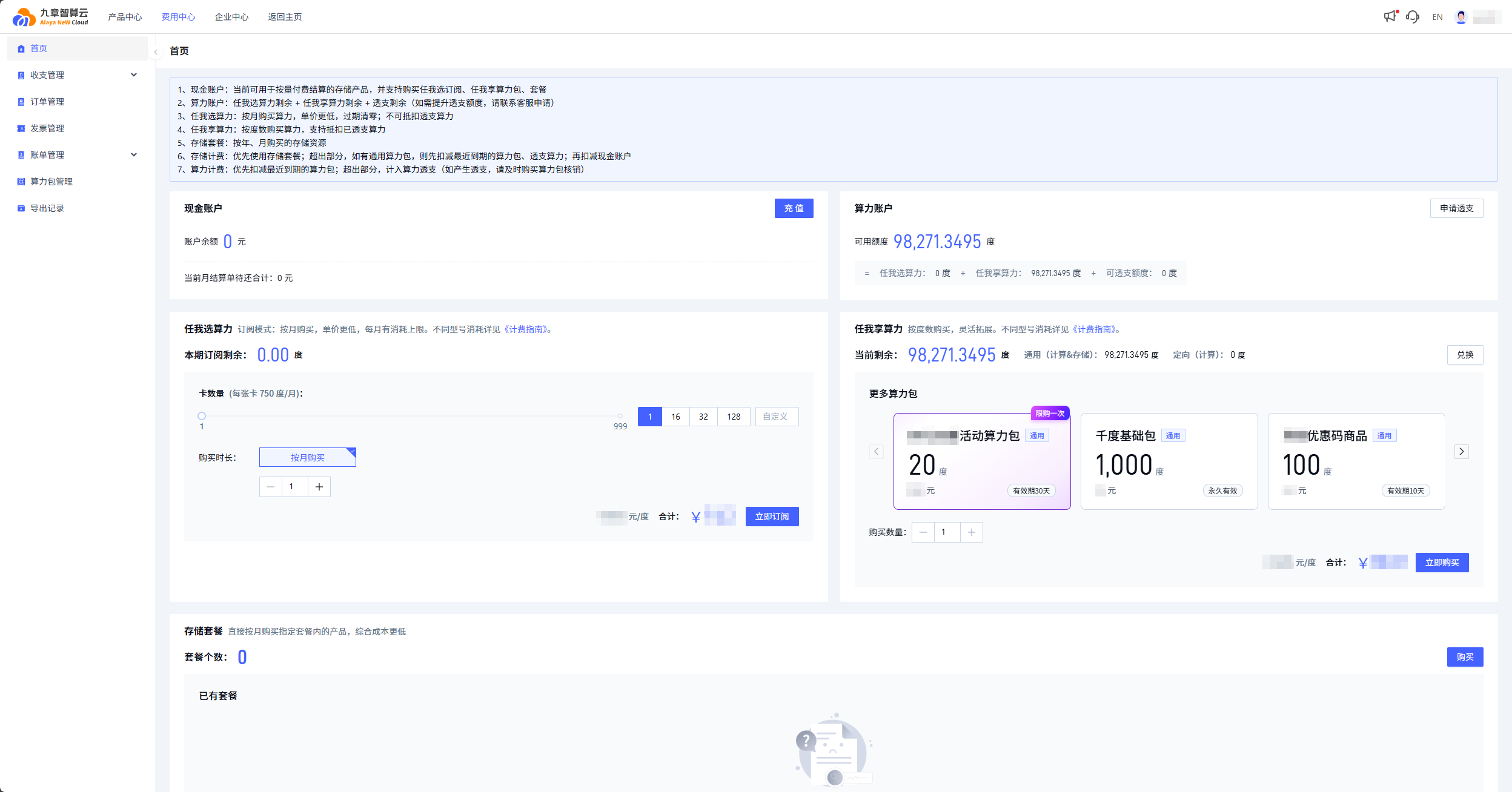
| Block | Module | Description |
|---|---|---|
| ① | Cash account | Pays for pay-as-you-go storage products and purchases of subscriptions, packs, and storage plans. |
| ② | Compute account | Available compute = remaining "Choose-as-you-go" + remaining "Use-as-you-go" + remaining overdraft credit. Contact support to raise the overdraft limit. |
| ③ | Choose-as-you-go | Monthly subscription, lower per-unit price, monthly reset. Cannot offset overdraft compute. |
| ④ | Use-as-you-go | Pay per DCU, top up any time. Can offset overdraft compute. Shows general DCU and directed DCU separately. |
| ⑤ | Storage plans | Monthly or yearly storage subscriptions. |
General DCU pays for either compute or storage. Directed DCU pays for compute only.
Operations
Redeem a Compute Power Pack
If you already hold a Compute Power Pack code, redeem it from the Use-as-you-go block. Click Redeem, paste the code, confirm, and the pack activates immediately.
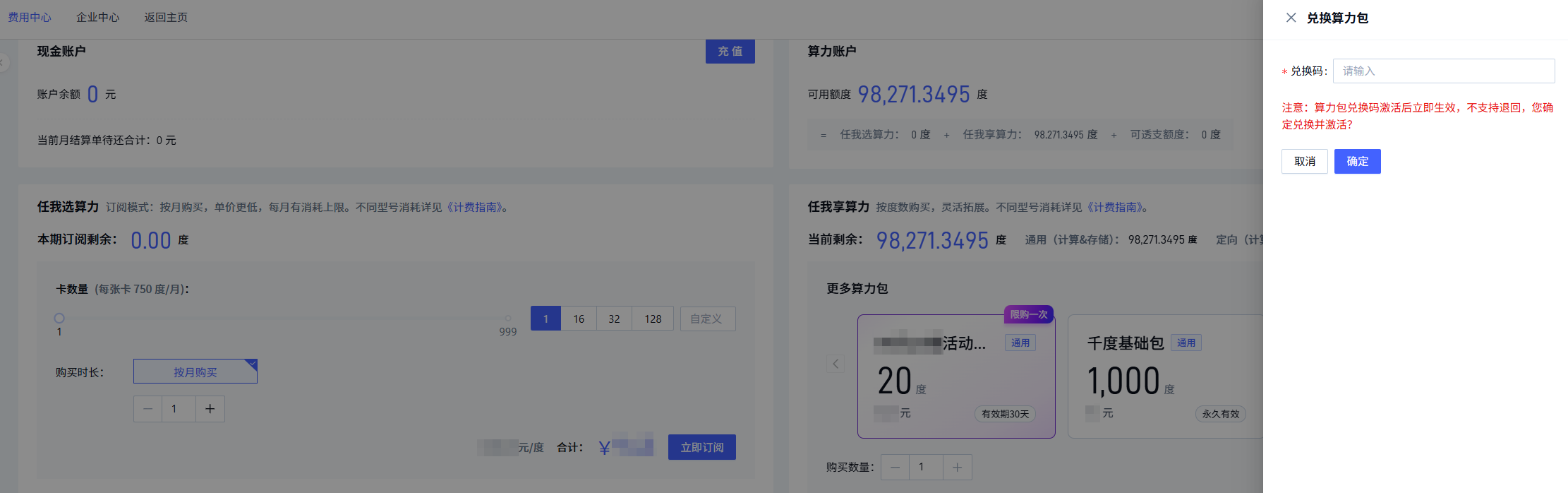
Once activated, a redemption code cannot be returned or transferred. Verify the code before activating.
Purchase a Use-as-you-go pack
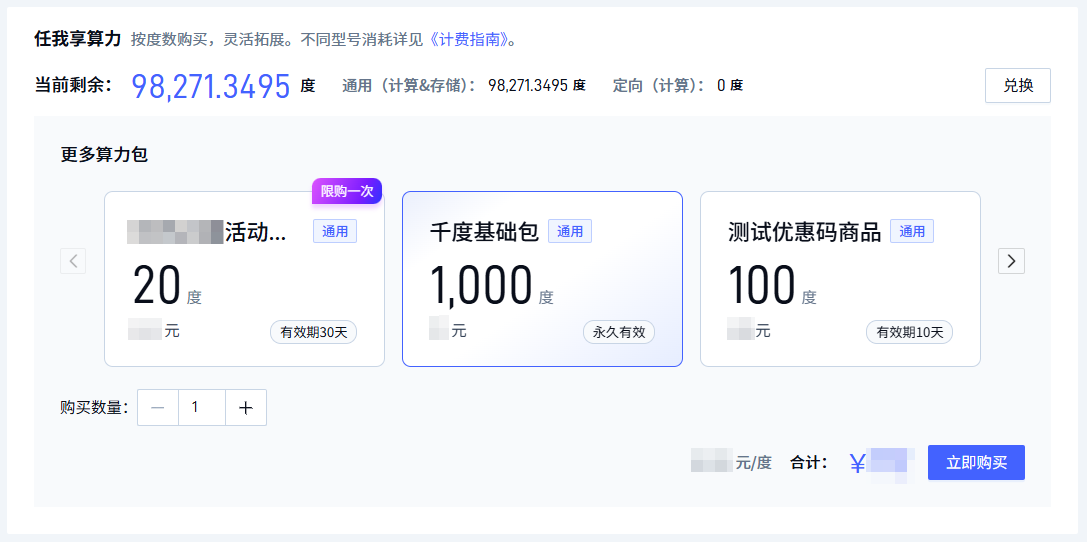
Use-as-you-go packs are purchased on demand. Different pack tiers grant different GPU concurrency caps. Use-as-you-go DCU can offset overdraft compute.
Subscribe to Choose-as-you-go
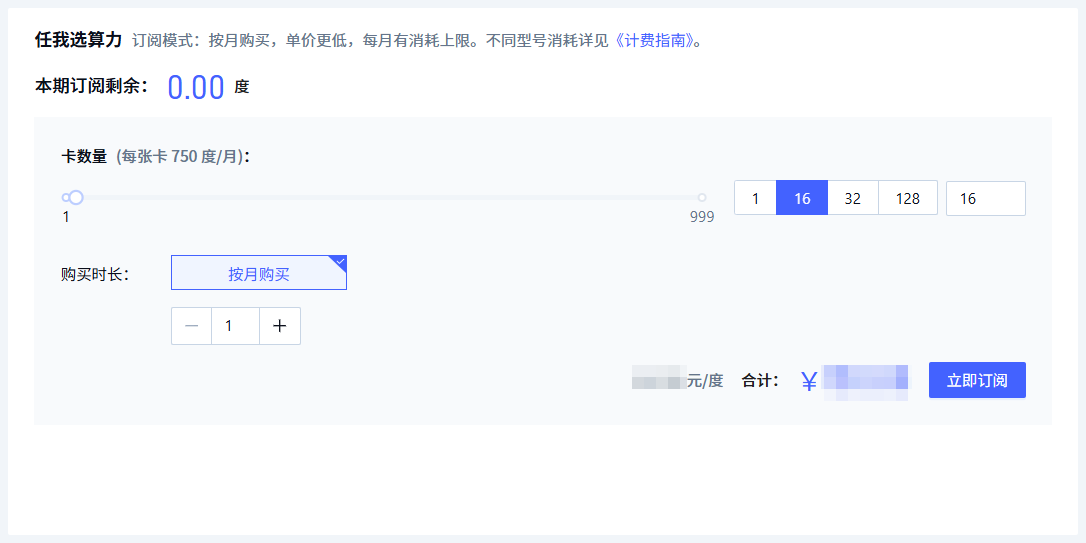
Subscriptions are sized by duration and GPU count. Each card includes 550 DCU per month, resets monthly, and cannot offset overdraft compute.
Last updated on