
Compute Power Packs
List, filter, and inspect Compute Power Packs and their consumption history
The Compute Power Pack management page lists every Compute Power Pack on your account with its current state (in use, depleted, etc.) and itemized consumption history. Multiple filters support fast lookup.
Prerequisites
- An Alaya NeW enterprise account.
- At least one Compute Power Pack purchase. See the Billing Center home for the redemption and purchase flows.
Overview
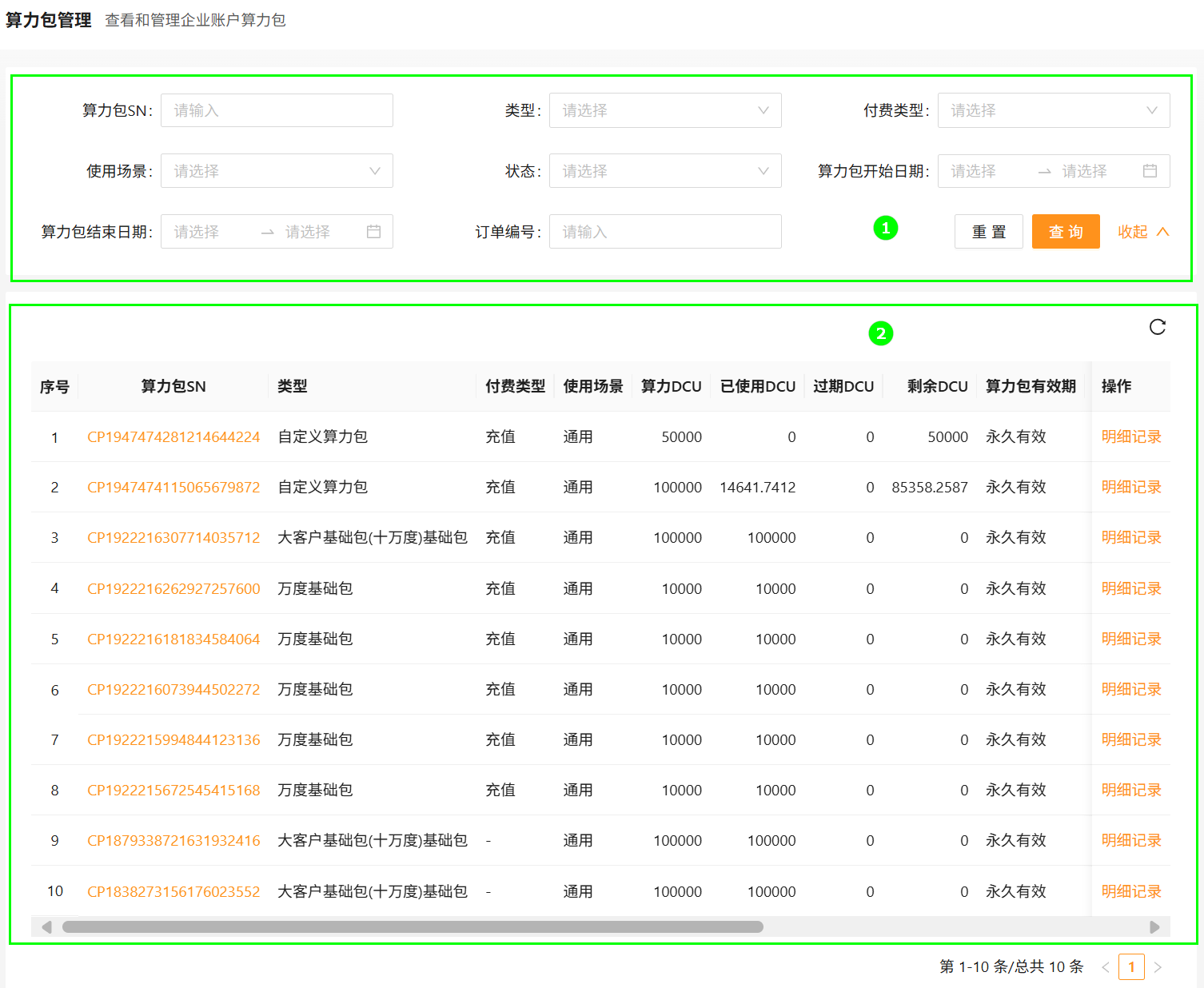
| Block | Module | Description |
|---|---|---|
| ① | Filters | Filter by pack SN, type, payment type, scenario, status, start date, end date, order ID. Supports fuzzy match and reset. |
| ② | Pack list | Itemized pack rows with detail and consumption links. |
Operations
Filter
- Sign in to Alaya NeW. Open Billing Center → Compute Power Packs.
- Configure filters and click Search.
View pack detail
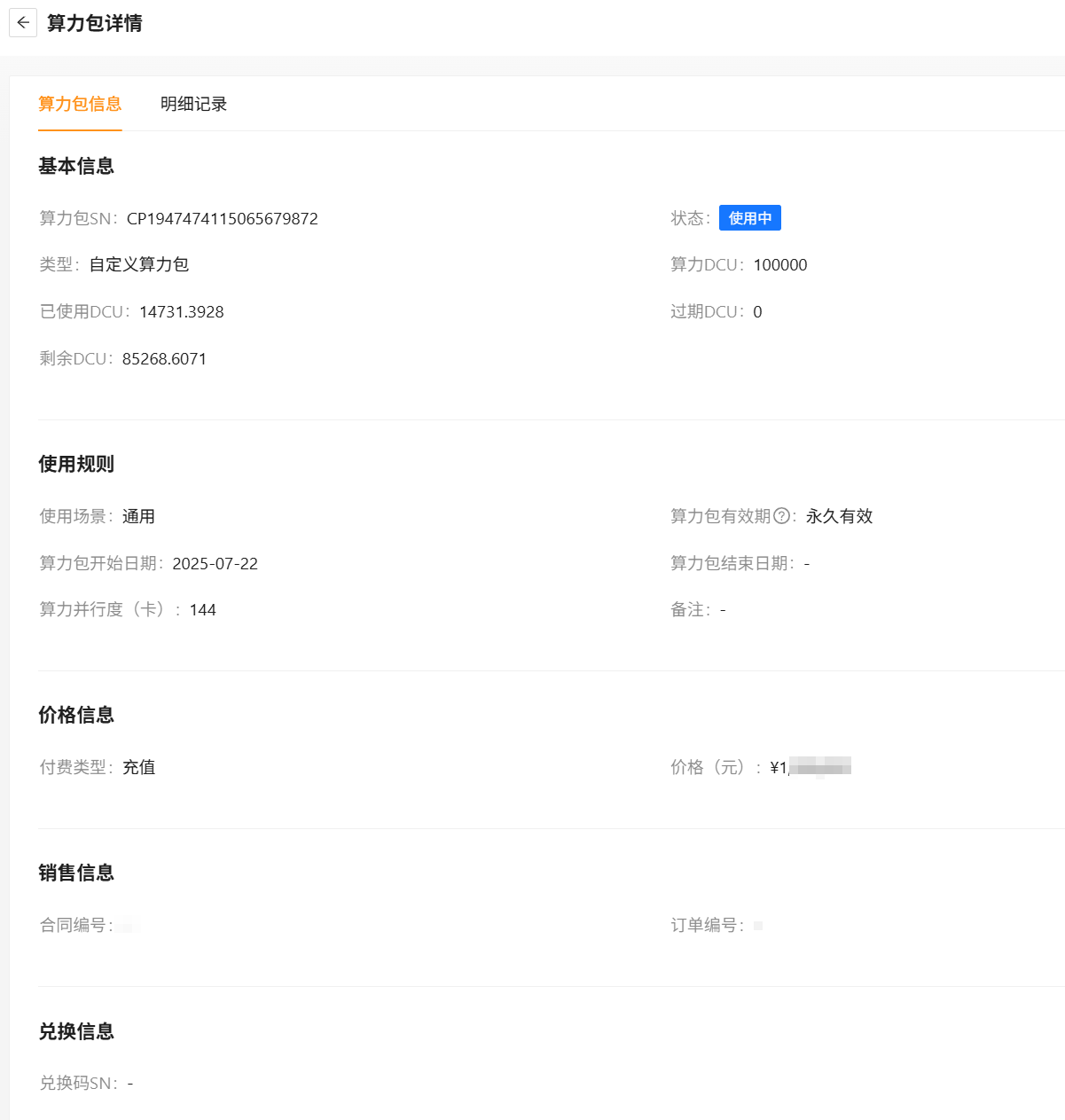
Click the pack SN in any row to open the pack detail page.
View pack consumption
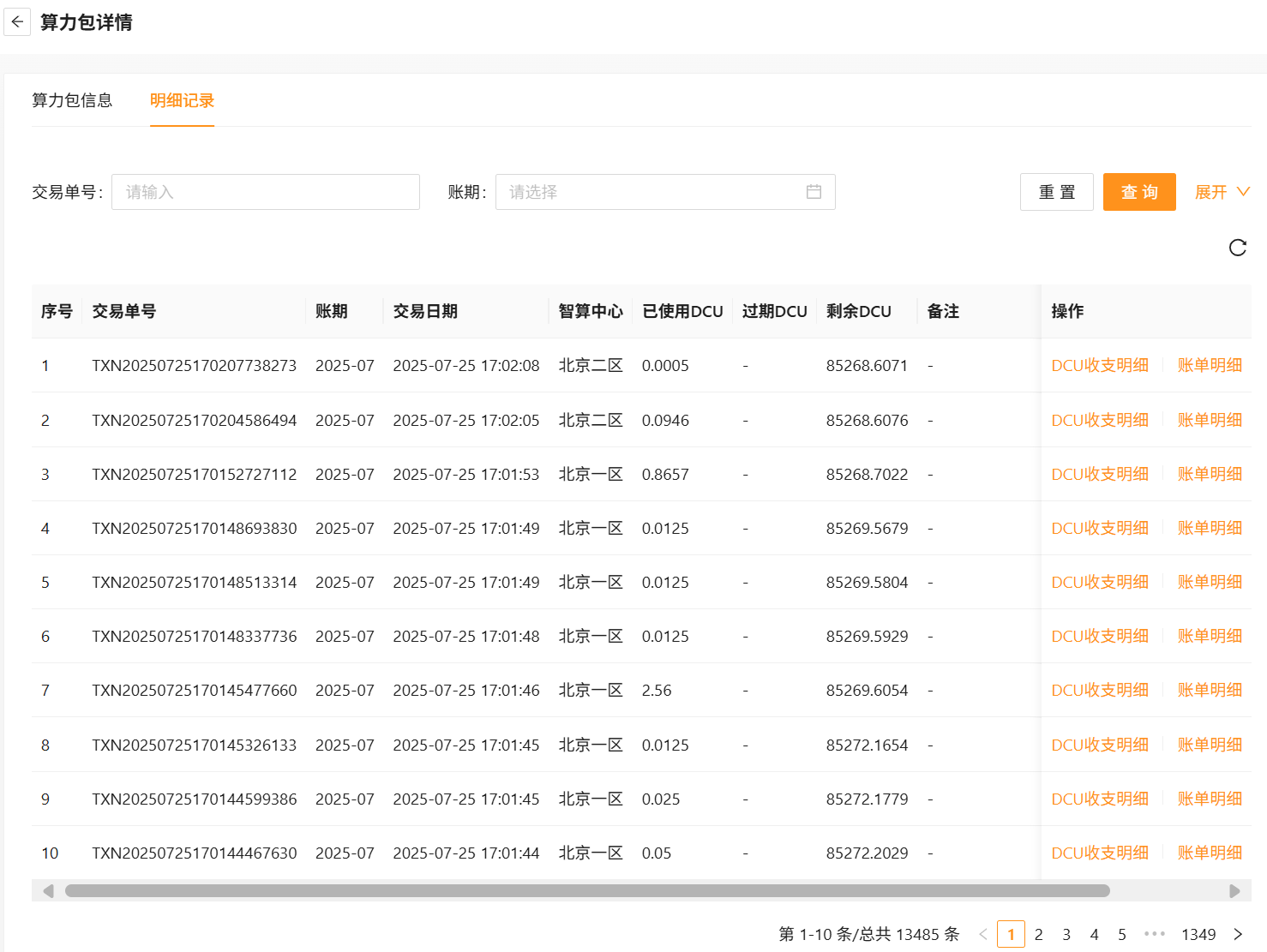
From the actions column, click Consumption history to drill into the consumption page, where you can filter records and cross-reference DCU ledger entries and invoice rows.
Last updated on
Was this page helpful?