
Monthly invoices
Query, view, and export monthly invoices
The monthly invoice module lists all invoices for your account, grouped by billing period. Cuts can be applied across application, user, product, and task. Invoices export to CSV/Excel for archival or downstream analysis.
Prerequisites
- An Alaya NeW enterprise account.
- At least one billable usage record. For pricing details, contact us.
Overview
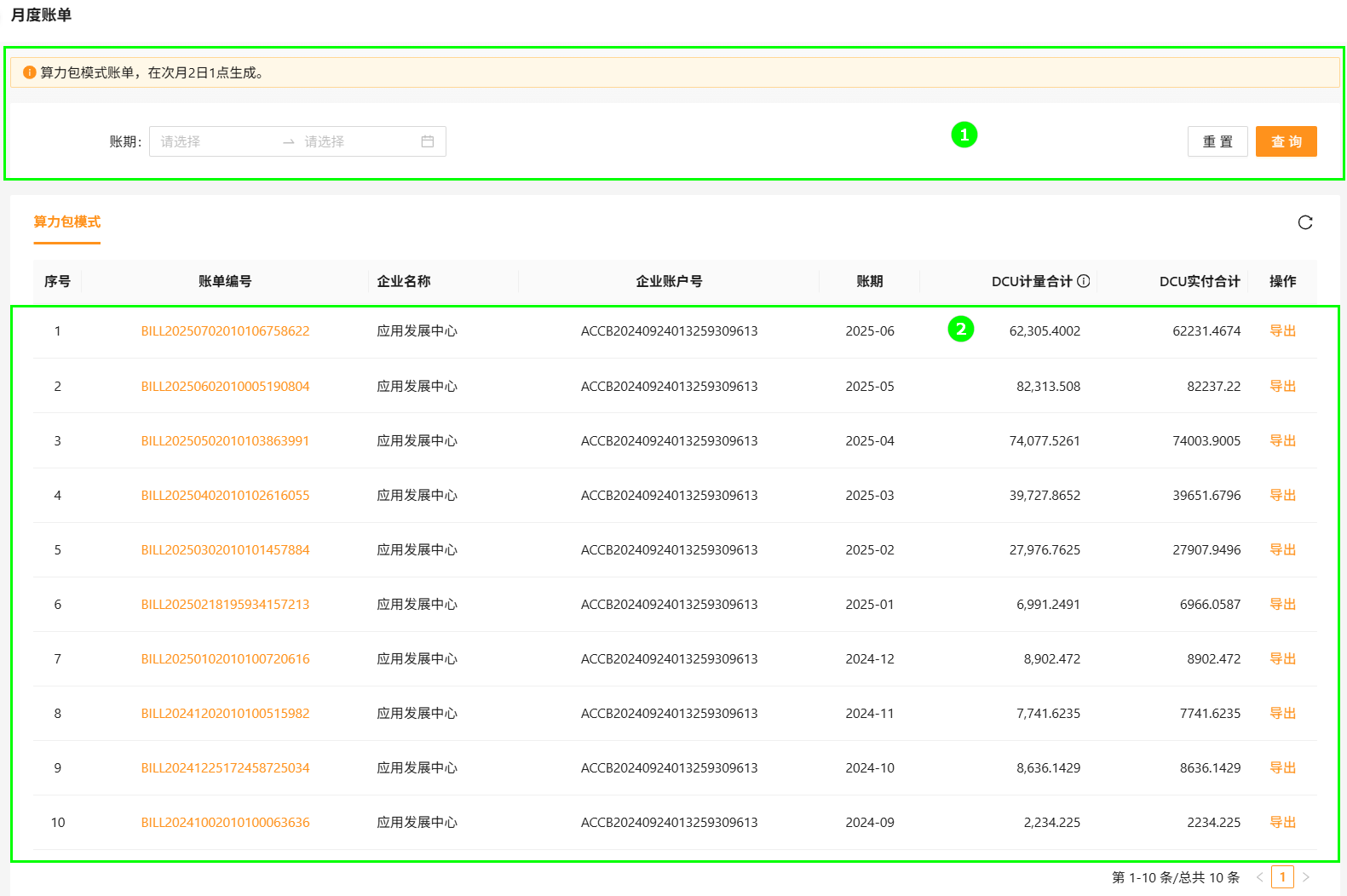
| Block | Module | Description |
|---|---|---|
| ① | Period selector | Select a billing month and reset to default. |
| ② | Invoice list | Itemized monthly invoices with detail and export actions. |
Pack-mode invoices are generated at 01:00 on the 2nd of the following month.
Operations
Query
- Sign in to Alaya NeW. Open Billing Center → Invoices → Monthly invoices.
- Pick a month and click Search.
View detail
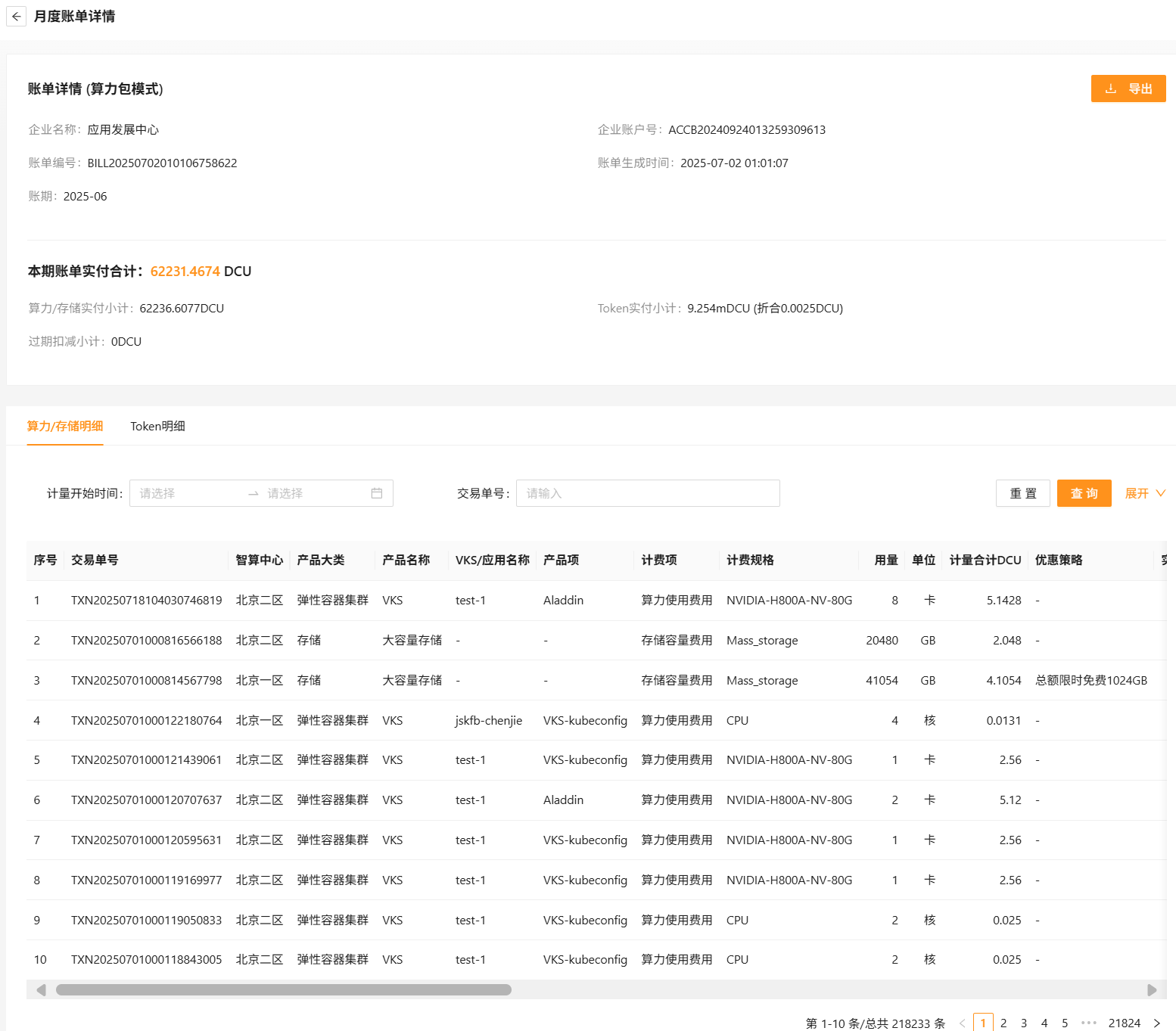
Click the invoice ID to open the detail page, which itemizes:
- Compute / storage detail — products billed in DCU (degrees), e.g. VKS clusters and storage.
- Token detail — products billed in mDCU (millidegrees), e.g. inference services.
1 DCU = 3600 mDCU
Export
From the list view, click Export in the actions column. Confirmed exports appear under Export records for download.
Last updated on
Was this page helpful?