
Order management
Search, filter, and inspect top-up and product orders
Order management is the unified view of every order placed against your account — top-ups, subscriptions, packs. Each row shows order ID, product, spec, amount, status, and creation time.
Prerequisites
- An Alaya NeW enterprise account.
- At least one purchase or top-up. For pricing details, contact us.
Overview
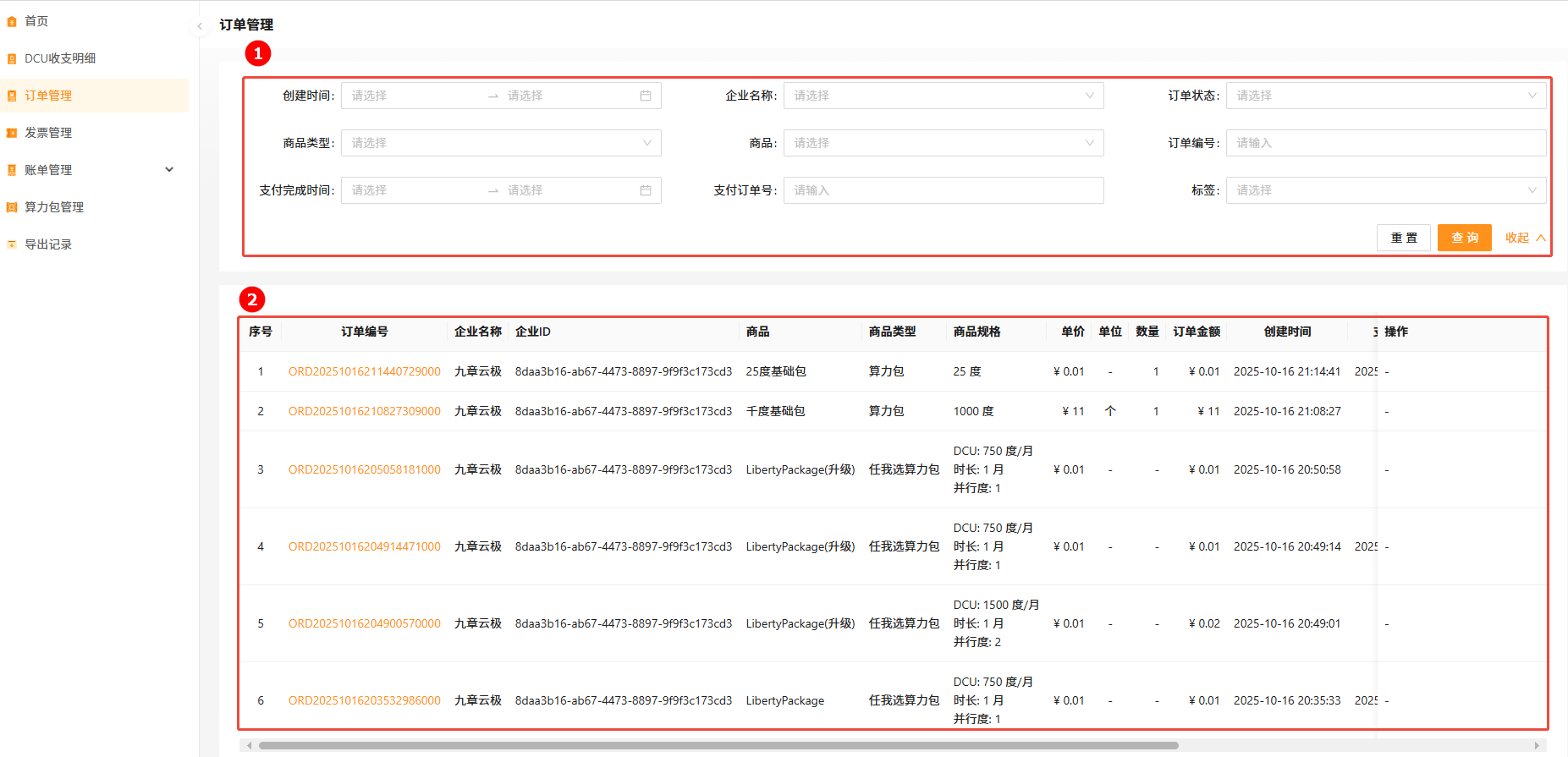
| Block | Module | Description |
|---|---|---|
| ① | Filters | Filter orders by creation time, status, product, order ID, payment ID. Supports fuzzy match and reset. |
| ② | Order list | Itemized order rows with a link to detail. |
Filter orders
- Sign in to Alaya NeW. Open Billing Center → Order management.
- Configure filters (creation time, status, product, order ID, etc.).
- Click Search.
View order detail
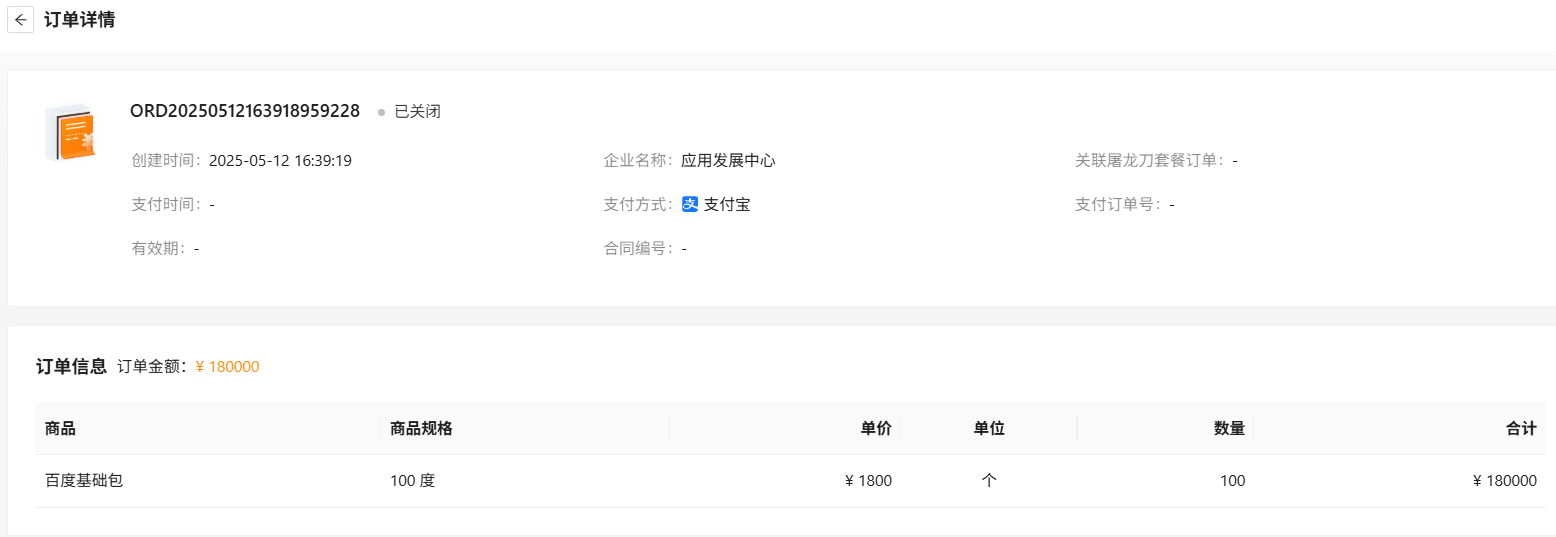
Click the order ID in any row to drill into the order detail page.
Last updated on
Was this page helpful?