
Provision file storage and object storage — pick region, capacity, and billing mode, then mount
Once you have an Alaya NeW enterprise account with sufficient balance, follow the steps below to provision mass storage (file storage or object storage).
Prerequisites
- An Alaya NeW enterprise account and password. If you have not registered, see Sign up.
- Sufficient account balance. See Billing for details, or contact us for more information.
Steps
Provision file storage
-
Sign in to the Alaya NeW platform with your enterprise account. Two entry points are available — pick either:
- Entry A: Products / Storage, click "Mass storage" to open the product overview, then click
Enable Now. - Entry B: Product Center / Storage Management, click
Enable New Storage.
- Entry A: Products / Storage, click "Mass storage" to open the product overview, then click
-
Fill in the file-storage parameters per the page prompts.
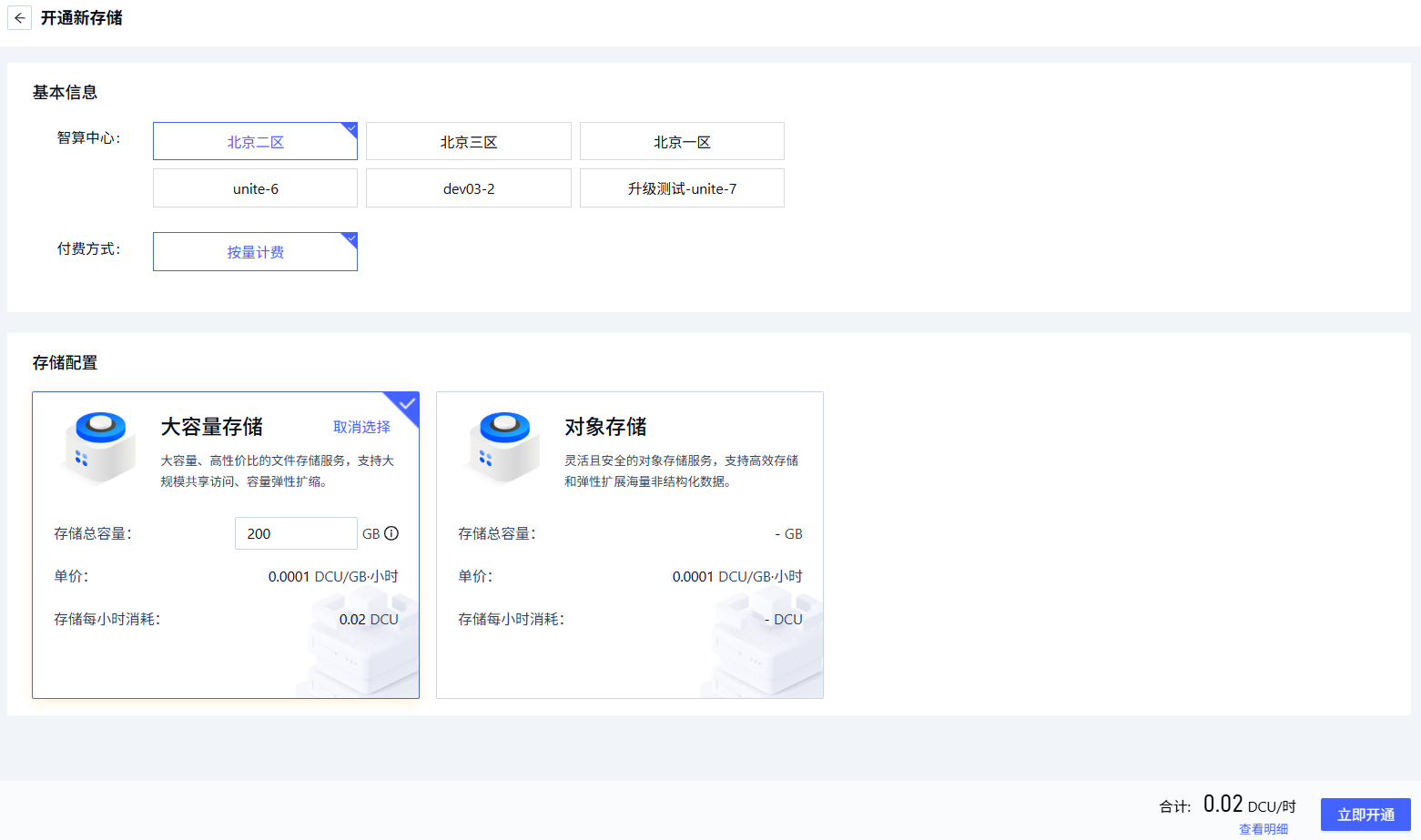
Parameter Description Requirements Required Region The data center hosting the file-storage service Pick an available data center, e.g. Beijing Zone 1 – Zone 5 Yes Billing mode The billing method for data-center resources E.g. pay-as-you-go Yes Storage configuration Pick the file storage in the corresponding data center and configure total capacity Capacity range: 200 GB – 20,000 GB Yes -
Once the parameters are configured, click
Enable Nowto complete file-storage provisioning.
Provision object storage
-
Sign in to the Alaya NeW platform with your enterprise account. Two entry points are available — pick either:
- Entry A: Products / Storage, click "Object storage" to open the product overview, then click
Enable Now. - Entry B: Product Center / Storage Management, click
Enable New Storage.
- Entry A: Products / Storage, click "Object storage" to open the product overview, then click
-
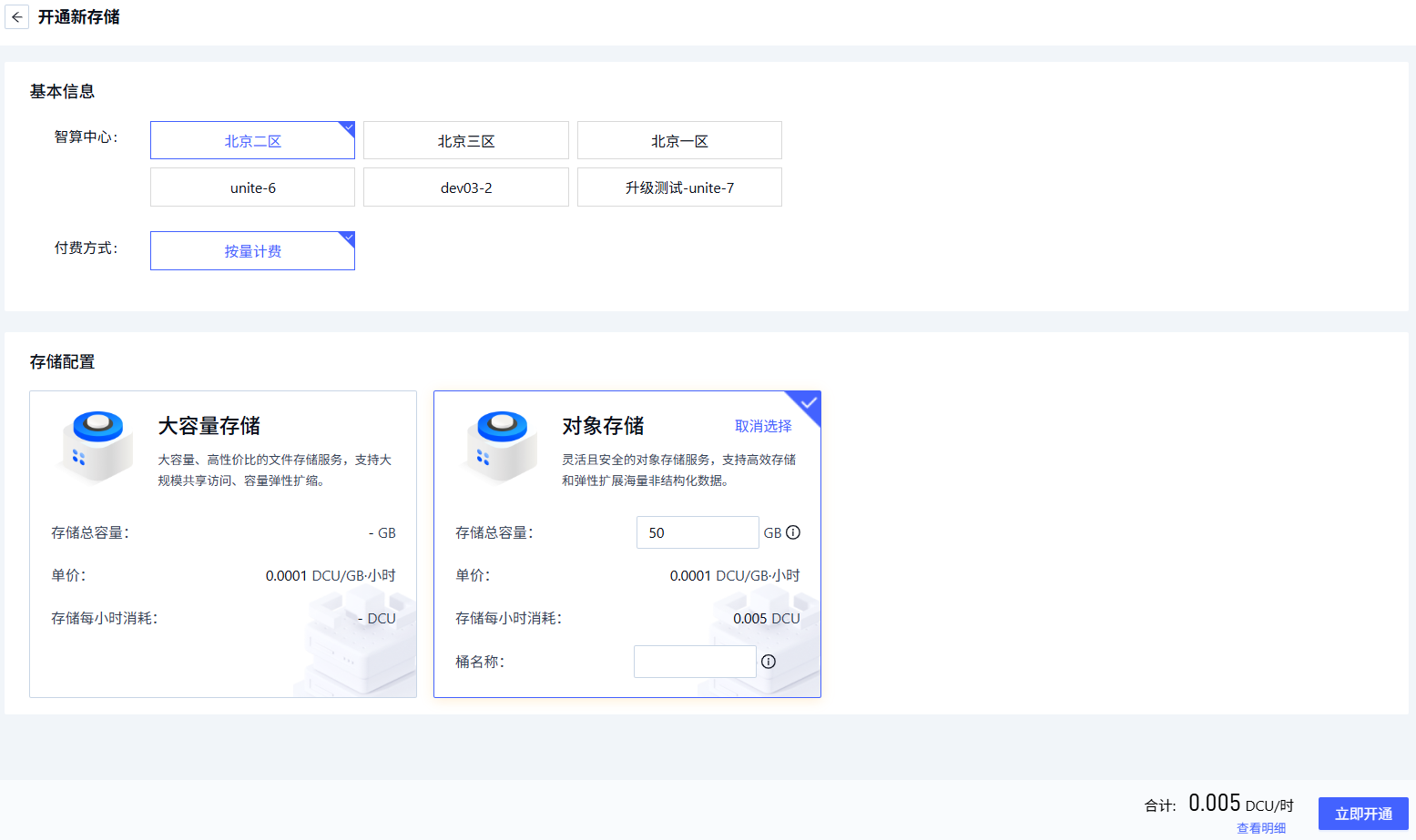
Fill in the object-storage parameters per the page prompts.
Parameter Description Requirements Required Region The data center hosting the object-storage service Pick an available data center, e.g. Beijing Zone 1 – Zone 5 Yes Billing mode The billing method for data-center resources E.g. pay-as-you-go Yes Storage configuration Pick the object storage in the corresponding data center and configure total capacity Capacity range: 50 GB – 4,096 GB Yes -
Once the parameters are configured, click
Enable Nowto complete object-storage provisioning.
Next steps
Last updated on