
Enable image registry
Create a private image registry — pick region and capacity; credentials are delivered by SMS after submission
Once you have an Alaya NeW enterprise account with sufficient balance, follow the steps below to provision an image registry for pulling private container images into VKS / CCI.
Prerequisites
- An Alaya NeW enterprise account and password. If you have not registered, see Sign up.
- Sufficient account balance. For current promotions and pricing details, contact us.
Steps
Provision the image registry
-
Sign in to the Alaya NeW platform with your enterprise account. Two entry points are available — pick either:
- Entry A: Products / Storage, click "Image registry" to open the product overview, then click
Enable Now. - Entry B: Product Center, which defaults to the VKS list page. Switch to the "Image registry" tab and click
Enable.
- Entry A: Products / Storage, click "Image registry" to open the product overview, then click
-
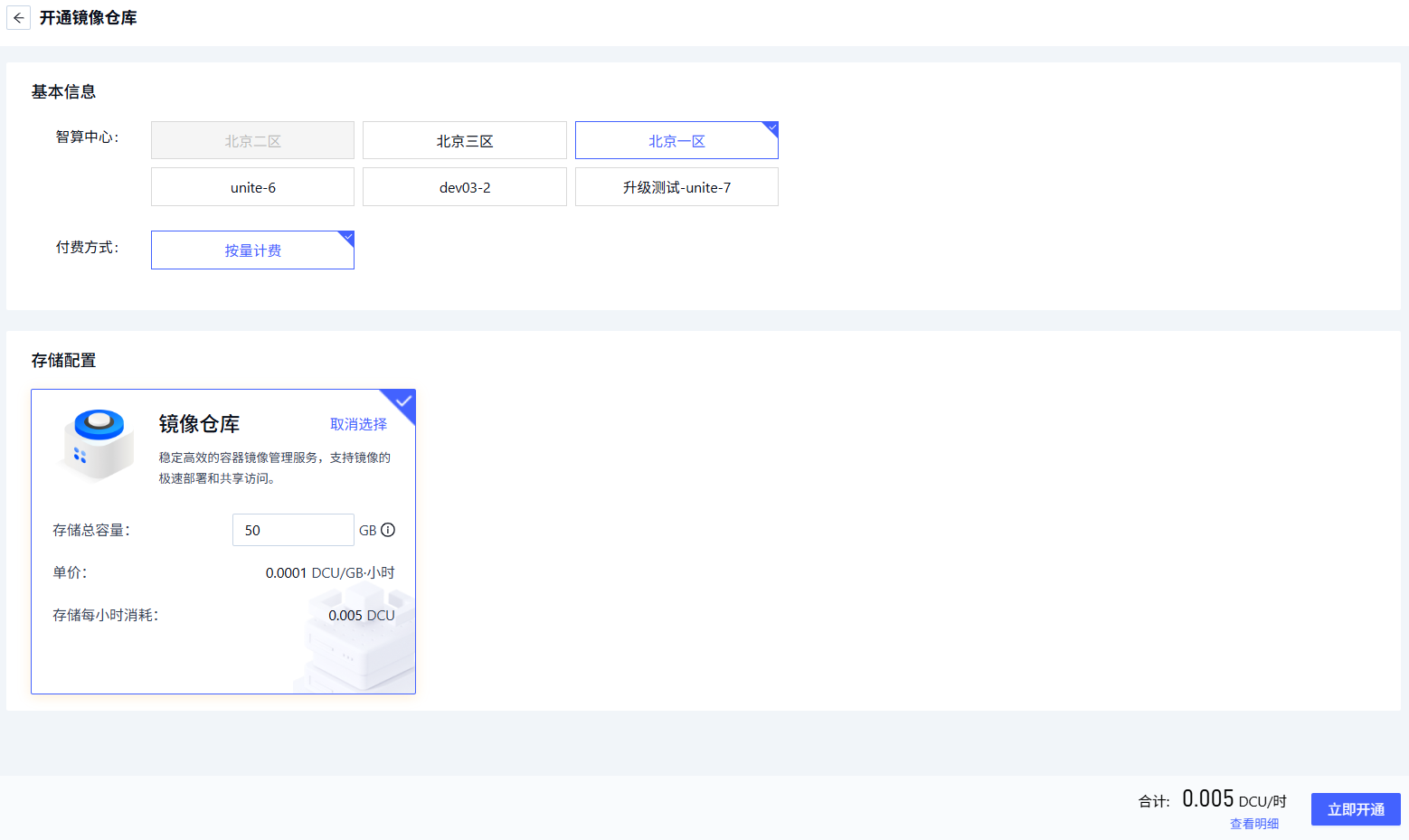
Fill in the image-registry parameters per the page prompts.
Parameter Description Requirements Required Region The data center hosting the image-registry service Pick an available data center, e.g. Beijing Zone 1 – Zone 5 Yes Billing mode The billing method for data-center resources E.g. pay-as-you-go Yes Storage configuration Pick the image registry in the corresponding data center and configure total capacity — Yes -
Once the parameters are configured, click
Submitto complete image-registry provisioning.
Activation result notification
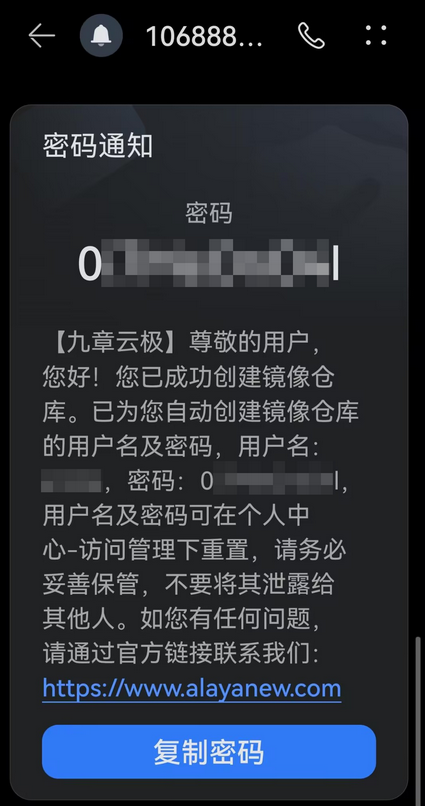
The activation result is delivered by SMS, including the account credentials for the new registry. Please look out for the message and store the credentials securely.
Next steps
Last updated on
Was this page helpful?