
Pod detail
Pod access, basics, resource state, scheduling, environment variables, and events
Access pods via web terminal or exposed ports, and inspect runtime info on each pod — basics, resource state, scheduling, environment variables, and events.
Access
Sign in and go to Product Center → Compute → HyperTrain → Job detail, then click Pods to open the pod list.
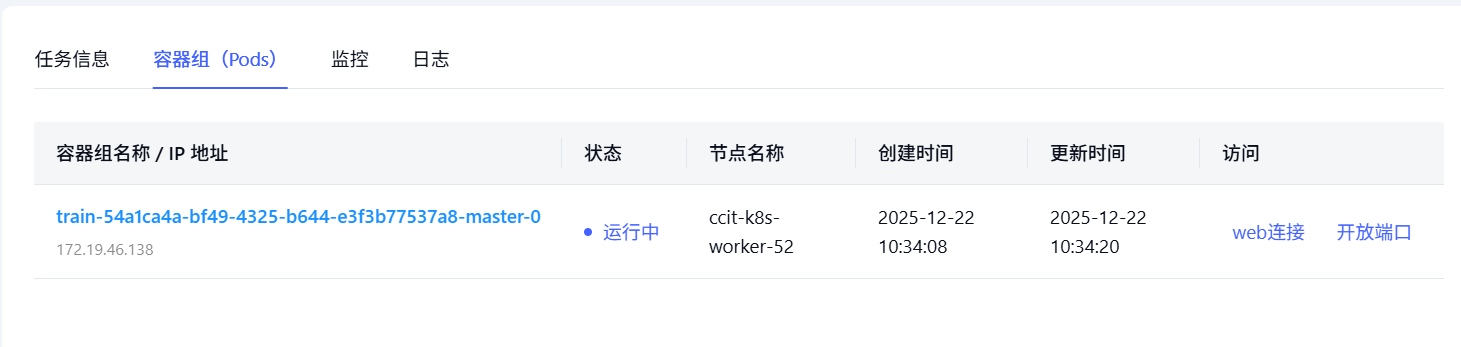
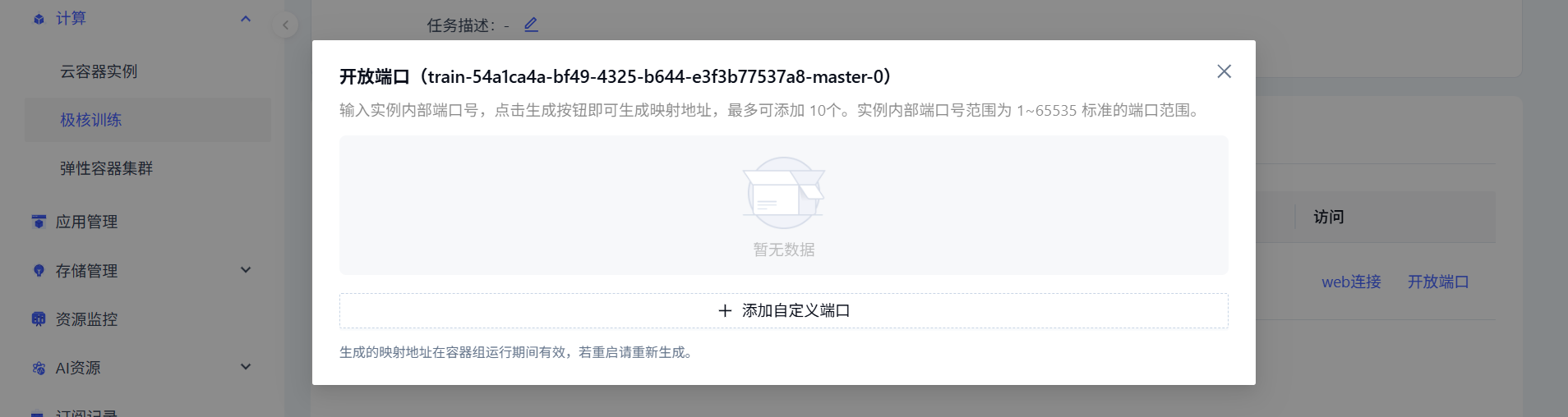
Two access modes:
- Web terminal — open a shell directly into the pod
- Exposed ports — configure ports for external access
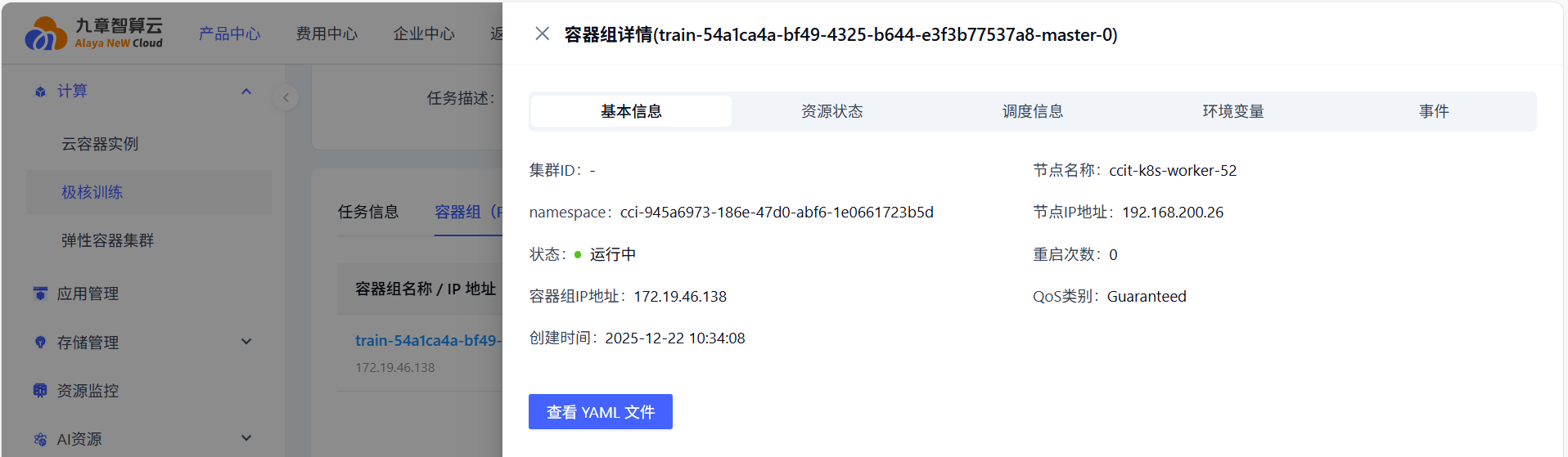
Pod detail
Click a pod name to open its detail page.
1. Basics
Pod status, IP address, and other basics.
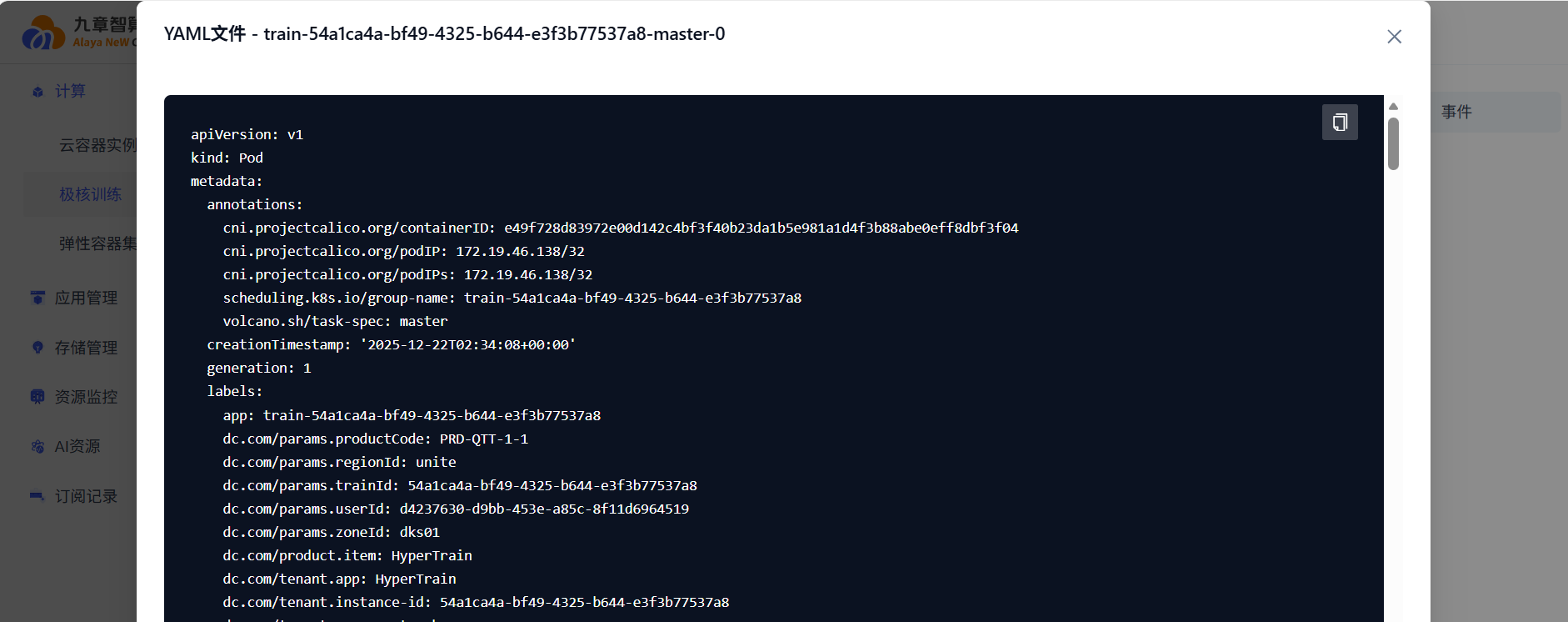
YAML view:
2. Resource state
- Container info
- Volume info
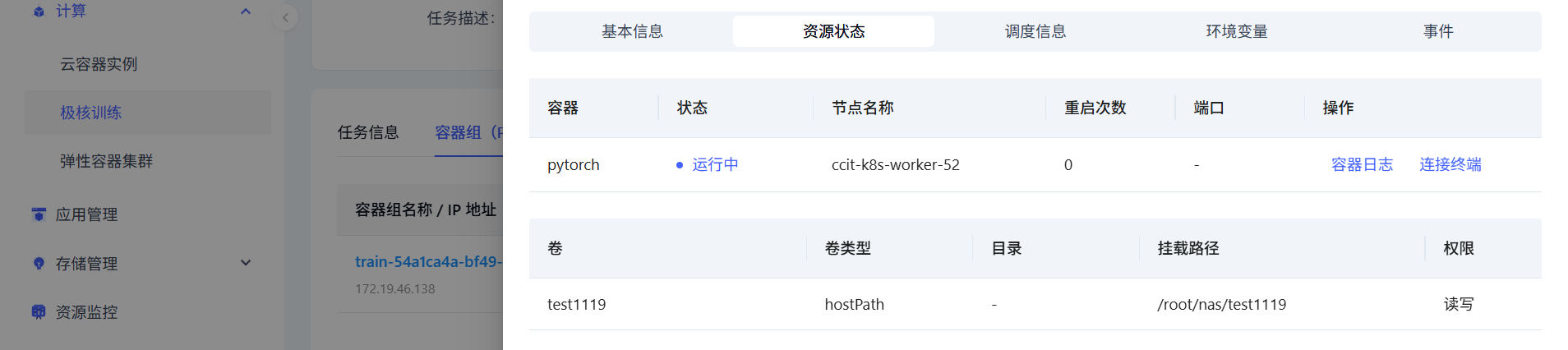
- Container logs
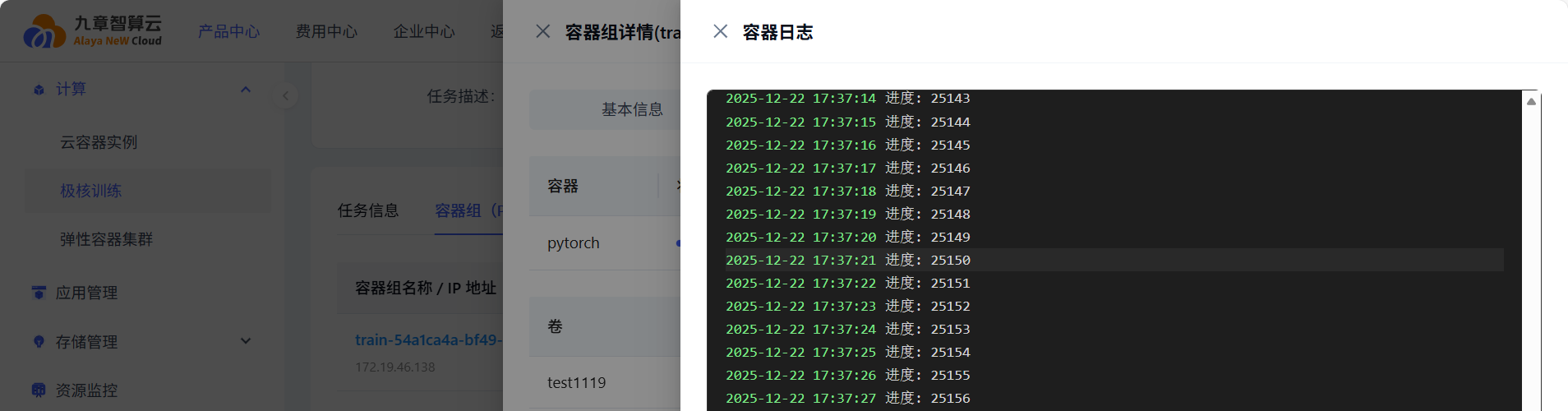
- Container terminal access
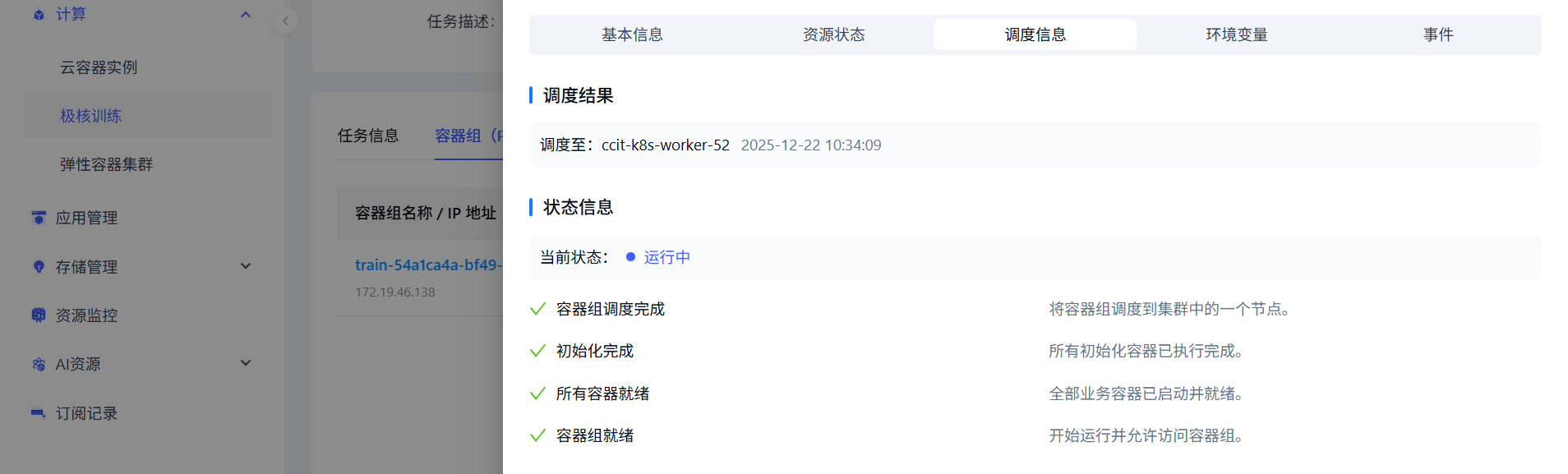
3. Scheduling
Scheduling result and status.
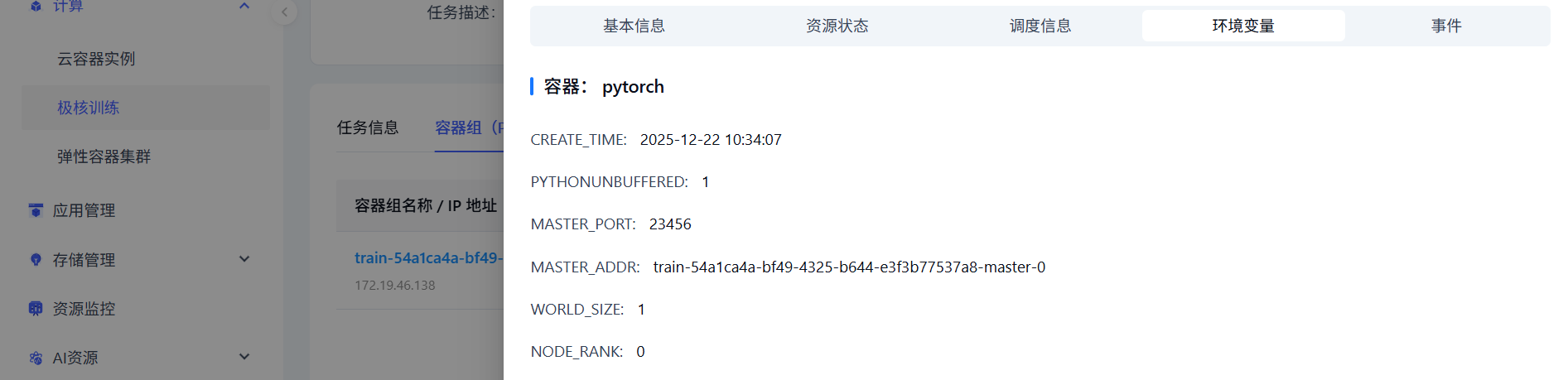
4. Environment variables
All env vars across containers.
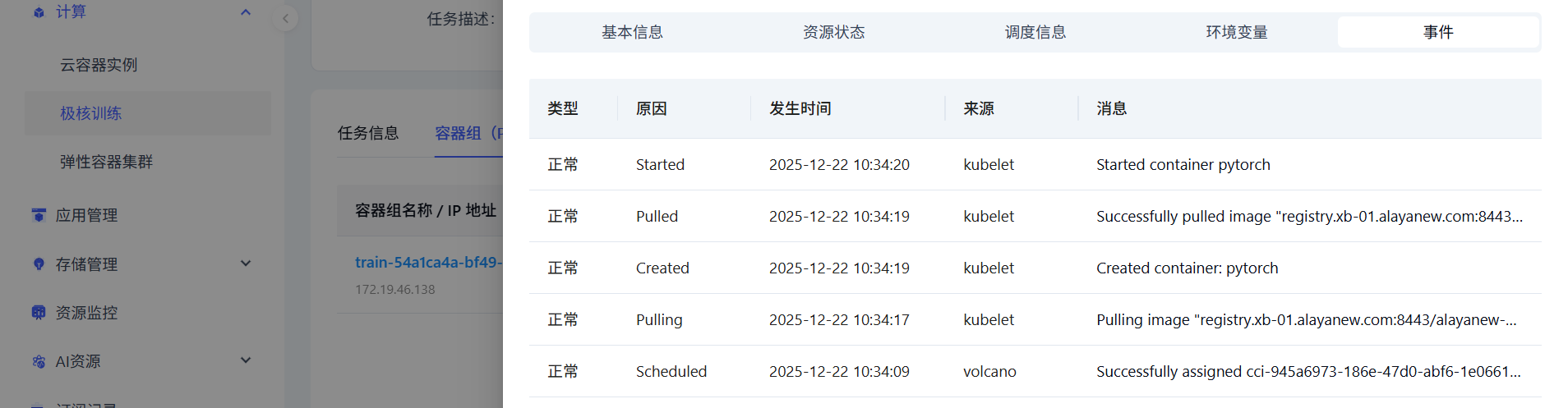
5. Events
All events across containers.
Last updated on
Was this page helpful?