
Template management
Create, edit, delete templates — and use them to launch training jobs quickly
Manage and use job templates.
Both master and sub-accounts can only manage templates they created themselves.
1. Where to manage
Templates are managed from the job list page.
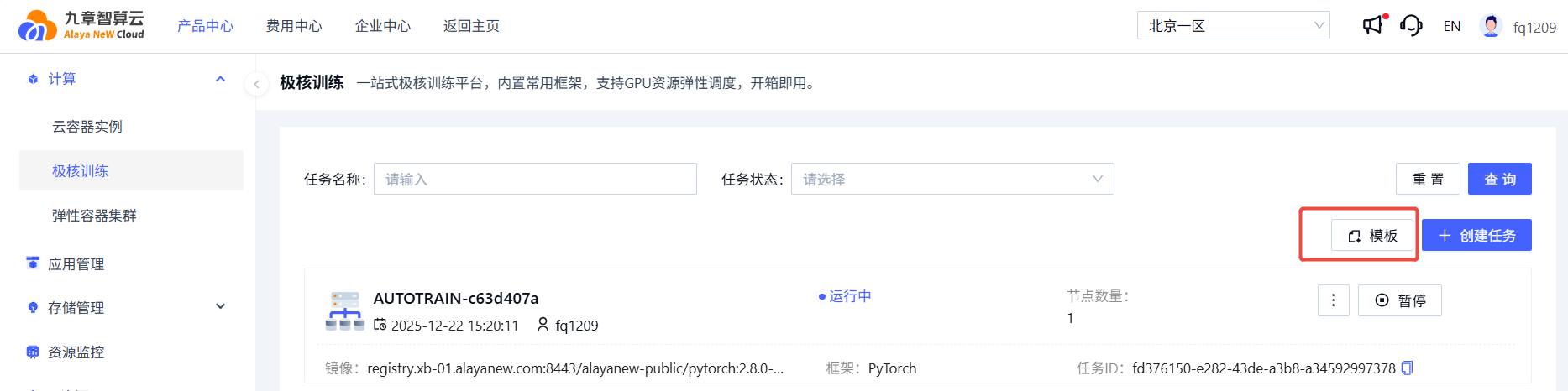
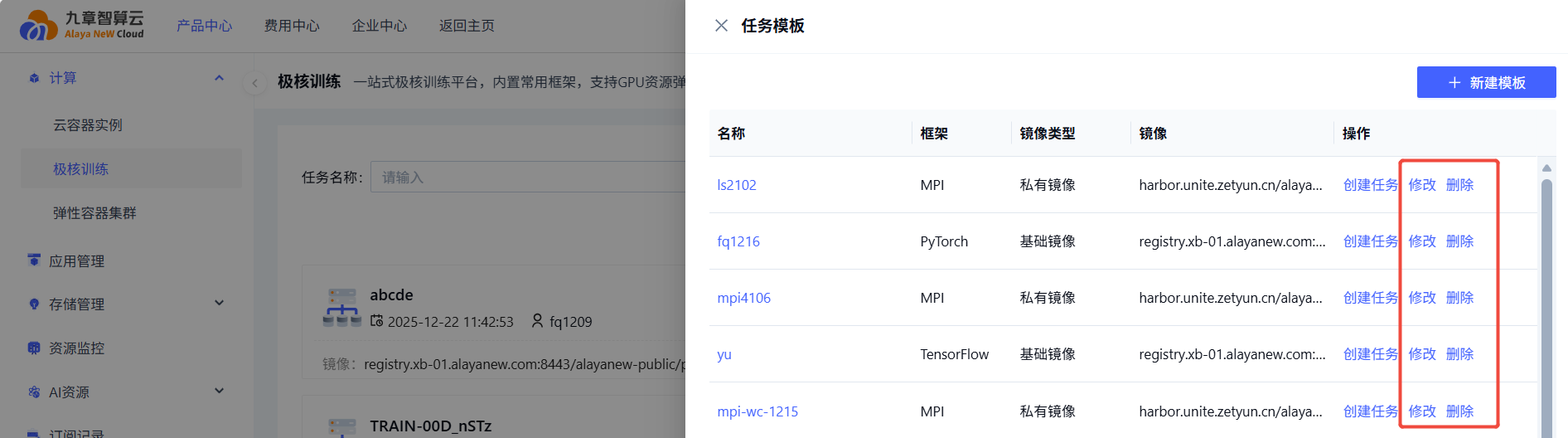
Create new templates and edit/delete existing ones.
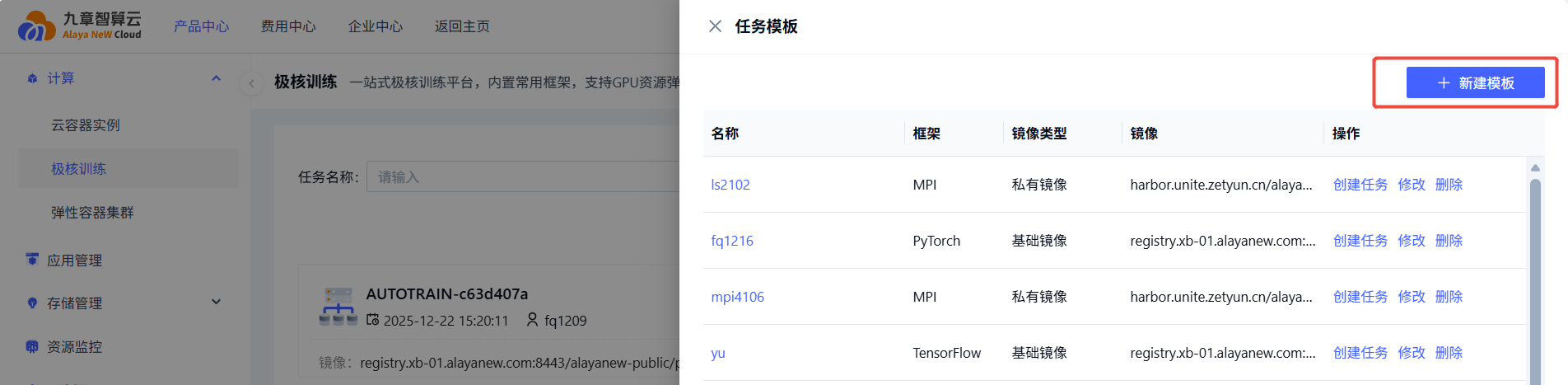
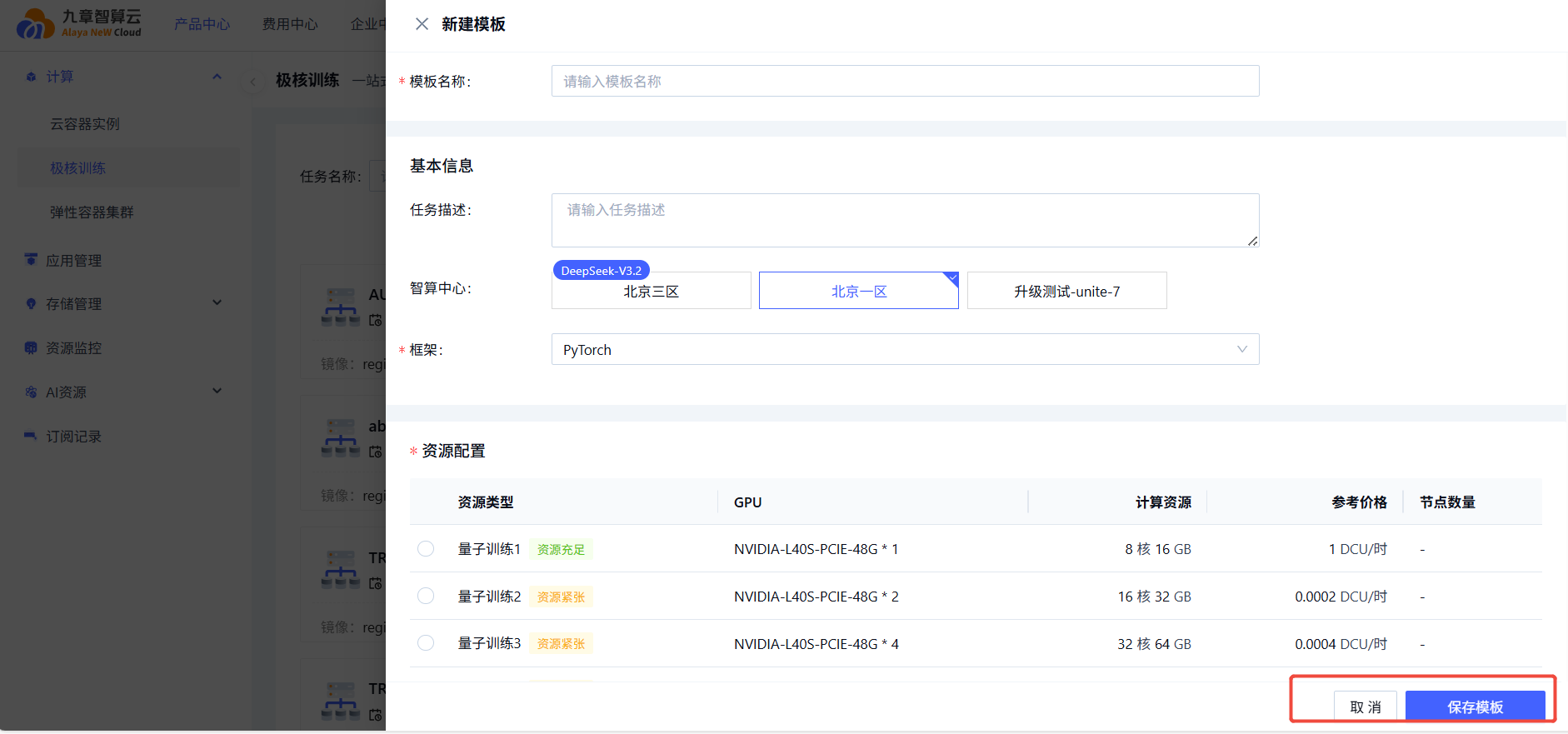
2. Create a template
From the template page
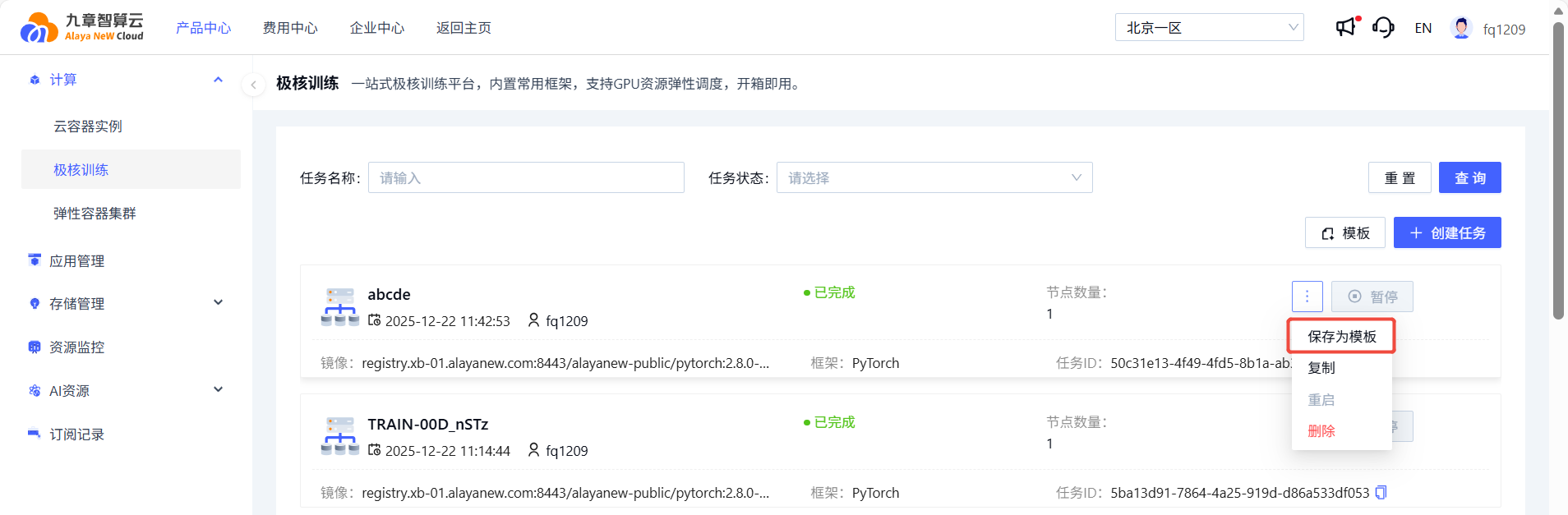
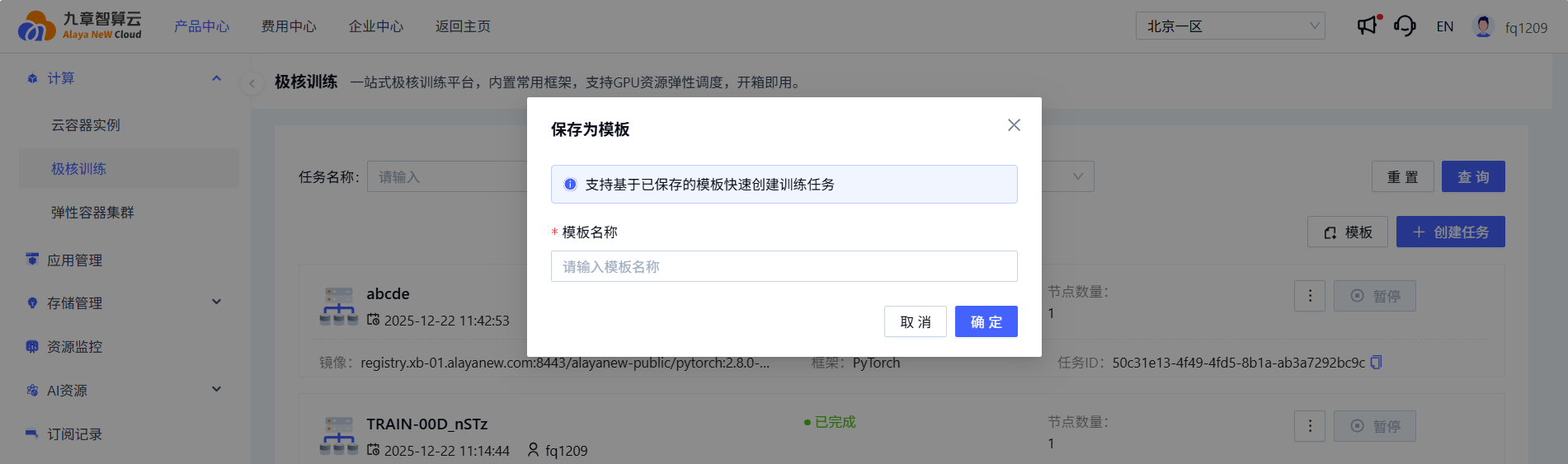
Save an existing job as template
From the job list or detail page, choose Save as template.
3. Template detail
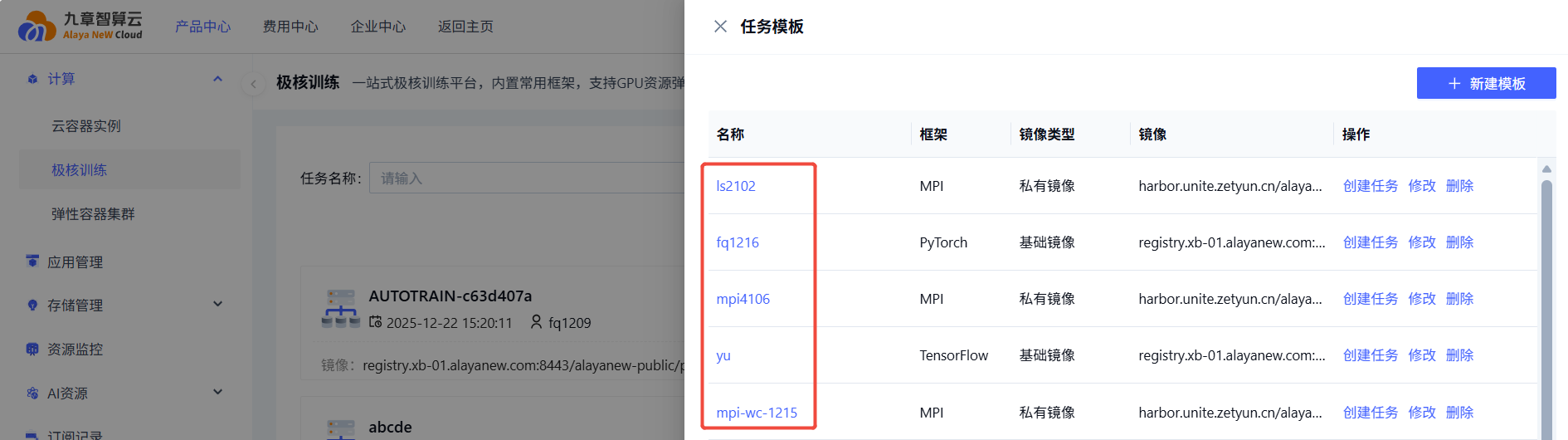
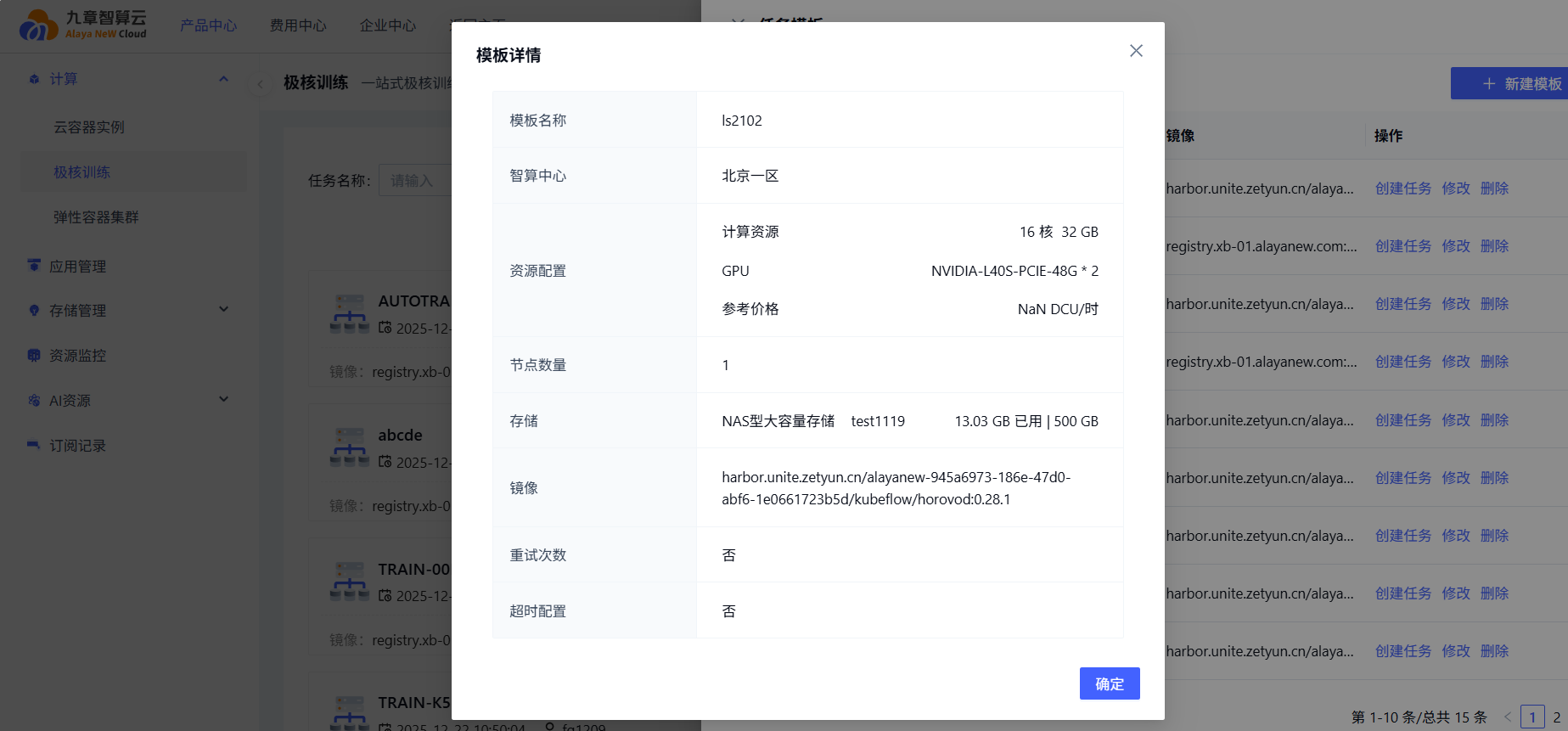
Click the template name to inspect its detail.
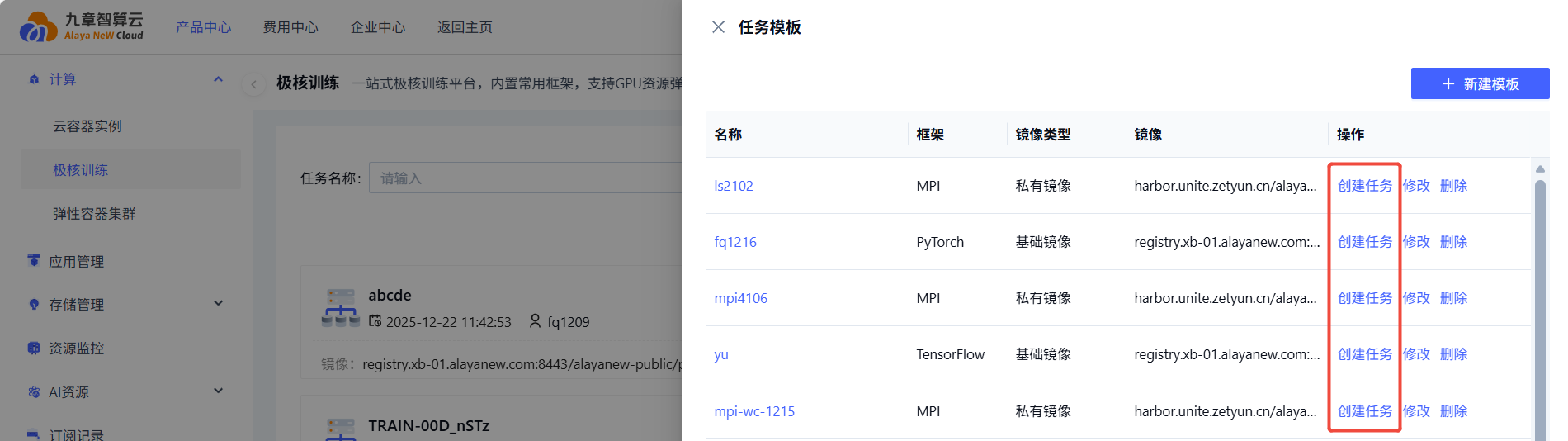
4. Use a template
Launch a job directly from a template:
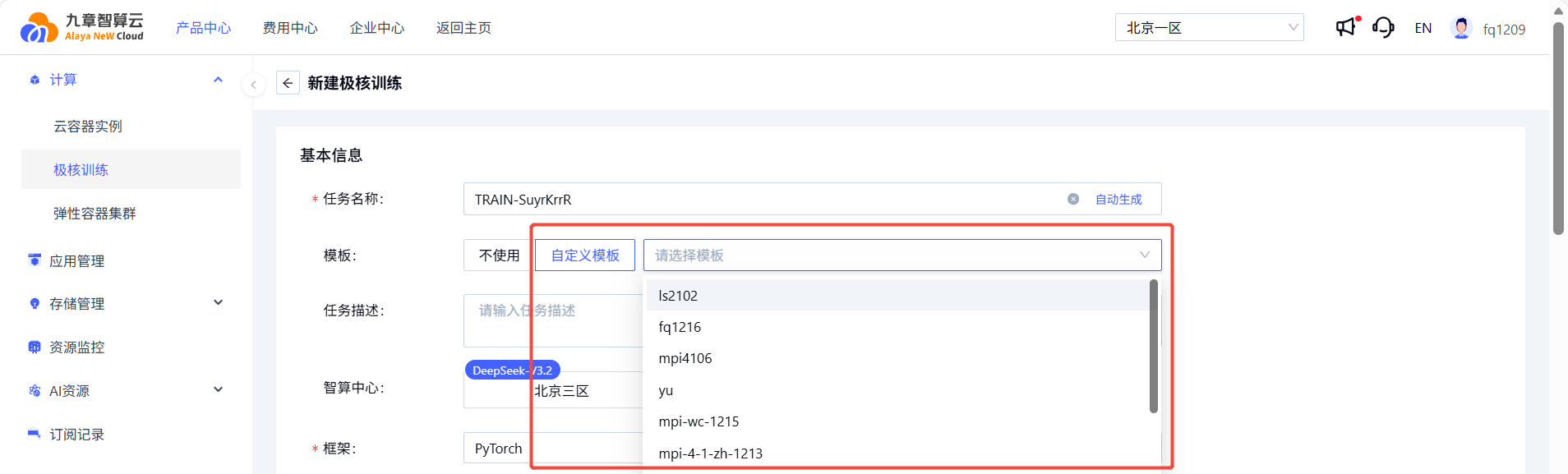
Or pick a template while creating a new job:
Last updated on
Was this page helpful?