
Provision a registry, manage user authorization, resize, release
The image registry is a storage and distribution service for Docker images, supporting versioning, sharing, and collaboration.
Prerequisites
- Alaya NeW enterprise account; if not registered, see account registration.
- Sufficient balance; see the billing reference; for more details, contact us.
Provision
The platform offers two entry points:
- Entry A: Product → Storage, click "Image Registry" in the overview, then
Activate now. - Entry B: Product Center → Storage Management, click
Activate new storage.
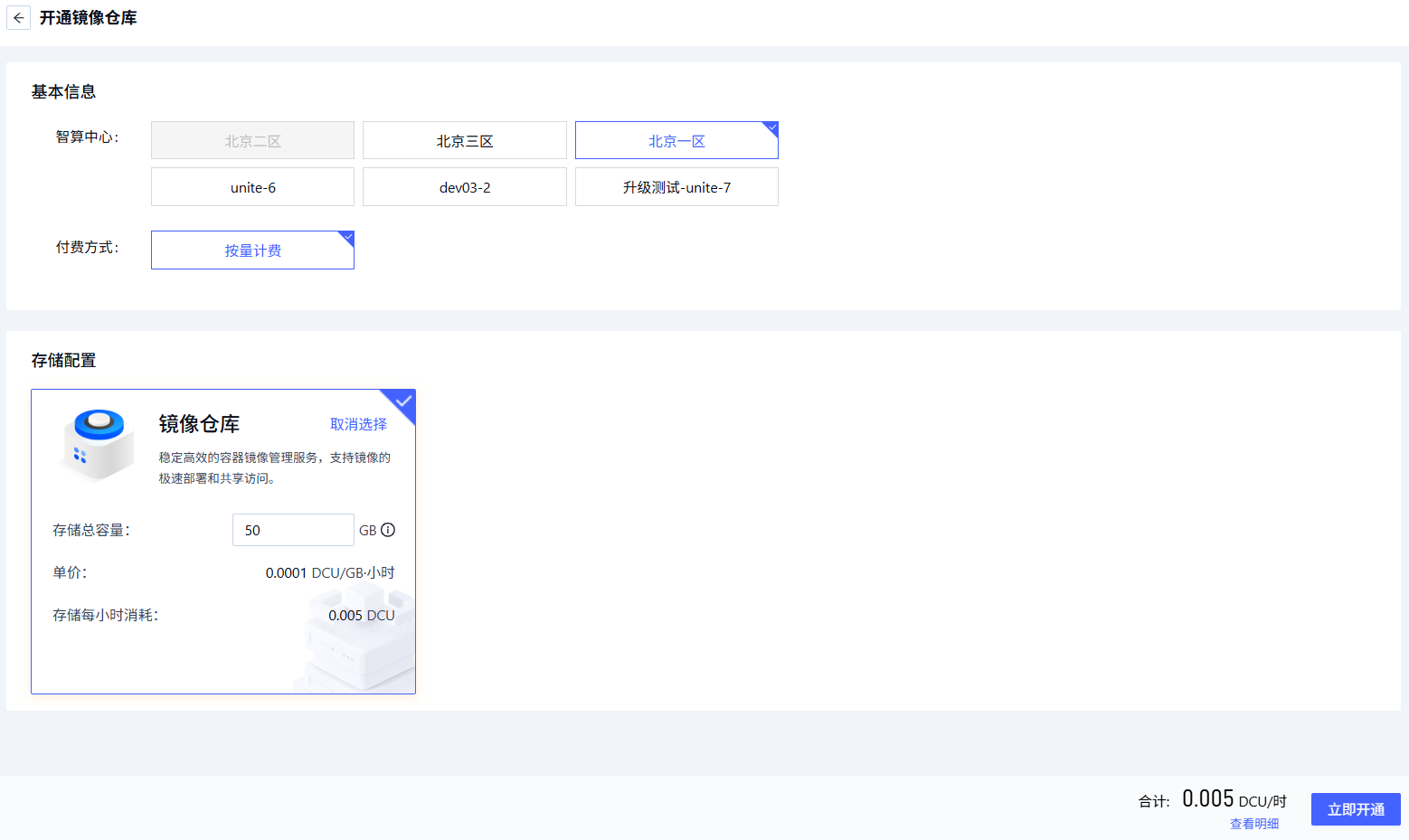
Configure:
| Field | Description | Requirement | Required |
|---|---|---|---|
| Region | Data center | Beijing-1 to Beijing-5 | Yes |
| Billing | Pay-as-you-go | — | Yes |
| Storage config | Registry product and capacity | 50GB — 1024GB | Yes |
Click Activate now.
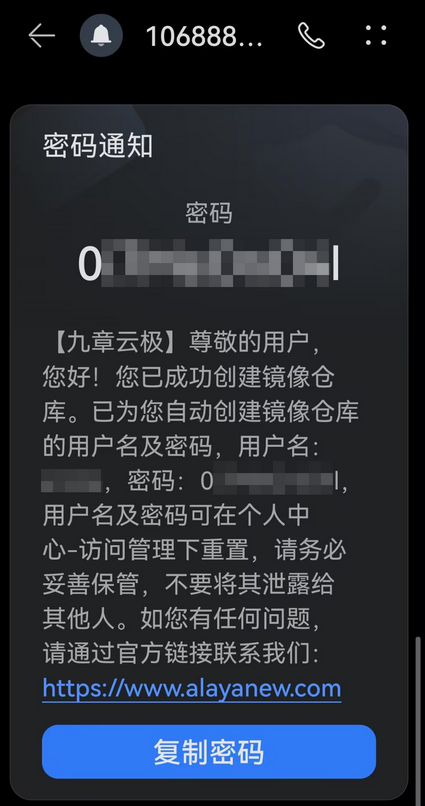
Activation notification
Activation results are sent by SMS. Save the credentials safely.
Manage
Open Product Center → Image Registry to enter the registry detail page:
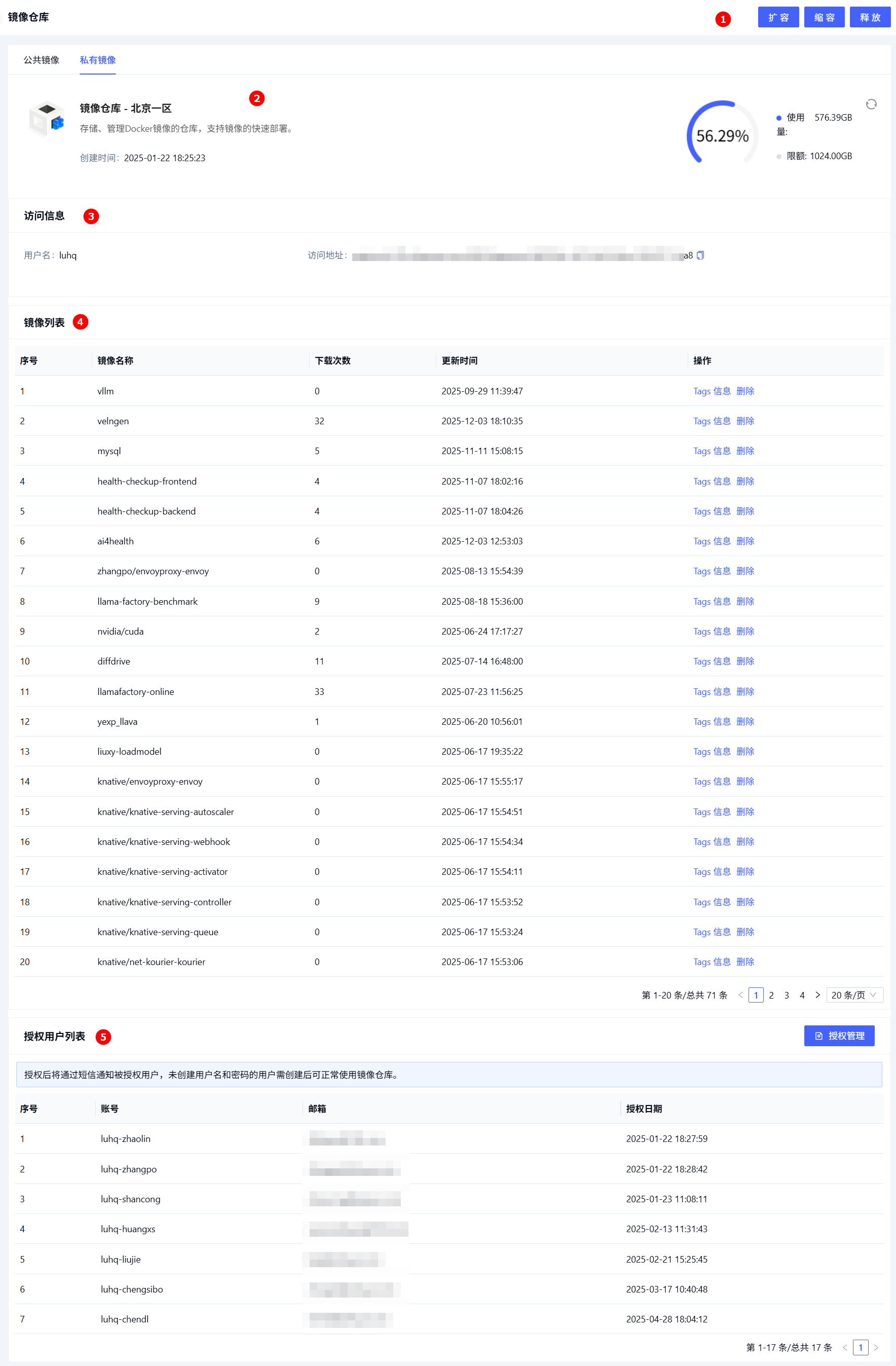
| # | Section | Description | Actions |
|---|---|---|---|
| ① | Action area | Resize, release | Operations |
| ② | Overview | Usage, quota, creation time | View |
| ③ | Access info | Connection parameters needed by clients | View |
| ④ | Image list | All images in the repo (name, pull count, updated time, …) | View, delete |
| ⑤ | Authorized users | Users with access to the registry | Manage |
User authorization
-
Click
Managein the Authorized Users section, pick the users to authorize.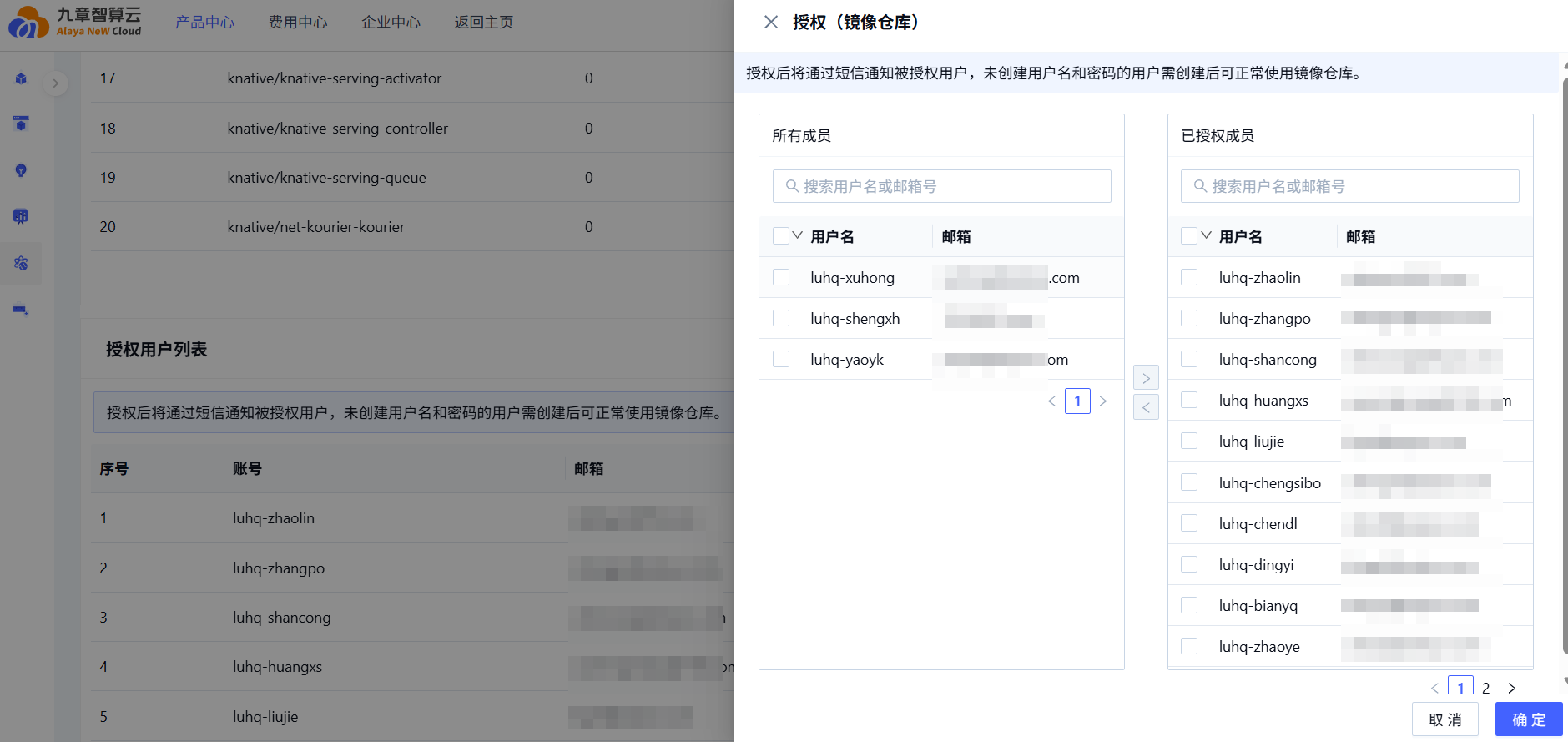
-
Pick users, click the import icon, confirm.
Authorized users are notified by SMS. Users without a username/password set need to set them up before they can use the registry.
Expand
Action area → Expand, configure Expansion size.
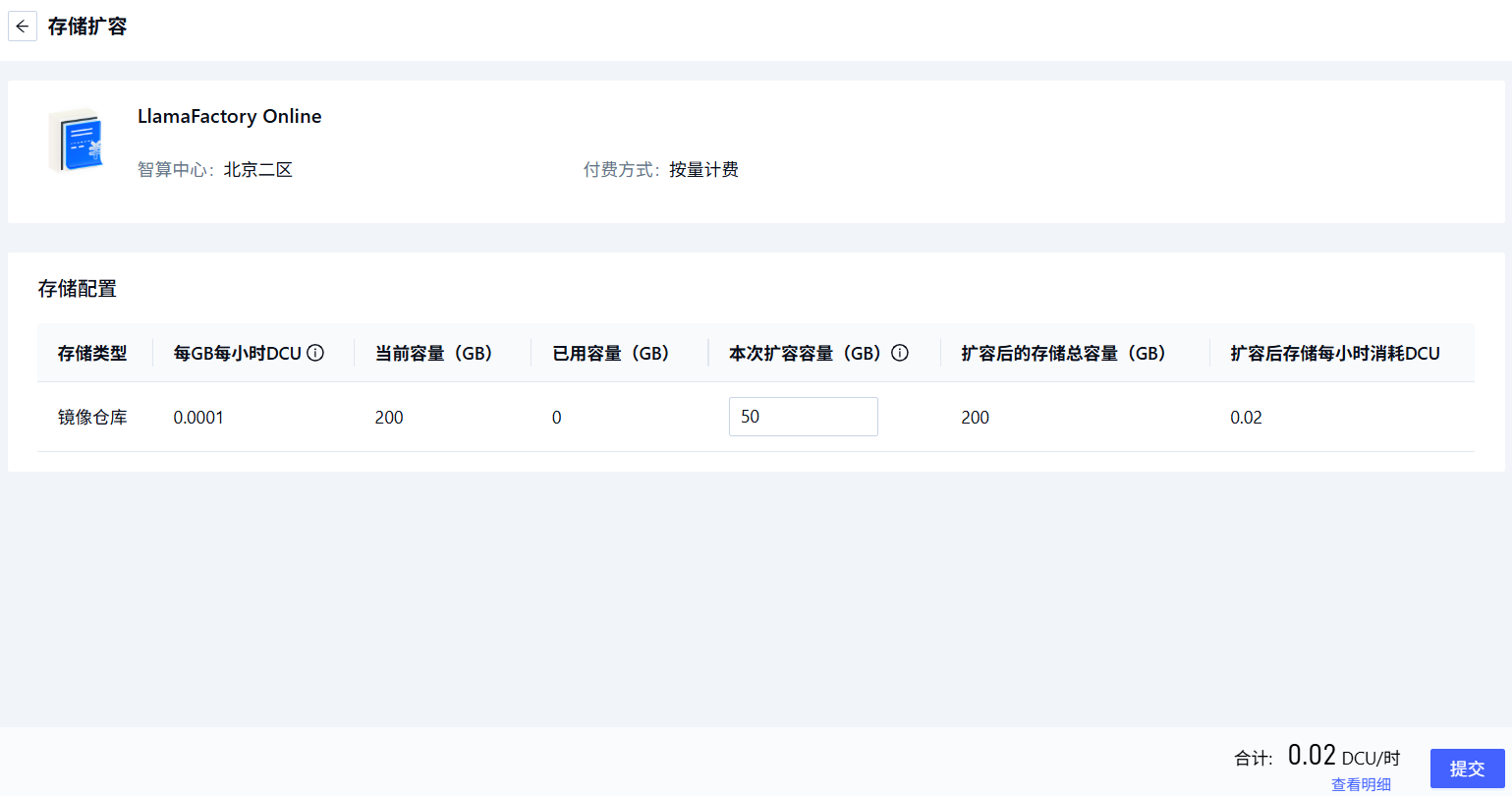
Maximum total capacity after expansion is 1024GB.
Shrink
Action area → Shrink, configure Shrink size.
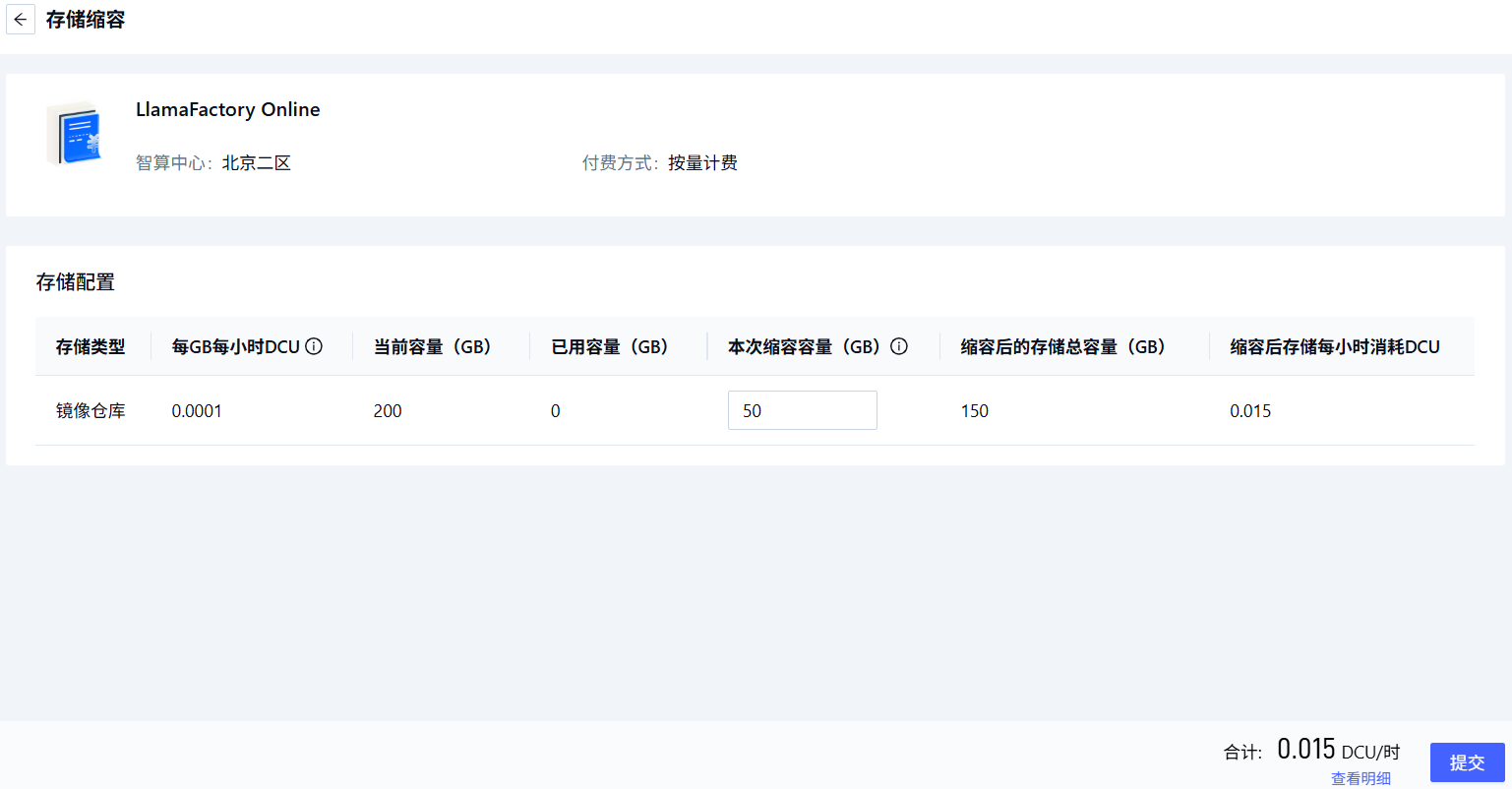
Capacity after shrinking ranges from used capacity up to 1024GB.
Release
Action area → Release, confirm in the dialog.
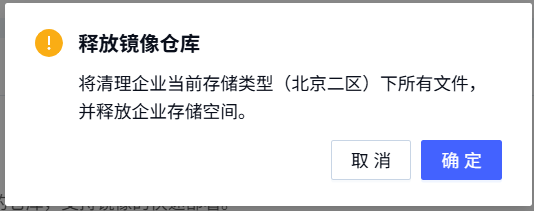
Next steps
Last updated on