
Use object storage in VKS
Hook up a VKS Pod to OSS — image prep, k8s deploy, Rclone usage
This page walks through using object storage from a Pod in a VKS cluster, with Docker images and Rclone tying everything together.
Prerequisites
- VKS provisioned, see Provision VKS.
- Object storage provisioned, see Object storage.
- Docker installed locally, see Install Docker.
- kubectl installed and connected to VKS, see Install kubectl.
Image prep
This tutorial uses the ubuntu:22.04 base image. For registry usage, see Use the image registry.
# pull
docker pull ubuntu:22.04

# login
docker login {registry-domain} -u [user] -p [passwd]

# tag
docker tag ubuntu:22.04 {registry-domain}/{project}/ubuntu:22.04

# push
docker push {registry-domain}/{project}/ubuntu:22.04
k8s resources
Namespace
kubectl create namespace storeImage-pull secret
kubectl create secret docker-registry harbor-secret \
  --docker-server={registry-domain} \
  --docker-username="{registry-username}" \
  --docker-password="{registry-password}" \
  --docker-email="email" \
  --namespace store
Deploy a Pod
pod.yaml:
apiVersion: v1
kind: Pod
metadata:
  name: store-pod
  namespace: store
  labels:
    app: store
spec:
  restartPolicy: Never
  containers:
    - name: sd-cuda-container
      image: registry.hd-01.alayanew.com:8443/user/ubuntu2204:1.0.2  # replace
      resources:
        requests:
          memory: "4Gi"
          cpu: "500m"
          # nvidia.com/gpu-l40s: 1
        limits:
          memory: "8Gi"
          cpu: "1000m"
          # nvidia.com/gpu-l40s: 1
      ports:
        - containerPort: 80
          name: http-port
          protocol: TCP
      command: ["sh", "-c", "tail -f /dev/null"]
      volumeMounts:
        - name: workspace
          mountPath: "/app/workspace/"
  imagePullSecrets:
    - name: harbor-secret
  volumes:
    - name: workspace
      persistentVolumeClaim:
        claimName: pvc-capacity-userdata
  tolerations:
    - key: nvidia.com/gpu
      operator: Exists
      effect: NoSchedule
For PVC declarations see VKS storage.
Deploy:
kubectl create -f pod.yamlUse object storage from the Pod
Install Rclone
Enter the Pod and install:
# Get pod info
kubectl get pod -n store

# Enter pod
kubectl exec -it store-pod bash -n store
# Update package list
apt update

# Install Rclone
apt install rclone

# Verify
rclone --version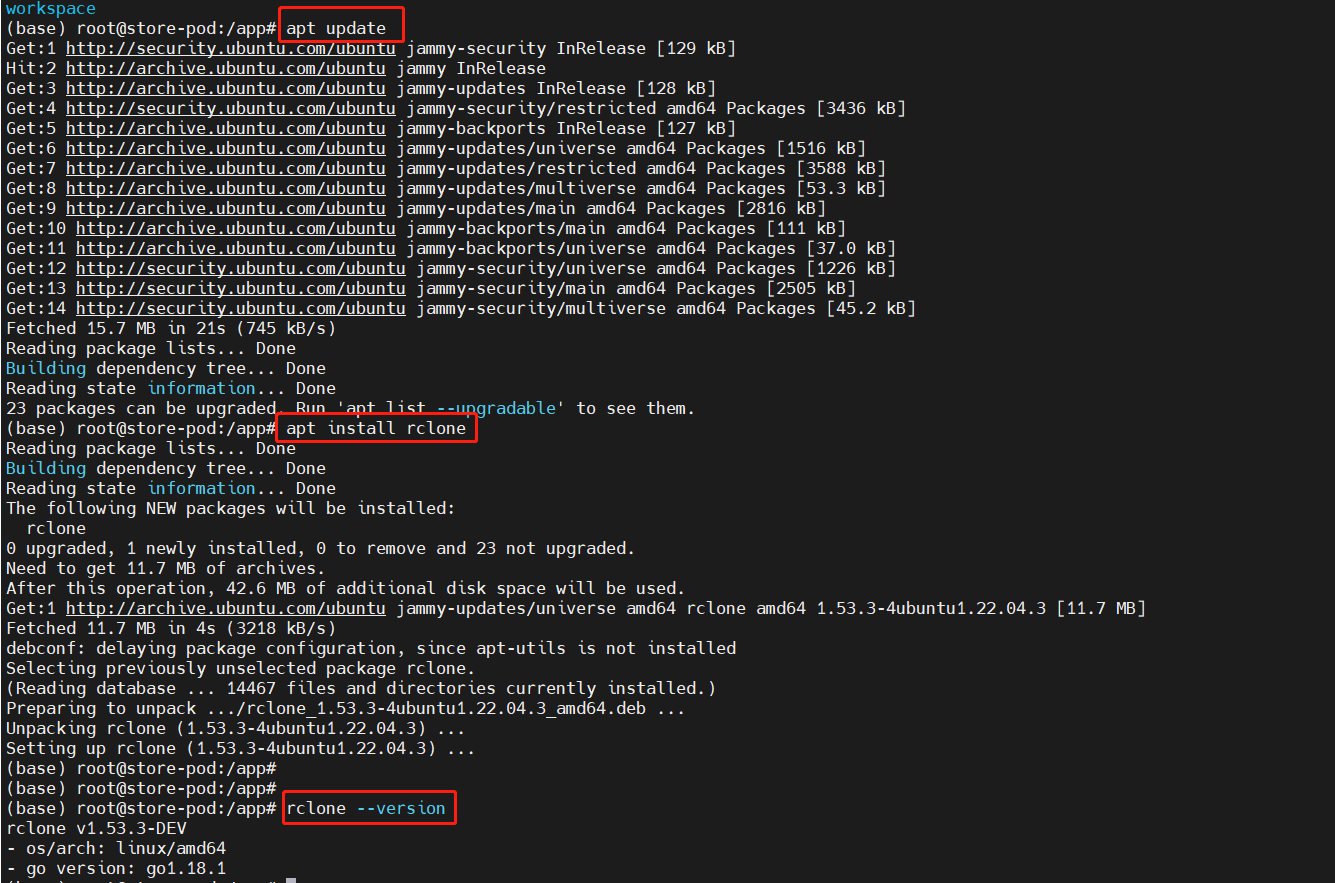
Configure
See the configuration section in Use object storage (Rclone).
Examples
List all buckets:
rclone lsd store:
List object sizes and paths in a bucket:
rclone ls store:/models002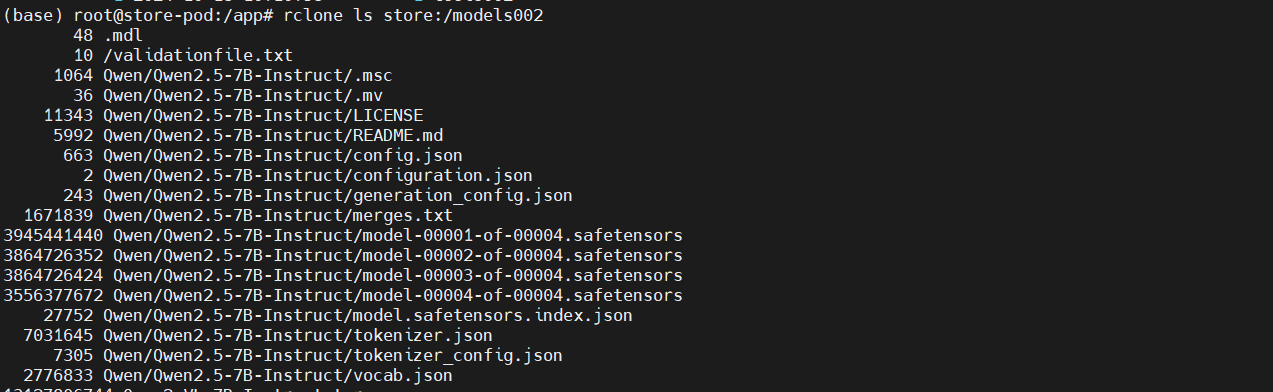
Copy from object storage to local:
rclone copy store:tools002/test/rclone.sh /app/workspace/
Copy from local to object storage:
rclone copy /app/workspace/hello.py store:tools002/test
Move from local to object storage:
# Create demo.py
vi demo.py

# List local
ls

# Move to object storage
rclone move /app/workspace/demo.py store:tools002/test

# List local — demo.py gone
ls

# List remote — demo.py present
rclone ls store:tools002/test
Move from object storage to local:
# Move back
rclone move store:tools002/test/demo.py /app/workspace

# List remote — demo.py gone
rclone ls store:tools002/test

# List local — demo.py present
ls
Last updated on
Was this page helpful?