
Use the registry
docker login / push / pull, plus the K8s yaml pull path
This page covers using the image registry with Docker and Kubernetes.
Registry list
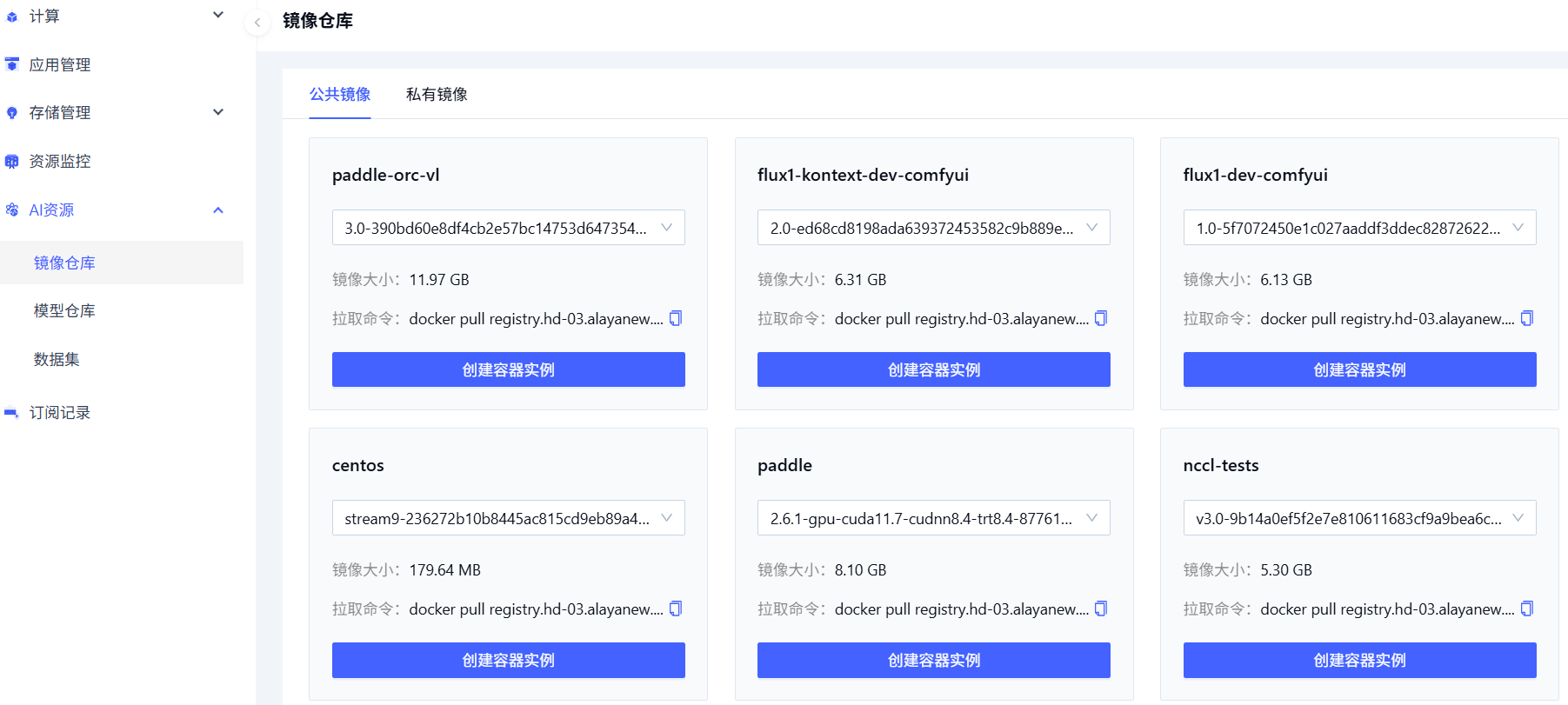
Open Product Center → AI Resources → Image Registry. The default tab is Public images — system-provided images that can be used to launch CCI instances. Switch to Private images for your own images.
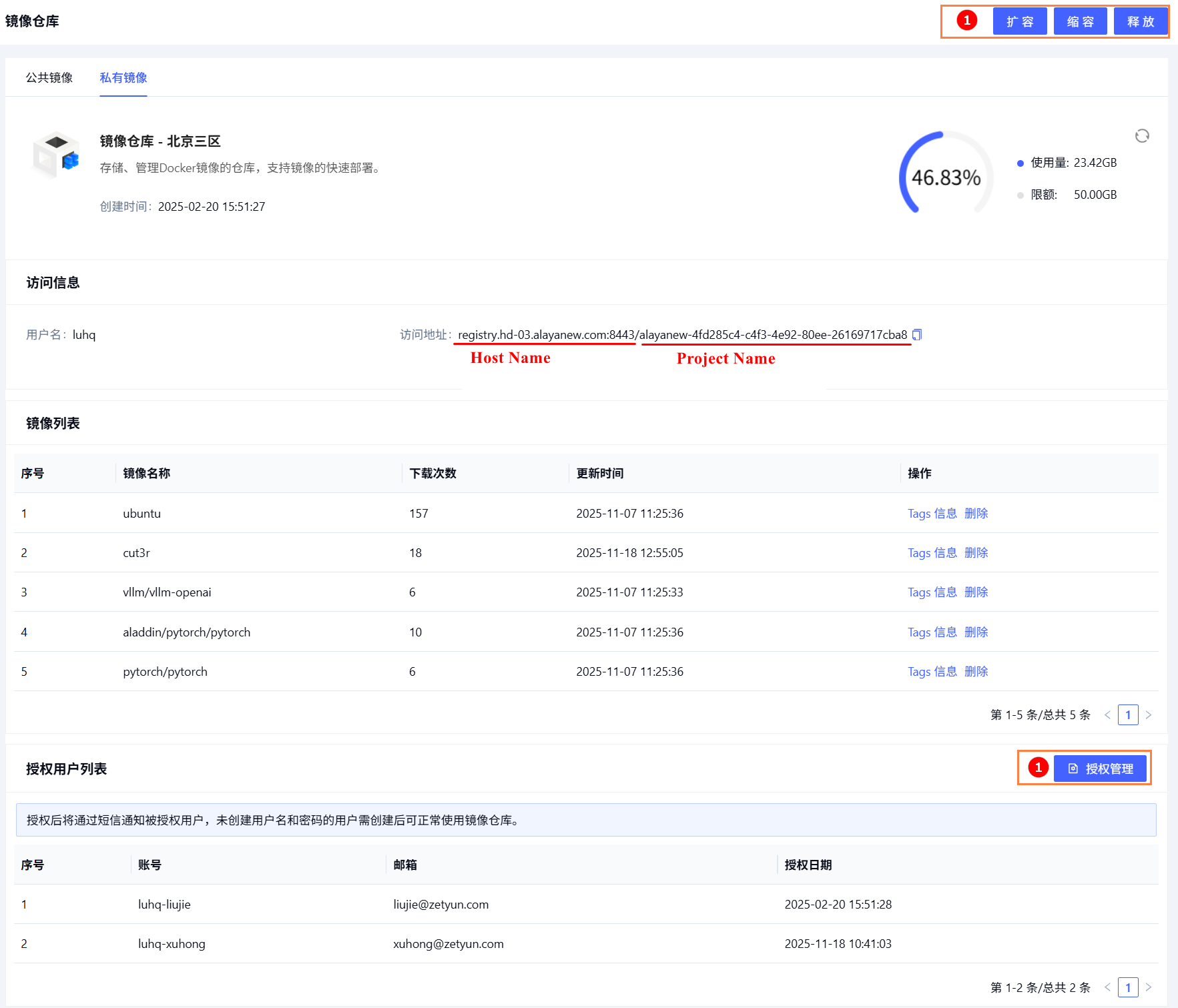
Get the registry URL
Open the registry detail page:
Prerequisite: Docker client installed locally.
Push a local image
1. List local images
docker images2. Log in
docker login {registry-domain} -u your-username -p your-password3. Push
docker tag volcanosh/vc-scheduler:v1.7.0 {registry-domain}/{project}/volcanosh/vc-scheduler:v1.7.0
docker push {registry-domain}/{project}/volcanosh/vc-scheduler:v1.7.0
Pull from the registry
Option A: K8s yaml (image-pull secret)
See VKS Create and use a registry secret.
Option B: docker login + pull
# Login
docker login {registry-domain} -u your-username -p your-password

# Pull
docker pull {registry-domain}/{project}/openssh-server:latest
Last updated on
Was this page helpful?