
Install vLLM in a CCI instance, download the model, launch an OpenAI-compatible inference server, and verify with curl
This tutorial walks through deploying a large language model in an Alaya NeW CCI instance using a vLLM image. We use Baichuan2-7B-Chat as the example.
Prerequisites
- Alaya NeW enterprise account; if not registered, see account registration.
- Sufficient balance to cover an H800A × 1 CCI instance.
Step 1: Create a CCI instance
-
Sign in to Alaya NeW and go to Product → Compute → Cloud Container Instance.
-
Click New Cloud Container and configure:
- Resource type: pick
Cloud Container Instance — GPU — H800A — 1 card - Reference table:
Field Description Requirement Required Instance name Unique identifier Letter-prefixed; letters / digits / -/_; 4–20 charsYes Description Free-form notes — No Region Data center e.g. Beijing-3, Beijing-5 Yes Billing Pay-as-you-go — Yes Resources Resource type / GPU / CPU / disk As needed Yes Storage Mount NAS Optional No Image Public or private — Yes Other Env vars, auto-stop, auto-release — No - Resource type: pick
-
Click Activate, confirm, and wait until the instance state becomes
Running.
Step 2: Deploy the model
-
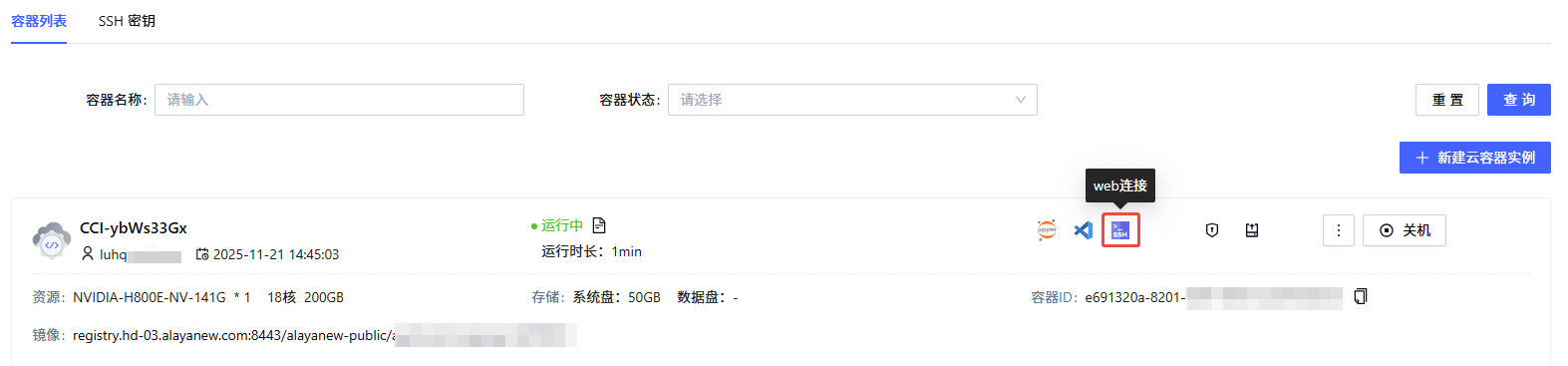
Find the instance, click Web Connect to open a shell.
-
Install vLLM:
pip install vllm -
Download the model:
pip install modelscope modelscope download --model baichuan-inc/Baichuan2-7B-Chat --local_dir '/root/model/' -
Launch the OpenAI-compatible API server:
python3 -m vllm.entrypoints.openai.api_server \ --model /root/model/ \ --host 0.0.0.0 \ --port 8080 \ --dtype auto \ --trust-remote-code--modelpoints at the path you just downloaded the model to; adjust if you used a different location.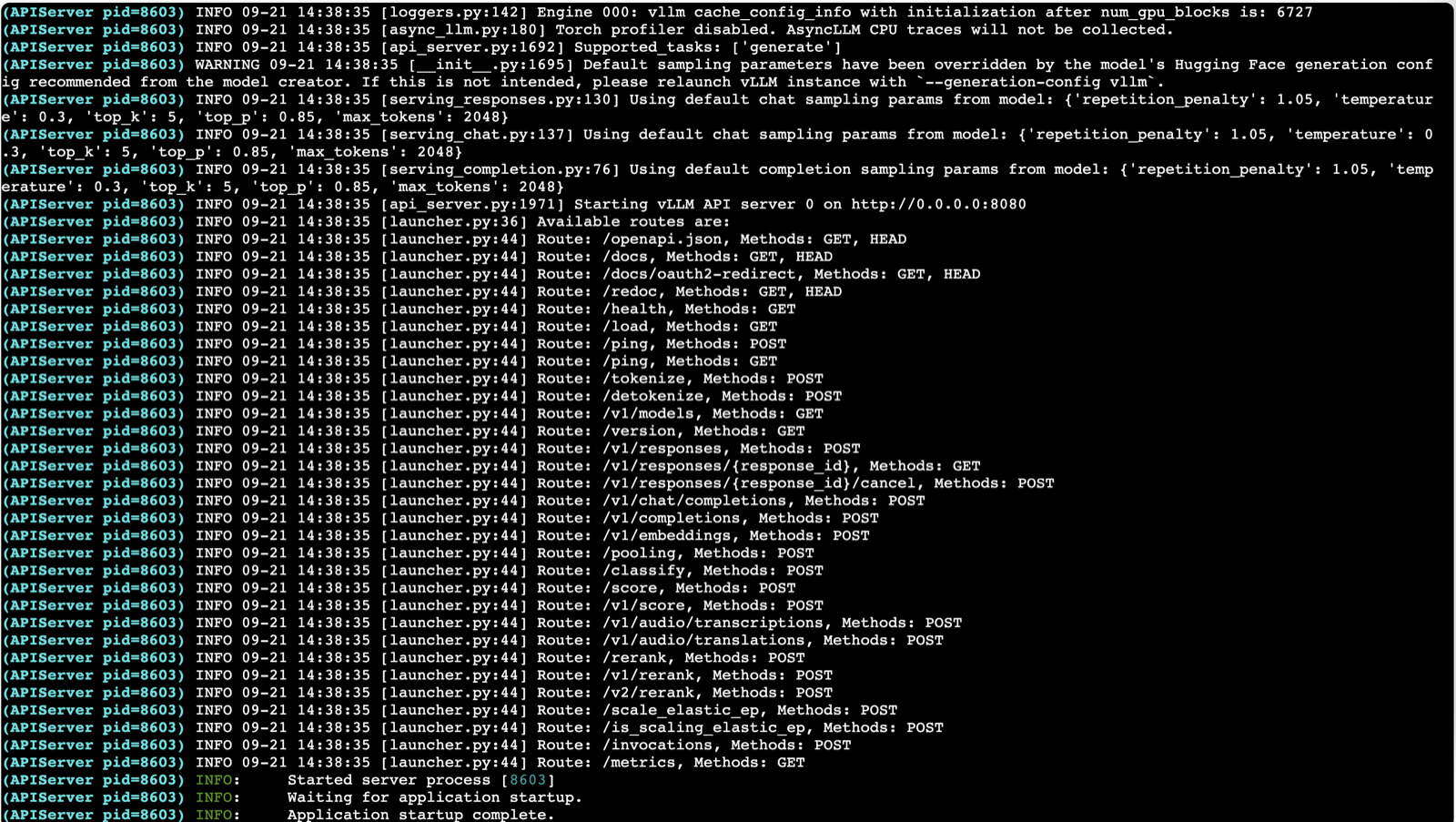
-
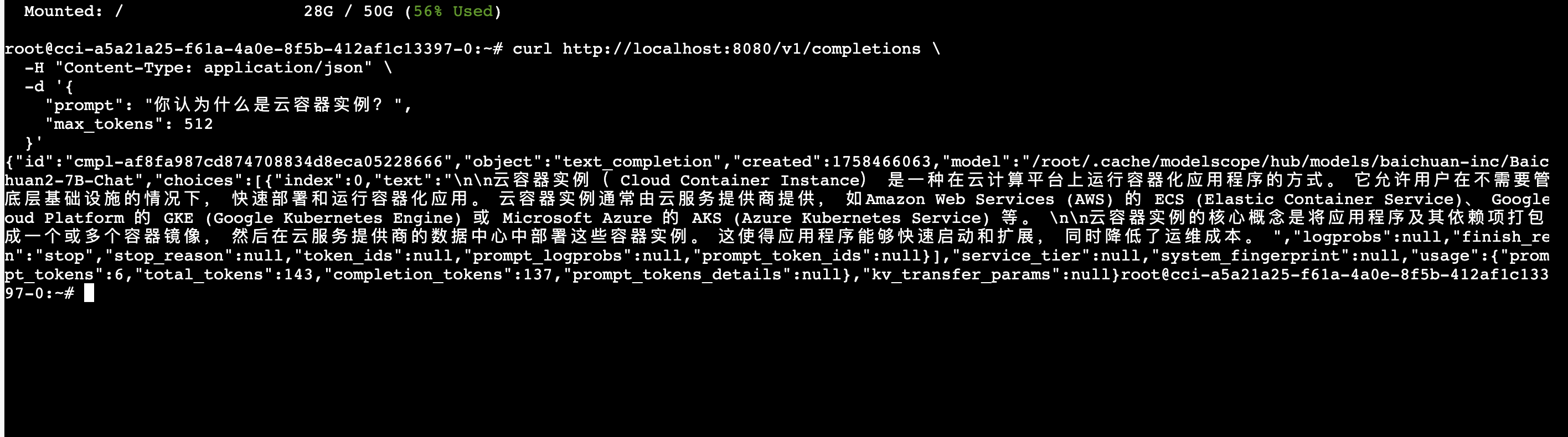
Open a second Web Connect shell and call the API:
curl http://localhost:8080/v1/completions \
  -H "Content-Type: application/json" \
  -d '{
    "prompt": "What is a Cloud Container Instance?",
    "max_tokens": 512
  }'
Expose the API externally
To call the model from outside the instance, click Open ports in the instance list to grab the external address mapped to port 8080, then replace localhost with that address.
See CCI port management.
Last updated on
Run a PyTorch binary classifier on CCI
Train a binary classifier on CCI with Jupyter + PyTorch — from environment setup to result visualization
Build a RAG knowledge-base bot with Dify
Deploy Dify on Virtual Kubernetes Service (VKS), wire it up to LLMs and a knowledge base, and ship an agent that answers questions from your own business data