
Deploy Dify on Virtual Kubernetes Service (VKS), wire it up to LLMs and a knowledge base, and ship an agent that answers questions from your own business data
Dify is an open-source LLMOps platform that lets you stand up an AI app without a deep AI background. It ships with knowledge base management, prompt orchestration, model-provider switching, and more. This guide deploys Dify on Virtual Kubernetes Service (VKS) and builds a customer-support agent on top of your own business data.
Prerequisites
- VKS is provisioned
- VKS is connected
- Business data is ready (PDF, Word, or plain text all work)
One-click Dify deployment
Download the deployment manifest that matches your VKS region (Beijing Zone 1, Zone 2, and Zone 3 each have their own YAML). The example below uses Beijing Zone 1:
kubectl apply -f dify.yamlOnce it is up, query the access URL:
kubectl describe serviceexporter dify-web-se -n difyThe web URL appears after the url field in the output. VKS uses the fixed external port 22443, so the address looks like:
https://<domain>:22443The initial password on first login is password.
Dify application
Apply for an LLM API key
Every model invocation consumes tokens, so you first need to obtain an API key from the model provider's website.
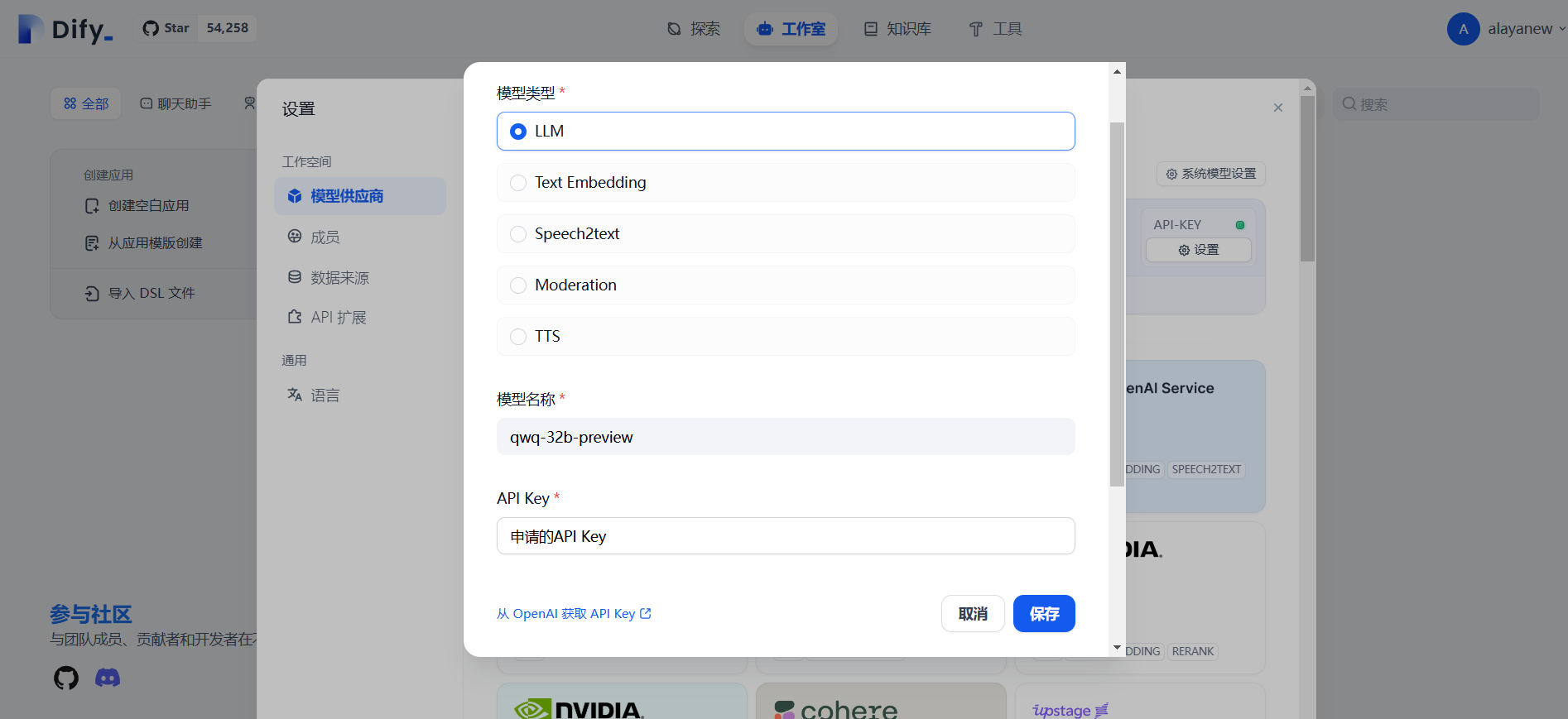
Go to Settings → Model Provider, pick the provider, click Add Model, fill in the model type, name, and API key, and save.
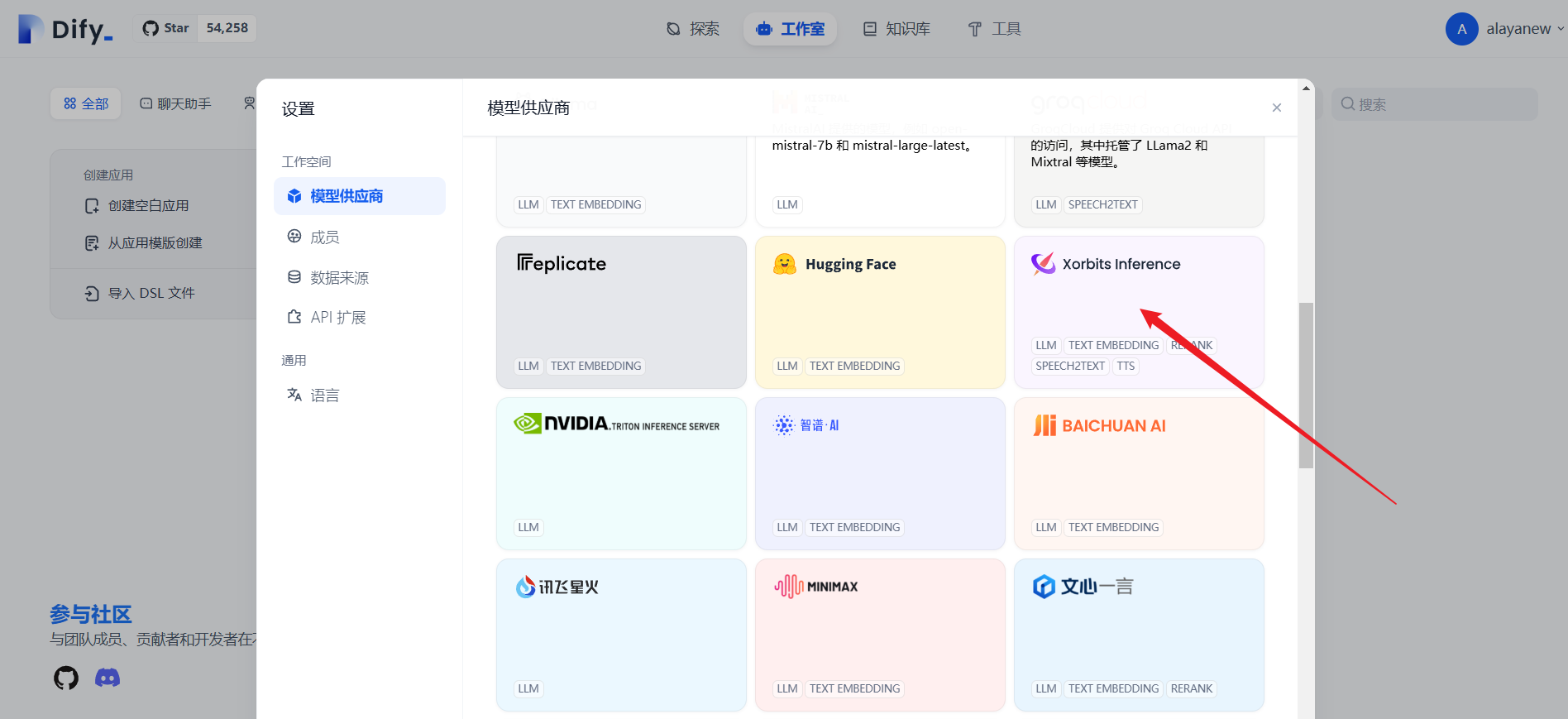
To plug in a model you have deployed yourself with Xinference (for example, QwQ), pick Xorbits Inference as shown below:
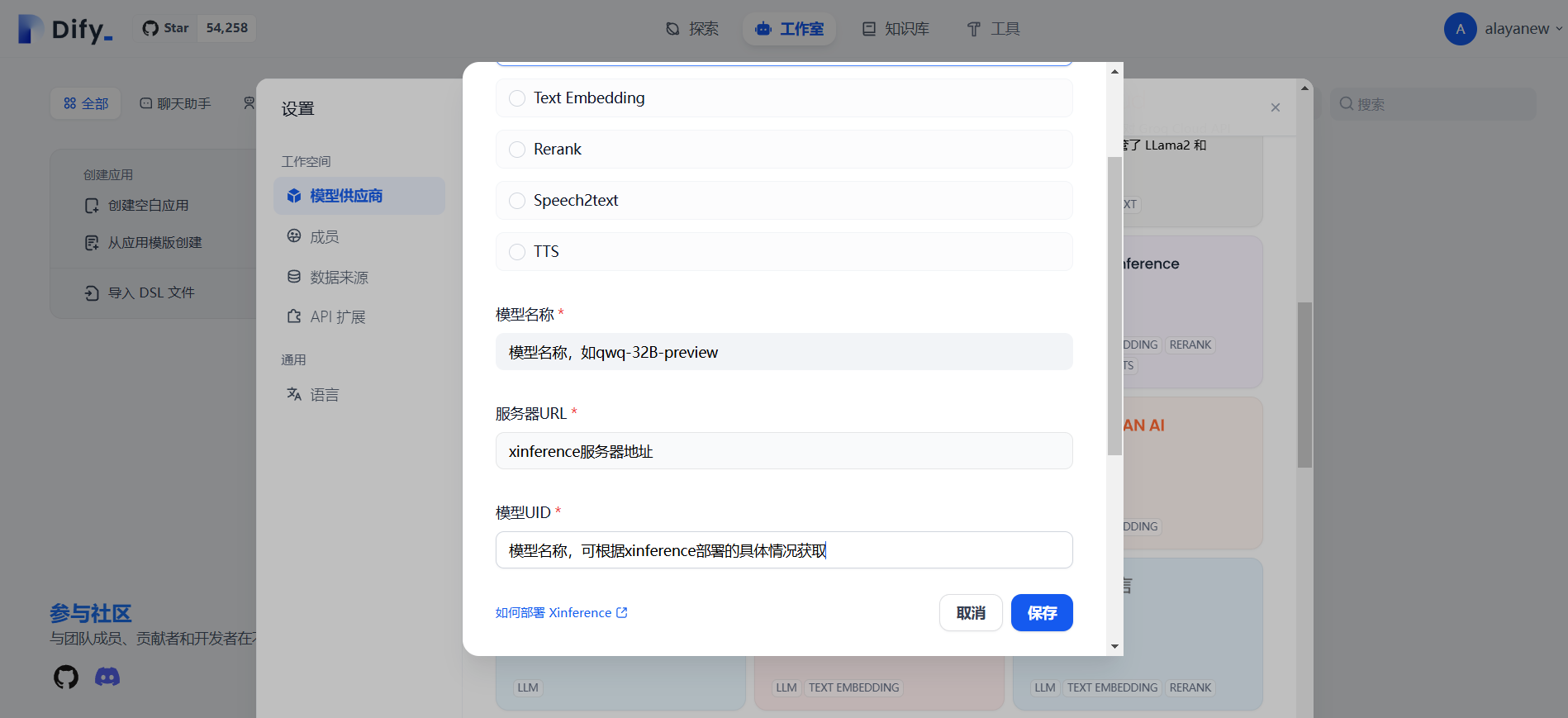
Fill in the model name, server URL, and model UID, then save:
Create a knowledge base
Open Knowledge and load your business data into it.
-
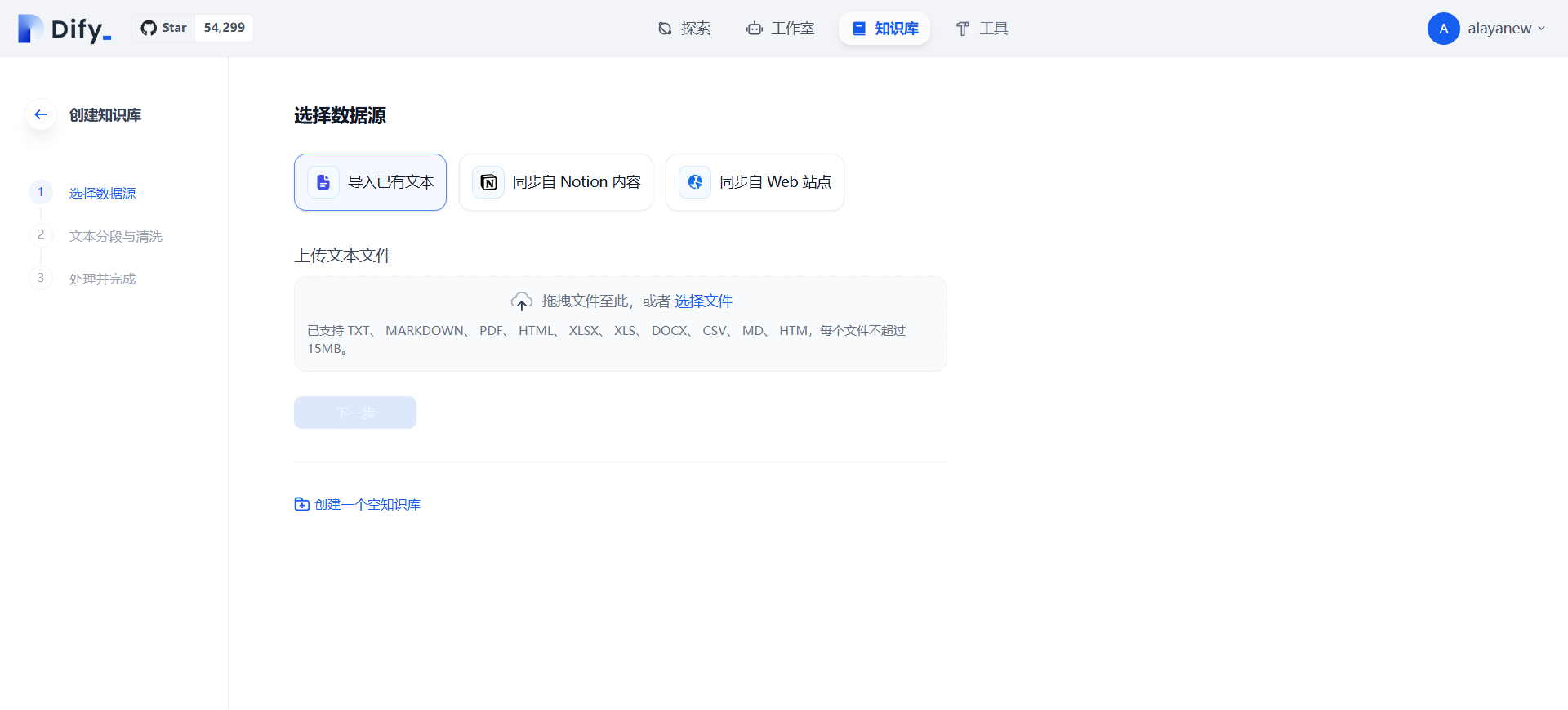
Pick a data source: existing files, Notion, web import, or just create an empty knowledge base.
-
Upload the business documents. Dify handles chunking and cleaning. Two indexing modes are available: High Quality (consumes tokens, requires an Embedding model API key, but produces higher accuracy) and Economy. High Quality is recommended.
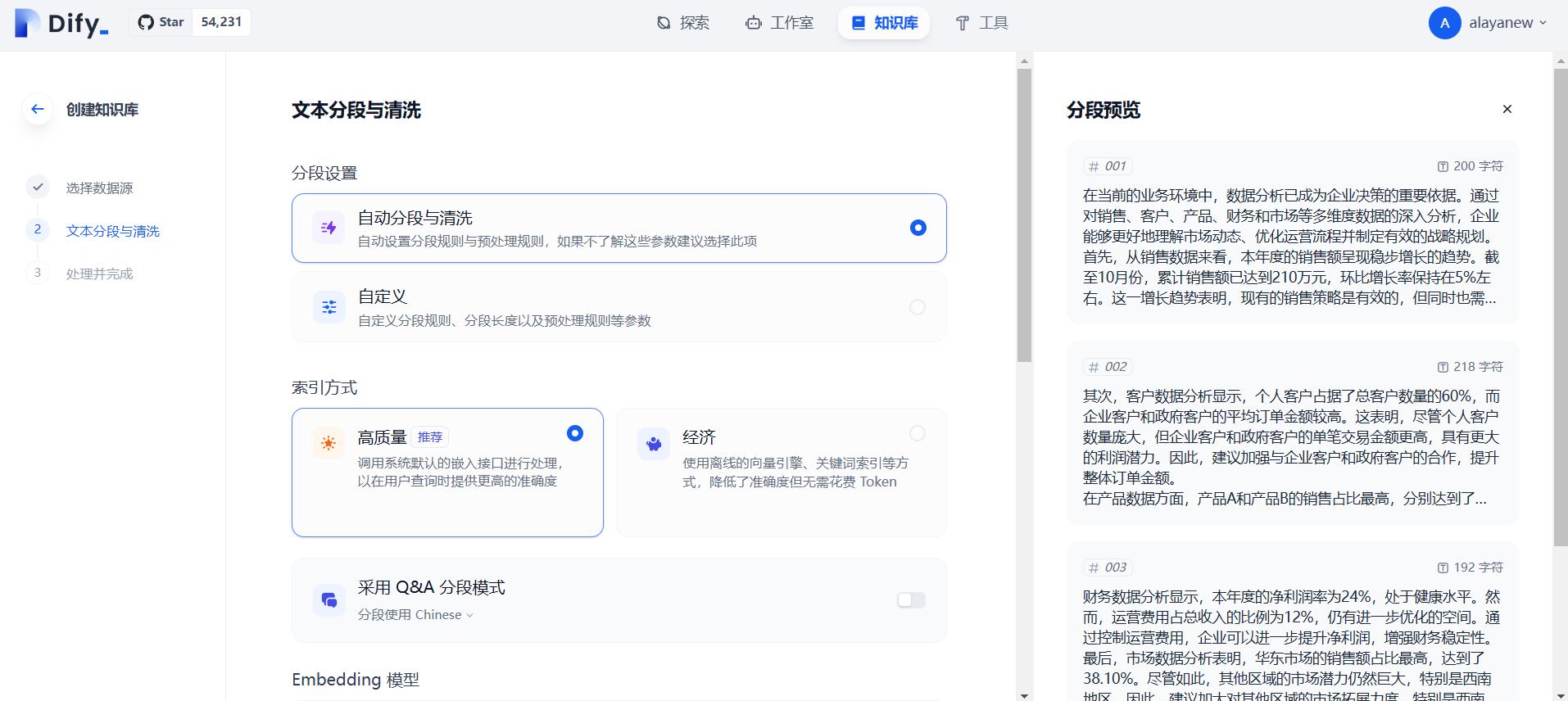
-
Save and process. Once text embedding finishes, the knowledge base is ready.
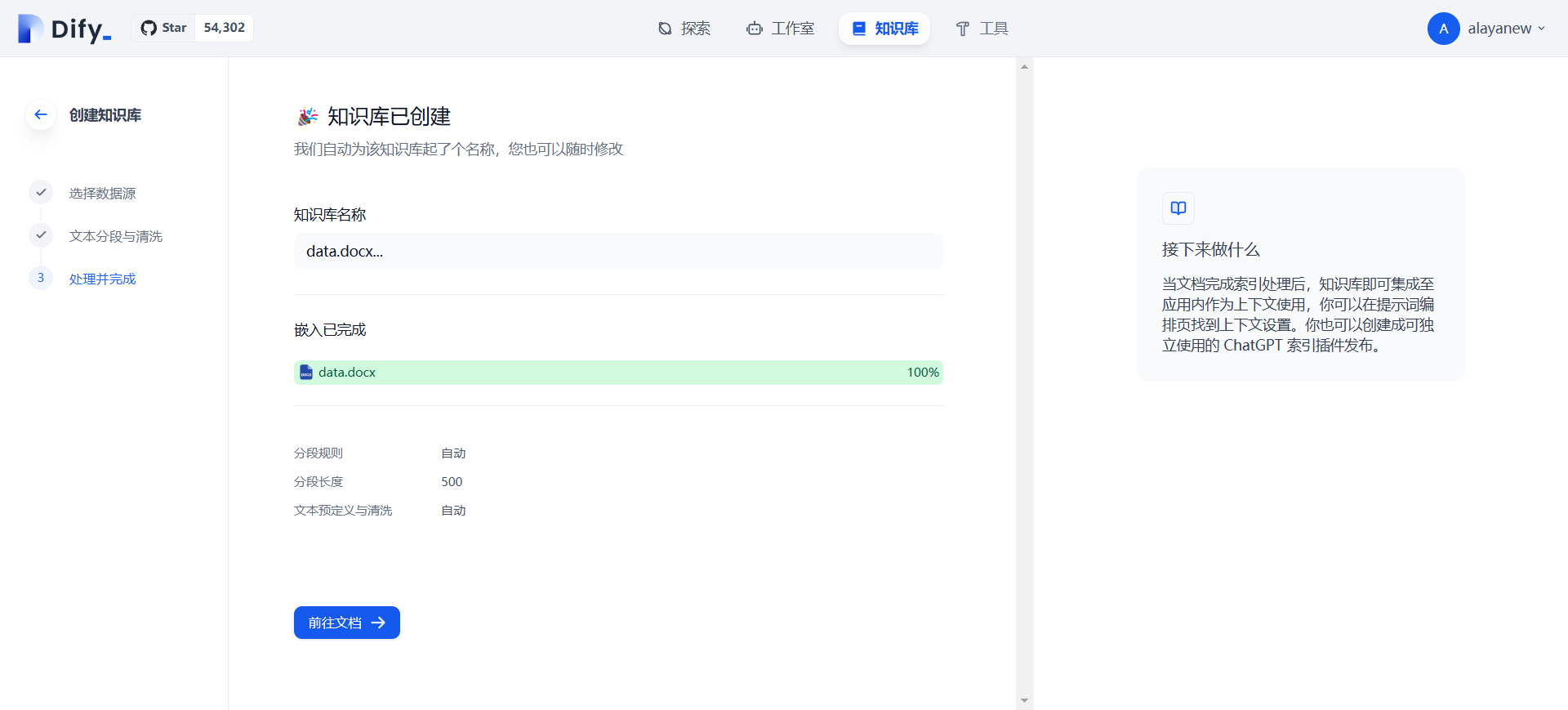
Create an app
Go to Studio → Create Blank App, pick the app type and orchestration method, and fill in a name and description:
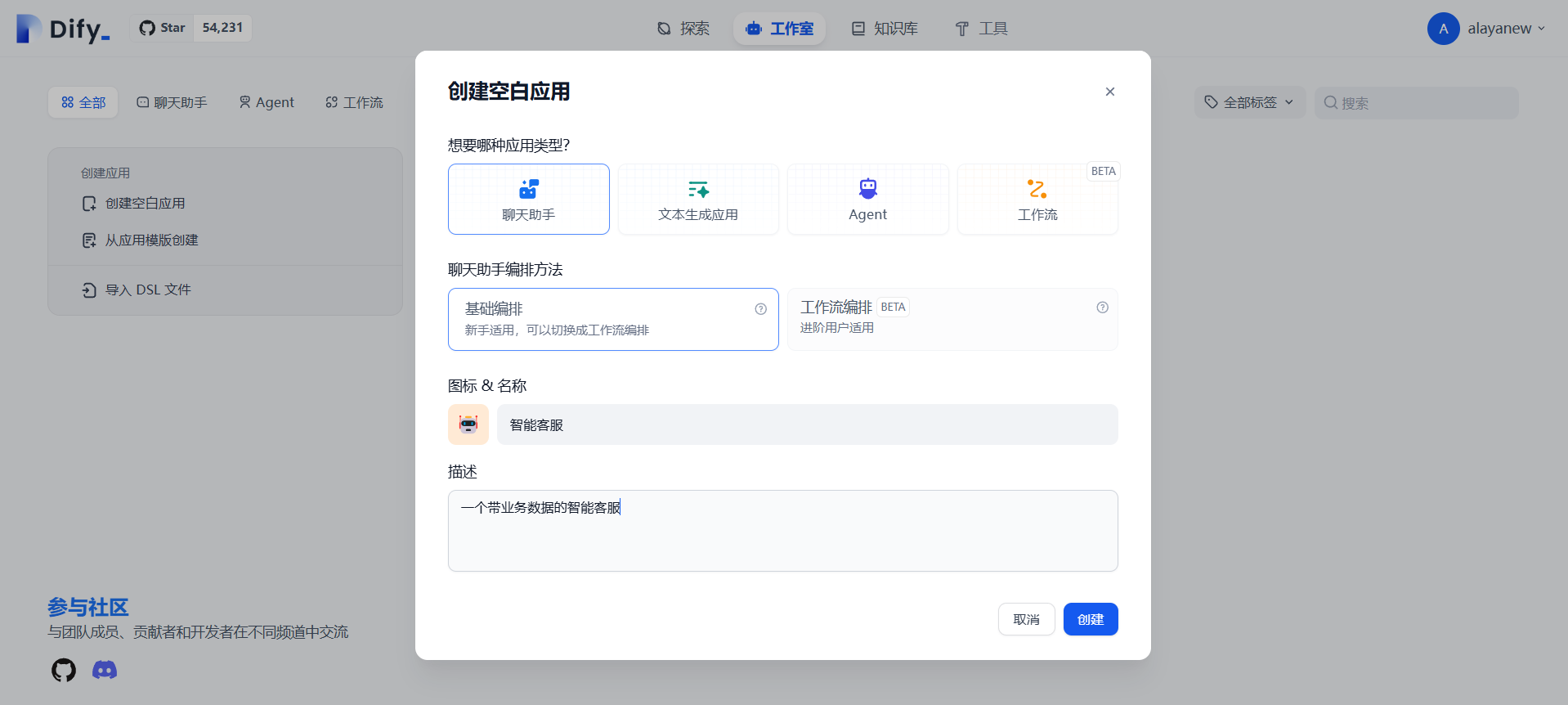
Inside the app, do the following:
- Prompt orchestration: define the role, tone, and answer scope (for example, "only answer questions related to this company's products").
- Add an opening message: greet the user when they open the chat box.
- Bind the knowledge base: hook in your business data.
- Pick a model: choose the model and tune temperature and other parameters.
- Chat: debug from the right-hand panel.
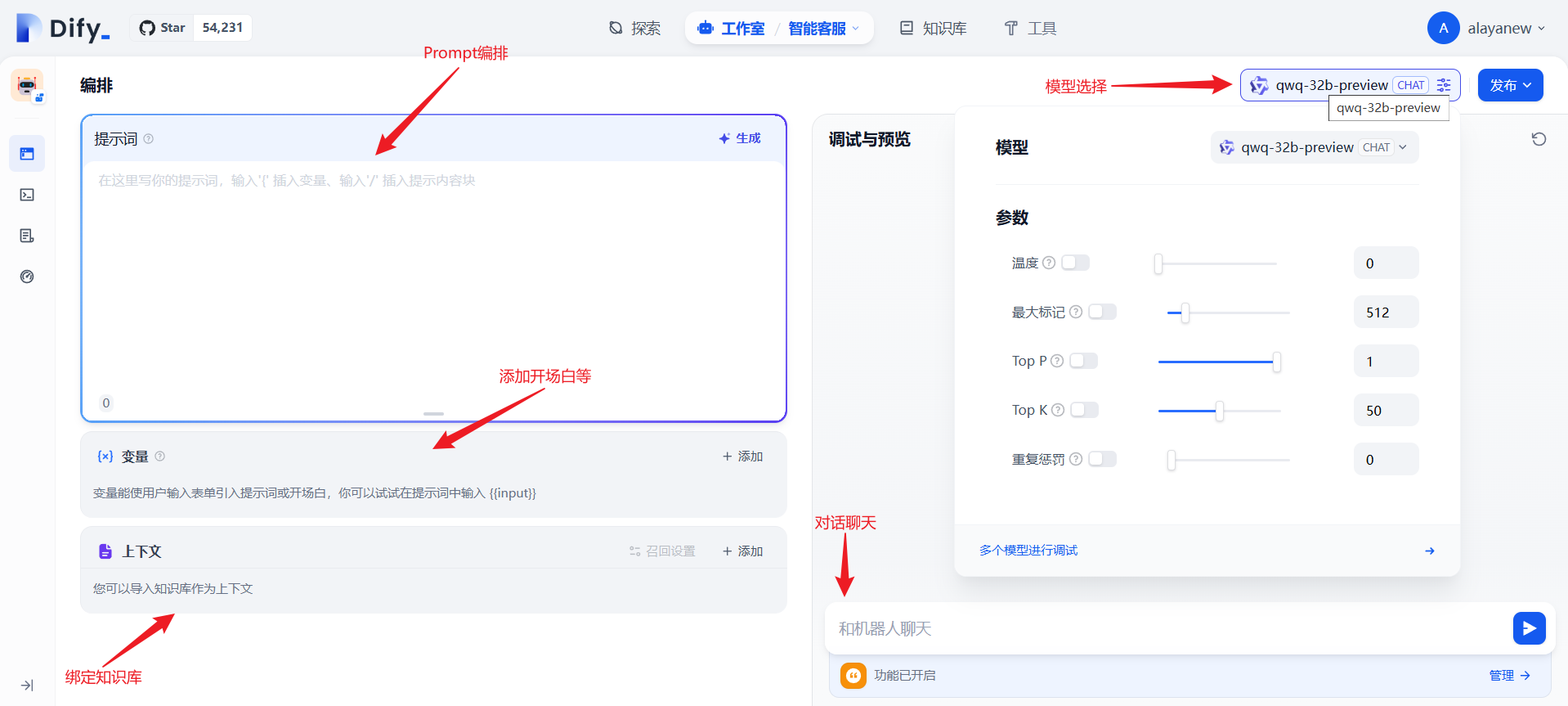
Bind a knowledge base to the app
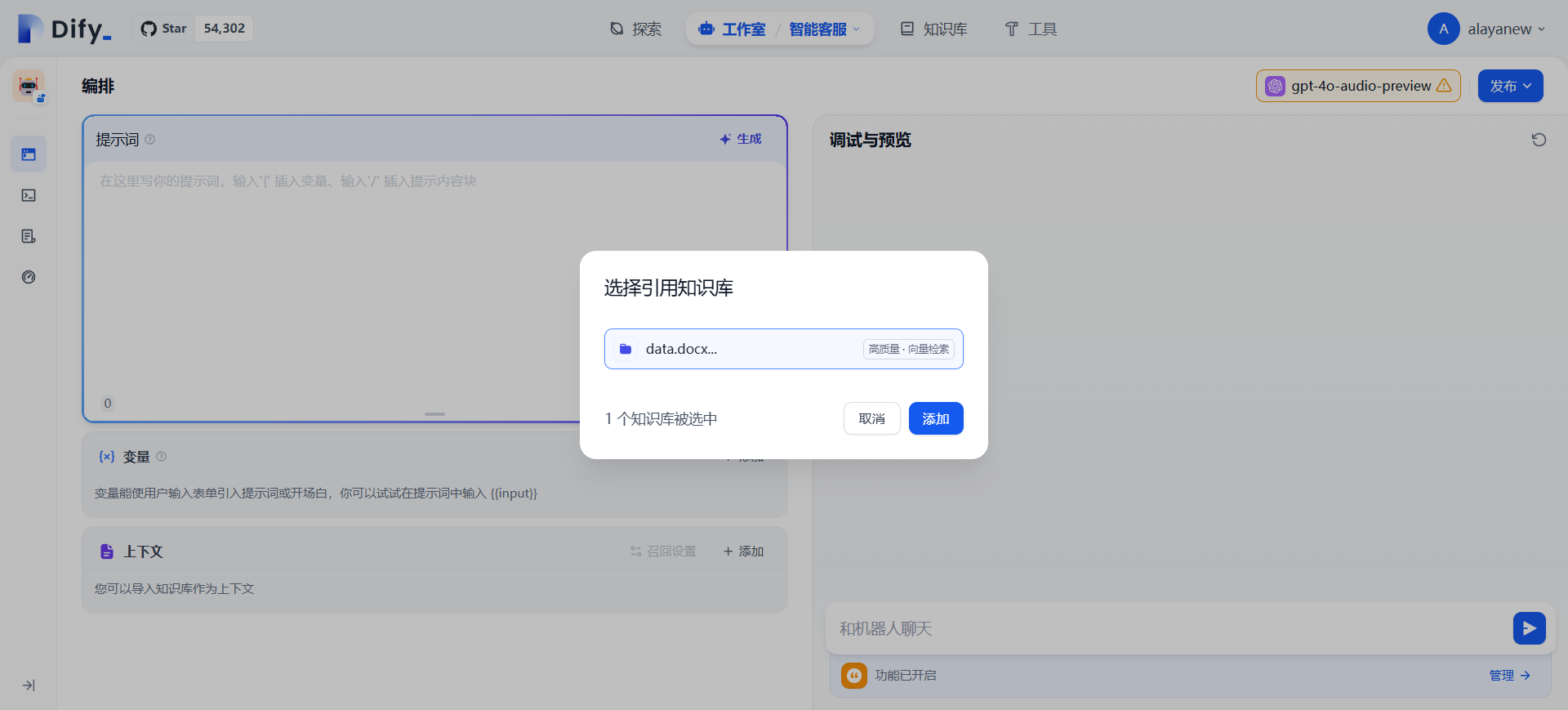
Back in the app, in the Context section click Add, pick the knowledge base you just created, and confirm:
Debug and publish
Use the chat panel to debug and verify answers. Once you are satisfied, click Publish to obtain the public Web/API entry points for downstream integration.
Summary
Dify's value is bundling the LLM, the knowledge base, prompt templates, and the calling interface into a single UI, which turns building a customer-support agent from "writing a pile of RAG code" into a few clicks. With VKS, both the model inference and the application itself can run in the same cluster, so data never leaves the boundary.
Last updated on
Deploy an OpenAI-compatible inference service with vLLM on CCI
Install vLLM in a CCI instance, download the model, launch an OpenAI-compatible inference server, and verify with curl
Introduction
LLaMA Factory is an open-source low-code LLM fine-tuning framework with mainstream tuning techniques and a zero-code WebUI