Create Image Registry
This guide describes how to create and manage the image registry on the Alaya NeW.It covers multiple entry points for creating the service, viewing repository lists, managing permissions, and using repositories.
Prerequisites
- You must have an Alaya New enterprise account and password. If you do not have an account or need assistance, follow the account registration guide to complete the User Registration process.
- Your enterprise account must have sufficient balance to cover storage costs. For the latest promotions and pricing details, Contact US.
Procedure
Create Image Registry
- Sign in to the Alaya NeW console using your enterprise account. You can start the repository creation process from multiple entry points based on your product requirements and usage preferences:
-
From [Products/Storage],choose Image Repository, then choose Create Now to open the configuration page.
-
From [Product Center], the console opens the Virtual Kubernetes Services (VKS) list. Switch to the Image Repository tab and choose Create to open the configuration page.
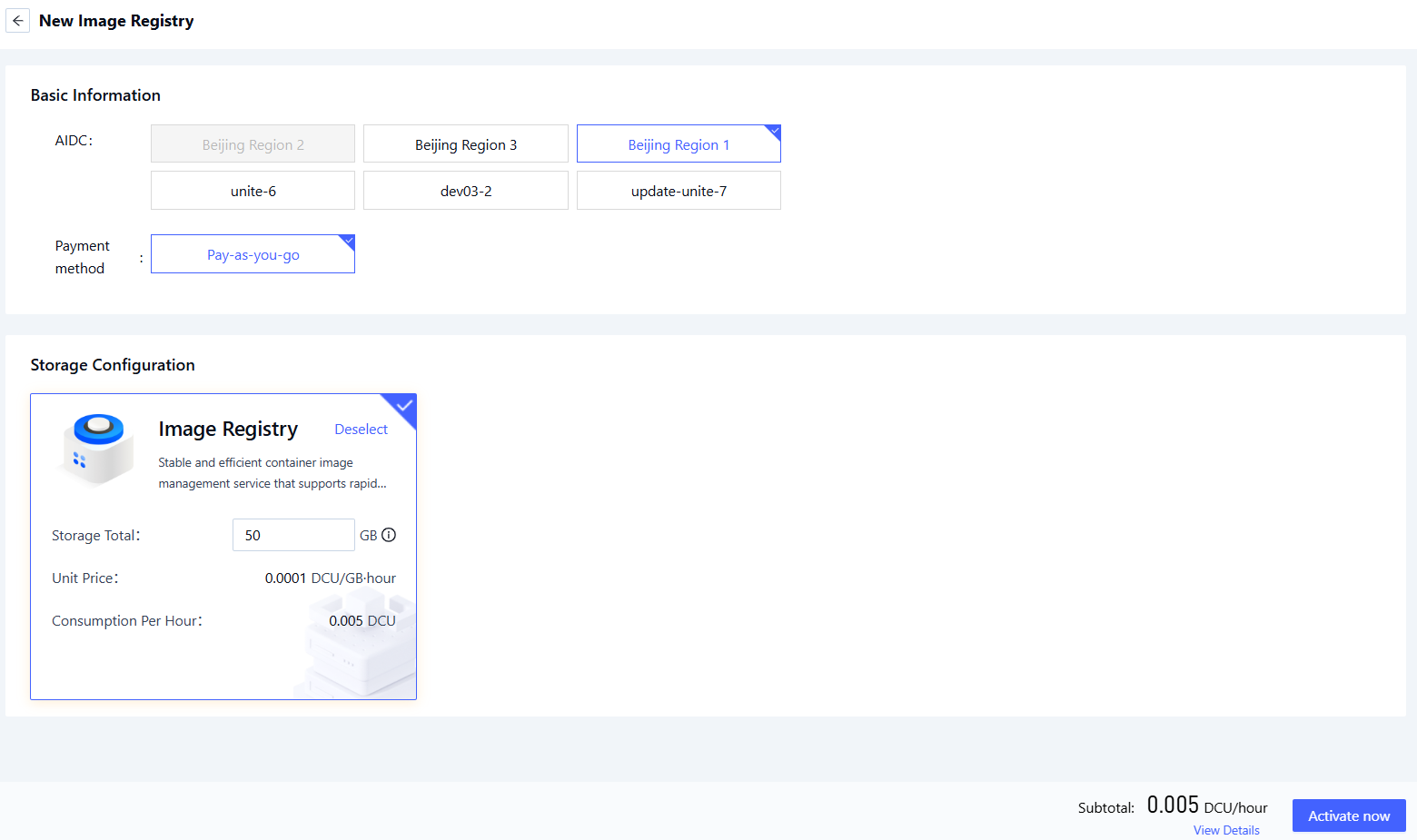
-
Configure the required parameters:
Parameter Description Requirements Required Region The data center that hosts the Image Repository service. Choose an available data center (e.g., Beijing-Region-1, Beijing-Region-2, Beijing-Region-3, Beijing-Region-4, Beijing-Region-5). Yes Billing Method How resources in the selected data center are charged. Choose a supported billing method (e.g., Pay-as-you-go). Yes Storage Configuration Select the image registry of the corresponding data center and configure the total storage capacity. - Yes
- Review your settings and choose Submit to complete repository creation.
Activation Result Notification
Once the service is successfully created, a confirmation message will be sent via SMS (see example below). Please check the notification promptly and keep your account credentials secure.