
DCU ledger
View and filter the per-account ledger of DCU credits and charges
The DCU ledger is a unified view of every credit and debit against your account — compute, storage, network. Use it to audit usage and reconcile against monthly invoices.
Prerequisites
- An Alaya NeW enterprise account.
- At least one workload that has consumed DCU (e.g. a VKS cluster or CCI instance).
Overview
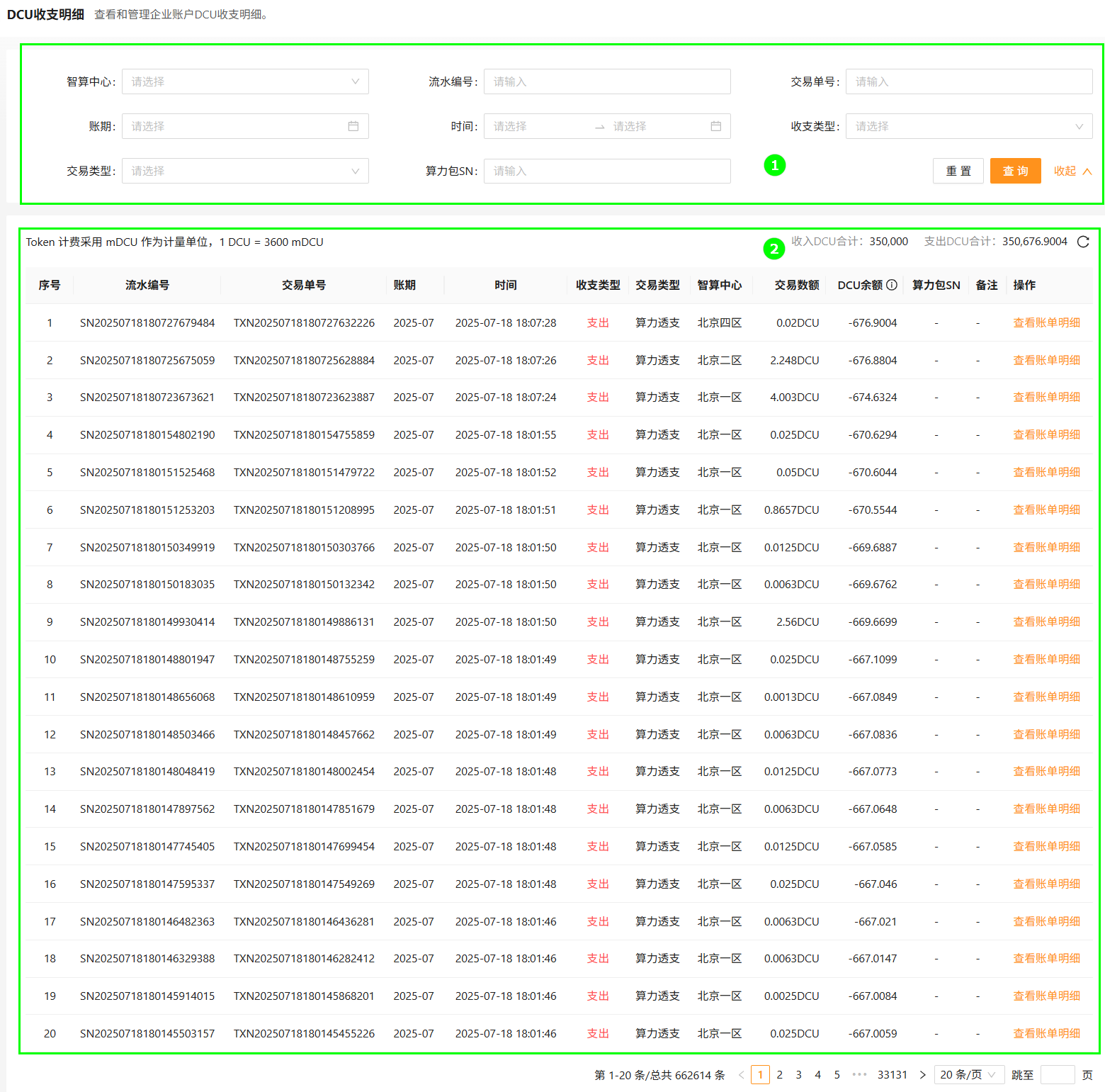
| Block | Module | Description |
|---|---|---|
| ① | Filters | Filter ledger entries by data center, transaction ID, billing period, time, ledger type, transaction type, pack SN, and more. Supports fuzzy match and reset. |
| ② | Ledger | Itemized credits and debits, with rollups and links to the underlying invoice. |
Filter
- Sign in to Alaya NeW. Open Billing Center → DCU ledger.
- Configure filters in the search bar (data center, transaction ID, period, etc.).
- Click Search.
View invoice detail
- From the ledger, find the row of interest.
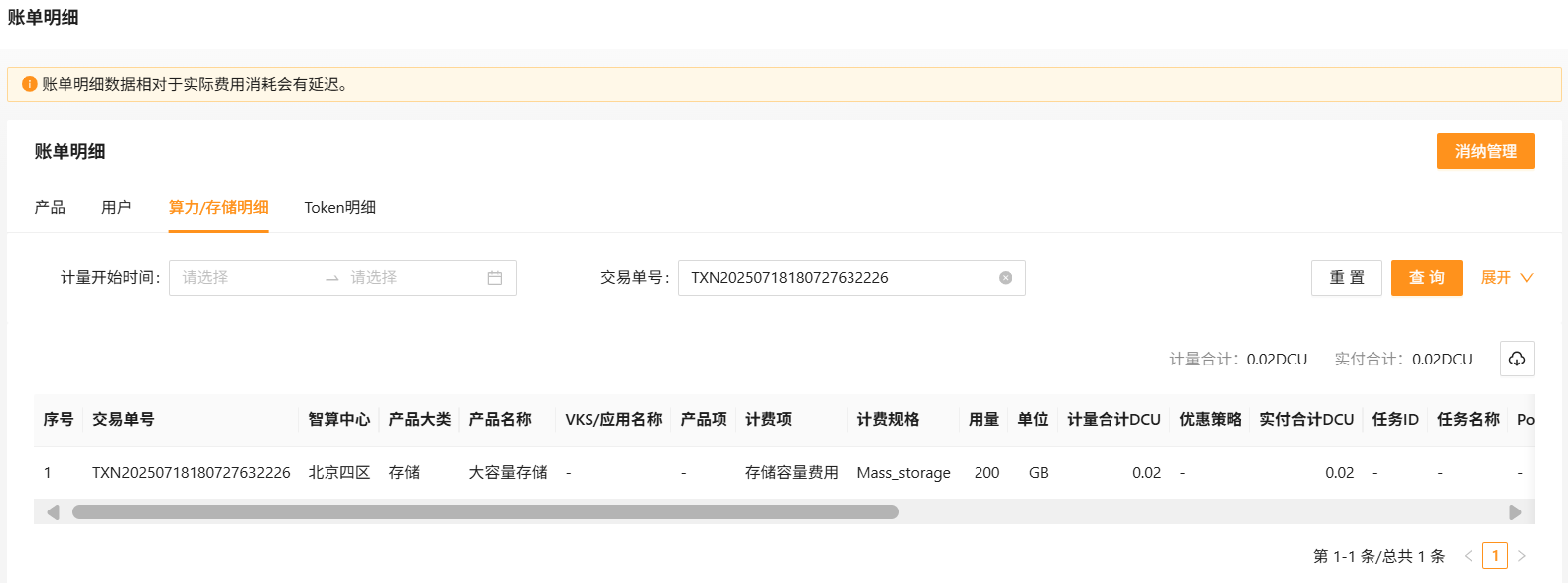
- Click View invoice detail to drill into the invoice for that entry.
Last updated on
Was this page helpful?