
Single-GPU and single-node multi-GPU LLaMA Factory fine-tune — /dev/shm vs bulk storage end-to-end timing comparison
Storage choice has a real impact on fine-tuning throughput, system performance, and data management. This page benchmarks the same fine-tuning workload on two storage backends — the in-memory tmpfs at /dev/shm versus bulk storage — and compares model load time, dataset load time, and end-to-end fine-tune time to give you a concrete data point for storage selection.
Prerequisites
- An Alaya NeW enterprise account (sign up via account registration if you don't have one yet)
Single-GPU experiment
1. Preparation
Download the model, prepare LLaMA Factory, and prepare the dataset.
2. Pick SwanLab as the visualizer
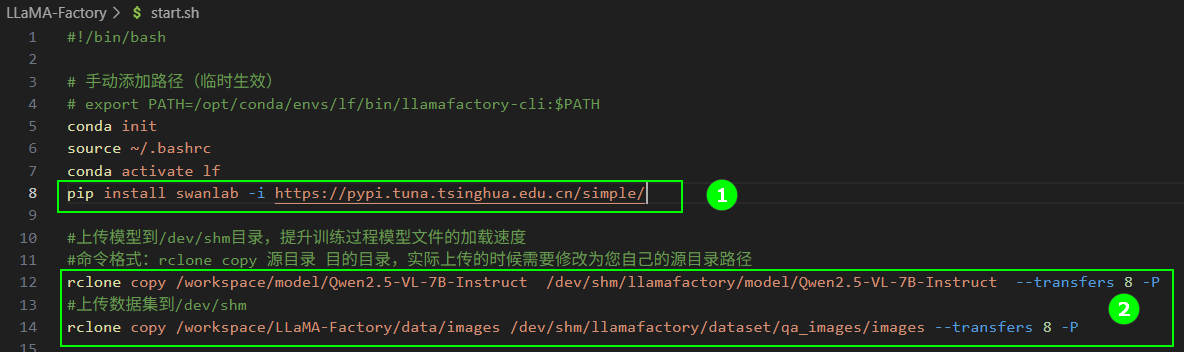
Generate a SwanLab API key, then add the install + login commands to start.sh (highlight ① below).
3. Path A: stage model + dataset to /dev/shm
Keep the highlighted ② block to copy assets into /dev/shm:
rclone copy /workspace/model/Qwen2.5-VL-7B-Instruct \
  /dev/shm/llamafactory/model/Qwen2.5-VL-7B-Instruct --transfers 8 -P
rclone copy /workspace/LLaMA-Factory/data/images \
  /dev/shm/llamafactory/dataset/qa_images/images --transfers 8 -P
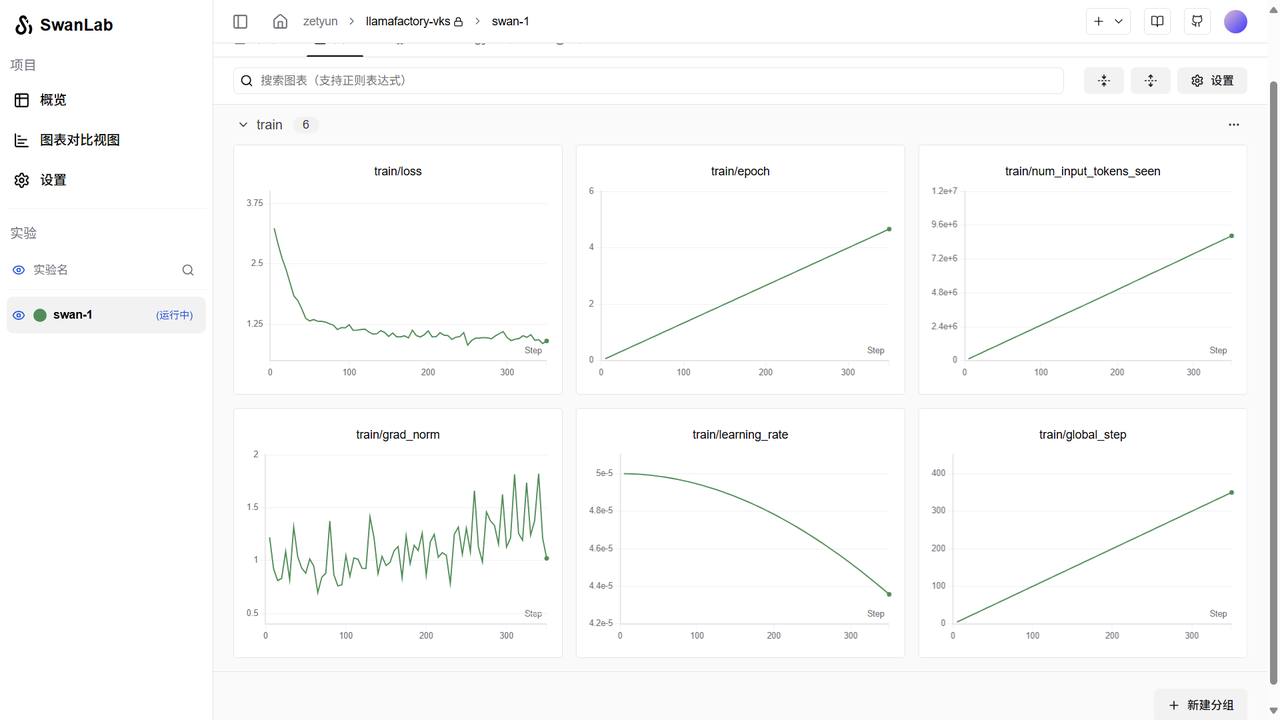
Run training and record model load time, dataset load time, end-to-end fine-tune time.
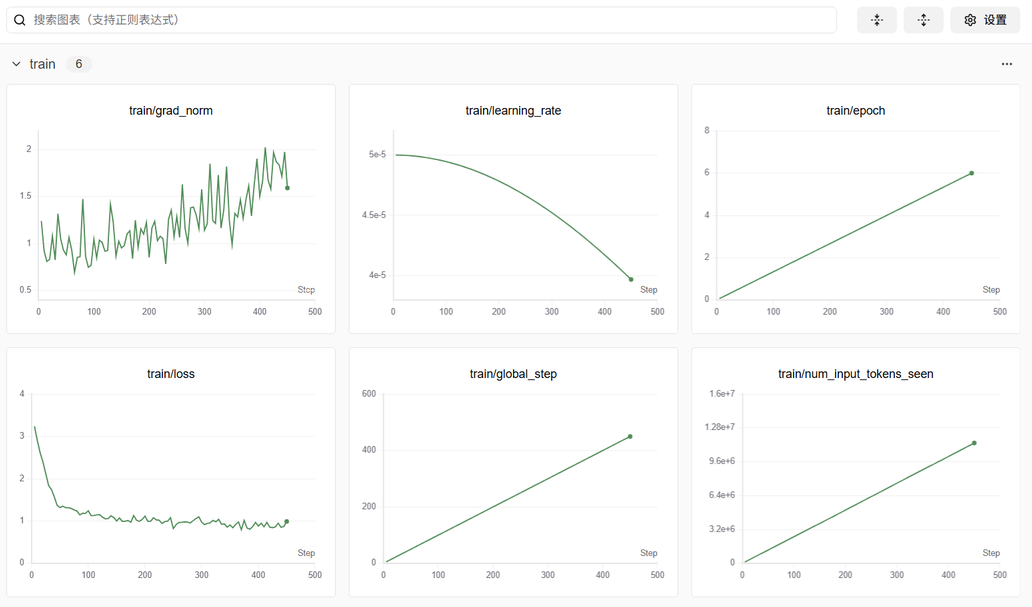
Train metrics (loss / learning_rate)
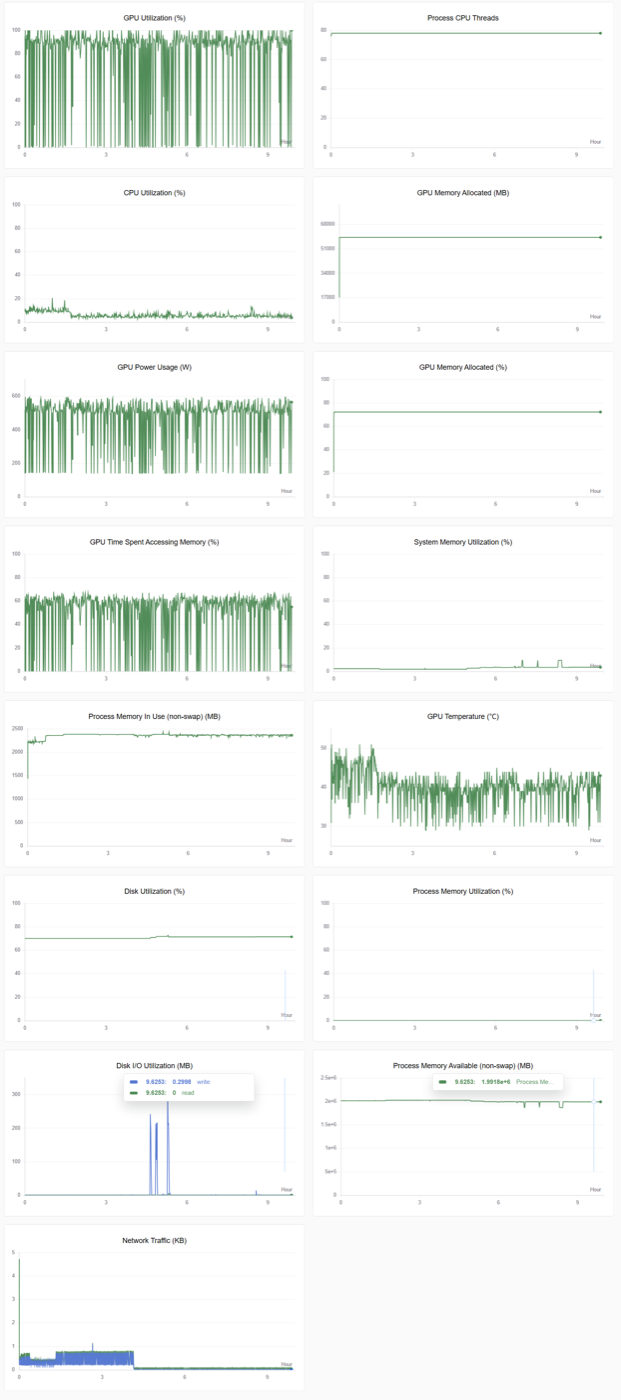
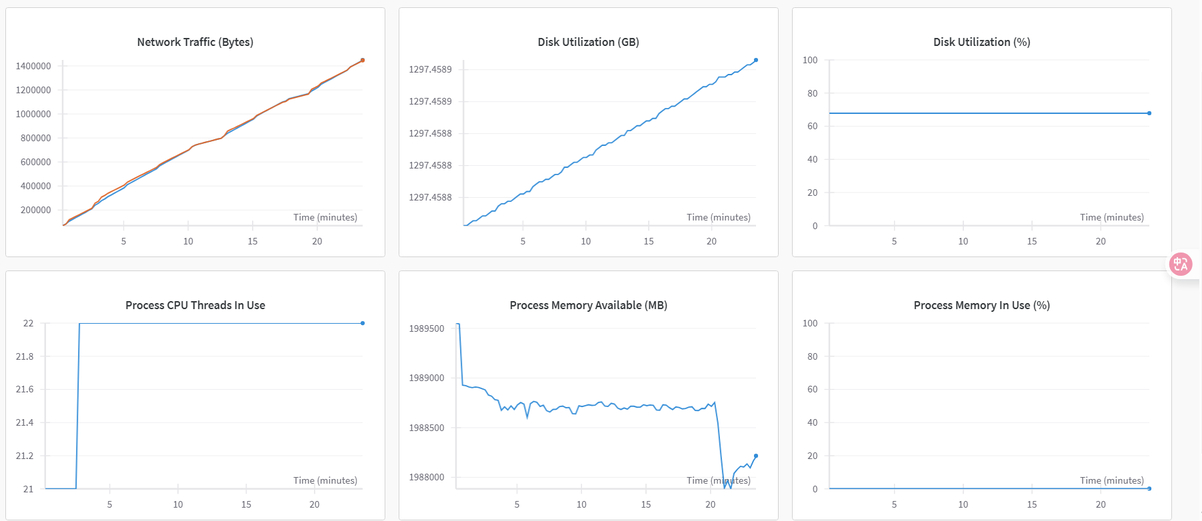
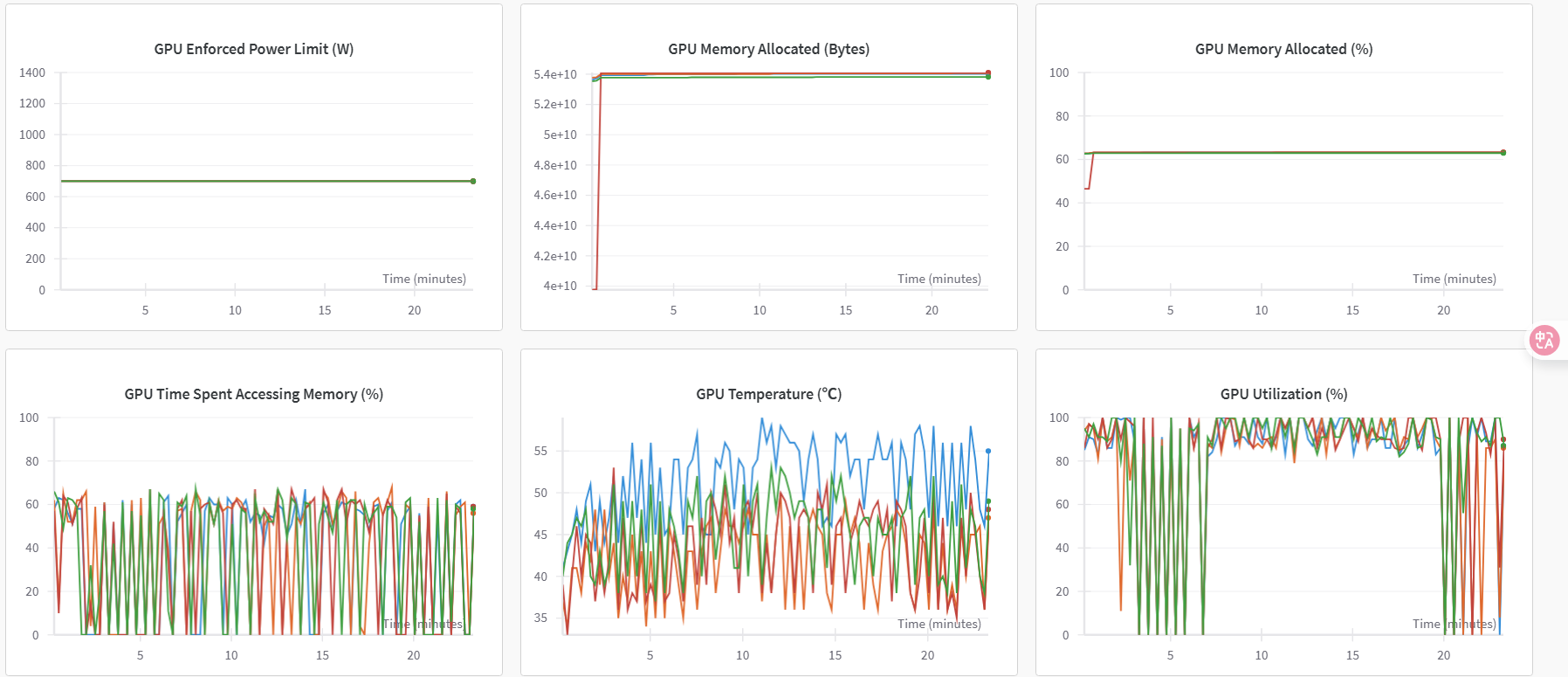
System metrics (GPU / CPU)
4. Tune dataloader_num_workers
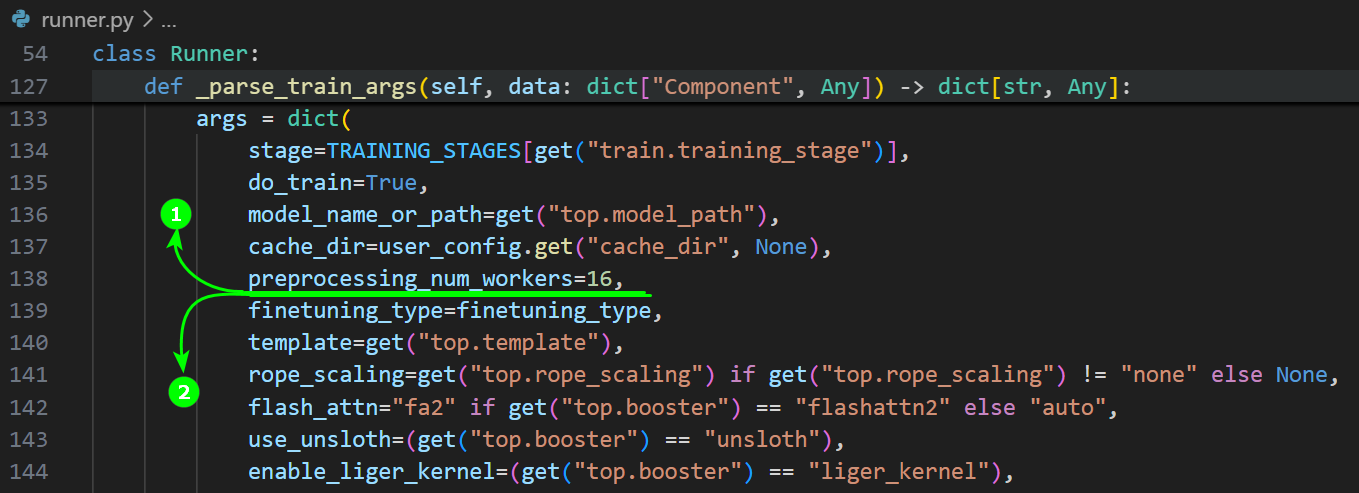
Edit LLaMA Factory's /src/llamafactory/webui/runner.py. Between the highlighted lines, add dataloader_num_workers=12 and save. Re-run training.
System metrics after the change:
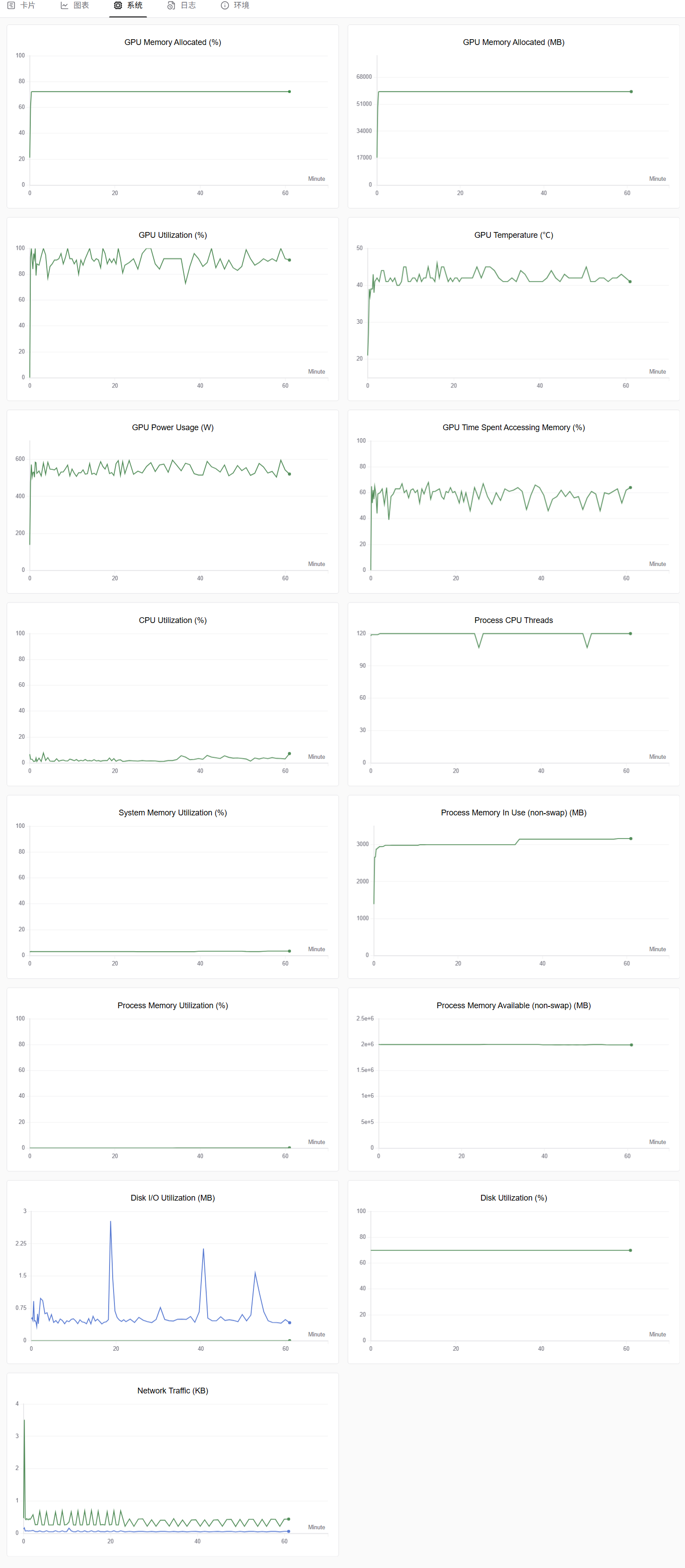
Conclusion 1: dataloader_num_workers = (CPU cores − 1)
Set dataloader_num_workers to (CPU cores − 1). Example: with 13C 200G 1GPU allocated to Run Shell, set it to 12. This effectively raises GPU utilization during training.
5. Path B: keep model + dataset on bulk storage
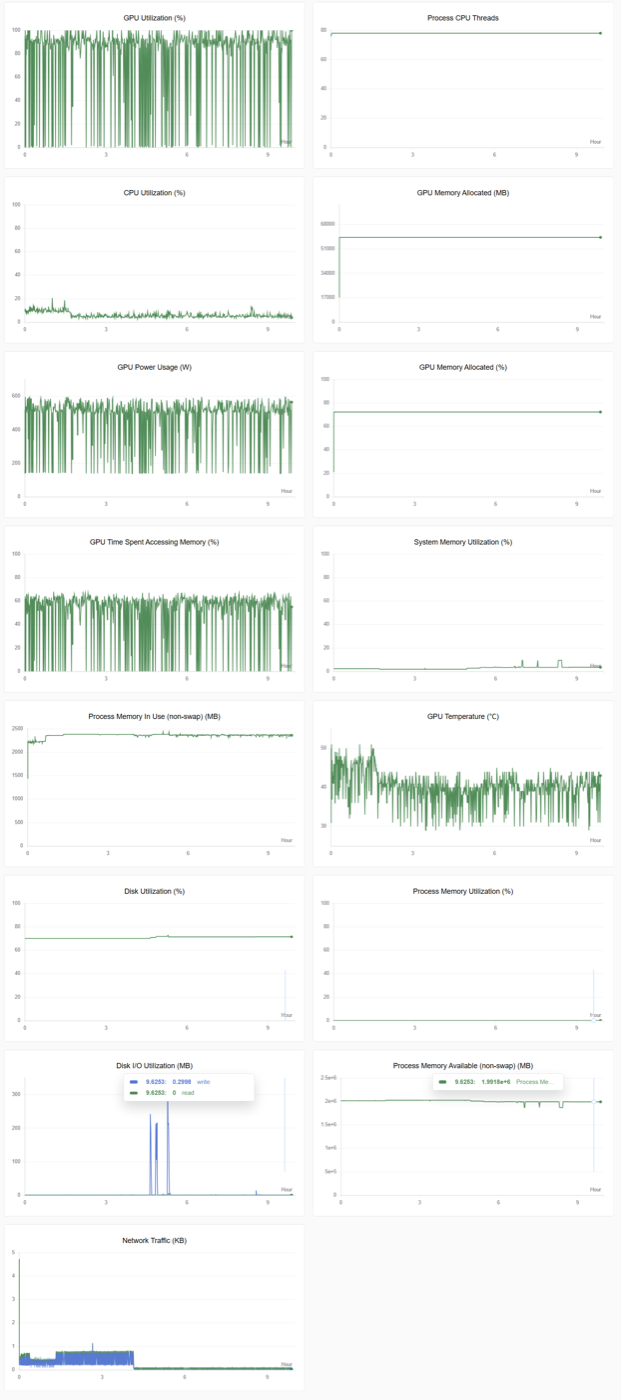
Remove the rclone copy lines and use /workspace/... paths directly. Re-run the same training and record the three timing metrics.
Train metrics — bulk storage
System metrics — bulk storage
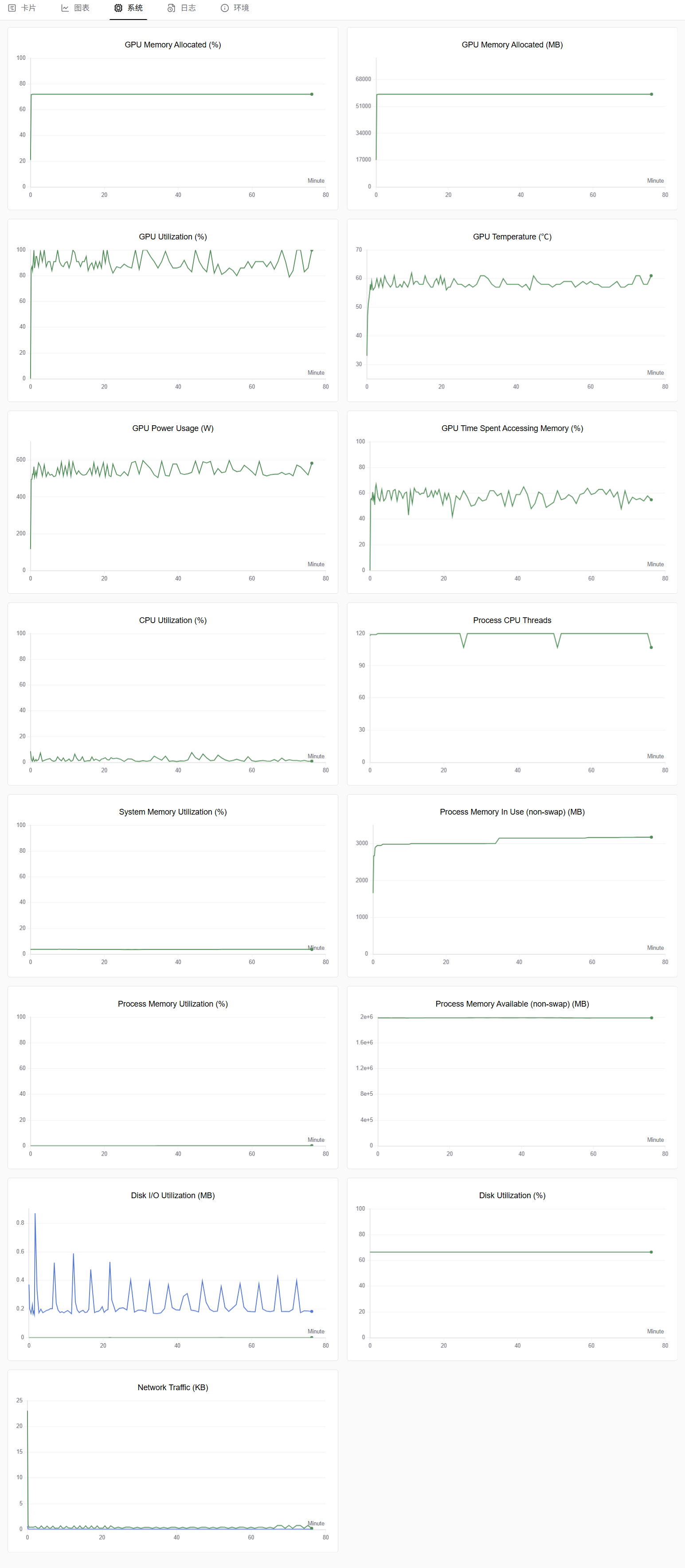
After tuning dataloader_num_workers=12:
6. Single-GPU results
| Setting | /dev/shm (100 GB) | Bulk storage |
|---|---|---|
| Epoch | 10 | 10 |
| Dataset | 2000+ multimodal images (1928×1208) | 2000+ multimodal images (1928×1208) |
| Tuning | LoRA | LoRA |
| Batchsize | 2 | 2 |
| Data load time / batchsize | 1.42 s | 1.64 s |
| Model load time (16 GB) | 6.77 s | 72.05 s |
| Fine-tune time | 4:10:22 | 4:27:23 |
Note: /dev/shm capacity in elastic container clusters
Each GPU in an elastic container cluster ships with 200 GB of memory. /dev/shm defaults to half of that — 100 GB. /dev/shm is a tmpfs mount with very high read/write speed.
Conclusion 2: storage selection (single-GPU)
When the dataset is < 100 GB, /dev/shm:
- Improves single-batch data load by 13%
- Improves model load by roughly 10×
- Cuts end-to-end fine-tune time by ~17 minutes
For sub-100-GB workloads, prefer staging both dataset and model into /dev/shm.
Single-node multi-GPU experiment
1. Preparation
Following "single-node multi-GPU example", download the model, prepare LLaMA Factory, and prepare the dataset.
2. Path A: stage to /dev/shm
In start.sh, configure WanDB (highlight ①) and keep the rclone copy block (highlight ②) to stage assets to /dev/shm:
export WANDB_API_KEY=<your_api_key>
pip install wandb -i https://pypi.tuna.tsinghua.edu.cn/simple/
wandb login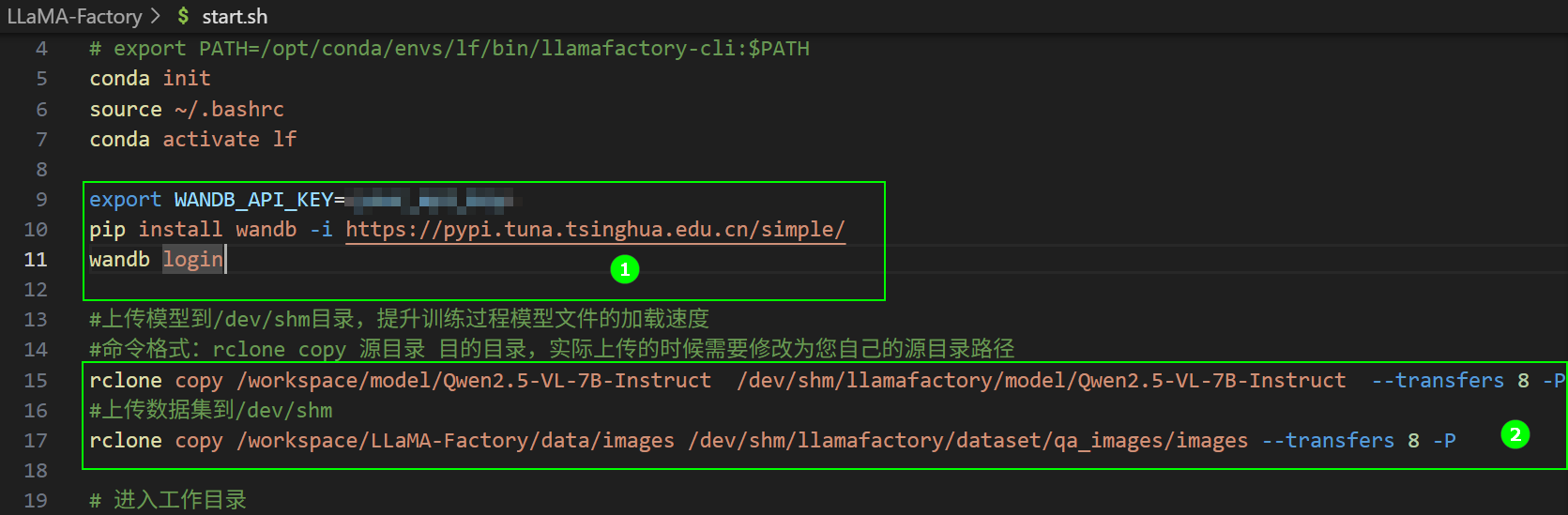
3. Launch training
In the final.sh editor, right-click and select Run Shell. In the parameter dialog:
- Resources:
52C 800G 4GPU - Expand Advanced → Add External Access → port
7860
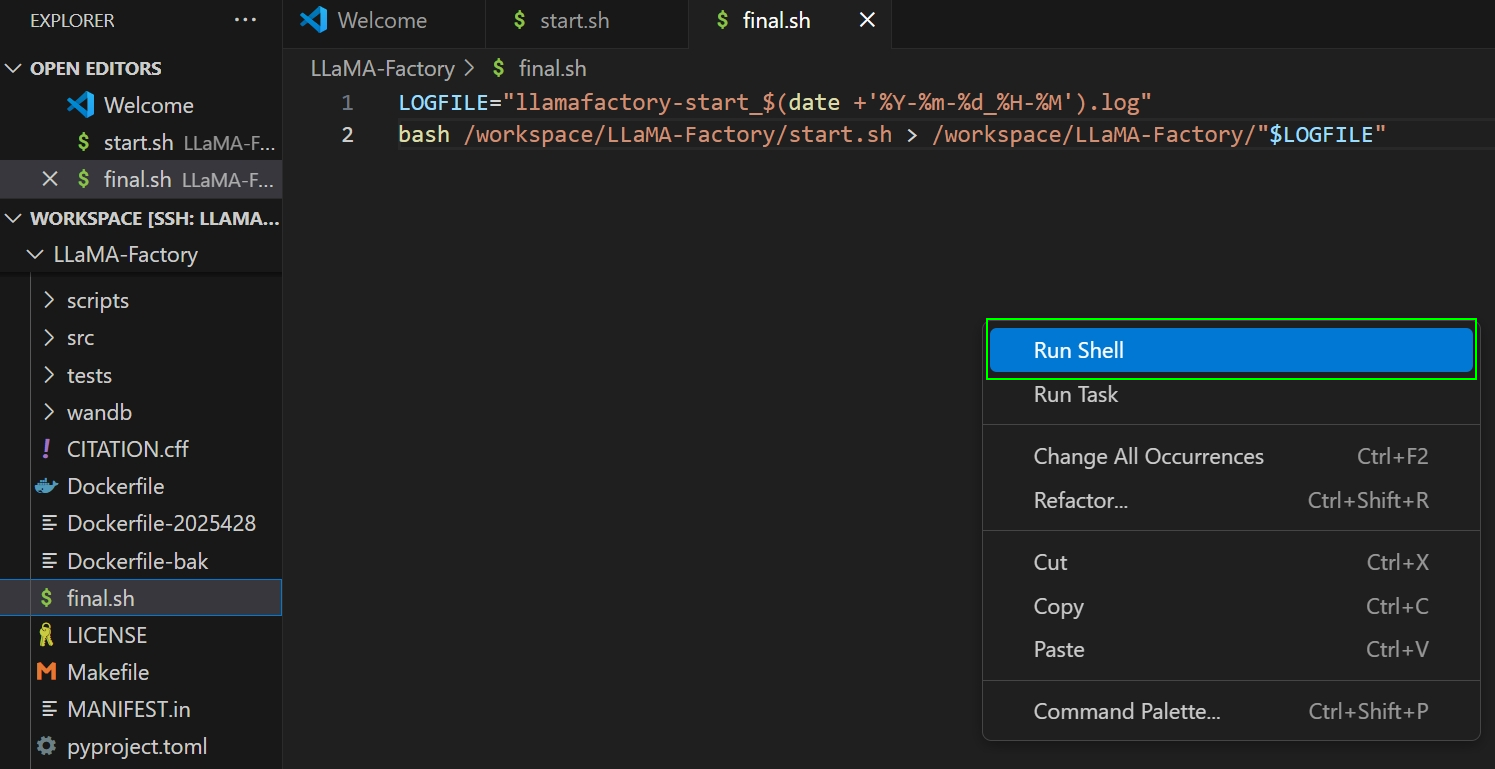
Click Submit to start training and record the three timing metrics.
4. WanDB monitoring (/dev/shm)
Train tab
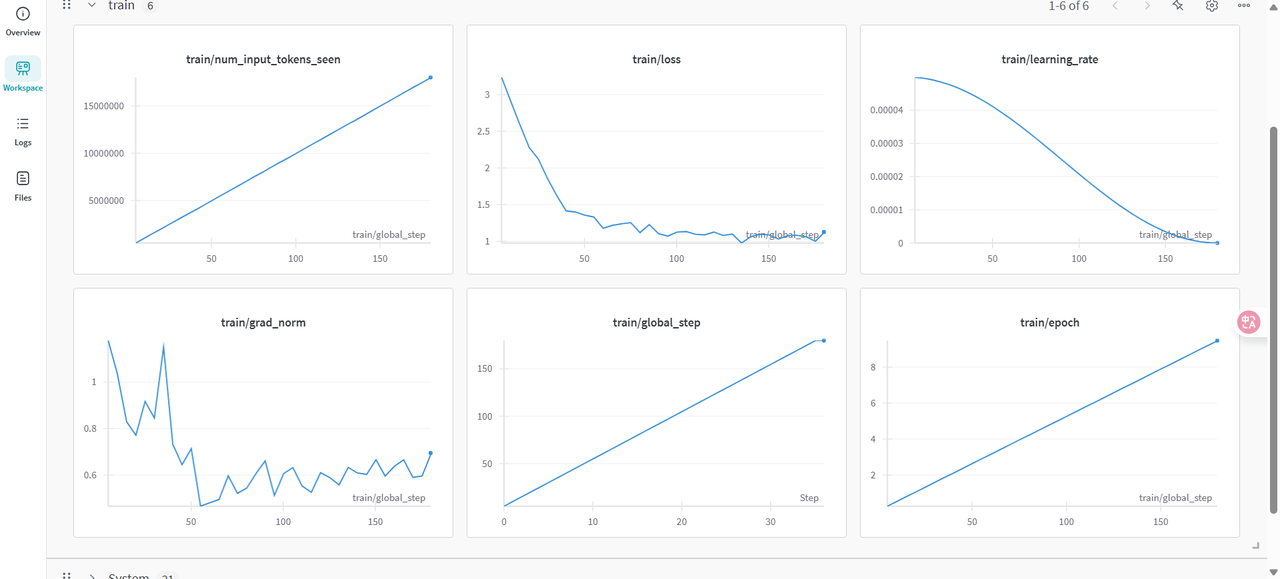
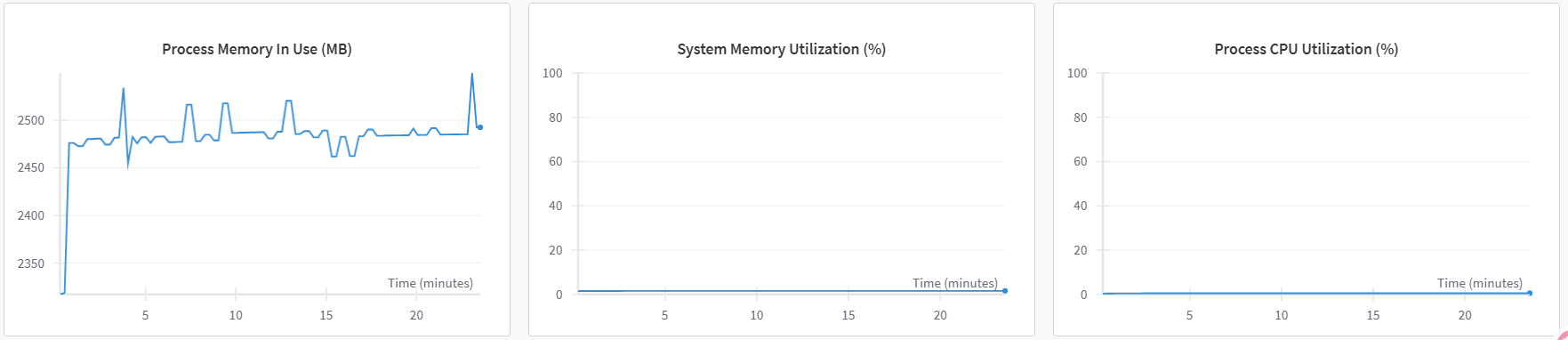
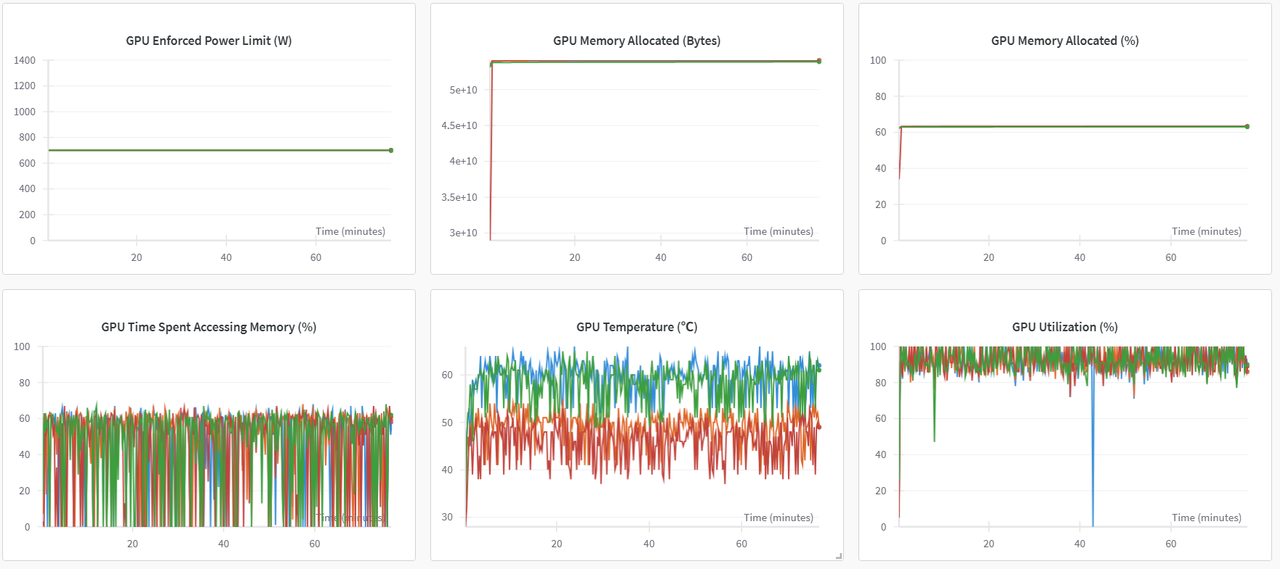
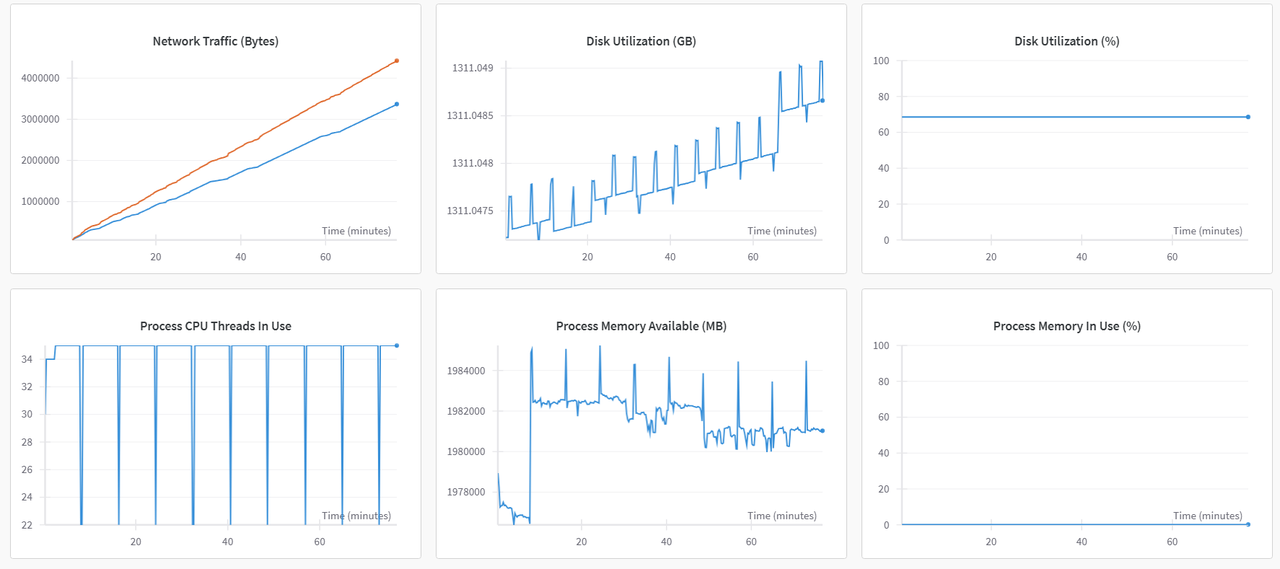
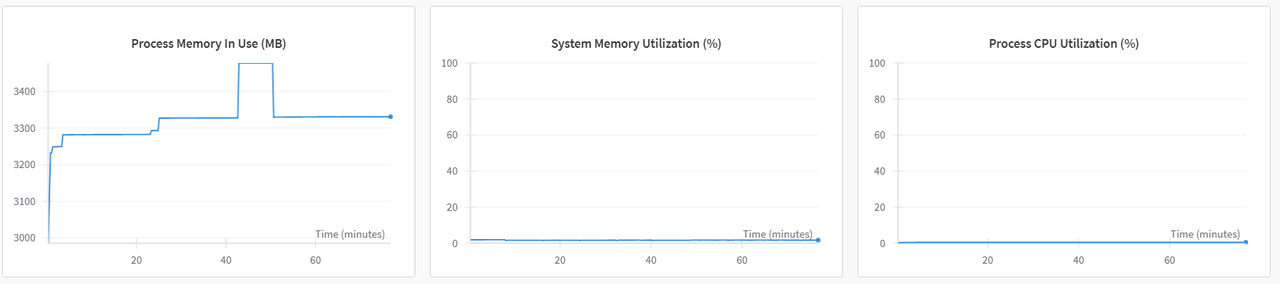
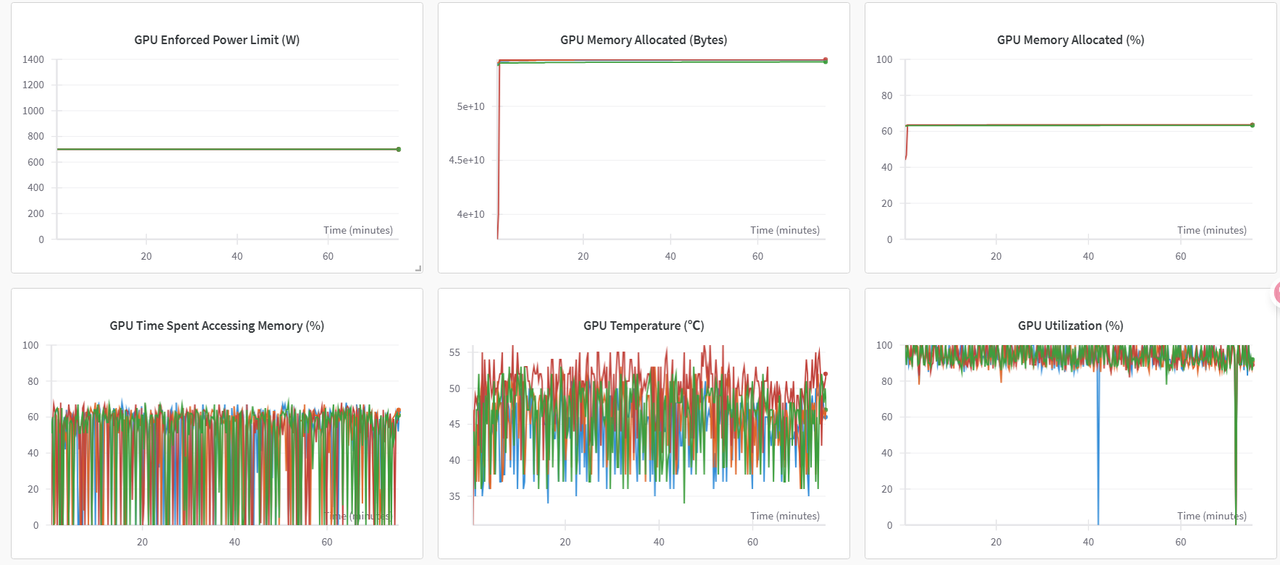
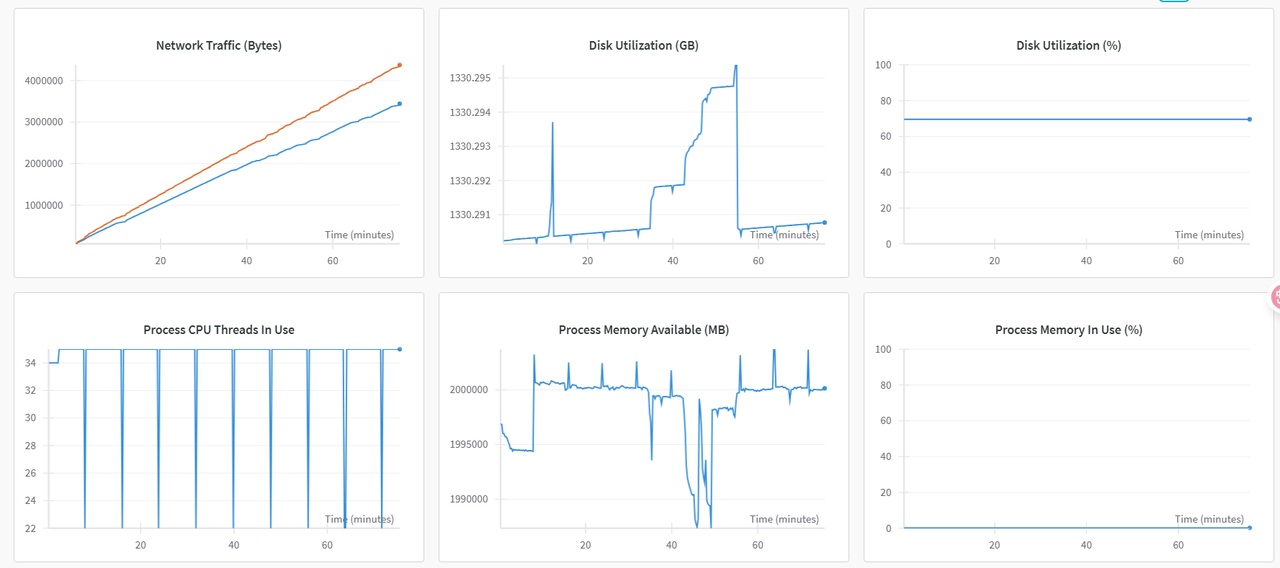
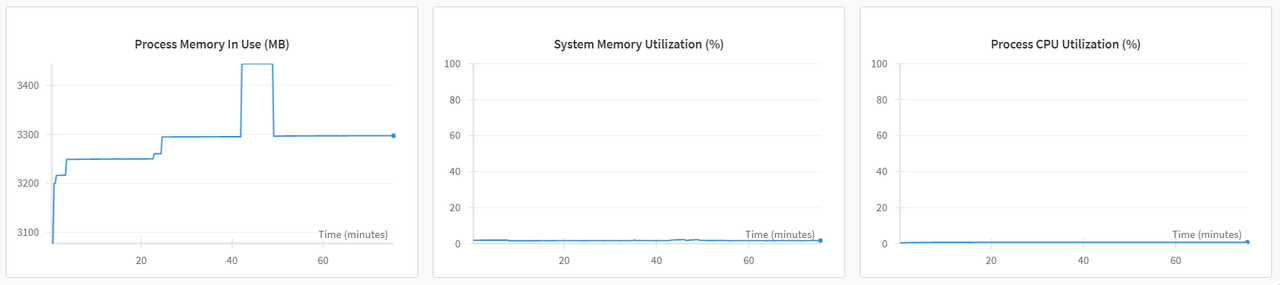
System tab (multi-GPU view)
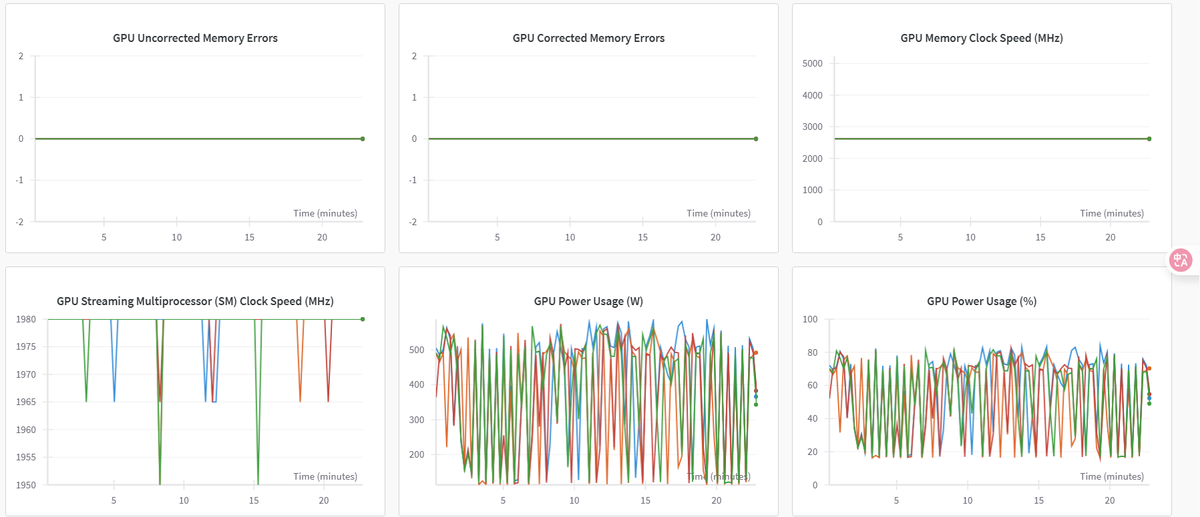
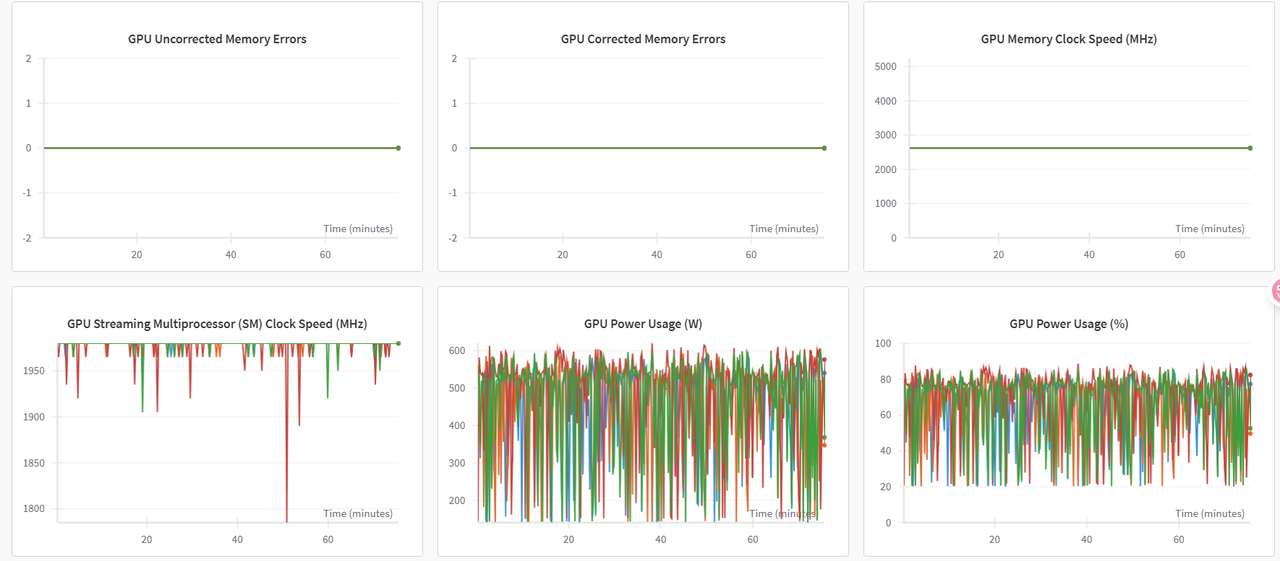
5. Tune dataloader_num_workers
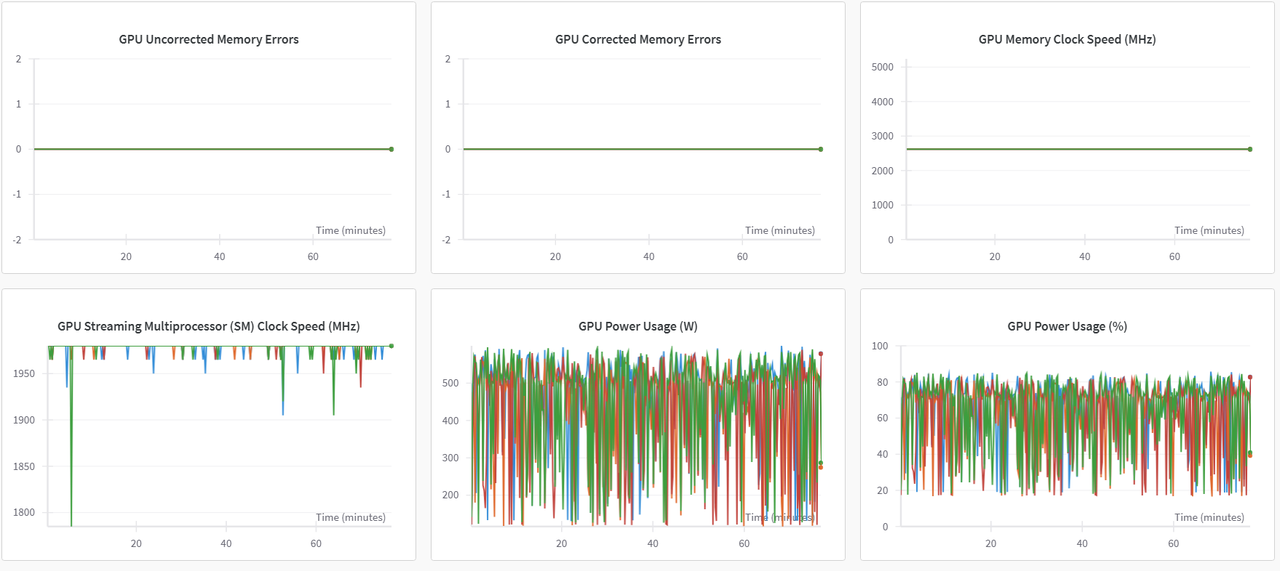
In /src/llamafactory/webui/runner.py, set dataloader_num_workers=51 (CPU cores − 1 for 4-GPU 52C).
System metrics after tuning:
WanDB networking
Configure your network appropriately when using WanDB to ensure stable, performant logging.
6. Path B: bulk storage
Remove rclone copy and train against bulk storage. System metrics (sample):
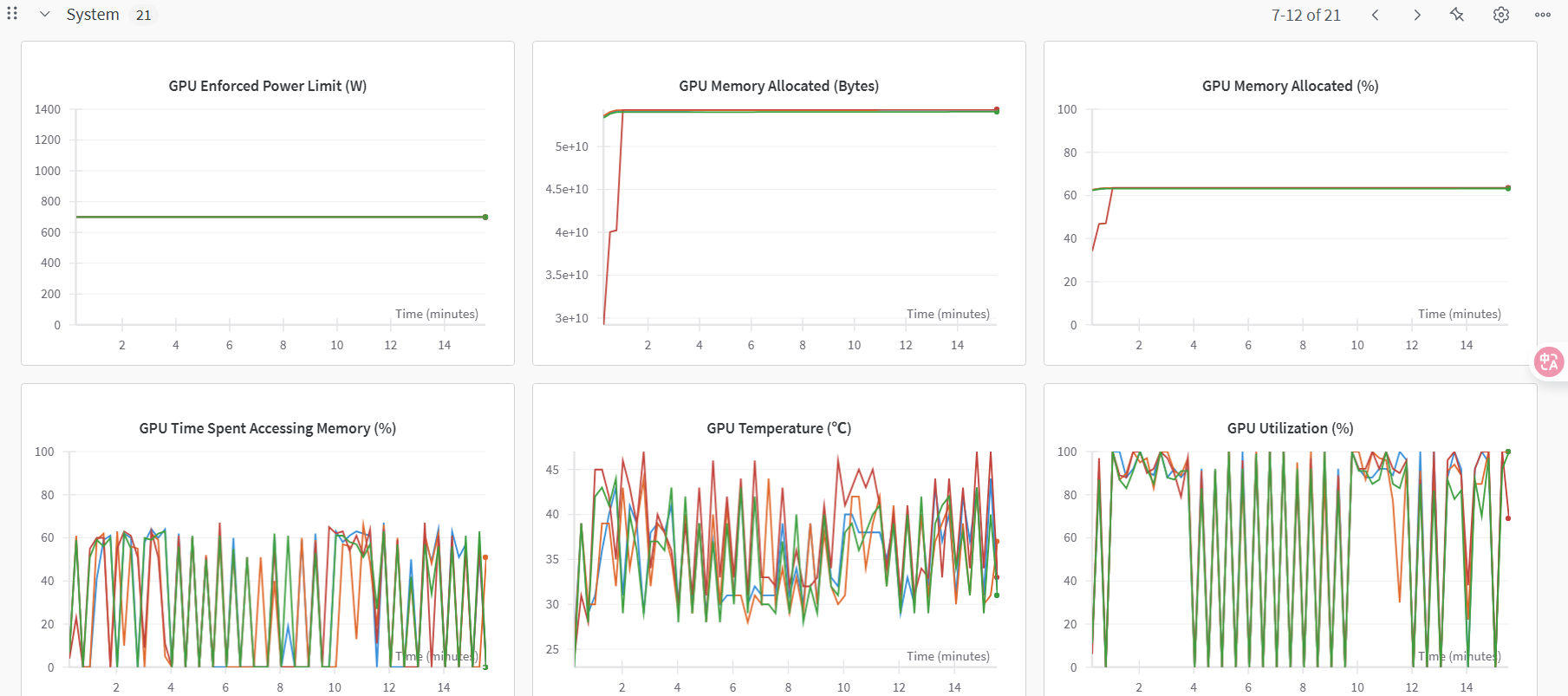
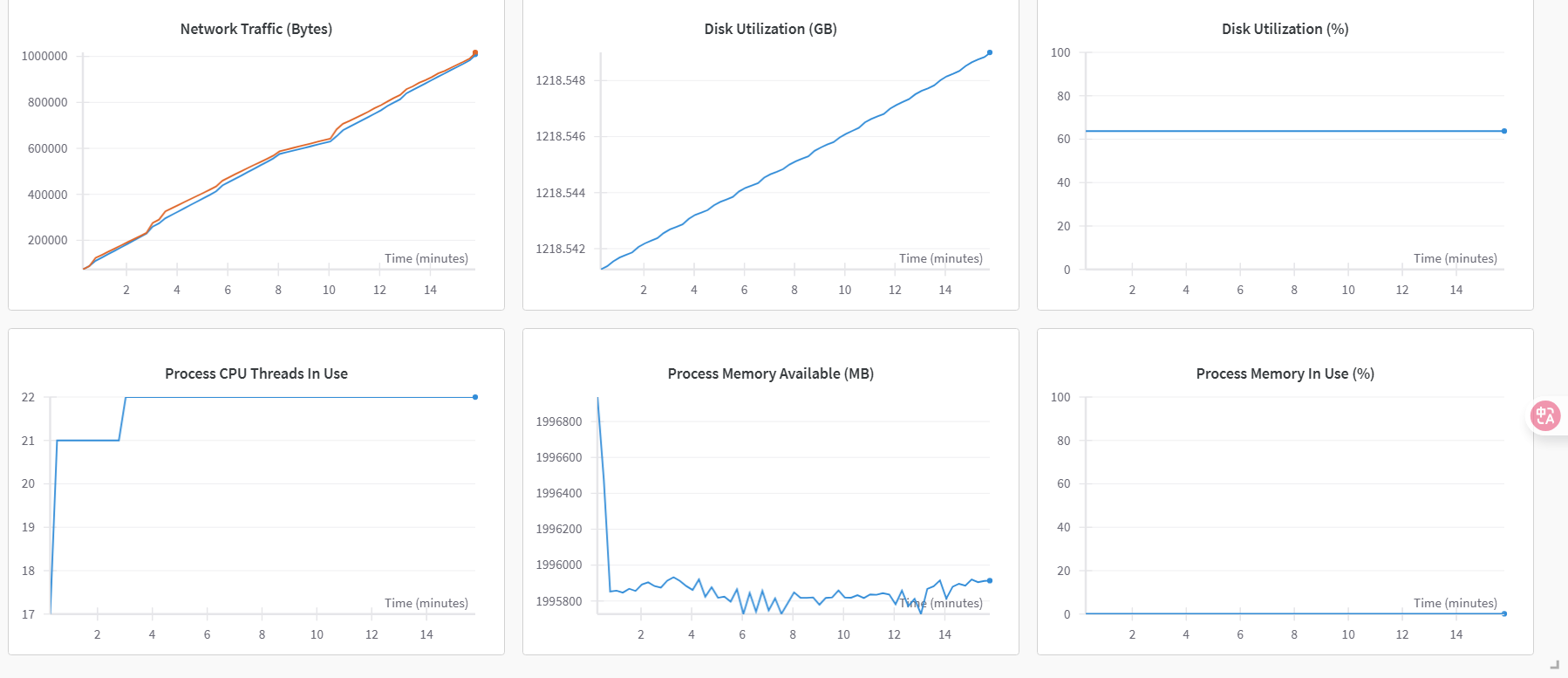
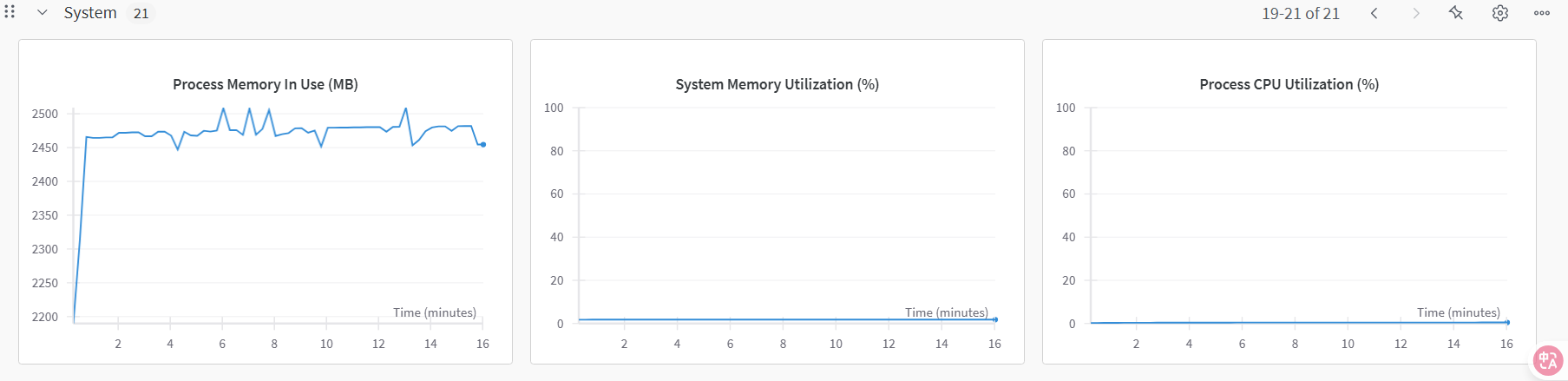
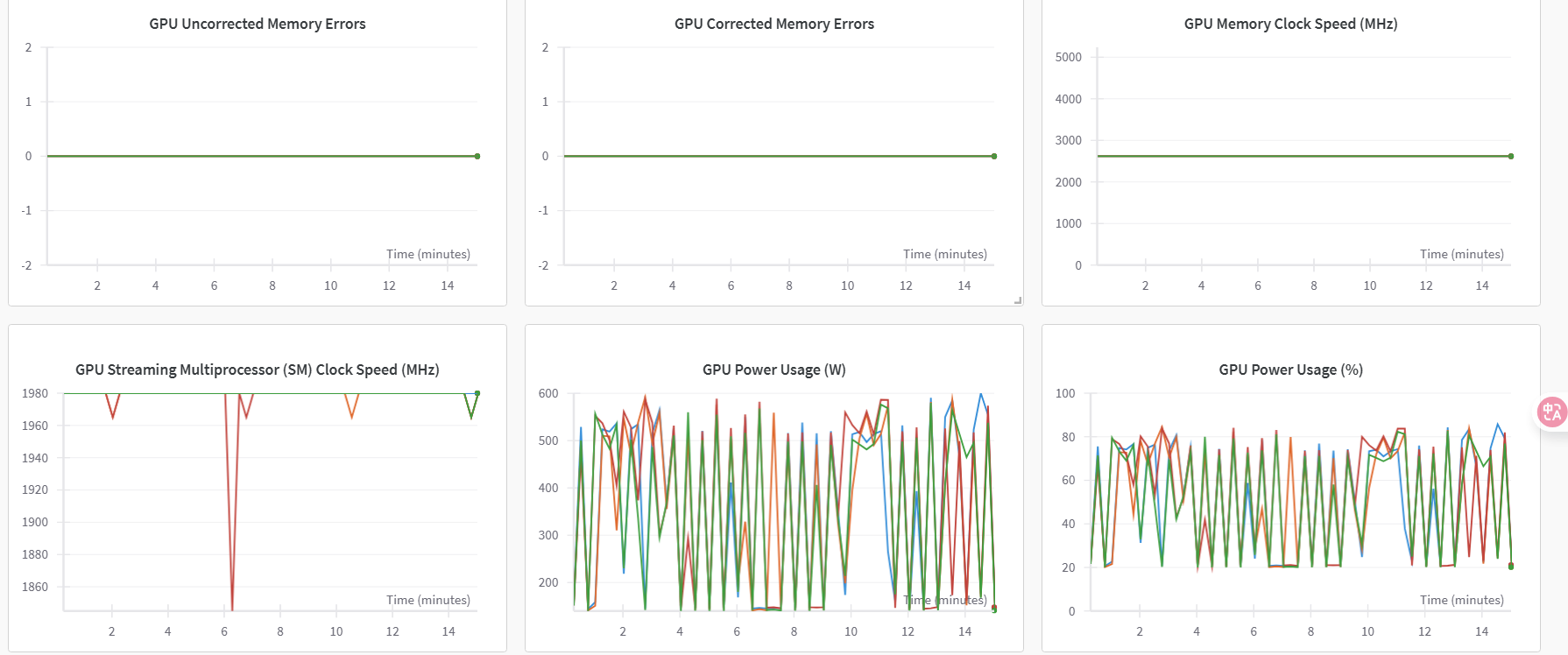
After dataloader_num_workers=52:
7. Side-by-side comparison
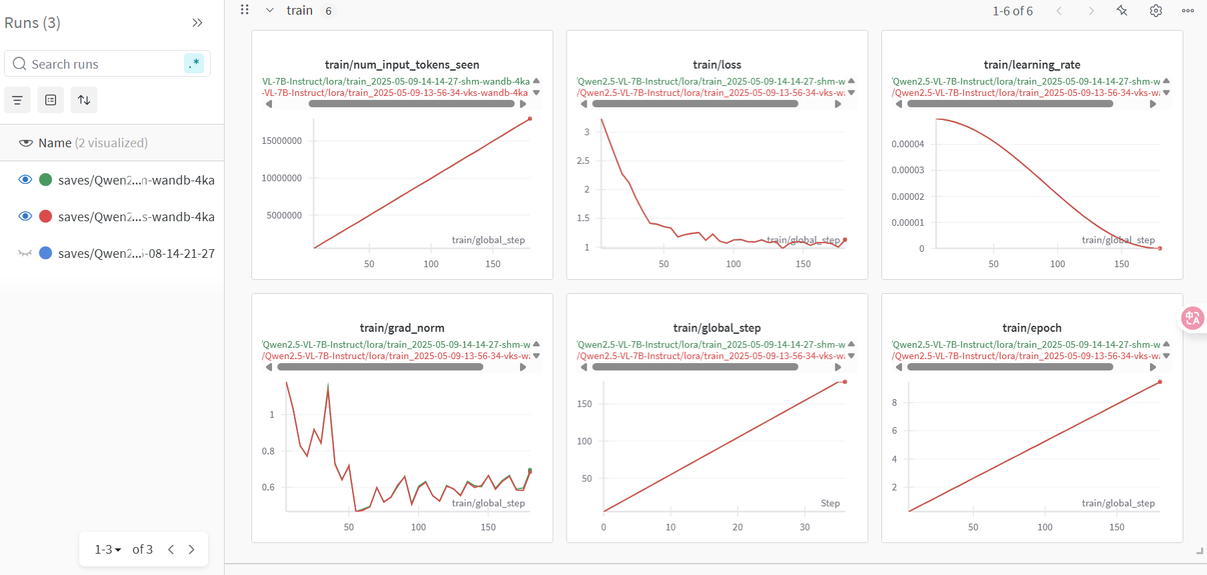
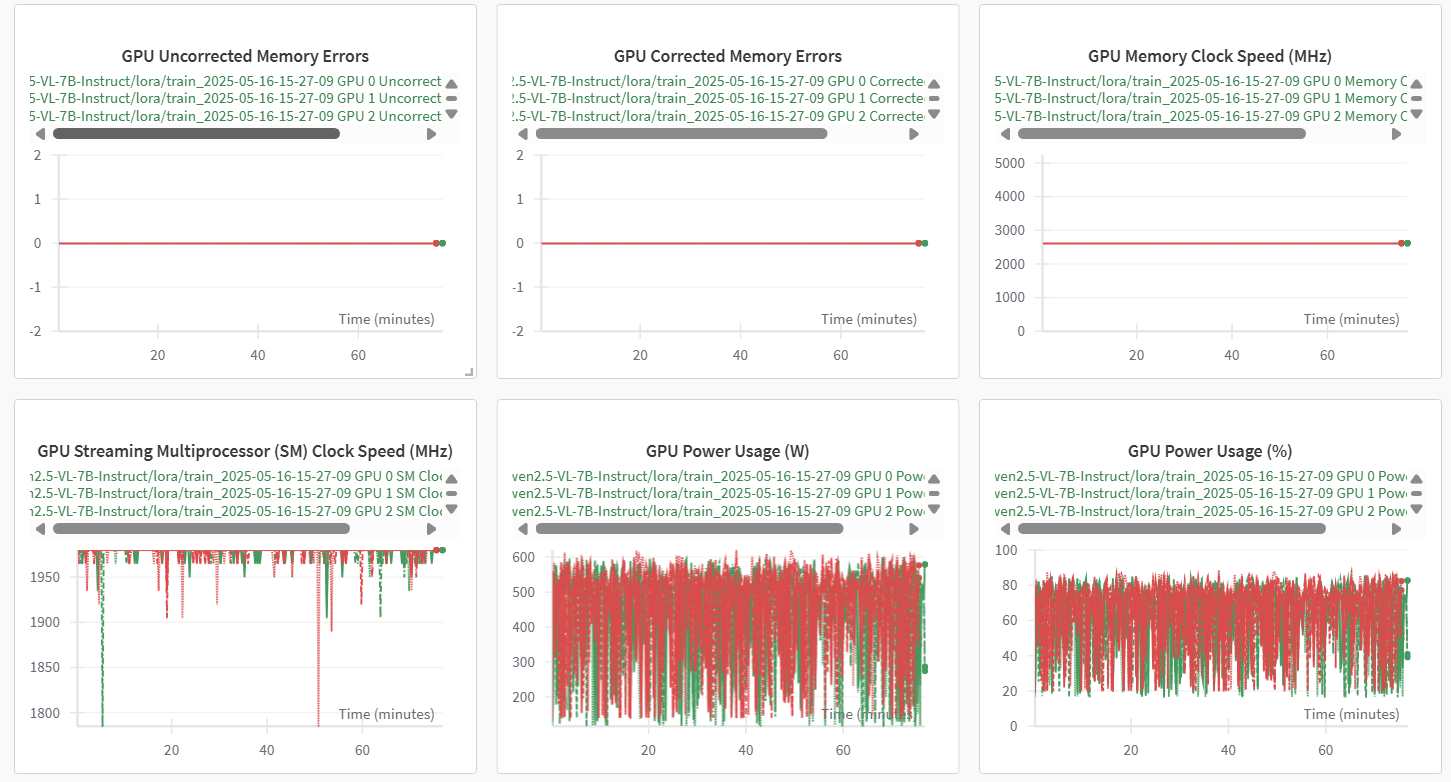
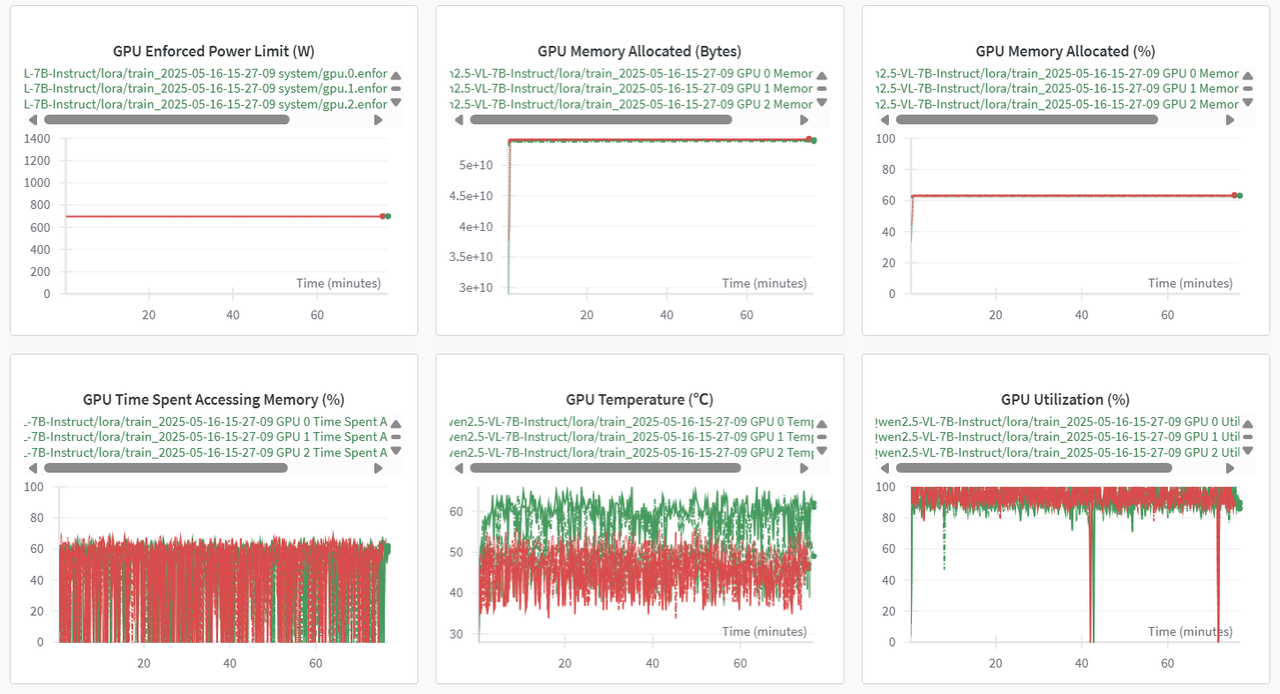
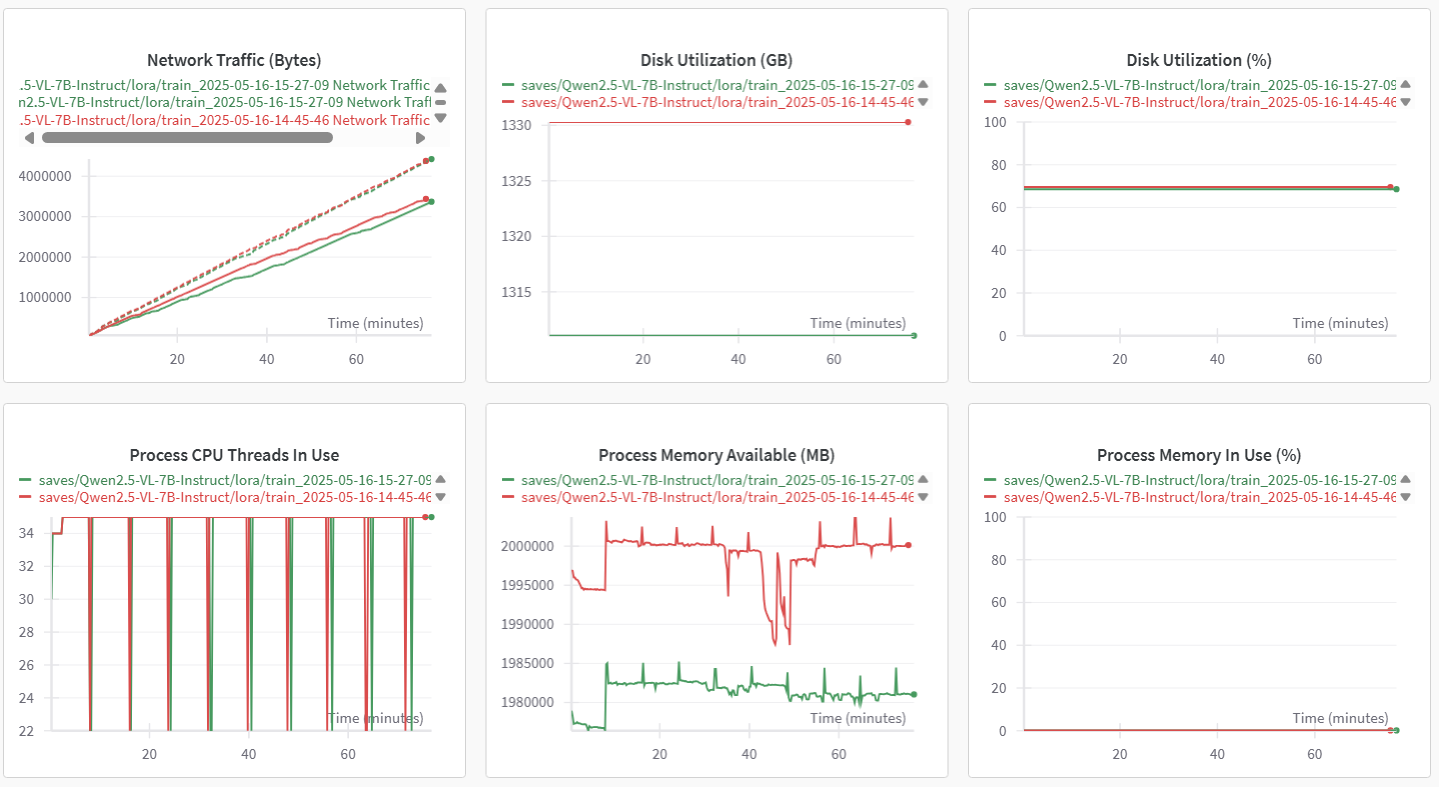
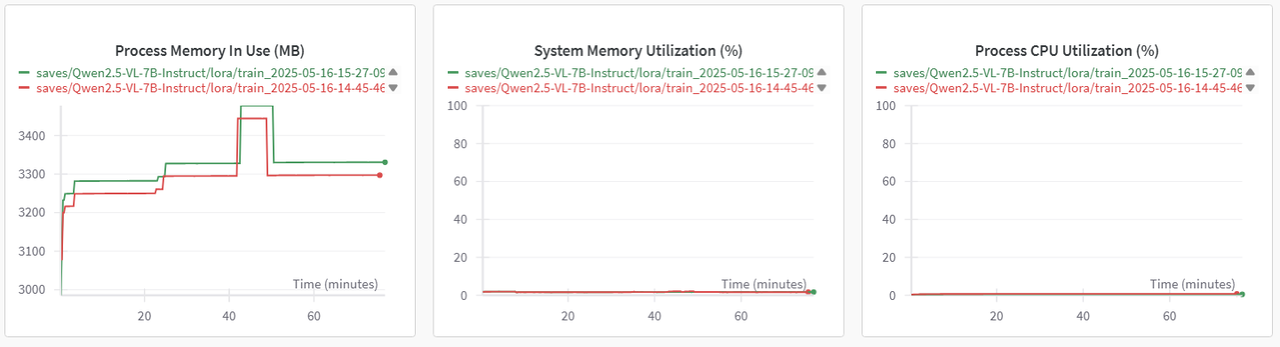
WanDB supports cross-project metric comparisons: green = /dev/shm, red = bulk storage.
Train tab
System resources
8. Single-node multi-GPU results
| Setting | /dev/shm (100 GB) | Bulk storage |
|---|---|---|
| Epoch | 10 | 10 |
| Dataset | 2000+ multimodal images (1928×1208) | 2000+ multimodal images (1928×1208) |
| Tuning | LoRA | LoRA |
| Batchsize | 2 | 2 |
| Data load time / batch (~6 MB) | 9.53 s | 1 min 41 s |
| Model load time (~16 GB) | 5.75 s/batch | 6.5 s/batch |
| Fine-tune time | 1:07:38 | 1:16:44 |
Conclusion 3: storage selection (single-node multi-GPU)
When the dataset is < 100 GB:
- Model load on
/dev/shmis roughly 15× faster than bulk storage - Dataset load is also markedly faster
- Fine-tune time is shorter by ~10 minutes
Overall, /dev/shm outperforms bulk storage by a wide margin.
Summary
Across single-GPU and single-node multi-GPU experiments:
- For datasets and model files under 100 GB, staging into
/dev/shmsignificantly improves training throughput and reduces end-to-end fine-tune time. - Setting
dataloader_num_workersto (CPU cores − 1) further raises GPU utilization.
In practice, prefer /dev/shm for sub-100-GB workloads to get the best end-to-end performance.
Next steps
Last updated on