
Multi-node multi-GPU DeepSpeed fine-tune — /dev/shm vs bulk storage end-to-end timing comparison
Extending the methodology from the single-node benchmark, this page brings the comparison to a multi-node, multi-GPU + DeepSpeed workload to confirm whether storage-medium choice has the same impact at distributed scale.
Prerequisites
- An Alaya NeW enterprise account (sign up via account registration if you don't have one yet)
Experiment
1. Preparation
Following the "multi-node multi-GPU (DeepSpeed)" preparation steps, download the model, prepare LLaMA Factory, and prepare the dataset.
2. Pick TensorBoard as the visualizer
Follow the "multi-node multi-GPU (DeepSpeed) preparation" guidance to get TensorBoard ready.
3. Path A: stage to /dev/shm
In mmmc_DS.sh, keep the rclone copy block to stage the model and dataset into /dev/shm:
rclone copy /workspace/model/Qwen2.5-VL-7B-Instruct \
  /dev/shm/llamafactory/model/Qwen2.5-VL-7B-Instruct --transfers 8 -P
rclone copy /workspace/LLaMA-Factory/data/images \
  /dev/shm/llamafactory/dataset/qa_images/images --transfers 8 -P
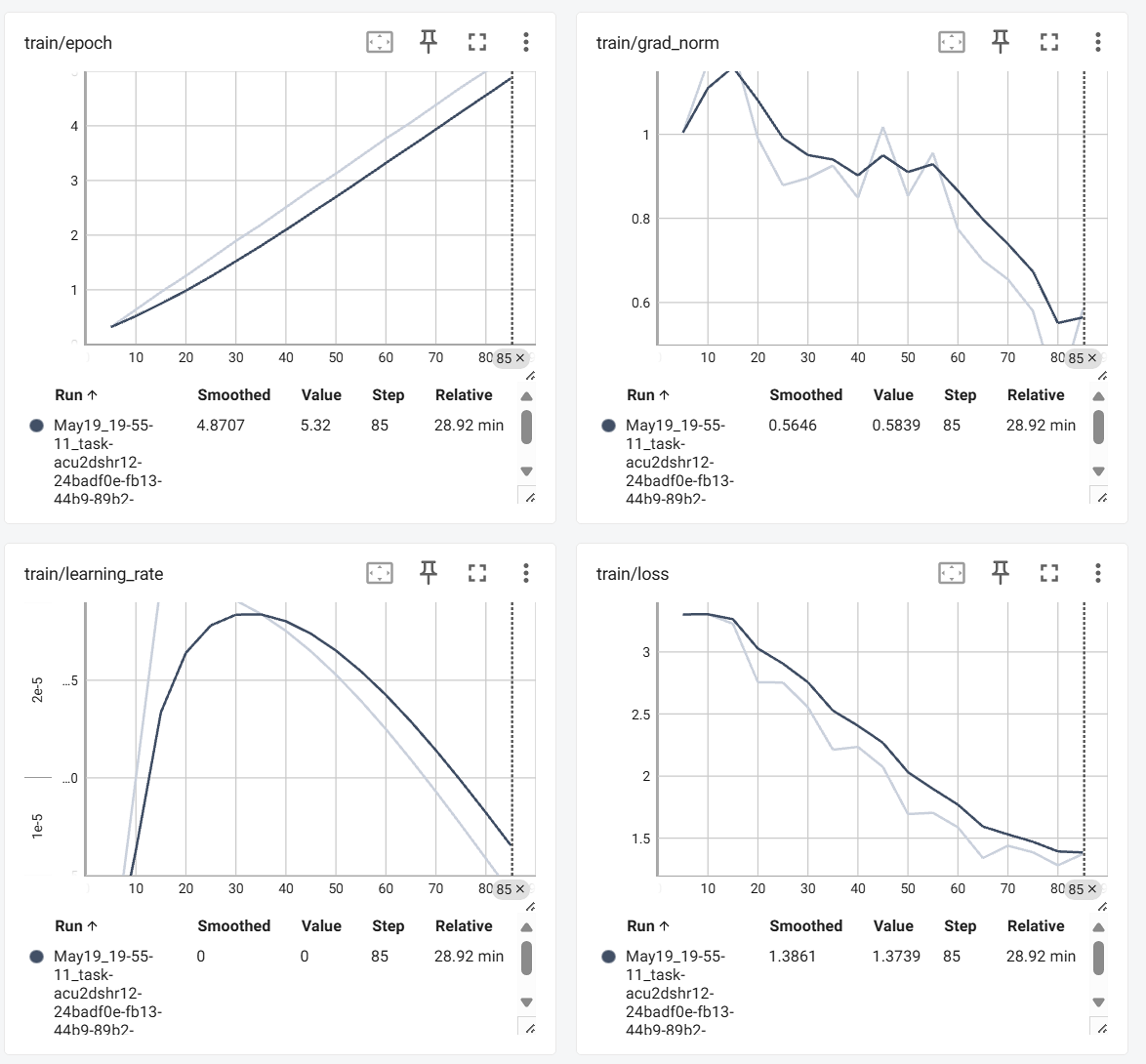
Run training and record model load time, dataset load time, end-to-end fine-tune time.
TensorBoard (loss / learning_rate)
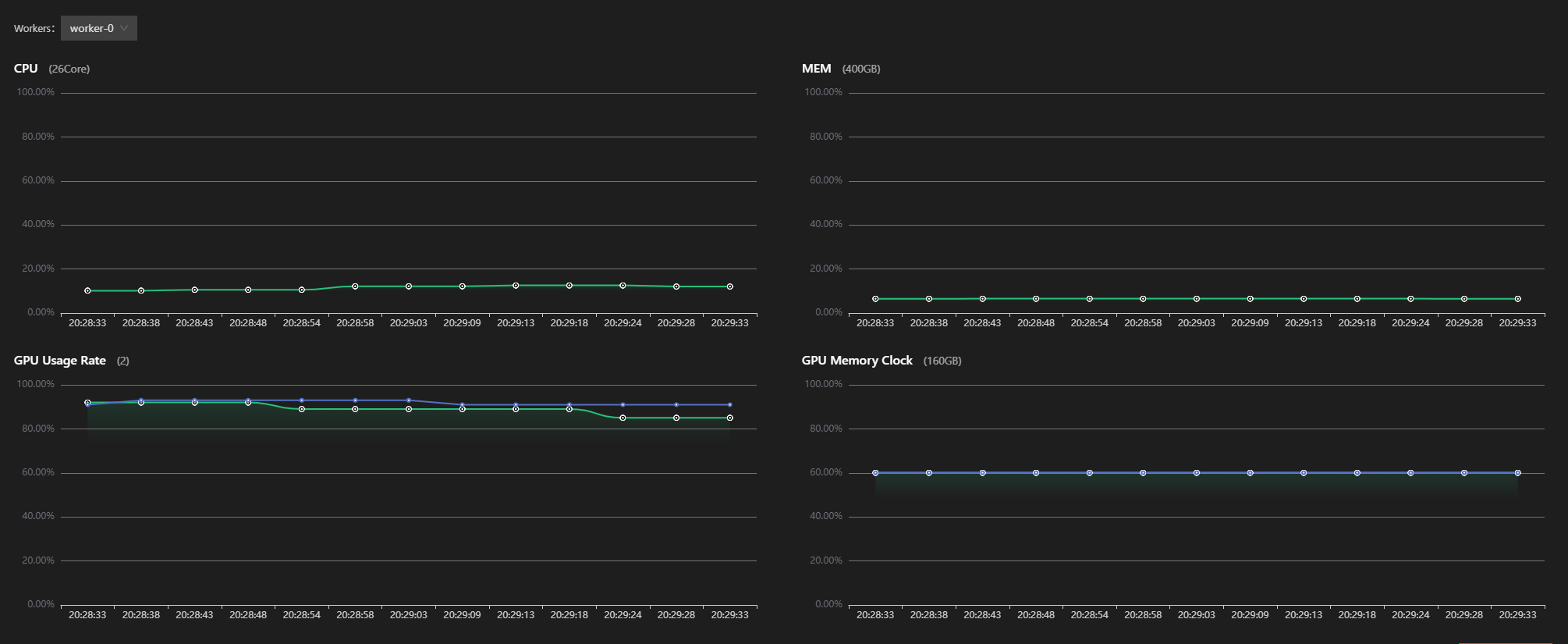
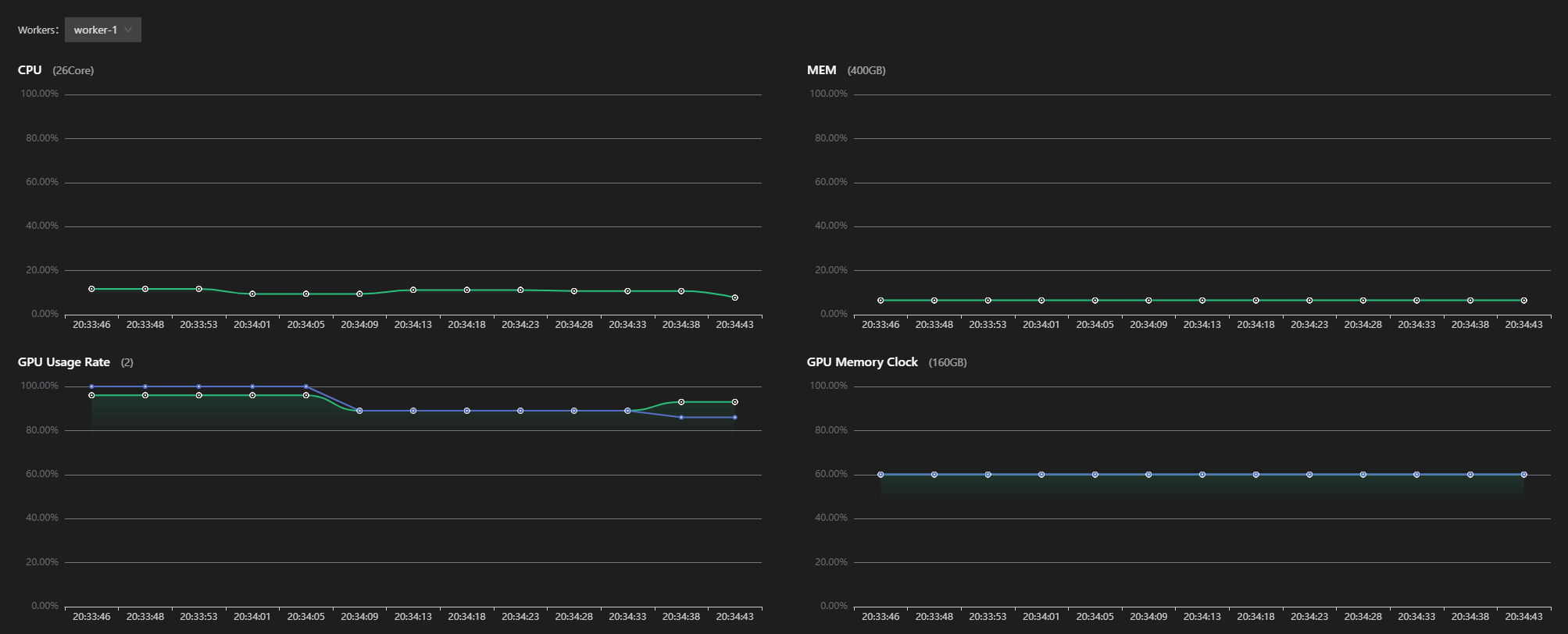
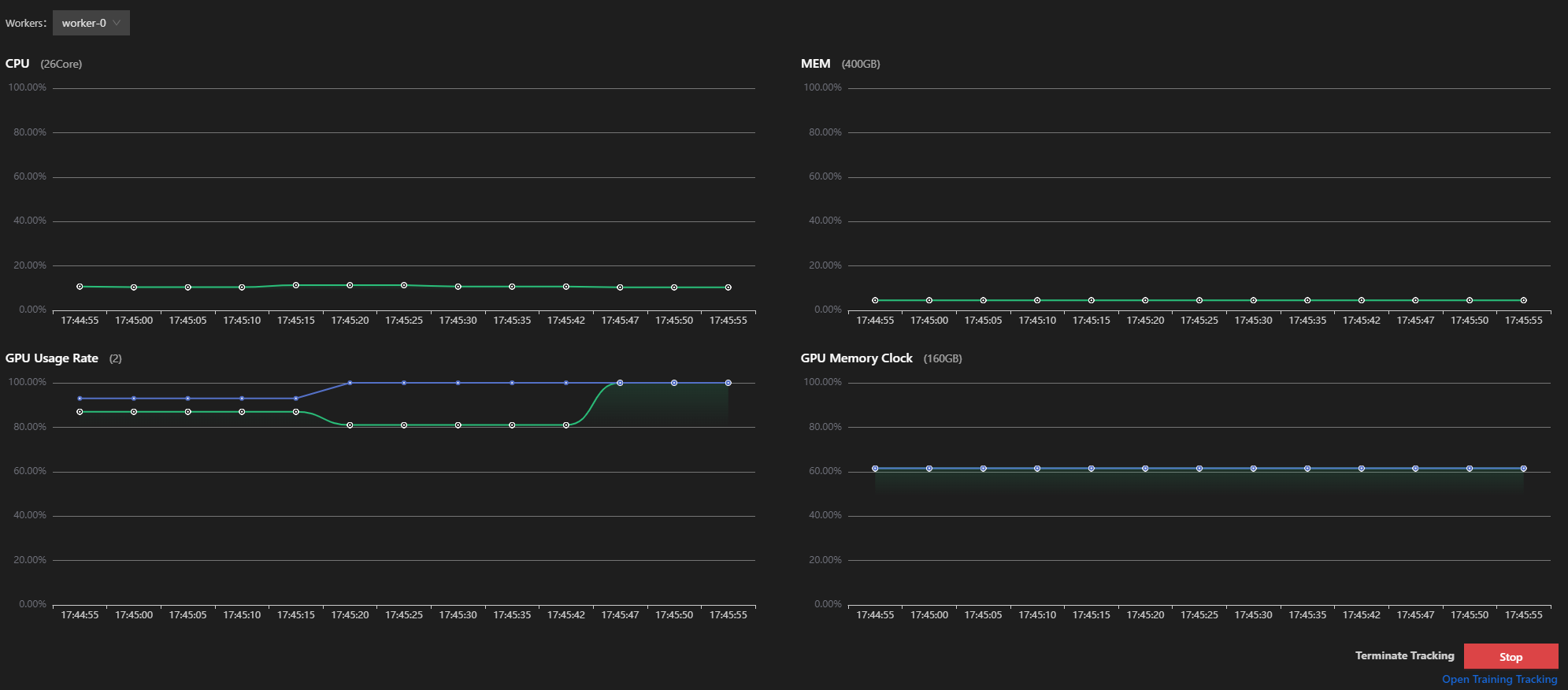
VS Code Monitor (per-worker system metrics)
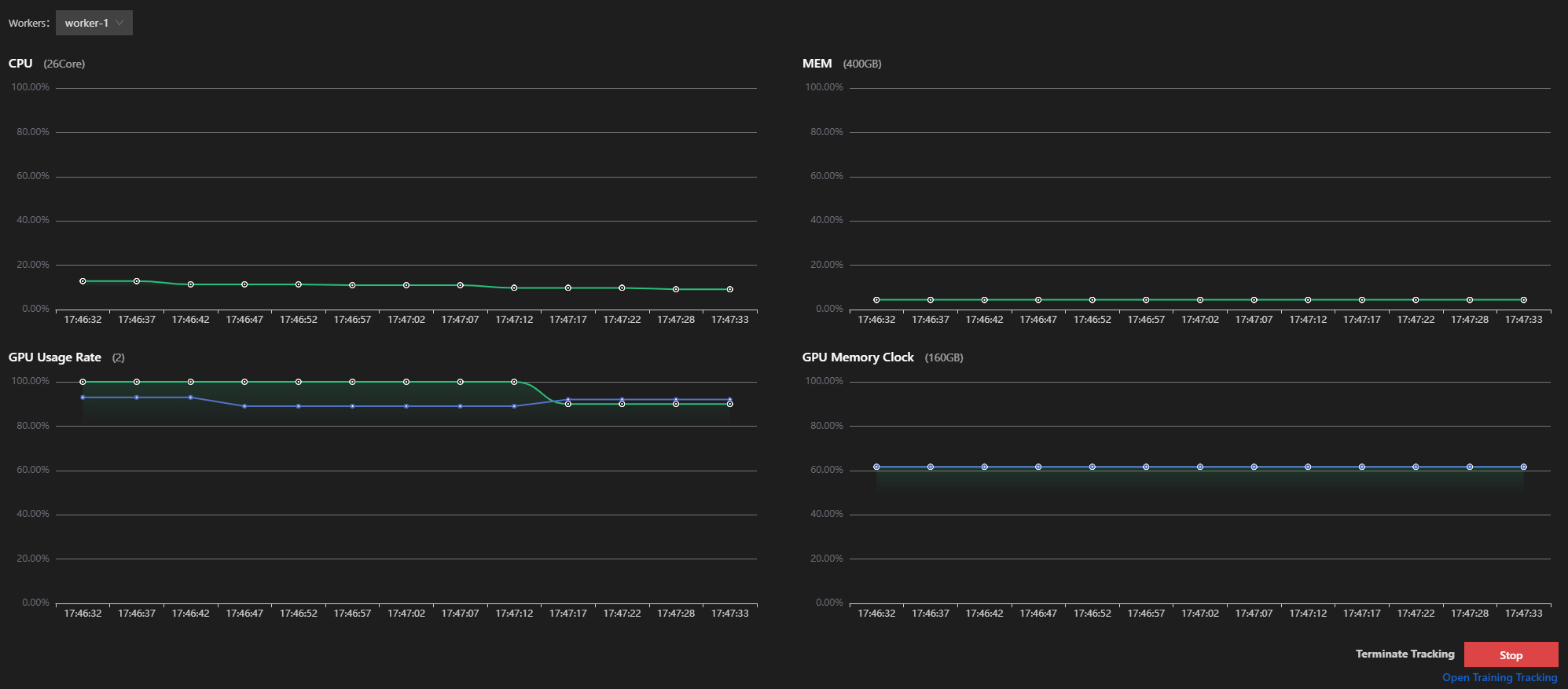
In VS Code, right-click the Running task → Monitor to inspect per-worker CPU, MEM, GPU usage rate, and GPU memory clock metrics.

4. Path B: bulk storage
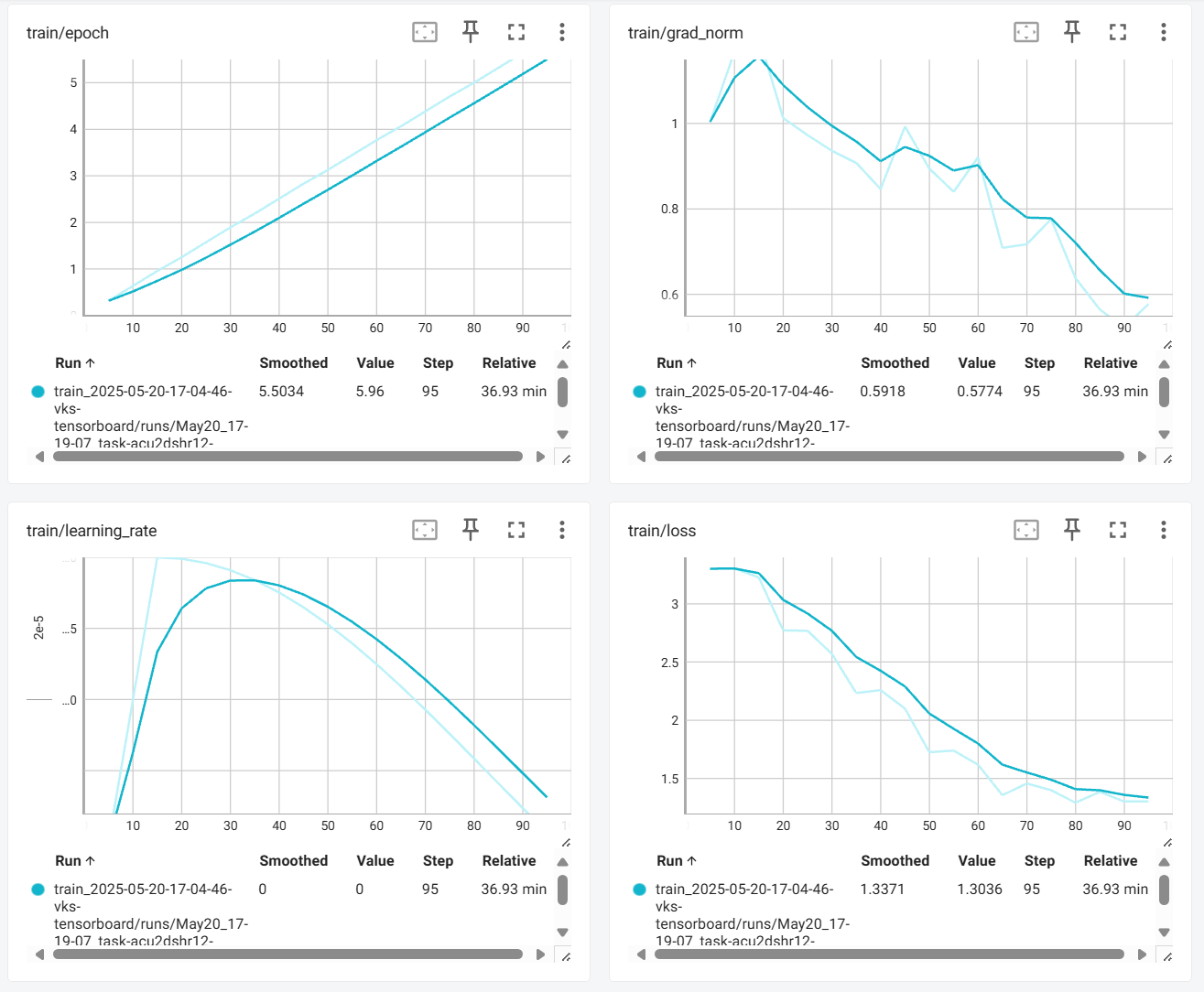
Remove the rclone copy block and let the model and dataset live on bulk storage. Re-run the same training and record the three metrics.
TensorBoard — bulk storage
VS Code Monitor — bulk storage
Results
| Setting | /dev/shm (100 GB) | Bulk storage |
|---|---|---|
| Epoch | 10 | 10 |
| Dataset | 2000+ multimodal images (1928×1208) | 2000+ multimodal images (1928×1208) |
| Tuning | LoRA | LoRA |
| Batchsize | 2 | 2 |
| Data load time / batch (~6 MB) | 6.5 s | 1 min 33 s |
| Model load time (16 GB) | 21 s/batch | 22 s/batch |
| Fine-tune time | 0:43:33 | 1:03:52 |
Note: /dev/shm capacity in elastic container clusters
Each GPU in an elastic container cluster ships with 200 GB of memory. /dev/shm defaults to half of that — 100 GB. /dev/shm is a tmpfs mount with very high read/write speed.
Conclusion
Under datasets < 100 GB:
- Model load efficiency improves by 13.5×
- Overall training efficiency improves by 32%
- Data handling is steadier and faster
Under multi-node multi-GPU DeepSpeed, the recommendation holds: stage dataset and model into /dev/shm. The conclusion matches the single-node case.
Cross-experiment summary
Putting the three experiments side by side, the impact of storage choice trends consistently:
| Scenario | /dev/shm model load | Bulk model load | Speedup |
|---|---|---|---|
| Single-GPU | 6.77 s | 72.05 s | ~10× |
| Single-node multi-GPU | 5.75 s | 6.5 s | ~1.13× |
| Multi-node DeepSpeed | 21 s/batch | 22 s/batch | ~1.05× |
The model-load gap narrows at multi-GPU scale because weights are sharded across cards, so each card reads less. Dataset load time and end-to-end fine-tune time still show a substantial gap.
Next steps
Last updated on