Using the Container Image Registry
This document outlines how to manage and use the Container image Registry on the Alaya NeW Cloud platform, covering the following key topics.
Storage Management
To view your current storage provisioned under your company account, click Resource Center in the top right corner and then select Storage Management. This page allows user to view and manage storage services provisioned under your company account, including file storage quota and resource release.
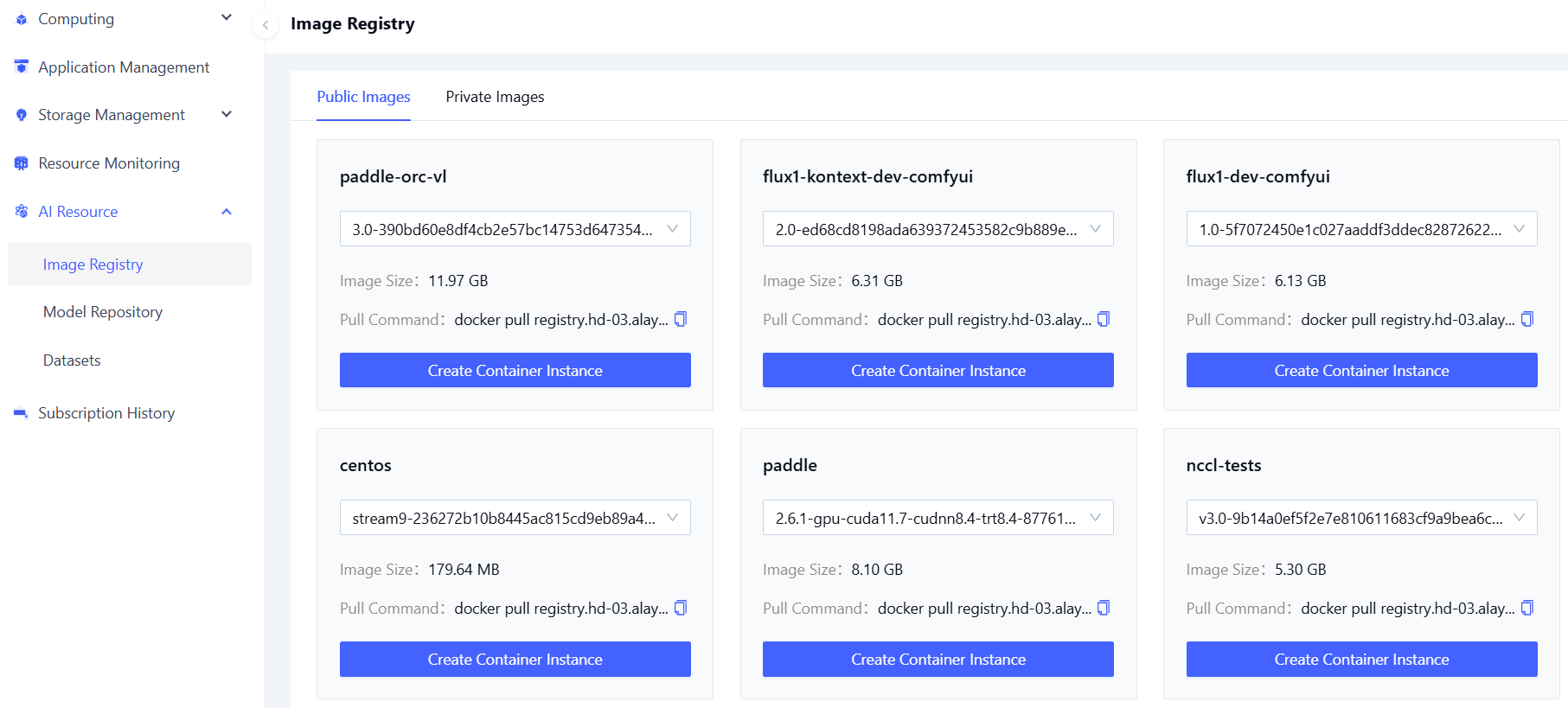
Using the Container Image Registry
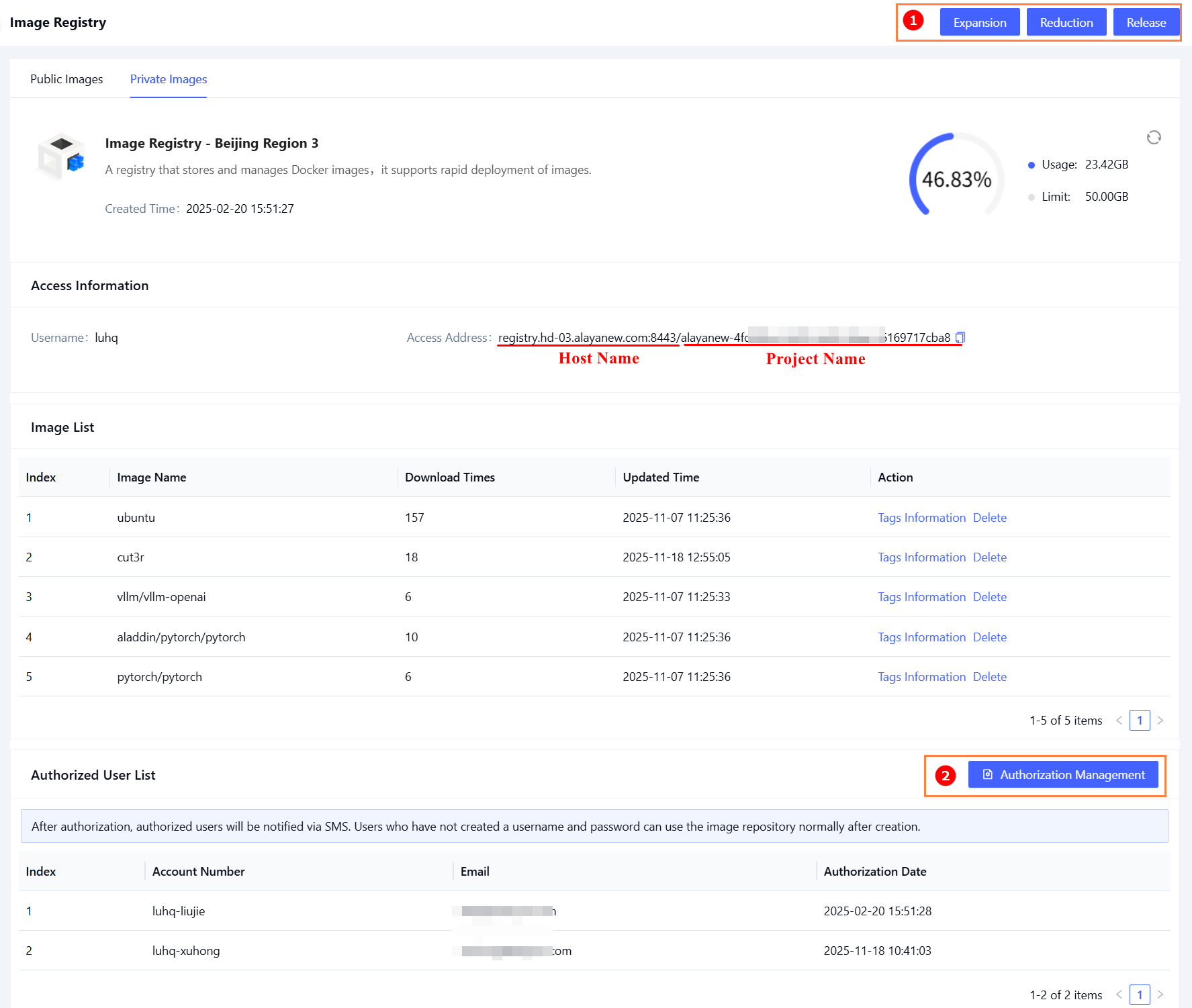
Access the details of the container image registry to retrieve its address:
tip
You must have the Docker client installed.
Uploading Local Images to the Container Image Registry
View Local Images
docker images ##List all local images
Log in to the Container Image Registry
docker login {repository-address} -u your-username -p your-password
Upload an Image to the Container Image Registry
docker  tag volcanosh/vc-scheduler:v1.7.0 {repository-address}/{project}/volcanosh/vc-scheduler:v1.7.0
docker push {repository-address}/{project}/volcanosh/vc-scheduler:v1.7.0 ##Push Image
Pulling Images from the Container Image Registry
Method 1: Using Kubernetes YAML Manifest
Refer to the Creating Image Pull Secrets
Method 2: Pulling image via Docker
Sign in to the Container Image Registry
docker login {repository-address} -u your-username -p your-password
Pull the Image
docker pull {repository-address}/{project-name}/openssh-server:latest