Authorize Virtual Kubernetes Service
After VKS (Virtual Kubernetes Services) is created, only authorized users can use it. Please add authorized users in a timely manner to ensure normal cluster usage.
Prerequisites
VKS has been created, and is functioning properly. If VKS has not yet been created, refer to Activate Virtual Kubernetes Services to complete the activation.
The administrator can view all cluster resources within the enterprise and grant permission to enterprise member account, regardless of whether this account has created any clusters.
Overview
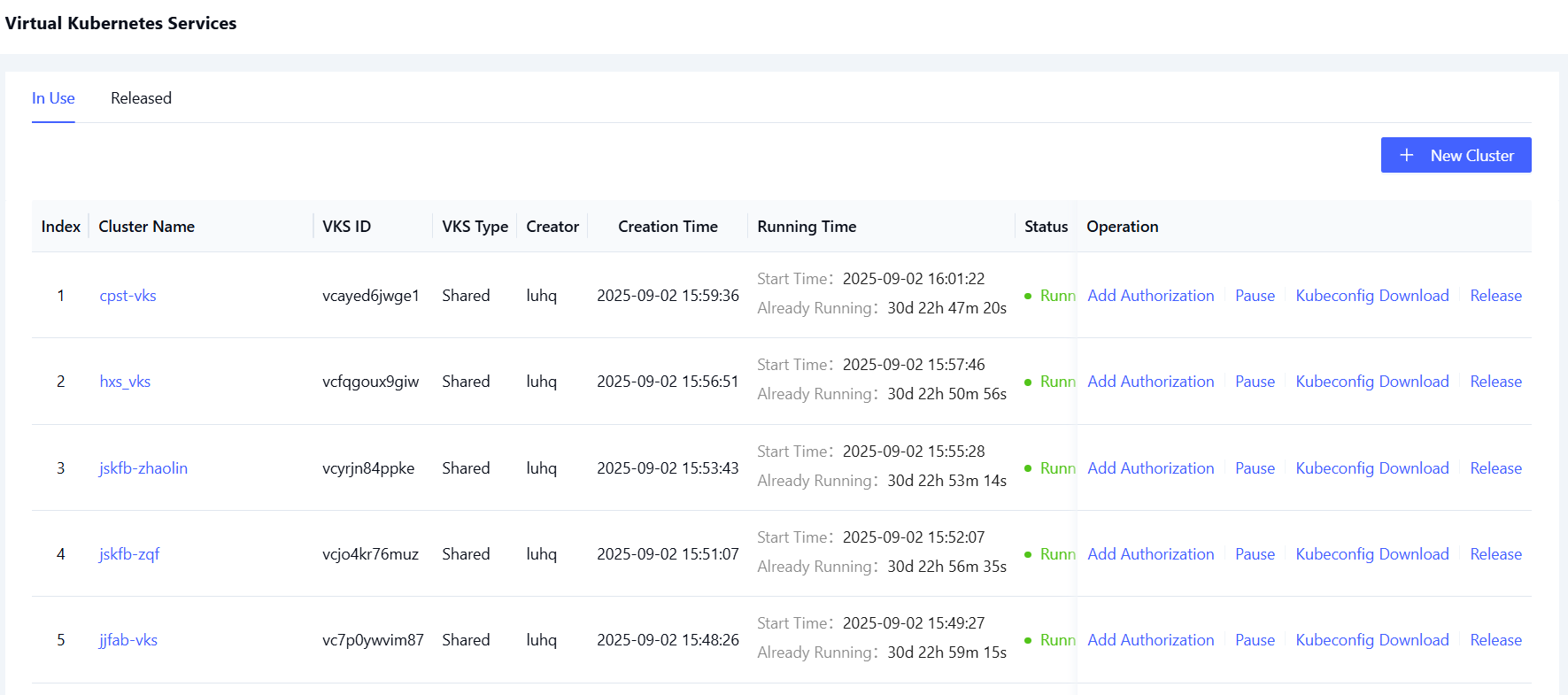
The authorization management page is shown below:
Authorization Steps
Follow the steps below to authorize a VKS cluster to a specified user.
-
Sign in to the Alaya NeW platform using your registered enterprise account. Click [Product/Virtual Kubernetes Services] to access the product overview page.
-
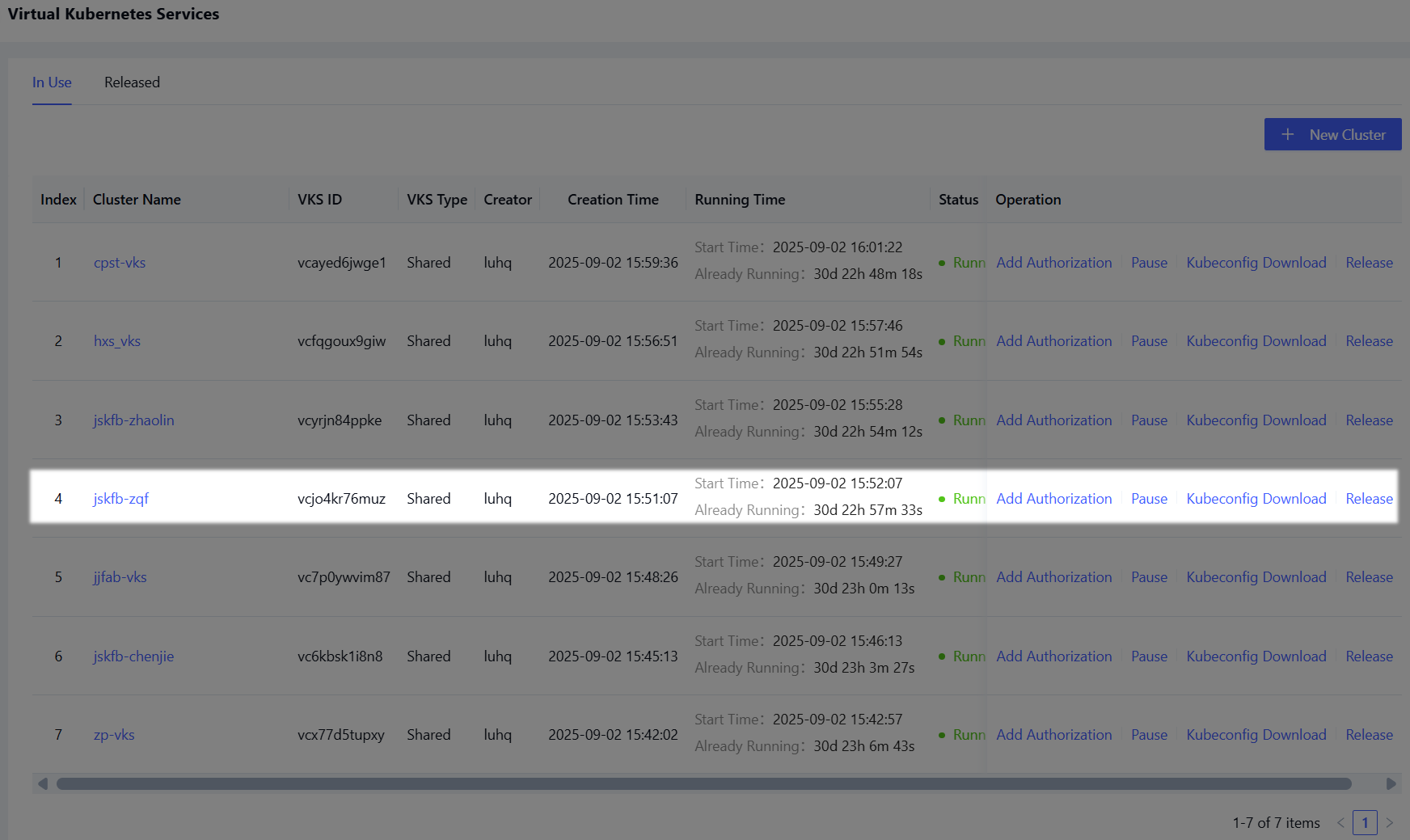
On the overview page, click "Cluster Management" to open the cluster list. Locate the cluster to be authorized, as highlighted in the example below.
-
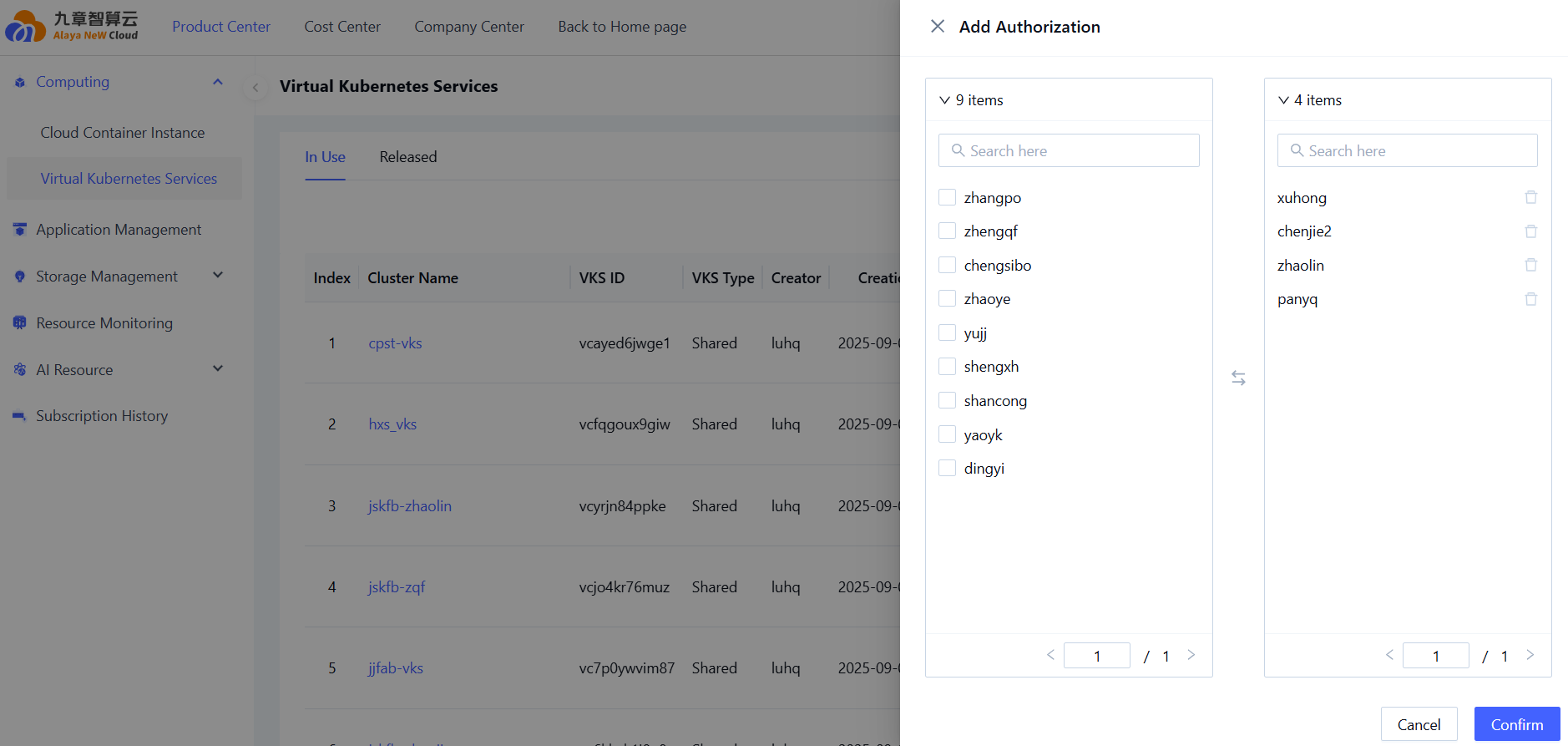
Click "Add Authorization" in the action column to open the authorization configuration page. Select the users who should be granted access to the cluster, as shown below.
-
After selecting the users, click "Confirm" to complete the authorization process.
After authorization is complete, click the cluster name to enter the cluster details page. Switch to the "Authorization Management" tab to view authorization details, as shown below.
