Using Virtual Kubernetes Services
After Virtual Kubernetes Services (VKS) has been created and the user has been authorized, the VKS cluster can be accessed by configuring environment variables. Detailed instructions are provided below.
Prerequisites
- VKS has been created, and is functioning properly. If it has not been created yet, you can refer to Create Virtual Kubernetes Services to complete the activation.
- The user has been granted access to the corresponding VKS by the administrator. The company administrator can grant access by referring to Authorize Virtual Kubernetes Services to complete the authorization process.
- The user has installed the command-line tool (kubectl). If not yet installed, refer to Install Command-Line Tool (kubectl).
To ensure proper operation of VKS, it is strongly recommended that you do not to delete any resources you see after connecting to the cluster via kubeconfig for the first time.
Procedure
Users can use VKS by configuring environment variables. Follow the steps below:
-
Sign in to the Alaya NeW platform using your registered company account, and click [Products /Computing/Virtual Kubernetes Services].
-
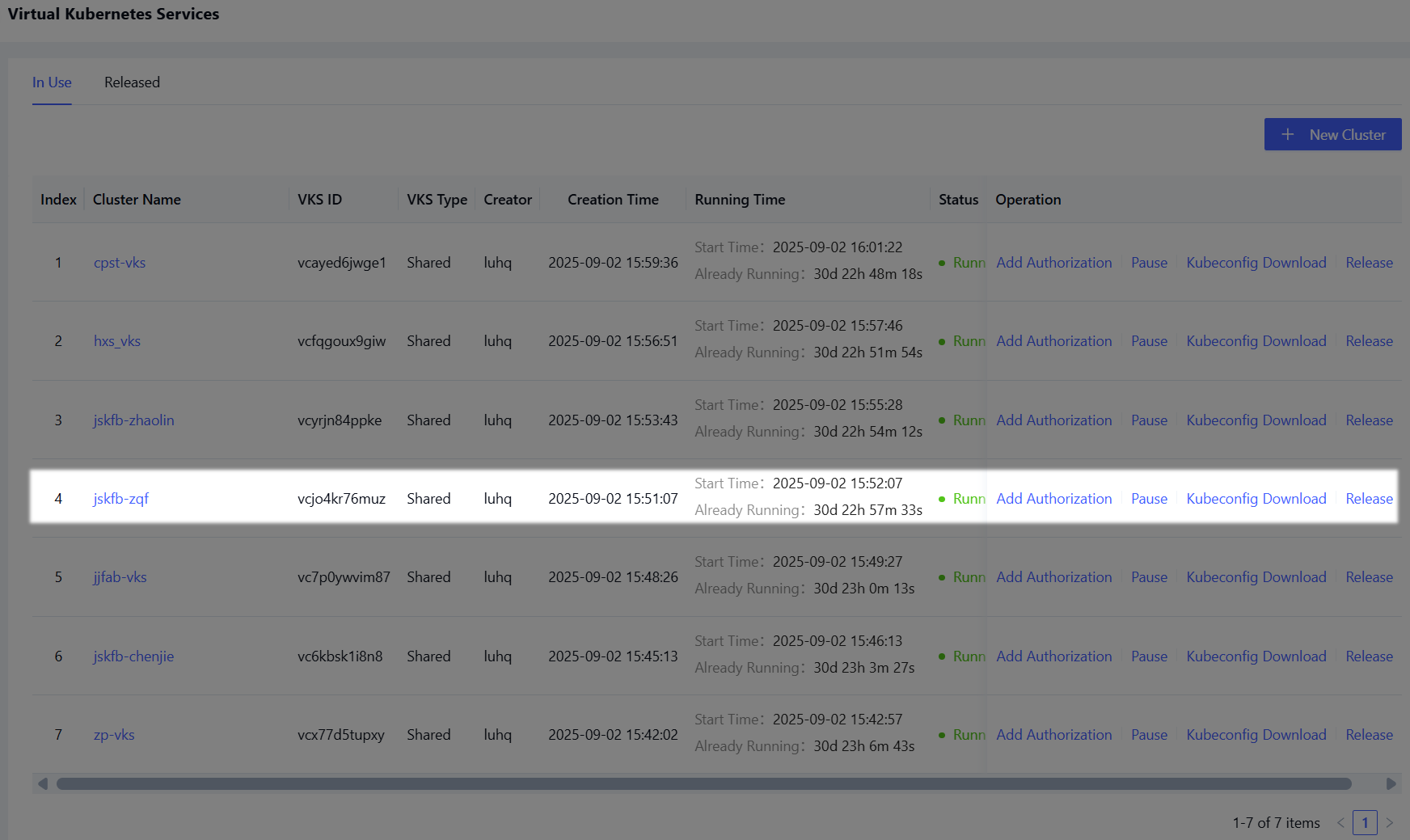
Click "Cluster Management" to open the cluster list, then locate the created VKS cluster, as highlighted below.
-
Click the "kubeconfig download" link (highlighted in green above) to download the kubeconfig file to your local machine.
-
Open a terminal and navigate to the directory where the kubeconfig file was downloaded. The following sections describe how to configure environment variables on different operating systems.
- Windows PowerShell
- macOS
-
In the terminal, run the following command to configure the environment variable for accessing VKS, as shown below:

$env:KUBECONFIG="yourpath"TipReplace
yourpathwith the actual path to your VKS kubeconfig file. -
Run the following command to verify whether the cluster connection is successful. If the output appears as shown in the highlighted section below, the cluster is connected successfully.

kubectl cluster-info
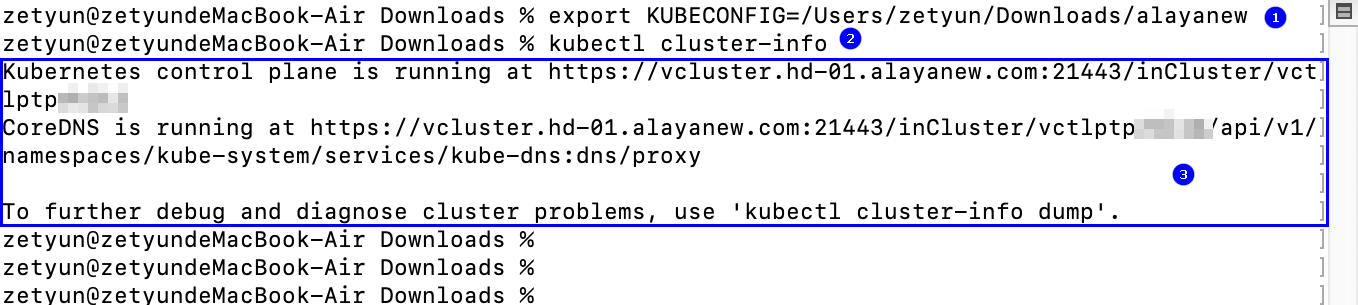
- In the terminal, run the following command to configure the environment variable for accessing VKS, as shown in highlight ① below.
export KUBECONFIG=[yourpath]
Replace yourpath with the actual path to your VKS kubeconfig file.
-
Run the command below to verify whether the cluster connection is successful. If the output appears as shown in highlight ③ above, the cluster is connected successfully.
kubectl cluster-info
The environment variable configuration for VKS is valid only within the current terminal session. Once the terminal window is closed, the configuration will no longer persist.