
Deploy a Jupyter Notebook + PyTorch instance on VKS
Prerequisites
kubectland Helm installed- A VKS cluster provisioned and usable
Preparation
File list
Download the example archive containing:
| File | Purpose |
|---|---|
Dockerfile | Custom image build |
config_harbor_secret.json | Harbor registry credentials |
jupyter_harbor_secret.yaml | Secret resource — pulls custom image |
jupyter_deploy.yaml | Deployment resource — Pod lifecycle |
jupyter_svc.yaml | Service resource — networking |
jupyter_serviceexport.yaml | ServiceExporter resource — public exposure |
Key variables
Dockerfile: built from a PyTorch base image.
config_harbor_secret.json:
| Variable | Source | Example |
|---|---|---|
your_harbor_server | Resource Center / Storage / Registry | https://registry.hd-01.alayanew.com:8443 |
username | Provisioning SMS | user |
password | Provisioning SMS | password |
email | - | user@example.com |
jupyter_harbor_secret.yaml:
| Variable | Description |
|---|---|
.dockerconfigjson | base64 of config_harbor_secret.json |
jupyter_deploy.yaml:
| Variable | Source | Example |
|---|---|---|
image | Custom image | registry.hd-01.alayanew.com:8443/.../pytorch:2.5.1-cuda12.4-cudnn9-devel-ssh-1.0 |
resources.requests.[GPU] | Cluster Detail / Compute Config | nvidia.com/gpu-h800 |
volumes.persistentVolumeClaim.claimName | Default PVC | pvc-capacity-userdata |
jupyter_svc.yaml: ClusterIP service, exposes TCP 8888.
jupyter_serviceexport.yaml: external publish resource.
Steps
1. Image preparation
# Pull base image
docker pull <image>:<tag>

# Build custom image from Dockerfile
docker build -t <name:tag> -f <Dockerfile path> .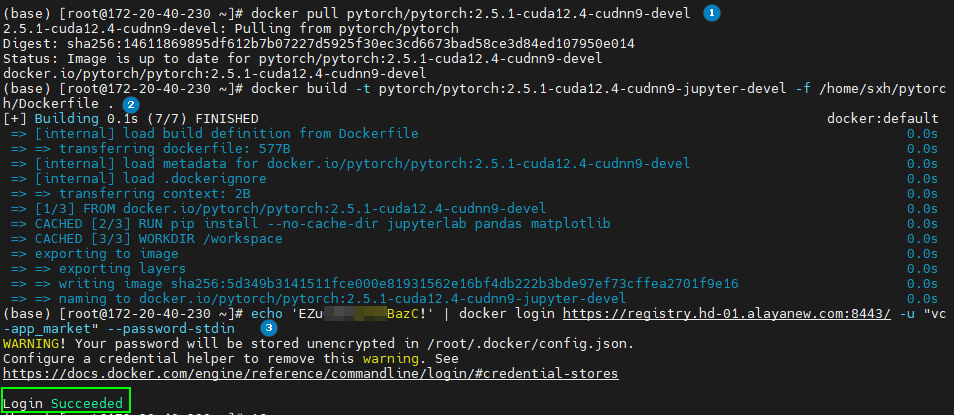
# Login to Harbor
echo <password> | docker login <registry> -u <username> --password-stdin

# Re-tag
docker tag <src>:<src-tag> <dst>:<dst-tag>

# Push
docker push <dst>:<tag>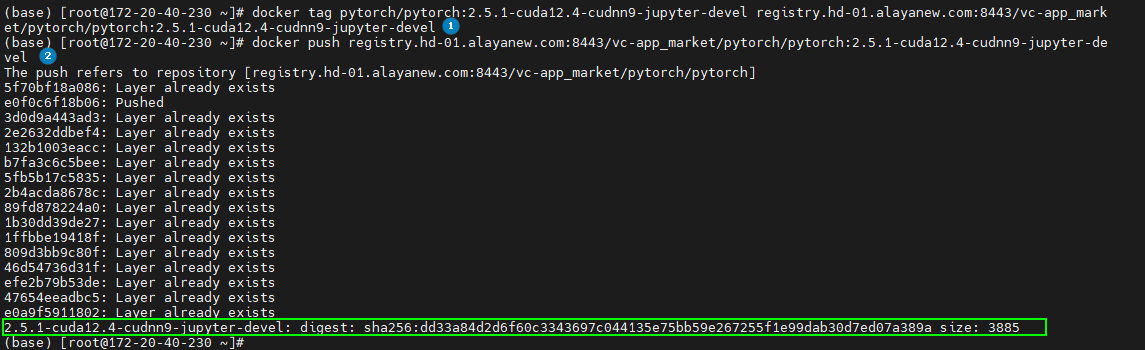
2. Deploy resources
export KUBECONFIG="</path/to/kubeconfig>"

kubectl create namespace <namespace-name>

kubectl apply -f jupyter_harbor_secret.yaml
kubectl apply -f jupyter_deploy.yaml
kubectl apply -f jupyter_svc.yaml
kubectl apply -f jupyter_serviceexport.yaml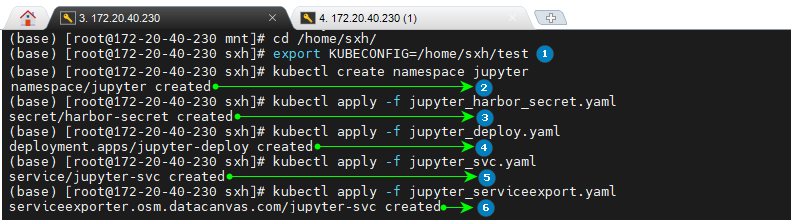
3. Inspect resources
kubectl get pods   -n <namespace>
kubectl get deploy -n <namespace>
kubectl get svc    -n <namespace>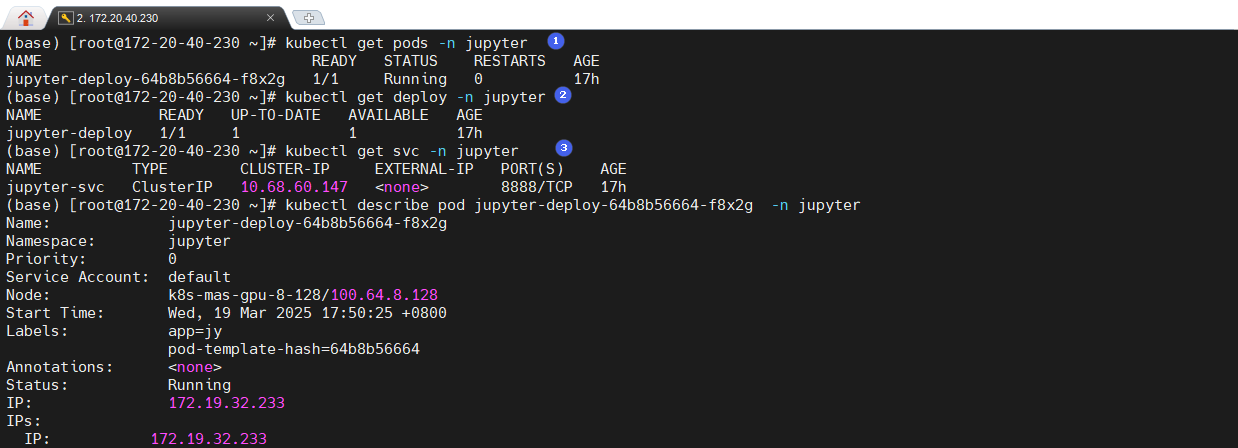
# Pod detail
kubectl describe pod jupyter-deploy-576b8fb97d-hnmhq -n jupyter

# Pod logs — find the login token here
kubectl logs jupyter-deploy-576b8fb97d-hnmhq -n jupyter
The token in the logs looks like ddf27395439c1197201cf7fa6d8e350e72c80d67f3a1d831.
# ServiceExport
kubectl get serviceexporter -n jupyter
kubectl describe serviceexporter jupyter-se-svc -n jupyter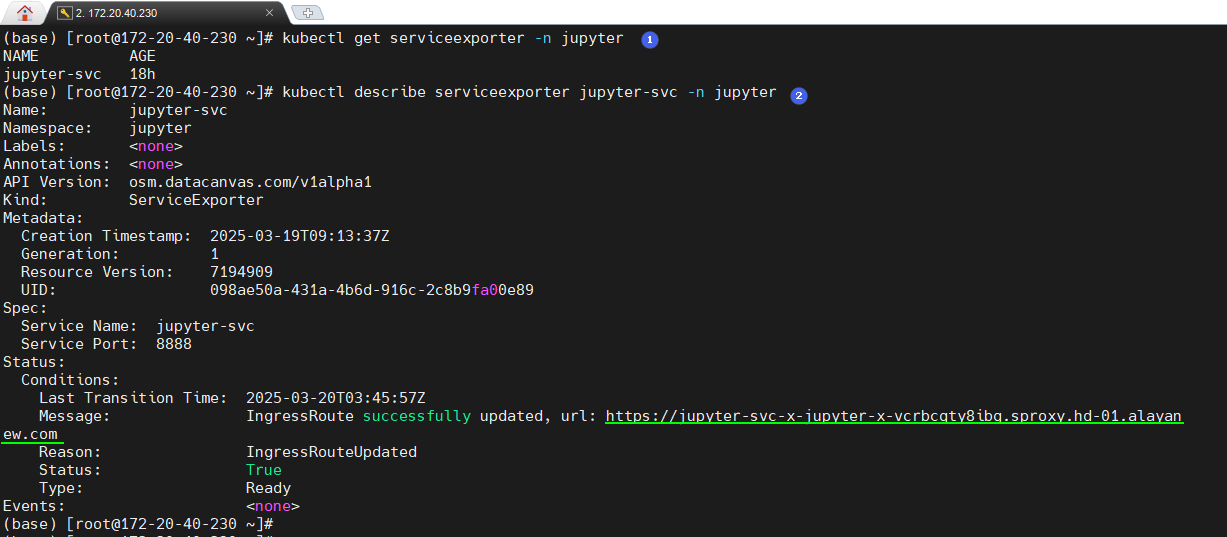
Tip: ServiceExporter publishes on port 22443. If the URL is
https://jupyter-svc-x-jupyter-x-xxxx.sproxy.hd-01.alayanew.com, the actual access URL ishttps://jupyter-svc-x-jupyter-x-xxxx.sproxy.hd-01.alayanew.com:22443.
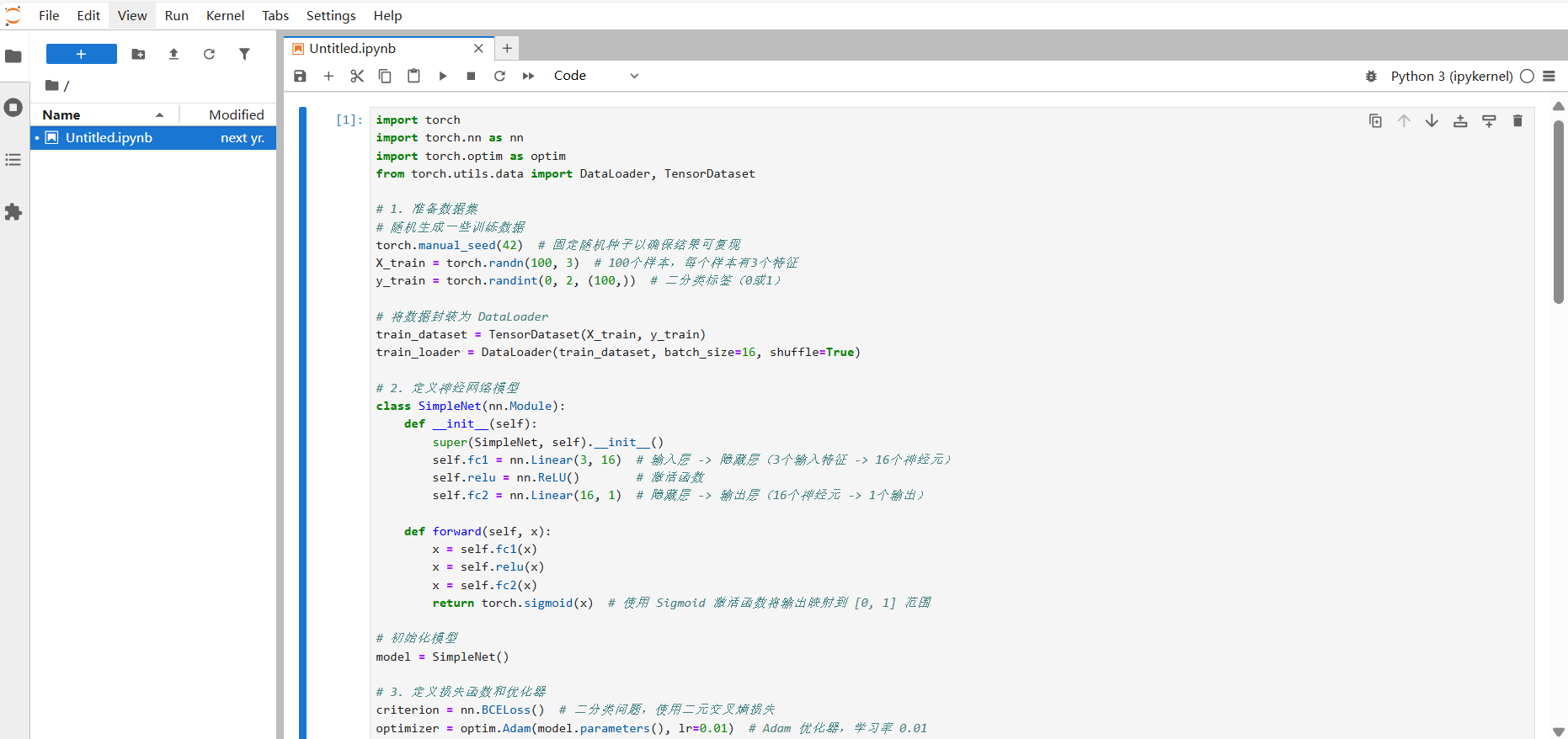
4. Access
Sign in with the URL + token:
Wrap-up
We deployed a Jupyter Notebook + PyTorch instance on VKS via a custom image. Use this flow as a template for containerizing and shipping any service to VKS.
Last updated on