
Deploy code-server on VKS for an instant browser-based VS Code remote-dev environment
code-server is Coder's open-source, browser-based VS Code editor. Developers can access a remote dev environment from any device through a web browser. This tutorial deploys code-server on Alaya NeW VKS.
When this is useful
- Long-lived dev environment — runs on the server, no local toolchain needed, just a browser.
- Cross-platform / cross-device — Windows / Mac / Linux / tablet / phone.
- Team collaboration — share code and environments across teammates without duplicating local setup.
Steps
Prerequisites
Docker plus kubectl.
Image preparation
Registry credentials (username / password / host) come from the registry provisioning SMS. URL = host / project.
-
Pull code-server (4.95.3-39 in this tutorial):
docker pull codercom/code-server:4.95.3-39 -
Tag:
docker tag codercom/code-server:4.95.3-39 <registry>/codercom/code-server:4.95.3-39 -
Login and push:
docker login -u [harbor_username] -p [harbor_password] <host>
docker push <registry>/codercom/code-server:4.95.3-39
Verify the image lands in your Harbor.
Script preparation
Download the script archive and unzip. Variables to replace:
| Variable | File | Example |
|---|---|---|
<registry> | deploy-code-server.yaml | registry.hd-01.alayanew.com:8443/alayanew-***-5cfd029439a8 |
<host> | harbor-config.json | registry.hd-01.alayanew.com:8443 |
<username> | harbor-config.json | hb_abc123 |
<password> | harbor-config.json | 123456 |
Secret
Base64-encode harbor-config.json and put the result into harbor-secret.yaml under .dockerconfigjson:
apiVersion: v1
kind: Secret
metadata:
  name: alaya-harbor-secret
type: kubernetes.io/dockerconfigjson
data:
  .dockerconfigjson: <base64 string>
Deploy
kubectl apply -k .Save the ServiceExporter URL from the output — that's the Web UI address.
Check pods:
kubectl get pods -n code-serverExpected:
NAME                            READY   STATUS    RESTARTS   AGE
code-server-5987dbbf9c-47276    1/1     Running   0          5h10m
Get the URL:
kubectl describe serviceexporter vscs-itf -n code-serverstatus.Message carries the URL.
Use it
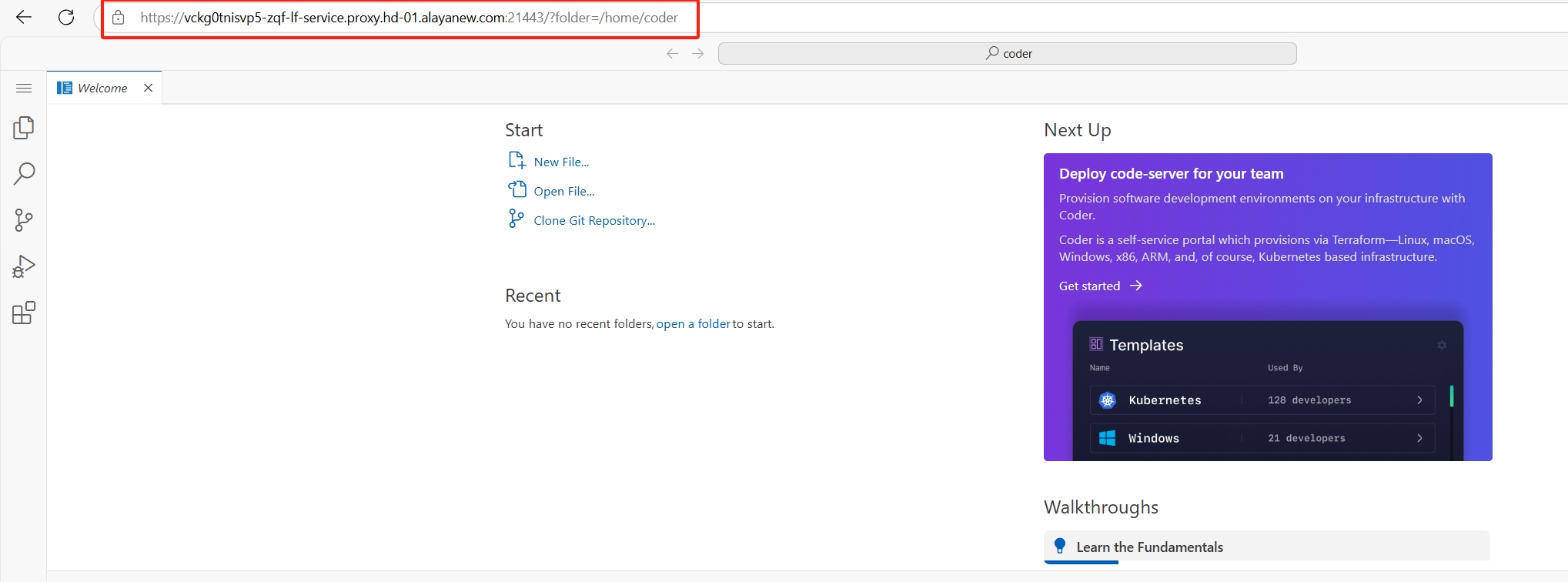
Open the URL in a browser. First login asks for the password (the service_password you set during deploy).
Install extensions
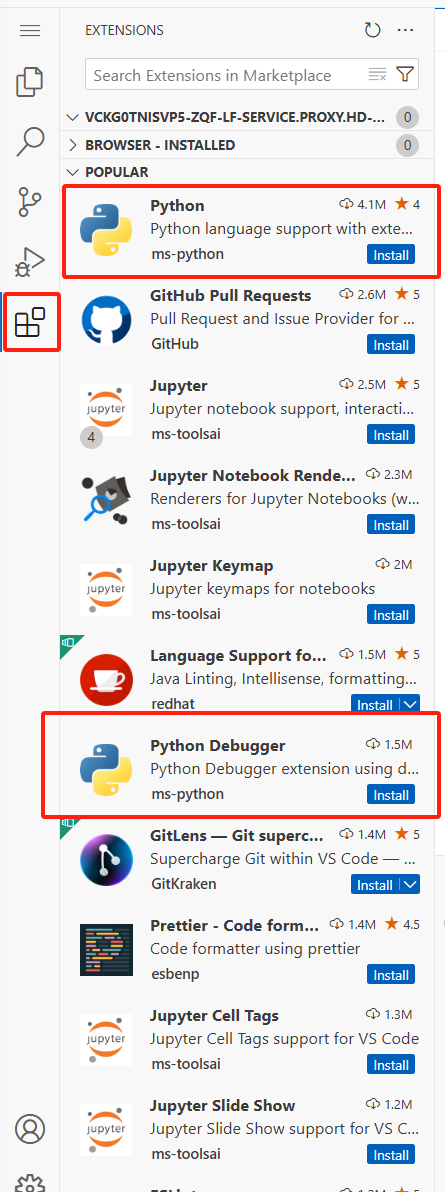
Click the Extensions icon, search for Python and Python Debugger, install:
Edit and run
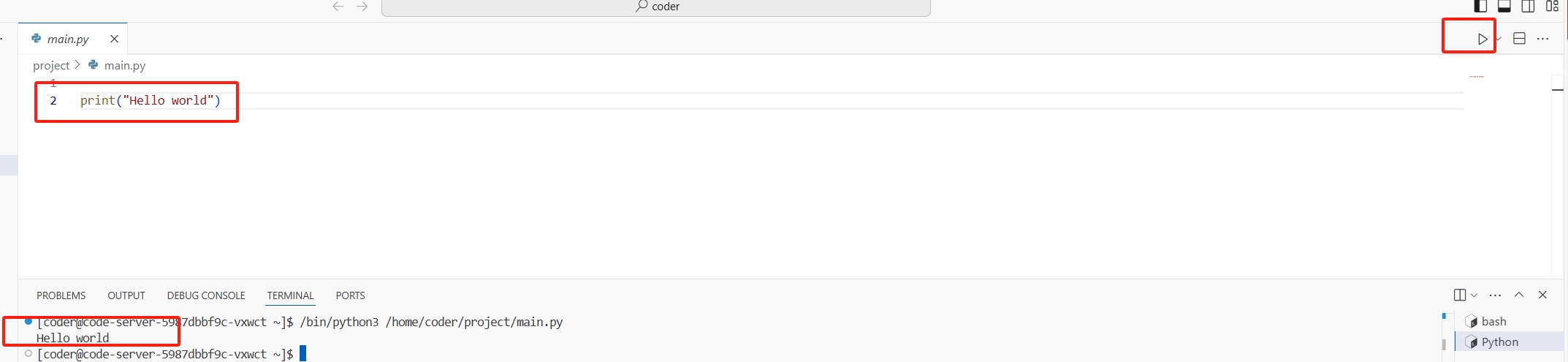
Create a Python file:
print("Hello, world!")Click the run button:
License
Use code-server in compliance with its license: coder/code-server.
Last updated on